
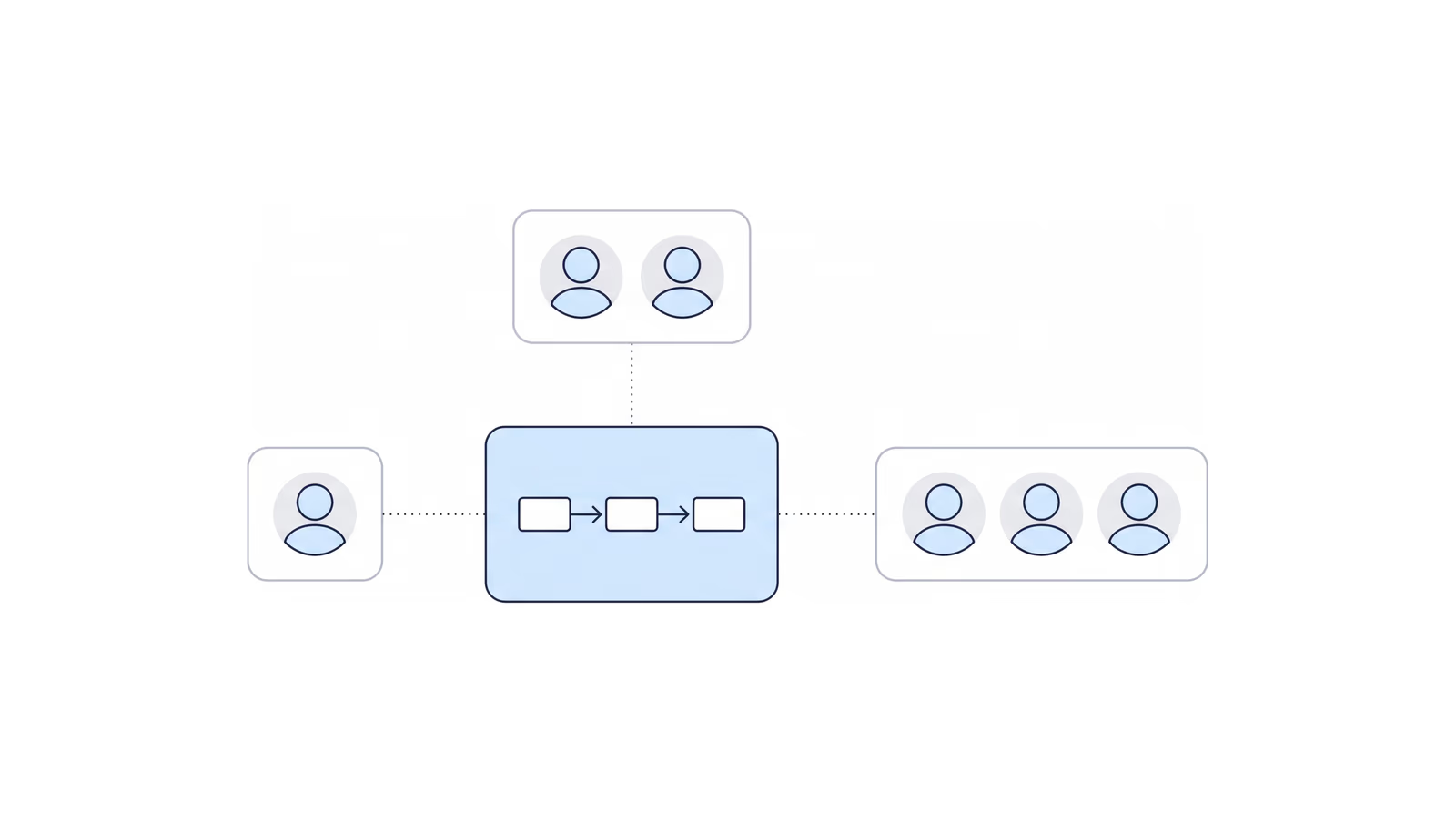
Most disability firms that feel short-staffed assume the answer is another hire. Three operators who run very different firms made the opposite case in the opening session of CAPACITY ‘26: find out what is causing the backlog first, then decide whether you need a person or a process.
CAPACITY ‘26 was the Disability Law Tech Summit, a virtual day on Thursday, November 12, 2026, co-presented by NOSSCR and Chronicle. The opening panel, “How to Grow Your Caseload Without Growing Your Payroll,” ran about 45 minutes and moved through four themes: hiring versus automating, the work nobody should do by hand, who builds and owns the system, and where the freed-up time goes. Near the end, the host also brought in questions from the live chat.
The panelists agreed on a short list. Automate what follows a written rule. Keep people on the work that needs judgment, empathy or a relationship. Expect resistance from staff and clients before you expect it from the technology.
You can catch the replay here:
Panelists:
- Diane Haar, Founder, Hawaii Disability Legal Services. Diane founded the firm in 2012 as a paperless practice and represents claimants across Hawaii, the Pacific territories and the Philippines. She holds a J.D. and an M.P.H. from Yale. Hear her story on Disability Heroes.
- Will Viner, Founder, Viner Disability Law, Denver. An attorney-only practice focused entirely on Social Security disability. Will has represented thousands of claimants since 2010 and appears personally at every hearing he takes on.
- Kaitlyn Newell, Director of Legal Services, Carmichael Law Group. Kaitlyn runs the legal-services side of a multi-attorney Social Security disability practice in Opelika, Alabama.
Moderated by Will Yang, Co-founder and Head of Growth, Chronicle. Will leads growth, partnerships and community at Chronicle and hosts Disability Heroes, Chronicle’s podcast for disability practitioners. A note on names: there are two Wills on this panel. This recap says Will Yang for the moderator and Will Viner for the panelist.
Key takeaways
- Hire for judgment, automate the rule. If you can write the workflow down, automate it. If the task needs context or empathy, hire for it.
- Audit before you hire. A new hire on top of a broken process gives you two people running a broken process.
- Tell the client before they ask. The best answer to “where’s my case?” is an update they never had to request.
- Staff resistance is the real obstacle. Explain the change first, ask for feedback, and share the gains with the people who adopt it.
- Map the whole case lifecycle before you buy anything. Then decide who owns the system, and make sure a second person knows how it was built.
- Spend the freed-up time on clients. The hearing, bad news and the relationship stay with a person.
Hire for judgment, automate the rule, and audit before you add headcount
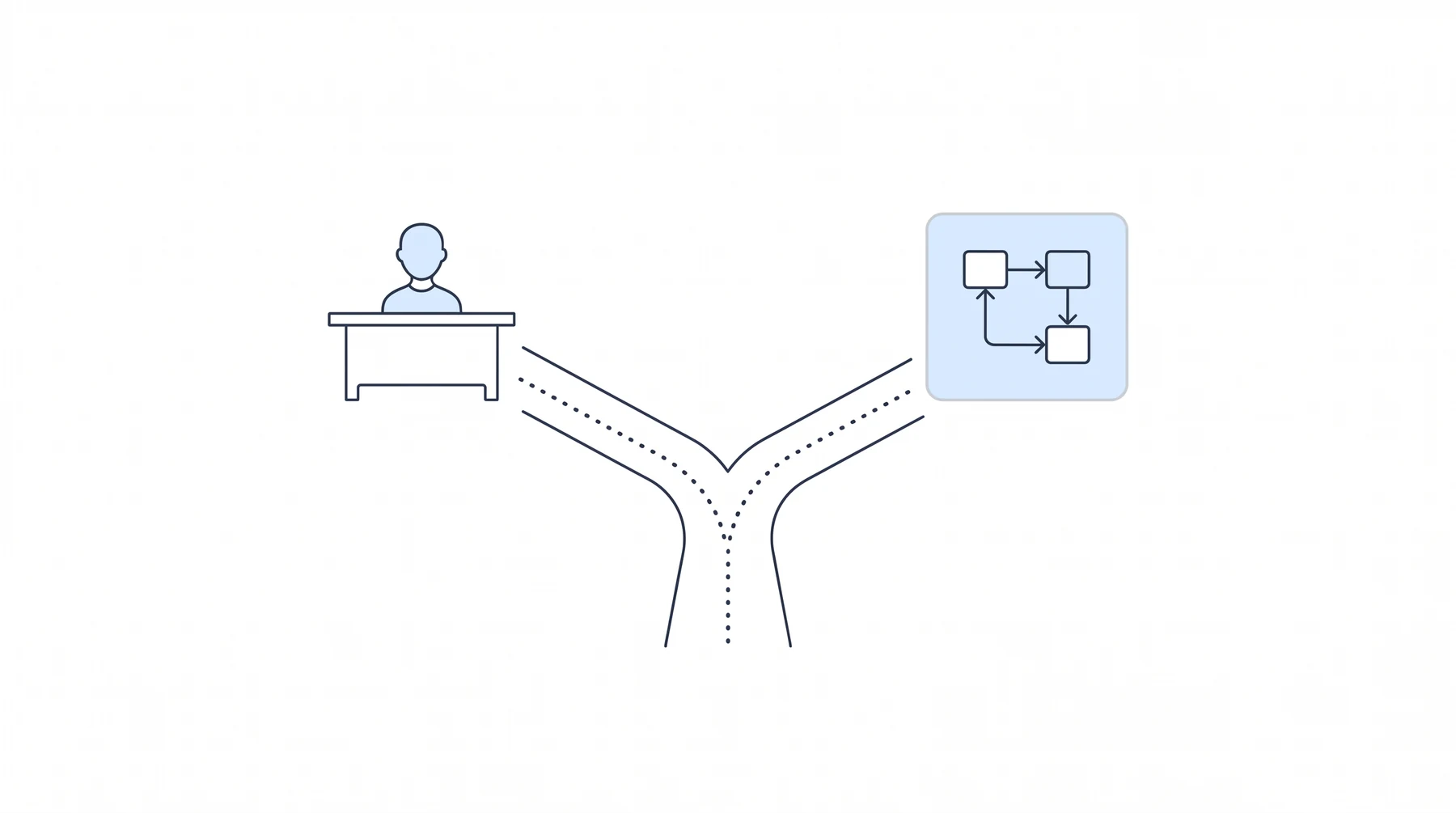
Will Yang opened with the question every stretched owner asks: another person, or a better system? The three panelists gave nearly the same rule from three different firm sizes. For related recaps, see how large firms are trying to grow without hiring.
The test: if a task needs judgment, hire; if you can write the rule, automate
Will Viner put it as a two-part test:
“If a task needs judgment, we hire for it. And if you can write down a rule, or a system, or a workflow, you should automate it.”
His firm tries automation first, and hires only when a task is too complex to specify.
Kaitlyn Newell drew the same line in different words: “If we need context, hire. If it is data-driven and you can automate it clearly, within a set parameter, set rules, go ahead and automate it.”
Audit the workflow first, or the backlog just gets a bigger team
Asked for the biggest mistake firms make when they hire their way out of a backlog, Diane Haar said she has made it herself. Her warning: “you can just end up having two people sitting around not doing the job.”
Kaitlyn described how that looks from the operations side. Teams treat a headcount gap as a capacity deficit without looking at the workflow underneath it. Her result: “without examining the backlog, it always makes the problem worse before it gets better.”
If you want numbers to audit against, Automation Benchmarks for Disability Firms: What Good Looks Like is a place to start.
A new hire on a broken process leaves you with two people running it
Will Viner agreed and gave his own sequence. First map the workflow. Then set guardrails with objective metrics so you can tell whether you are on track. Only then automate.
His reason for that order: “A new hire inherits the mess, and now we have two people who are running a broken process.”
Where the labor pool is thin, automation is the only option, but people still matter
Diane’s constraint is geographic. She said she has automated a lot “because I just don’t have the employee pool out here.”
She still needs people, and specific ones: “it matters to people that I have people in the office that sound like them, talk like them, know what island life is like.”
Clients still want a human on the phone, so one AI receptionist trial ended
Kaitlyn’s firm was fielding many generic calls, so it trialed an AI receptionist. The trial ended quickly. In her words, “our clients still wanted that human touch.”
Troubleshooting the system and reading transcripts to check its answers was also more work than the firm could take on at the time.
Diane uses a remote receptionist service so a human always answers. Her reason: “People want to talk to people.” Will Viner reached the same conclusion about his own clients: “The clients need to talk to a real human.”
Stop automating when upkeep costs more than the labor it removes
Kaitlyn’s test for when to stop: the cost of maintaining and troubleshooting a system should not exceed the manual labor it removes.
Will Viner’s example passes that test. He wrote a program that automatically grabs rep-form files, downloads them, puts them in Clio and marks the task done. It “doesn’t save a ton of time, but the cumulative aspect is tremendous.” The personal payoff counts too: “I get excited when it’s like, oh, wow, that just worked.”
Stop doing routine work by hand: let a system sort the notice and tell clients first
Will Yang’s second theme was the work nobody should do by hand. Each panelist named something different, and the answers share one idea: a person should make the decision, not move the paper.
Let a system read the SSA notice and open the task; staff decide and send
Will Viner named the first thing to stop: “reading every Social Security notice and deciding what it means.”
He described the replacement as a trigger chain: “You need to let a system sort it. Open the task, draft the client email, staff checks it and hits send.”
Staff still check the work before it goes out.
If software can do it and the numbers work, buy the software
Diane’s rule is financial: “if I can buy a piece of tech, and it makes financial sense, and it can do it, it makes more sense to have the tech do it than to have a human do it.”
She listed document automation, tasking and anything a case management system already handles as the first places to look.
Tell the client before they ask, and the status calls shrink
The panel’s most repeated point was about status calls. Will Viner: “the best answer to where’s my case is telling the client before they ask.”
Kaitlyn agreed. Updates that go out when something changes leave staff free for the conversations that need context.
For more on this, see Client Communication in a Small Disability Practice: What Actually Works. Nikhil Pai’s CAPACITY session, How to Stop Clients From Calling to Ask What Is Happening, takes the idea further.
A client portal takes the where’s-my-case question off the phone
Kaitlyn called a client portal “one of the biggest things” her firm has adopted, and said “a client portal has saved us tons of time.”
She described the updates her firm values: a client hears when a case has moved to a new phase or has been assigned a case manager.
One firm says mail sorting is nearly done, though paper still arrives
Later in the session, Will Viner said the sorting is “already done, or we’re almost there in terms of the Chronicle drip emails.” His conclusion: “I think scanning mail is out of the window now.”
That is his firm’s experience, not a guarantee. Paper still arrives on some files, as the chat questions showed.
The real obstacle is people, so bring staff along before you automate
When the moderator asked what slows adoption down, the answer was the same for all three: people. The panelists split on whose resistance matters most.
Staff and clients both resist, and both worry AI replaces the human
Kaitlyn found two sources of resistance: “employees who are nervous about change” and clients who tell the firm “I don’t want to speak to AI.”
Her read of the moment: people are still wary of AI and unsure they can trust it.
At a small firm, the bottleneck is the owner
Will Viner turned the question on himself. “At a smaller firm, the bottleneck is me,” he said. What he saw this year: “it was me.” He had been “personally choosing all the clients, all potential clients, doing all that hand-holding.” That stops working at larger client volumes, so he has been working to give pieces of it up.
Tell staff the gain is theirs: adopt the tools, earn more
Diane’s pitch to her team is direct. She told them: “the more you adopt this stuff, and the more you’re willing to work with it, the more I can pay you.”
She follows through. Staff who adapted as technology changed “get paid more because they are helping me with the change.”
Explain the change first and say plainly it is not about losing jobs
Kaitlyn’s method is a conversation before the rollout. She sits the team down and says “hey, this is what we want to do, this is what it’s going to look like, you’re not losing your job.”
She gets better feedback that way than by implementing something and hoping people take to it.
Ask for feedback, because the people using a system see what its builder misses
Will Viner asks for the same thing from his team in a different form. He tells staff to “insist that they have to give you feedback about the systems.”
His reasoning: the person who built a system is not the one using it all day, so the users see the missing field or the box that will not edit.
Small firms move fast; larger firms have to standardize handoffs
The panel’s size range showed up here. Diane, who works across two islands with a small team, said she “couldn’t even imagine trying to start with a team of 50.”
Kaitlyn’s version for a larger team: “our goal is to standardize handoffs between departments.” Her worry is staff who quietly go back to the old way, which leaves a bottleneck nobody can see.
Will Viner described the small-firm advantage: “speed is our advantage, because we’re small.” The discipline he has to add is “writing it down so it doesn’t live in my head.”
Give the system an owner, a written map and a backup
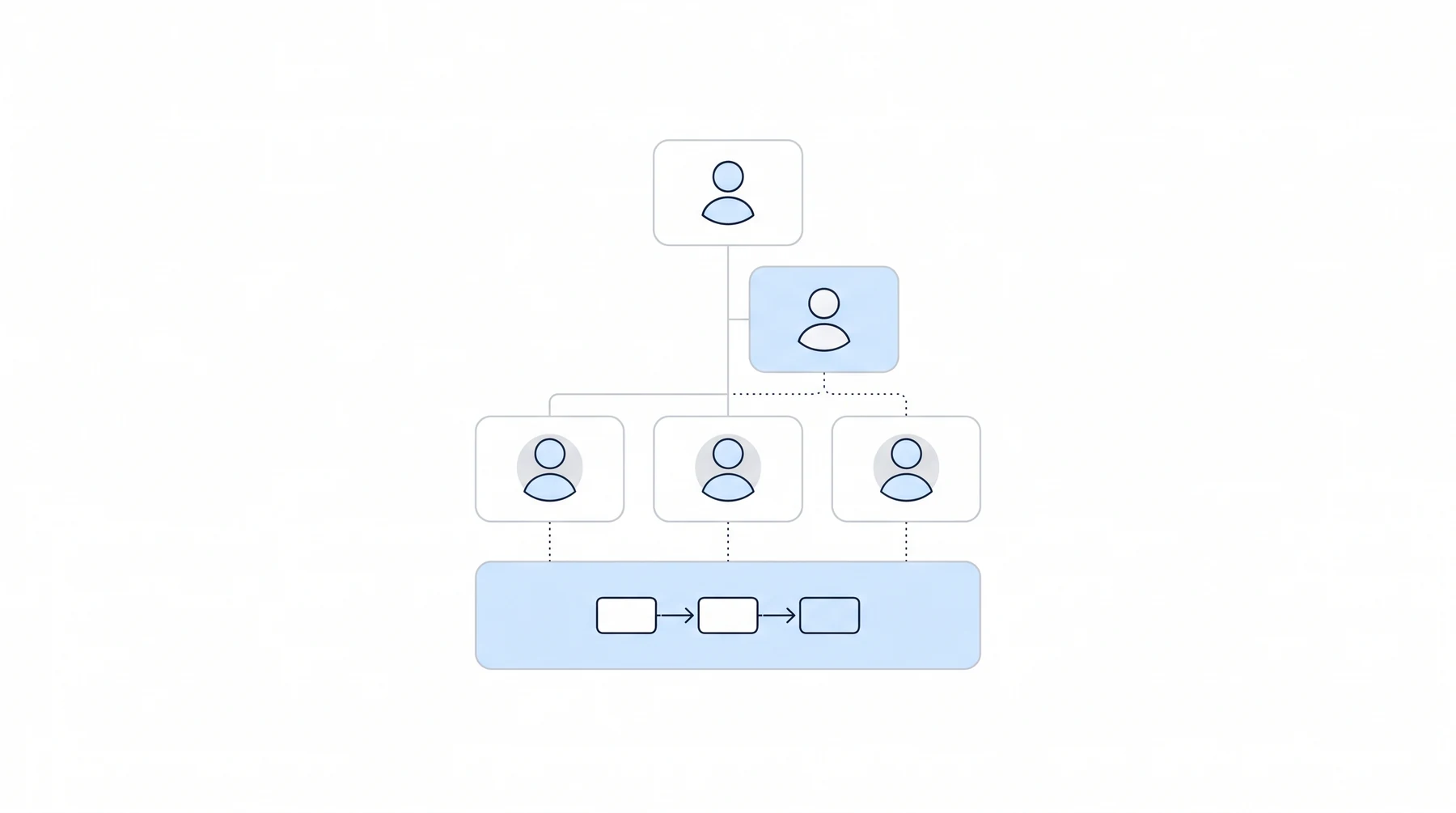
Will Yang’s third theme was ownership: who designs, builds and maintains the systems a firm runs on. The answer depended on size, and the panel was candid about the risk in each model.
In a small firm, the owner owns it all
Diane owns it all. “I own everything. I’ve been here since the beginning, I mapped it out,” she said, adding that she welcomes input from her employees.
At a small firm, that works because the owner already holds the whole picture.
In a larger firm, an operations lead owns it, with input from everyone
Kaitlyn is the operations lead at her firm. The owner sets goals, budgets and guardrails, and she designs, audits and maintains the systems.
Her summary: “Operations Lead owns it, but it requires input from everybody.” She is not on the front lines of each process, so she depends on what her team reports.
Some owners build it themselves, and AI makes that realistic
Will Viner builds the systems himself and his COO drives the rollout. He was frank about the cost: if he is not involved, the system fails, and he does a lot of late-night tech support.
He also made an argument about what AI changes: “everybody here could be an expert coder. You just leverage AI to get you there.”
Map the whole case lifecycle before you buy anything
Asked what to write down before buying software, Kaitlyn gave the same advice for any firm size: build “the end-to-end lifecycle map of the entire process.”
Her instructions: start at the beginning, when a new client comes in, and go through every stage until the case ends, whether it is won or lost. Then build from the map.
Use AI to draw the map and find what to automate
Diane added a practical tip. You can use AI to help with the map: “Start writing down your processes and have it help you build the diagram.”
She said you can even ask it where to automate. Her own systems grew piece by piece as tools came to market, but for someone starting now, she said, mapping the process first is “what a clean, awesome way to start it.” AI Tools for Disability Attorneys: What Actually Works covers the tools side.
Write it down, because you will forget
The host asked what happens when the person who built the system gets busy or leaves. Will Viner’s answer was about documentation: “make sure you write down your notes about how the system should work, because you will forget.”
Diane joked that she has “broken toys in the background that need fixing.”
Keep a rule of two: someone besides you who knows how it was built
Kaitlyn built a backup after realizing the firm would fall apart without her. Her rule is “the rule of two”: someone besides you who knows how the system is built and what to do if something happens to you.
That person does not need to run anything day to day. They need to be able to step in. Succession Planning for Your Disability Practice follows the same logic.
Spend the freed-up time on clients, and keep hearings and hard news with a person
The last theme asked where the time goes once systems work. Every panelist answered with some version of the client.
Put the time into client relationships
Diane’s answer was one line: “I say always, always to the clients, always to the relationships.”
Some of that time goes to marketing and community work, and some to existing clients. Her goal: “I want to be the firm that has the relationship with their clients.”
Reach out to the client who has not heard from you
Kaitlyn gives her team a standing instruction for spare time: “reach out to that client who hasn’t heard from us in a while.”
Protect the hour that signs the right client
Will Viner uses the time on intake. His highest-value hour is “signing the right client,” so he built systems to protect it, including lead scoring that tells him which calls to make.
He is not after volume: “we’re not trying to sign as many clients up, we’re trying to sign as many good clients up as possible.”
Invest in staff growth
Kaitlyn also puts freed-up time into her team’s skills. She gives incentives to employees who “listen to a podcast, or attend webinars that further their professional growth.”
Her reason is that she wants staff to grow with the firm and bring a better experience to clients.
Keep hearings and bad news with a person
The moderator asked where the line is. Will Viner: “For our firm, it’s the hearing. I appear at every single one.”
Diane gave the same answer for hearings and added “no automating the client contact.” Kaitlyn put empathy first: “when empathy needs to be the forefront, it needs to stay with a person.”
Kaitlyn’s example was a denial. She wants a person to make that call, so the client can be talked through next steps.
The point of the call is “that human connection.”
Expect the middle layer of file work to disappear
Looking ahead, Kaitlyn expects the middle layer of operations to shrink: “I call it death of the file jockey, but that’s middle operations.”
Will Viner agreed that sorting mail is nearly done, and said the next task to go is the hold queue when calling Social Security.
The worry: Social Security automates its own side of the phone
Both Diane and Will Viner raised the same concern. Diane: “I’m afraid of where Social Security might go, because to save money, one of the cheapest things to do would be to eliminate the humans.”
Will Viner asked what happens to the representative’s role if the agency’s own decisions are automated: “where is our value add?” He did not have an answer, and said so.
Where ERE monitoring fits alongside your case management system
Several of the workflows the panelists described start with knowing that something changed at SSA. Chronicle is ERE monitoring software built for Social Security disability firms. It checks the ERE and e-file daily for every monitored case, surfacing status changes, new documents and upcoming deadlines.
Chronicle complements your CMS rather than replacing it. Your CMS manages tasks and execution; Chronicle monitors SSA activity and ensures those systems stay aligned.
If you are deciding where to start, these posts go deeper:
- ERE Monitoring vs. Case Management Software: What’s the Difference?
- How to Keep Disability Clients Informed Without Drowning in Calls
- Going Paperless with SSA: The Complete Digital Workflow for Disability Firms
- Introducing Chronicle Dispatch: Your Clients Hear It From You First
Frequently asked questions from the live chat
Training a new hire: start at intake, teach every phase, then give them ownership
Kaitlyn starts every new hire at intake and trains them through every phase, so they understand the whole case. She credits that for staff who have “stuck around for years and years.” Will Viner gives each person ownership of a process once they are trained. Diane combines sitting with people and using training videos.
Paper-only SSA files: keep pushing toward electronic, and scan what you must
Will Viner’s firm keeps calling until the file stops being paper and takes only electronic files from clients: “we just only take electronic files from our clients.” Diane said some paper still gets scanned: “Social Security will always find a way to not make something electronic.” Kaitlyn’s firm takes a mix, because some clients are old school and drop off paper.
Deadlines: task one owner, add alerts, and send a daily digest
Diane suggested tasking the person and setting up repeating reminders that alert you if the task is not done. Kaitlyn’s leadership team gets daily digests in the morning, with deadline reports from her case management system, and one person handles closures, deadlines and appeals. Will Viner’s firm sends everyone a daily digest of open tasks.
Case management: the panel uses Filevine and Clio, and pricing is the tiebreaker
Kaitlyn’s firm moved to Filevine and she likes its automations: “There’s always something that could be fixed, but they continue to come out with great stuff.” Diane and Will Viner use Clio. Will Viner called Clio probably on parity with Filevine and said “It’s more about pricing.” Chronicle’s buyer’s guide to disability law case management software covers the options.
Ops manager: Will Viner suggests fractional around 500 clients; Kaitlyn’s firm hired one past a thousand cases
Will Viner said that at around 500 clients “you might not be big enough for a full-time operations manager, but you may be big enough for a fractional, operations manager.” Kaitlyn’s firm hired one after it grew past a thousand cases. Diane is still her own: “I’m still my own ops manager.”
Watch the Full Replay
About CAPACITY ‘26
CAPACITY ‘26 was the Disability Law Tech Summit, a virtual day for disability practitioners on Thursday, November 12, 2026, co-presented by NOSSCR and Chronicle. The theme was capacity firms already have and are not using. Read the full CAPACITY ‘26 summit recap for all six sessions, or visit the CAPACITY ‘26 page.
Resources from this session: Diane Haar on Disability Heroes and more firm owners on Disability Heroes. Every free resource from the summit is on the CAPACITY ‘26 resources page.
Other CAPACITY ‘26 recaps include the closing panel, Where Disability Firms Find Capacity They Already Have, and More Cases, Same Team: How a Disability Firm Decides Where AI Actually Helps.
Questions about this session: support@chroniclelegal.com or 847-665-9612. To see how Chronicle works for your firm, book a demo.
Full Session Transcript
The transcript below has been lightly edited for clarity and readability.
Welcome
Will Yang: Welcome, everybody, to CAPACITY 2026. This is our first virtual Disability Law Tech Summit, presented in collaboration with NOSSCR. Really why we’re here is quite straightforward, which is: at the end of the day, there are a lot of firms that actually already have more capacity than they are using, and it can be hiding in plain sight. That’s the theme guiding all of our sessions today.
What happened here was NOSSCR reached out to Chronicle, curious about how we could put together a day for disability law practitioners to learn about what has changed in technology and disability law, as well as learn from each other, to be able to just go into the new year with some renewed thinking in terms of how to potentially grow your practice. In case you don’t know, since I know this event is open to anybody, not just necessarily NOSSCR members, one of our presenters, or our co-collaborators in today, is NOSSCR. In case you didn’t know, NOSSCR is the National Organization of Social Security Claimants’ Representatives.
Since 1979, they have been the bar association for SSDI as well as SSI claimants’ attorneys and advocates. There are thousands of members. You can get CLE credits. There are thousands of members in which you can be part of a robust listserv to ask any questions when you are not necessarily in person with somebody else to ask those questions, and also very helpful national conferences where the cutting-edge conversations around what’s changing in disability law are being had in every spring and fall.
They do a lot of advocacy work as well, in terms of public policy for members and the people with disabilities that they represent. Their mission is ultimately to help every claimant get highly qualified representation and a fair decision. In the case where you are not an NOSSCR member, you’re encouraged to scan the QR code that’s on the screen here, and you’ll learn more about them as well, and they’re a huge part in terms of why we’re able to put together today.
In case you also don’t know about us, I’m Will from the Chronicle team. I’m going to be your host for today. Chronicle is SSD software specifically built for disability firms and ERE monitoring, so it’s checking the ERE for you every single day, as well as the AARPS. The magic behind this is that when you have all that rich data on your caseloads, you’re essentially able to push those into your case management systems to be more proactive versus reactive when it comes to serving your claimants.
With that, it’s also very important to make sure that we thank our partners who’ve made today possible. Ultimately, today is only possible because of the generous support of some of the speakers that you’re going to be seeing today, from Benny, LexMed, Federal Appeals Firm, as well as PR Legal Marketing, and Chronicle, and there are many practitioners, several that are going to be on this panel this morning, including Diane Haar, Will Viner, Kaitlyn Newell, Ted Norwood, as well as Ryan Tank. Big thanks to everybody that’s been a part of this when it comes to just creating valuable educational content for practitioners.
I’m really excited to just go ahead and jump right in to our first session of the day, which is our opening panel. This is going to be our opening panel on how to grow your caseload without growing your payroll. First and foremost, we should introduce our panels for the day, which I’m going to pin to the screen for everybody.
Introductions
Will Yang: First and foremost, really excited to welcome Diane Haar. Diane founded Hawaii Disability Legal Services in 2012 as a paperless practice. She represents disability claimants across Hawaii, the Pacific Territories, and the Philippines. She holds a JD and an MPH from Yale, and before disability law, she was a war crimes litigator before the Eritrea Ethiopia Claims Commission in The Hague.
Secondly, we have Will Viner. Will Viner founded Viner Disability Law, an attorney-only Denver practice focused entirely on Social Security Disability. He’s represented thousands of claimants since 2010, has handled over 2,000 SSDI hearings, and appears personally at every hearing that he takes on. Before disability law, he handled complex litigation for Fortune 100 corporate clients.
To round out our panel today, we’ve got Kaitlyn Newell. Kaitlyn is the Director of Legal Services at Carmichael Law Group in Opelika, Alabama, where she runs the legal services side of a multi-attorney Social Security disability practice. She holds a BS from Berry College, and a fun fact is that outside of the office, she’s also a published author of four works.
Just to open this all up, I’m going to stop my screen share so we can see everyone’s amazing faces, and just to introduce everybody, would be great to hear from our panelists if you can kick us off by sharing how many cases are you all carrying, and how many people are supporting you in that endeavor, and then we’ll start exploring our first theme.
Diane Haar: Well, I’ll go first. I’m Diane Haar. And I have about 300 to 500 cases at any one time, and that includes my VA practice as well.
Will Viner: My name is Will Viner. We’re in Denver. I have about 500 clients, and we have about 5 total employees here.
Kaitlyn Newell: And I’m Kaitlyn Newell, in Alabama. We have approximately 5,100 active cases right now across 50 employees.
Diane Haar: And I’ll jump back in, because I think I forgot to say I have 5 people working with me.
Panel discussion
Will Yang: Our first theme of the day is talking about hiring versus automating: deciding how a firm should figure out whether to hire another person or build a better system. My first question for folks is, when a firm is stretched thin, how should it decide whether the answer is another person or a better system?
Will Viner: From our perspective, if a task needs judgment, we hire for it. And if you can write down a rule, or a system, or a workflow, you should automate it. We always are trying to automate it; that’s our first go-to. But some things are just too complex at this current time that we just can’t figure it out at this time, but I think that’s generally our rule of thumb. If we’re able to articulate the workflow, then we will 100% automate it.
Kaitlyn Newell: Yeah, I agree with Will. I’m very much if it’s empathetic versus transactional, data-driven versus context. If we need context, hire. If it is data-driven and you can automate it clearly, within a set parameter, set rules, go ahead and automate it and avoid getting that extra headcount in.
Diane Haar: I will confess, I’ve had to automate a lot, because I just don’t have the employee pool out here. We’re really limited. And in addition, we’re really different from every other state, so I need employees to make those connections with our folks here, because they’re gonna understand them, and understand situations here in a way that systems can’t, and in a way that people that aren’t here can’t. I’ve automated as much as possible, but I still need the employees as well.
Will Yang: When you all are doing so, I’m curious, what is the biggest mistake that you see firms make when they try to hire their way out of a backlog?
Diane Haar: I’ll confess that I’ve done that, even with the limited employee pool. It’s really important before you start hiring, figuring out if it’s something you can automate or something you actually need a person for. And the reason I say that is you can just end up having two people sitting around not doing the job. HR is tough, too.
The more people you have on staff, the more people you have to supervise. The biggest mistake can be not figuring out what’s causing the backlog, and not figuring out whether you actually need people or processes.
Kaitlyn Newell: Yeah, I would say, like Diane, we’ve had the same issue before. We’ve hired before looking at everything, and I feel like a lot of people treat issues, whether it’s headcount, as capacity deficits without auditing the workflow. You look at it and you say, oh, we have 1,000 hours of work, but only 800 hours in relation to staff, so we need two more people to make it better. But without examining the backlog, it always makes the problem worse before it gets better, and sometimes it can cement that dysfunction permanently. And I’m very into finding those specific steps that are our bottlenecks, and figuring out, is this something that we can automate and not have to hire extra people, or is it that empathetic route where we need to have the context for these clients, and we need to have the human touch?
Will Viner: Yeah, I totally agree with you. We have to audit first. A new hire inherits the mess, and now we have two people who are running a broken process.
Our sequence is that we figure out what’s the workflow, and then we set up the guardrails in terms of also having objective metrics to check our progress. And then automation. That’s generally the three things that we do in that order, but without having that insight, or about how to even check if you’re on track, I think that’s a mistake.
Will Yang: What is an example of something that folks have been automating, and what does that look like? That’s coming in from an attendee.
Will Viner: Are you talking about just in general? Well, I think the simple things for Social Security Disability: you know how when we send rep forms out, and then it has to trigger it from Social Security, we send the email, we get them back? It’s not that big a deal to click the email, download them, take the password out or whatever, and saved in your file, click on it, it arrived. But that’s a, what, 5 to 10 minute process. It’s annoying to do it over and over again.
Last Sunday, we wrote this program that automatically grabs the files, downloads them, puts them in Clio, and marks the task done. And it’s just small things like that, that doesn’t save a ton of time, but the cumulative aspect is tremendous. And also, personally for me, I get excited when it’s like, oh, wow, that just worked. That’s exciting.
Will Yang: Is there a point where automating stops being the answer for you all, and how do you know when you’ve actually reached that point? Maybe, Kaitlyn, you can lead this one.
Kaitlyn Newell: Yeah. For me personally, automating stops being the answer once the cost of maintaining, adjusting, troubleshooting that specific system exceeds the value of manual labor it removes. With our firm, we actually recently trialed AI receptionist, because we were getting hundreds of calls per day, and a lot of these calls were very generic, what are your hours, or where’s my case at, what’s going on, and that sort of thing. And we sat down and we were like, we’ve got to be able to avoid some of these questions being asked, and get our receptionists and our team members to be answering the more context-driven questions and creating those relationships with our clients.
But we realized very quickly during our trial period that it just wasn’t working, and that our clients still wanted that human touch, and then having to troubleshoot that system, adjust the system, in terms of reading all of the transcripts and making sure that the AI answered it correctly and how we wanted them to answer. At that point, it was just too much for our firm to handle at the time, and we just said, yeah, we’ve got to stop. We’ve got to put a boundary down. We need to stick with our current system, maybe at a later time, but right now, that’s where we just drew our line.
Diane Haar: I’ll actually follow up with that. Humans are hugely important for making connections, and I know I touched on that before. Out here it matters to people that I have people in the office that sound like them, talk like them, know what island life is like, or what life is like in the territories or the Philippines. So I need these folks.
I will also agree with the answering the phone, since this is about tech and automation. I use a remote receptionist service so that there’s always a human being, and it can span multiple time zones, and I found that makes a huge difference. People want to talk to people, and I think we all know this from calling Social Security and getting their automated system. But the other thing is, there’s certain things that are never going to be able to be automated, like hearings and, I know I talked about client conversations, but conversations with SSA, too. Imagine trying to automate that.
Will Viner: Actually, we’ve been working our way into that as well, using CallRail, and so there are abilities to do this. Retell is another more high-tech version of this, but we are implementing things that look at verification of locals when you send your initial rep forms and get the association back. Every day, this list comes up about outstanding forms, and we’ve been testing the outbound calls of Social Security, and we’re about 50% success rate so far with that. I do think there’s meat on that, and I think that in the next year or so, we’re gonna unlock that, and I am very excited to offload that Social Security call work.
But I agree with what you’re saying. We’ve tried Smith.ai, and that just doesn’t work. The clients need to talk to a real human. And I think it’s 65% hang-up rate when those calls come in.
Call Ruby is a good program that we’ve used, or it’s a service that has real people in the back end. Diane, I don’t know what program you’re using, or what agency for the real live services, but I agree, that’s a smart move on that one.
Will Yang: One of the things I’m curious about as we wrap up this first theme, in terms of hiring versus automating, is shifting gears to talking about the work that nobody should do by hand. There’s obviously a lot of manual work that typically happens with firms that haven’t adopted as much technology, and I’m curious about what it takes to stop that. To open up this section, the first question that I have here is, what work are disability firms still doing by hand, but they, frankly, shouldn’t be?
Will Viner: This one is reading every Social Security notice and deciding what it means. It’s using brain power to know what to do next if you need to do something. You need to let a system sort it. Open the task, draft the client email, staff checks it and hits send. That’s the one thing that you should not be doing by hand.
It should all be this trickle, and I know this is Chronicle-sponsored, but the Chronicle is the key. That has changed our practice and opened up every door possible for us, because now we can use that as triggers and automate a huge volume of work, whereas before, we were completely limited by staff.
Diane Haar: I’ll throw in anything case management software can do: document automation, tasking things, anything that you can buy software to do. I’ll say that my general approach is if I can buy a piece of tech, and it makes financial sense, and it can do it, it makes more sense to have the tech do it than to have a human do it.
Kaitlyn Newell: Yeah, personally for me, the biggest thing is, like I mentioned earlier when talking about a receptionist, answering the old question, what’s happening with my case, where is it at? Obviously there are more context-driven conversations that can come from that, but one of the biggest things that we’ve loved at our firm is having a client portal of some sort. And I will say Chronicle, too, does great with that, in helping push forward automatic updates as soon as something happens in their file. Whether it’s, oh, you’ve moved on to this phase, you’ve been assigned a case manager, anything like that, it’s been wonderful.
That’s one of the biggest things, is a client portal has saved us tons of time, especially when we have cases at the initial, the reconsideration level, that sit from anywhere between 6 to 18 months without movement sometimes. Providing that aspect helps us focus on the more context-driven conversations, while also providing our clients with the answers that they need.
Will Viner: Yeah, let’s say…
Will Yang: Oh, go ahead.
Will Viner: I would say the best answer to where’s my case is telling the client before they ask, and that cuts down a tremendous amount of inbound calls, being like, what’s going on?
Kaitlyn Newell: Absolutely.
Will Yang: Let’s say we actually get to the point where some of these things are getting automated. When a firm actually decides to stop doing something by hand, what do you all usually find gets in the way? Is it the people? Is it the process, or is it the owner of the firm?
Kaitlyn Newell: We have found the people. The people is our biggest roadblock, whether it’s employees who are nervous about change and concerned that it’s going to take their job, or it’s the clients who are like, I don’t want to speak to AI, I don’t want AI to do the job that I’m paying you to do. I want to have a human handling this. I feel like we’re still in an era of where AI is emerging and changing how things work, but people are still wary of it and not sure if they can trust it.
Will Viner: Yeah, at a smaller firm, the bottleneck is me. We hired a fractional COO this year, and that’s been gangbusters for us, and to identify where these hangups are. I lost perspective. I’ve done this for 20 years, I don’t… can’t see anything.
But what we were able to see this year is that it was me. I was personally choosing all the clients, all potential clients, doing all that hand-holding. And I just thought that that’s what had to be done. But when you start scaling and getting bigger, the 400 or 500 client volumes, these can’t be done. And that’s what we’ve been working on this year, is to give up my hands and everything. And that’s a me issue, an owner issue.
Diane Haar: And I’ll throw in, too, my biggest problem has been people, because there are a lot of people that are resistant to change. But I’ve always been really tech-heavy from the beginning, and what I told the people that work with me is, the more you adopt this stuff, and the more you’re willing to work with it, the more I can pay you. And that’s true, because I need less people, and I can get more done. So the people that are really able to work with me and work the way I work, and have really managed to hang on as tech has changed rapidly since 2020, they get paid more, and they get paid more because they are helping me with the change.
Will Yang: Curious from Kaitlyn and Will, to Diane’s point, of how you communicate that to your people as well, because everyone has mentioned people here. What is that process for you all in terms of those conversations internally?
Kaitlyn Newell: I have found that having direct conversations with employees and team members has been the best in telling them about the new product or the new process that’s happening. It’s definitely hard because we have about 50 employees, but sitting them down and just saying, hey, this is what we want to do, this is what it’s going to look like, you’re not losing your job, this is… make your job easier than what it is now. Usually I can get a little better feedback, instead of just implementing something and hoping that they take to it. So that direct conversation, I think, is very important beforehand.
Will Viner: Yeah, and it’s also trying to encourage them, or in fact, insist that they have to give you feedback about the systems. Often they build these systems, and I think it’s pretty good. But I’m not doing 10 months of testing. I need my staff to give me constant feedback about, oh, hey, there was an open box I couldn’t edit, or something like that in the system. That’s a constant back and forth that I open and appreciate, in fact, encourage at our firm as well.
Will Yang: I’m curious about, as well, is you all come from different sizes of firms, and I know folks in the audience are going to have different size firms as well, so how does this look different at different firm sizes? At a team of 4 versus a team of 50, what does starting to move away from doing this work by hand look like, or what was the process for you all as you reflect on where you’re at now versus where you were maybe a few years ago?
Diane Haar: I couldn’t even imagine trying to start with a team of 50. I’ve got a small team. Despite all the tech, I actually have two on-the-ground offices, and they’re on different islands, and I have one person who works mostly remotely. So we use tech a lot of the time. We get on Google Meet, and we all talk to each other face-to-face.
We also travel between the islands, so we can talk face-to-face as well. For me, that makes it pretty easy to implement. It can be challenging when there’s a problem on another island, and I’m stuck on a different island from the person having the problem. But I still think it’s a lot easier than a team of 50.
Kaitlyn Newell: As a team of 50, I would say our goal is to standardize handoffs between departments, because we have multiple departments that run different areas of our practice. So we have an intake team, we have a team for our initial reconsideration clients, we have a hearing team. Our goal is always to standardize handoffs and standardize the process in general. And, strength-wise, when we’re saving a couple hours per file, across, I want to say, 5,000 files that we have, we’re saving over 15,000 hours of labor if you save 3 hours per file, which is amazing, and is actually the equivalent of almost 8 full-time salaries for us.
But with 50 people, Diane, like you were saying, it’s hard, because if our staff doesn’t like the new workflow or the new process, then there’s a lot of pushback, and some of them, while they’ll say they accept it and they’ll deal with it, will quietly go back into their corner, do it the old way, and that’s where we get another bottleneck, is not being able to keep to the same process across the board.
Will Viner: Yeah, speed is our advantage, because we’re small. I can, like I said, Saturday, and it changed it on Monday. There’s never that bottleneck for implementing that change. It is just me doing that.
I think the discipline smaller is writing it down so it doesn’t live in my head, or other people’s aspect, but I’m still the bottleneck, and I still think that’s an issue. At 50, you standardize the handoffs, and at 5, the owner has to stop being the person every decision waits on.
Will Yang: We’ve talked about, specifically, hiring versus automating, and then what people shouldn’t be doing by hand. As we transition to this next theme, the thing that I want to explore is who actually builds the system? Who owns it within the firm? Because I’m sure many people are curious about this.
My first question here is, who should own the system in a disability firm? Should it be the owner, should it be an operations lead, or should it be a little bit of everybody?
Diane Haar: I think it depends on the size of the firm. I own everything. I’ve been here since the beginning, I mapped it out, I make the decisions, for the most part, on what we get, although when my employees give me input, I’m always happy for it. But at the end of the day, I’m the one who owns it.
Kaitlyn Newell: Yeah, I can say from another standpoint, Diane is completely correct, it just depends on the size of the firm. I am the operations lead, and so I take ownership of all the systems. My boss, the owner of our firm, he sets those goals, those budgets, any guardrails that he wants, and then I design, audit, maintain everything. And then my whole team just gives me feedback.
Will was talking about earlier, we need feedback from our people to be able to run this correctly, because I’m not on the front lines with these processes. I can build them to the best of my ability, but unless I get feedback from them, I can’t build it perfectly, and it doesn’t work perfectly. I would say, in short, for us, Operations Lead owns it, but it requires input from everybody.
Will Viner: Yeah, and it’s just me doing this. I design and build it, and then our COO drives the rollout. The downside is that if I’m not involved, the system fails. Or if it breaks, it’s me. A lot of late nights doing tech support things; it’s a passion of mine.
And I think it’s important to note, too, that with the new world that we’re in with AI, everybody here could be an expert coder. You just leverage AI to get you there. It’s more about being creative, and about thinking through problems with more creative solutions, because now we can implement that. Whereas before, the max we had was Microsoft Power, whatever that was called, or Zapier, or Make.com, but now we can make it do anything we want. It’s all about your creativity as an owner, or as someone working in this field, about how to make a problem we all know better.
Will Yang: But when it comes to building one of these systems out, what should a firm write down or build first before it buys anything? I know sometimes people want to jump right into the buying, but maybe there’s a planning step before that. What do you all have to say on that side?
Kaitlyn Newell: Awesome. I was gonna say, for us, it’s the end-to-end lifecycle map of the entire process. Start at the very beginning, when you get a new client in, to the very end, whether you win the case and you get paid, or you lose, and the client decides to move on to a different direction, or whatever; go through every single stage. Every single stage, map it out. Figure out the path it takes, and then build from there.
Will Viner: Yeah, and there’s not, you know, a million inputs in this field that we work in. It really is something you can write down, the entire thing, on a piece of paper. I do think to understand how it all comes together is your very first step, and if you don’t have that, that’s what I recommend you do first.
Diane Haar: The only thing I’ll add to that is you can actually use AI to help you with that, too. Start writing down your processes and have it help you build the diagram. And you can even ask it, where can I automate things?
Will Yang: And just as a quick hitter there, as a follow-up, what’s your high-level process of how you’ve done that in the past?
Diane Haar: I’ll admit, I didn’t quite do it like that. I’ve been into tech for a really long time, so a lot of my stuff came piecemeal as it was coming on the market, or being invented. There have been times where I’ve rethought the process. And I don’t know that other people’s processes would look like mine, since I’ve been using different kinds of tech for so long, but I did have to sit down and figure out what our processes were, what worked, what didn’t, get rid of the stuff that didn’t, bring on new stuff. But for someone starting today, doing that map out and figuring out what’s out there now, oh, what a clean, awesome way to start it.
Will Yang: One of the things that will always be on folks’ mind as well is what happens to a firm when the person who maybe built the system gets busy or leaves. I’m curious how you all protect your firms in that situation in terms of making sure that things keep running.
Diane Haar: I have broken toys. I have broken toys in the background that need fixing.
Will Viner: Yeah, absolutely. Like I said earlier, if I leave, that’s it. I do keep coming back to systems that we use all the time, and I’m always like, how did this work again? I have a lot of notes about this, so make sure you write down your notes about how the system should work, because you will forget.
Kaitlyn Newell: Oh, yeah, I agree. For us, I knew for the longest time that if I left, or something happened, that everything would just fall apart, whether it was people don’t know how to work something, people don’t know how it was built. I actually was on maternity leave for a while this year, and I knew, I was like, I’ve got to do something about this. I can’t leave for a couple months and hope that everything works out.
I really emphasize the rule of two: have someone who knows. They don’t have to do everything up front, you can continue to do everything up front, but if you can have someone who just knows how your system is built and knows what to do if something happens to you, it’s usually pretty helpful if something does happen, and you’re unable to do something, or if you’re unable to be there for your team that day.
Will Yang: The last thing that I want to explore before we go into some closing thoughts is where the time has gone from the point in which you’ve now improved these systems and processes, of what you can do with this time and capacity. The first question I have to kick off the section is, when a firm frees up time, where should that time go, or where do you all choose to direct that time?
Diane Haar: I say always, always to the clients, always to the relationships. This is also what I told my employees. I want to free up their time with automation, but I want it to be in client connections, or potential client connections. And some of that looks like marketing, some of that’s going out in the community, but some of it’s talking to our existing clients and making those relationships. I want to be the firm that has the relationship with their clients.
Kaitlyn Newell: Yeah, I agree with that. High-touch client advocacy is big for me. I tell my employees, my team members, hey, if you have spare time, reach out to that client who hasn’t heard from us in a while. Reach out and figure out what’s going on, see if we can help them out with something.
I’ve also been big into skill upgrading for a lot of my team. I implement incentives for employees who listen to a podcast, or attend webinars that further their professional growth, because I want them to grow with us. I don’t want them to be stuck in the same place that they are. I want them to grow and learn more so that they can take that and provide better experience for our clients.
Will Viner: Yeah, I agree with all that. I think in addition it’s allowed me to focus in on where my highest value time is, and that is signing the right client. A lot of our systems are built to protect that hour. I’m really spending more time able to talk to the potential clients and understand their story, and perhaps take more edge cases and develop that.
But things we’ve developed, lead scoring, helps me focus what calls to make. And that is, again, using AI automation. The more time I have from AI automation, it seems to be more AI automation. But it’s all for that goal, was to just make it as nice as possible. We’re not trying to sign as many clients up, we’re trying to sign as many good clients up as possible, and AI is so helpful for that.
Will Yang: When exploring where a firm should draw the line, what do you think should always stay with the person? I think this has started to be explored, but I’m curious a more direct response to this question.
Will Viner: Yeah. For our firm, it’s the hearing. I appear at every single one. I know the judges; they know I’m gonna bring, hopefully, decent cases and have the records in, the pre-hearing briefs done. I think we are not at the point where we’re able to obviously automate that, but also we’re not interested in hiring contractors or something for that, or non-attorney reps, just because I think that that’s something that our clients expect of us, and that helps us at the hearing levels as well.
Diane Haar: I have the same answer as far as the hearing. And I think I’ve already said, no automating the client contact, no automating trying to make those communications. That’s a human thing.
Kaitlyn Newell: Yeah, I would say when empathy needs to be the forefront, it needs to stay with a person. For us, if that’s delivering news about a denial, I prefer that to be a phone call with an actual person on our team, so they can talk them through it, talk to them about next steps. I don’t have a lot to do with the hearings, but hearing prep and that kind of thing, I love to listen to our attorneys do that.
And it’s something that you can’t do with AI. You can’t automate that, to be able to calm an anxious client; you can’t do that with AI. And you have to be able to have that human connection to do.
Will Yang: One of the things that I’m sure folks listening right now are curious about is where you all think things are headed over the next few years. What part of this work do you think will look most different? Maybe what do you think will still look the same? Curious for just the predictions from the panelists here today.
Diane Haar: We’re all pretty high-tech, or any of us here not scared. Things are changing really rapidly, and I know when computers first became a thing in the workforce, it went pretty slow. But with AI, it’s changing a lot more rapidly. I don’t know where I think it’s going. I’m afraid of where Social Security might go, because to save money, one of the cheapest things to do would be to eliminate the humans.
Will Viner: That’s true. In terms of our practice, I think the sorting is already done, or we’re almost there in terms of the Chronicle drip emails. I think scanning mail is out of the window now. I think the next to go for us is the Social Security hold queue. I’m sure we all know how frustrating it is and how sucky it is to call Social Security.
They gave us wrong all day long. We had to call back a hundred times, and so I think that voice calling is gonna be gangbusters, but the risk is, you’re right, that they’re going to get rid of the human component. Or, if everything’s automated, and if Social Security’s writing AI decisions, where is our value add? How do we justify our component here?
We’re always going to need to have that human component, but if decisions are made based off of what AI says, where are we inputting our value? I don’t know.
Kaitlyn Newell: Yeah, for me, I guess, where I could see it going is just, I call it death of the file jockey, but that’s middle operations. Like Will said, scanning mail should not be something that you should have to do anymore. We get everything through ERE, or Chronicle, or whatever platform, but just all those middle operations will dissolve into agents, autonomous agents, and we won’t need those middle operations anymore. But it’s hard, because I’m also scared to see where all of this could go, but also trying to be open-minded about where it’s going.
Audience Q&A
Will Yang: I want to tackle some of the questions from the chat, and if folks do have questions in the chat, if you want to use either the chat or the Q&A section in Zoom, feel free to do so. But one question that we have is, how should a firm train somebody who has never touched a disability case, and what keeps good people around with those in your teams that have been with you for many years?
Kaitlyn Newell: I don’t mind taking this, because part of my job is onboarding new hires, and actually, I came from a non-disability background. I had no idea what this was, I didn’t know the processes, I didn’t know this existed as anything. But I’ve always, always taken them from the ground up. I always start them at the intake. And I go through every single phase.
We train them in every single phase: if they are an intake worker, great, but we’re gonna train you in every single phase so you know what’s going on, and so you know how it works. Because that’s how I was trained. I was trained from the intake to the ground up, and honestly, doing that has helped a lot with our turnaround rate for employees. We have a lot of people that have stuck around for years and years with us, just based on the training that we give them, especially if they don’t come from a disability background.
Will Viner: I’m using Loom videos, super helpful to have. Highly recommend that.
Kaitlyn Newell: Shout out to Loom.
Will Viner: Exactly. That is so good to have everybody up to speed pretty quick. I also think it’s important to empower them as well. In our firm, it’s important that they have ownership of their processes. After we train them on just sending representation forms, they own that process.
And that’s a little bit more in the weeds, but that’s super helpful for us when we give people the autonomy to practice by themselves, especially because a lot of employees are virtual. We have a lot of virtual assistants in the Philippines, so a lot of those populations.
Diane Haar: I can’t really add anything. I have a combination of both. I’ve sat with people and trained them up, depending on the job, and I also have the videos, but it’s also been a while. I’ve had my staff with me for a little bit.
Will Yang: An attendee and another user had a similar question to this, which is, for those files that are held only on paper at SSA, so we can only see updates through the mail, how do you handle those without scanning in the mail?
Will Viner: Make it not paper, if you can. We see the paper case, then there’s a problem, we call.
Kaitlyn Newell: Yeah.
Will Viner: Don’t let a paper case sit, because something is off in the background, and so we’ll just keep calling until it’s not paper.
Diane Haar: And I’ll admit, things that have to be scanned get scanned still. The bane of my existence is snail mail. I wish it would go away completely, but…
Kaitlyn Newell: Yeah.
Diane Haar: Social Security will always find a way to not make something electronic.
Will Viner: I don’t know about you guys, but we don’t accept paper. People want to stop by and drop their case file, and I’m like, not happening. It’s a problem, it’s always a problem. Then, 3 years later, they call me, hey, can you send us the originals back?
You’re like, what are you talking about? So we just only take electronic files from our clients.
Diane Haar: We have a different clientele, so we can’t always do that. We don’t have the technology necessarily in some of the places we represent.
Kaitlyn Newell: Yeah, I was gonna say, we’re a mixture of both. We try and get those electronically at the best that we can, but we do have a lot of clients who are old school, and they want to drop them off by paper, and we just have to be like, okay, thanks, and move on.
Will Yang: An attendee asked the question of if you all have any ideas of how to automate following up on deadlines with many staff members. There’s just one person in their firm that handles all the deadlines, and it’s becoming a lot to handle. They’re at the point where they’re thinking about either hiring another person or using some AI.
Diane Haar: You mean following up on the deadlines, like tasking the person to do it, and having the task repetitively ping them? You could also set it up so it lets you know if it’s not getting done. Part of HR, of course, is standing over someone’s desk and doing the, did you do it yet?
Will Viner: We use Claude every morning to go through and rip through Clio and look at outstanding tasks, and outstanding tasks that are languishing, for appeals, it’s like, we know 3 days before the deadline if it’s not filed. So we get a daily digest email everybody in our firm does about what tasks are opening. So we’re using Claude for that, and you can easily build your own connector into Clio for that, and go to town on that one.
Kaitlyn Newell: Yeah, we’re the same way. All the leadership gets daily digests of everything in the morning, so whether it’s deadlines that need to be completed, or that are still pending, or anything like that. We use Filevine, and we just have reports based on deadlines, and then we can go through them and make sure that everything’s been set. We also have one person handling all of our case closures, deadlines, and appeals.
Will Yang: One other question I’ve seen a couple times in the chat is if folks have just thoughts when it comes to case management systems that you’ve explored or used in the past, as well as what you currently use. Some direction from panelists would be useful here.
Diane Haar: I will confess, I’m the one that dragged Clio to the NOSSCR conference, I think it was in 2024, and it’s because I needed them to get up to speed on Social Security, because I liked a lot of what they did, and I wanted to continue using them, but I wanted them to get better for what we did. And that’s actually where I met Nikhil and Chronicle as well.
Kaitlyn Newell: Like I just mentioned, we use Filevine. We moved to Filevine, I think, 3 years ago. I enjoy it a lot. There are obviously things that could be fixed on it. I think that’s every case management system, though.
There’s always something that could be fixed, but they continue to come out with great stuff, and I’ve enjoyed working with it, and just using it in general. It has great automations for what we need it to do.
Will Viner: Yeah, we use Clio as well, and I agree with what you’re saying. I think they’re all getting up to speed now. In the last year or two, Clio, especially, has really made tons of positive improvements, even in the last month or so. And I do think that they’re probably on parity with Filevine at this point, and it’s hard to go wrong.
It’s more about pricing. Yeah, I think that’s kind of what I’m more looking at. Again, because the automation stuff that’s built in to Clio, the Clio work stuff, which is a lot more expensive, everything that I’ve built and our team uses is the same thing, or better, and it’s free. We’re using an AWS Lightsail server, which I recommend everybody to look into it.
But you can host your own website and host all these automation stuffs on that. To hook into Clio, you have to be able to talk to Clio, but if it’s going to be living on your desktop, your staff can’t do it. So you have to host it somewhere. But that’s been the linchpin for a lot of our automation stuff.
Will Yang: As we start to wrap things up here, I’m curious for a quick last closing thought, which is, for a firm that’s watching here today, what is something, just one thing, that a firm should stop doing by hand this month?
Kaitlyn Newell: Just a minute.
Diane Haar: Updated rep forms.
Kaitlyn Newell: Yeah.
Will Viner: Definitely. Electronic file monitoring. Start doing that right away. Go paperless today.
Stop screwing around with paper. It’s slowing you down. Make sure that you have an ongoing, constant drip of your case statuses, Chronicle, or whatever the alternative is.
Kaitlyn Newell: Yeah, and I would just say, get a client portal. There’s so many great options out there. Filevine has an included client portal that we use, and our clients love it.
Will Yang: Awesome. With that, I think we have time maybe for one or two more questions, so I’m going to try to cover one of the interesting ones from the chat.
One of them was from an attendee, who’s asking, when does it make sense to look for an ops manager within your law firm? He knows he needs help on ops, because they’re currently at 1,200 cases and 9 employees, but his bandwidth is very limited. So how do you go about finding one? What characteristics are you looking for?
Kaitlyn Newell: I mean, you can hire a fract… Go ahead, Will. Nope, you’re good.
Will Viner: When you’re at 500 clients, you might not be big enough for a full-time operations manager, but you may be big enough for a fractional, operations manager. Take a look at fractional COO, so it’s been really helpful for us.
Kaitlyn Newell: Yeah, I was gonna say, when I started with the firm that I’m at, we had no ops manager at all. About, I want to say, 5 months after I started working, we started growing exponentially. We probably hit over a thousand cases, and we were, yeah, no, we need somebody. We hired an ops manager at that point, and then that’s where I come into play now.
Diane Haar: I’m still my own ops manager.
Closing remarks
Will Yang: Well, with that, thank you so much to our panelists today for hopping on. If folks want to reach out to anyone here, what is the best way for folks to reach out?
Diane Haar: I don’t know if we gave out this information or not, but email is always great.
Kaitlyn Newell: Yeah, email, LinkedIn. I’m active on both.
Will Viner: Yeah, you can email me, and I’ll put that into the chat as well. I’d love to talk about this anytime, if you guys have specific questions about implementation or ideas, or just to talk in general about it. I love talking about this, and I can talk about it all day.
Will Yang: And we will have that in the resources link that we’ll share throughout the day as well, in the case where you want to speak with any of these panelists. With that as well, that will conclude our panel to kick off the opening session. If you want to hear more about how firm owners and operators are running their practices, two of the panelists today have actually been on our podcast as well, so you can check out Diane’s episode to learn a little bit more about her story of how she operates her firm, and Kaitlyn’s will be coming up as well, so feel free to check that out in case you’re looking for more inspiration behind how you can go about improving the technology at your disability firm.