

Most disability firms have no idea whether their operations are efficient or broken. They know manual ERE checks take time. They know staff complain about repetitive tasks. But when asked what “good” looks like, the answer is usually a shrug.
This matters because automation investments require justification. Without benchmarks, you cannot measure improvement. You cannot compare your practice to peers. And you cannot identify which workflows deserve attention first.
No one has published automation benchmarks specific to Social Security disability law firms. General legal tech surveys exist, but they lump all practice areas together. The operational realities of SSD work (ERE monitoring, SSA mail, deadline tracking, evidence coordination) don’t map to corporate litigation or estate planning.
This guide fills that gap. The benchmarks below come from real implementation data across disability practices that have systematized their operations. Use them to assess your own firm, identify bottlenecks, and set targets that actually reflect SSD workflows.
Why Disability Firms Need Automation Benchmarks
The scaling problem in SSD practices is different from other legal work. Volume drives everything. A firm with 200 active cases faces fundamentally different operational challenges than one with 50. The workflows that worked at 75 cases start breaking somewhere around 100 to 125.
Leanne Hernandez at Disability Advocates LLC described this threshold clearly: “It wasn’t as bad at 50 or 75 cases. But once we hit 100–125, it became more and more cumbersome…”
Manual processes don’t scale linearly. They break in clusters. One paralegal checking ERE daily for 50 cases might take two hours. But 150 cases doesn’t just triple the time. It introduces gaps, missed documents, compounding errors. Staff start skipping checks. Documents sit unnoticed. Deadlines approach without warning.
Without benchmarks, firms cannot see this degradation happening. They experience symptoms (missed deadlines, client complaints, staff burnout) without connecting them to root causes. They hire more people instead of fixing processes.
The cost of not measuring shows up in three places:
- Invisible time drain: staff hours disappear into repetitive tasks that nobody tracks. At Martin, Jones & Piemonte, paralegals were spending “probably five or six hours per week per paralegal—just checking the ERE.” That’s time nobody budgeted for and nobody questioned until they measured it.
- Unquantified risk: missed deadlines and overlooked documents create malpractice exposure, but most firms don’t track their miss rate. They find out about problems when clients complain or cases fail.
- Capacity constraints: growth stalls when manual processes absorb all available staff hours. Firms hit a ceiling and assume they need more headcount when they actually need better systems.
Once these problems become visible, they become fixable.
The Five Core Automation Metrics for SSD Firms
Not everything worth measuring is easy to measure. These five metrics capture the operational realities specific to disability practice and can be tracked without building elaborate reporting systems.
1. ERE Monitoring Frequency
Definition: how often does someone (or something) check the SSA Electronic Records Express portal for new documents and status changes?
Why it matters: ERE is where hearing notices, medical evidence, decision letters, and SSA correspondence appear. The gap between when a document posts and when your team sees it determines how quickly you can respond.
Benchmark ranges: - Manual checking: Once daily is common; many firms check less frequently - Automated monitoring: Every 2-6 hours is achievable with dedicated systems
Target: continuous automated monitoring with immediate notification when documents arrive. Chronicle monitors ERE every two hours for Pro and Enterprise customers.
2. Admin Hours Per Case
Definition: total staff hours spent on administrative tasks (document handling, portal checking, mail processing, data entry) divided by active caseload.
Why it matters: this ratio reveals operational efficiency. High admin hours per case indicate manual processes consuming capacity that should go toward case work.
Benchmark ranges: - High-friction firms: 2-4 admin hours per case per month - Optimized firms: Under 1 hour per case per month
Target: reduce admin burden until it no longer limits growth. The Disability Champions reported a 75%+ drop in admin work after systematizing their workflows.
3. Deadline Compliance Rate
Definition: percentage of SSA deadlines (evidence submission, appeal filing, hearing response) met without relying on extensions or exceptions.
Why it matters: missed deadlines create malpractice risk and case losses. A 100% compliance rate should be the baseline, not an aspiration.
Benchmark ranges: - At-risk firms: Track deadline misses reactively (after problems occur) - Systematic firms: Zero missed deadlines with automated tracking
Target: 100% on-time compliance with automated alerts firing before deadlines approach.
4. Caseload Per Staff Ratio
Definition: number of active cases divided by total staff (attorneys + paralegals + support).
Why it matters: this ratio indicates whether your team structure can support growth. Low ratios suggest inefficiency; unsustainably high ratios predict burnout and errors.
Benchmark ranges: - Small firms (1-3 staff): 50-150 cases per staff member - Larger firms with automation: 150-300+ cases per staff member
Target: sustainable caseload ratios that don’t require heroic effort to maintain. Viner Disability Law handles 400-500 active cases with four people (solo attorney plus three staff) by automating repetitive workflows.
5. Intake-to-Hearing Cycle Efficiency
Definition: how much staff time is required to move a case from intake through hearing, excluding time waiting on SSA?
Why it matters: this captures end-to-end operational efficiency. Firms with streamlined processes handle more hearings with less staff effort.
Benchmark ranges: - Manual workflows: High touch throughout, staff involvement at every stage - Automated workflows: Staff intervention only at decision points (record review, brief drafting, client prep)
Target: minimize staff touches on routine tasks. Automate document routing, status updates, and client communication. Reserve human effort for judgment-requiring work.
Benchmark Ranges: What Firms Are Actually Reporting
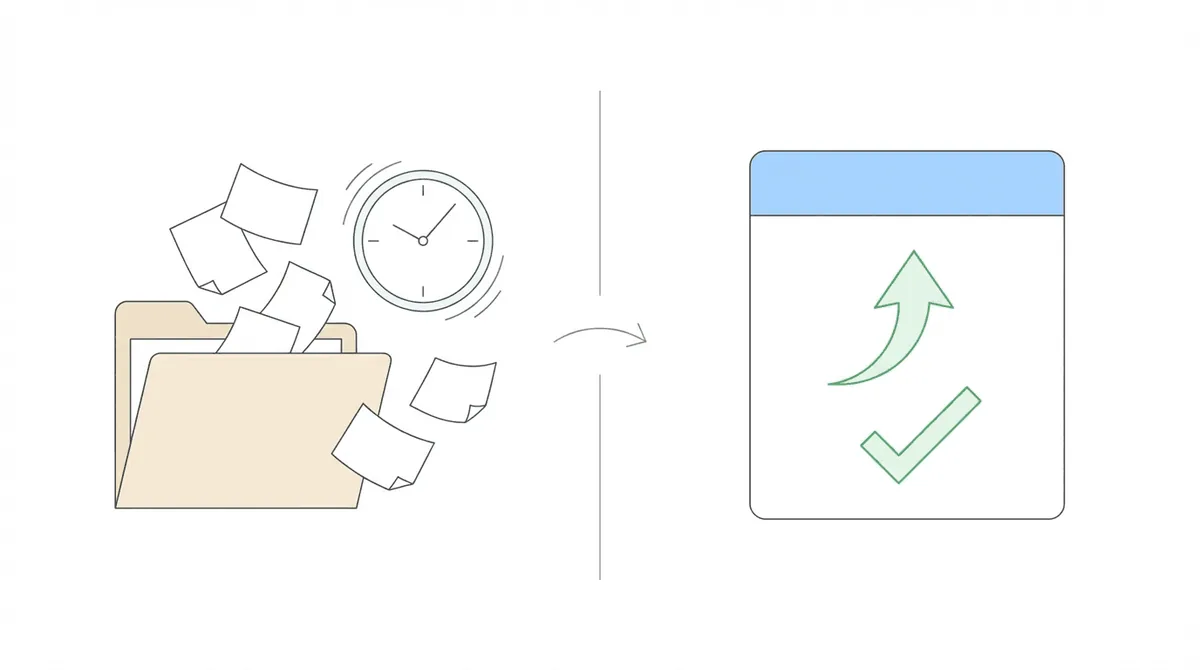
The numbers below come from Chronicle customer implementations. They represent what firms achieved after systematizing their operations, not theoretical targets.
| Metric | Before Automation | After Automation | Source |
|---|---|---|---|
| ERE checking time | 15-20 hrs/week per paralegal | Near zero (automated) | Law Office of Nancy L. Cavey |
| ERE checking time | 5-6 hrs/week per paralegal | Near zero (automated) | Martin, Jones & Piemonte |
| Admin work reduction | Baseline | 75%+ reduction | The Disability Champions |
| Admin work reduction | Baseline | 15-20% reduction | Anderson Marois & Associates |
| Weekly hours wasted | 80-90 man hours | Eliminated | The Disability Champions |
| Staff hours saved | Baseline | 10-20 hrs/week | Ficek Law |
| Paralegal equivalent | Baseline | +50-75% capacity | Viner Disability Law |
| Caseload scaling | 900 cases | 3,000 cases (same team) | The Disability Champions |
| Intake capacity | Baseline | 10-15% increase | Anderson Marois & Associates |
The pattern across these numbers is consistent. The largest gains come from eliminating repetitive tasks that were consuming significant hours without anyone realizing it.
Al Frevola at The Disability Champions put it directly: “We were wasting 80 to 90 man hours a week doing things a machine should handle.”
That’s two full-time positions worth of effort absorbed by tasks that should have been automated years earlier.
You can read all of these success stories here.
How to Measure Your Firm’s Automation Baseline
Before setting targets, you need to know where you stand. This audit framework identifies the numbers that matter.
Step 1: Track Time on ERE
For one week, have staff log every minute spent on ERE-related tasks:
- Logging into the portal
- Checking for new documents
- Downloading files
- Uploading evidence
- Cross-referencing status with your CMS
Calculate total hours, then divide by caseload. This gives you ERE time per case per week.
Step 2: Count Deadline Events
Review the past 90 days:
- How many SSA deadlines occurred?
- How many required rush effort (staff scrambling in final days)?
- How many were missed entirely?
- How many required filing for extensions?
A firm with good deadline tracking should have zero misses and minimal rush events.
Step 3: Calculate Admin Ratio
Identify which staff members spend significant time on administrative tasks (not case strategy, client communication, or legal analysis). Estimate the percentage of their week consumed by:
- Document handling and filing
- Data entry and status updates
- Mail processing
- Portal monitoring
- Deadline tracking
Multiply by hours worked to get total admin hours. Divide by active caseload.
Step 4: Assess Caseload Distribution
List all staff members and their primary responsibilities. For each, estimate:
- Cases they actively manage
- Hours per week on case-related work
- Hours per week on overhead/admin
Identify who is at capacity, who has slack, and where bottlenecks occur.
Step 5: Identify Your Constraint
Based on the audit, answer: What single improvement would create the most capacity?
Common answers:
- “We spend too much time on ERE”
- “Mail processing creates daily backlogs”
- “Deadline tracking relies on memory”
- “We can’t take more cases without hiring”
This constraint becomes your automation priority.
Where Automation Has the Highest Impact

Not all automation delivers equal returns. These areas consistently produce the largest efficiency gains for disability firms.
1. ERE Monitoring (Highest Leverage)
The failure mode for manual processes is silence. Nobody knows a questionnaire sat in ERE for three days until the deadline passes. Unlike a missed meeting or bounced email, there’s no alert. The gap between “checked” and “should have checked” only becomes visible after something goes wrong.
At the Law Office of Nancy L. Cavey, each paralegal was spending 15 to 20 hours per week in the ERE before implementing automated monitoring. That time now goes toward client communication and case preparation.
The shift from “checking to see if something appeared” to “responding when something arrives” changes the entire operating rhythm.
2. Mail Processing
Paper mail from SSA contains critical deadlines. The delay between when mail arrives and when staff act creates risk.
Jonathan Heeps at Martin, Jones & Piemonte described the problem: “We’d get a 10-day notice on day 9 or a 25-day letter on day 24. That made things a lot more challenging.”
Centralizing mail processing (digitization, routing, deadline extraction) eliminates the delay and creates an audit trail.
3. Deadline Tracking
Calendar-based deadline tracking works until it doesn’t. Someone forgets to enter a date. Someone miscalculates business days. Someone assumes a colleague handled it.
Automated deadline tracking pulls dates directly from SSA documents and generates alerts based on configurable lead times.
4. Document Organization
Disorganized case files create friction at every stage. Staff waste time finding documents. Hearing prep takes longer than necessary. Evidence gets overlooked.
Automated document processing (OCR, indexing, chronology generation) makes files searchable and navigable. When new evidence arrives, it routes to the right place without manual sorting.
5. Status Visibility
Firms without real-time dashboards operate reactively. They discover case status changes when clients call or deadlines loom. They cannot answer basic questions (“How many cases are at hearing?”) without pulling reports manually.
Dashboards that update automatically give staff and management visibility into caseload status, workload distribution, and approaching deadlines.
How Chronicle Customers Hit These Benchmarks
The benchmarks above aren’t theoretical. They come from firms that made specific operational changes. Here’s what that looked like in practice.
The Disability Champions: From 900 to 3,000 Cases
When Al Frevola took over the firm, manual processes consumed enormous staff time. Paper mail required scanning and distribution. ERE access was time-delayed through their CMS.
After implementing Chronicle, the firm grew from 900 to 3,000 active cases. Chronicle contributed roughly two-thirds of the staff savings that allowed them to eliminate three positions.
The specific shift: moving from paper-mail-driven workflows to real-time digital monitoring. Staff stopped processing mail manually and started responding to automated alerts.
Law Office of Nancy L. Cavey: Hiring Avoided
The firm planned to hire a third paralegal to handle growing caseload. Each existing paralegal was spending 15 to 20 hours per week in the ERE.
Chronicle eliminated that time drain. Instead of hiring, the firm reallocated existing staff capacity toward client communication and case work.
Krysti Monaco described the result: “It has changed the dynamic in our firm, saved us money on the business side because I didn’t have to hire a third paralegal, freed up our paralegals’ time so much so that they’re able to call clients more, give updates, upload documents while on the phone with the client.”
Viner Disability Law: Paralegal-Equivalent Capacity
William Viner runs a solo practice with three staff members and 400-500 active cases. Before Chronicle, he was downloading ERE status sheets multiple times daily. Staff learned about case outcomes when clients called to report approvals or denials.
Automated monitoring changed that. Chronicle now triggers workflows via Zapier integration with Clio. The firm contacts clients before SSA notices arrive by mail.
Viner’s assessment: “Chronicle allows us to essentially take the work of at least another 50% to 75% of a paralegal.”
Ficek Law: Revenue Growth
Ficek Law was growing 20-25% annually before Chronicle. After implementation, the firm reported being on track for 67% year-over-year revenue growth.
The connection between automation and revenue isn’t direct. It flows through capacity. When staff stop spending hours on ERE checks and document handling, they can prepare more cases, communicate with more clients, handle more hearings.
Tony Ficek: “We were averaging 20-25% growth and then Chronicle launched us into a different orbit.”
Frequently Asked Questions
What metrics should disability firms track first?
For most SSD practices, ERE monitoring time and deadline compliance reveal the biggest operational gaps. Track how many hours staff spend on portal-related tasks weekly. Audit your deadline hit rate for the past quarter. If ERE consumes more than 2-3 hours per paralegal per week, or if deadlines get missed, those are your automation priorities.
How do I calculate ROI on automation for my firm?
Start by identifying the hours currently spent on tasks that automation would handle. Multiply by loaded hourly cost (salary plus overhead), then compare to the automation cost. Most firms find ERE monitoring alone consumes 5-20 hours per paralegal weekly. At $25-40 per hour loaded cost, that represents significant recoverable time.
What caseload can a disability firm handle with proper automation?
Ratios vary by firm structure, but automated firms consistently report higher cases-per-staff than manual operations. Viner Disability Law handles 400-500 active cases with four people. The Disability Champions grew to 3,000 cases without proportional staff growth. The constraint shifts from administrative capacity to case-management bandwidth.
How long does it take to see results from automation?
Most firms report operational changes within weeks. Chronicle setup takes a 15-minute call. Trial periods run 1-2 weeks with 10-20 cases. Staff training requires about 30 minutes. The shift from manual portal checking to automated notification happens immediately once the system is live.
Does automation work for small firms or only large practices?
Small firms often see larger relative gains. A solo practitioner with one staff member spending 10 hours weekly on ERE checks recovers a larger percentage of available capacity than a firm with dedicated admin staff. SAM G Enterprises runs 160-170 cases with just the owner and spouse handling administrative work. Chronicle made that sustainable.
Conclusion
Automation benchmarks for disability firms exist. They’re just not published anywhere until now.
The data from firms that have systematized their operations shows consistent patterns: paralegals recovering 5-20 hours weekly from ERE checks, admin work dropping 15-75%, caseloads scaling without proportional hiring, deadlines hitting 100% compliance.
These aren’t theoretical improvements. They’re what happens when manual processes stop absorbing capacity.
The first step is measurement. Use the audit framework above to establish your baseline. Track ERE time, deadline events, admin ratios, and caseload distribution. Identify your constraint.
The second step is action. If ERE monitoring is your bottleneck, automate it. If mail processing creates backlogs, centralize it. If deadline tracking relies on memory, systematize it.
Chronicle was built for exactly these operational shifts. The platform automates ERE monitoring, centralizes SSA mail handling, tracks deadlines automatically, and provides dashboard visibility that manual processes cannot match. The firms cited throughout this guide used Chronicle to hit the benchmarks described.
If you want to see where your firm stands compared to these benchmarks, Chronicle offers a free trial activated through a 15-minute setup call.
Ready to benchmark your firm’s operations? Book a demo to see how Chronicle compares to your current workflow.