Client Communication Software for SSD Firms

Chronicle Dispatch texts your clients when their case moves, takes replies on your firm's own number, and gives them a portal to check status — so they stop calling to ask.

Ask about Chronicle Dispatch
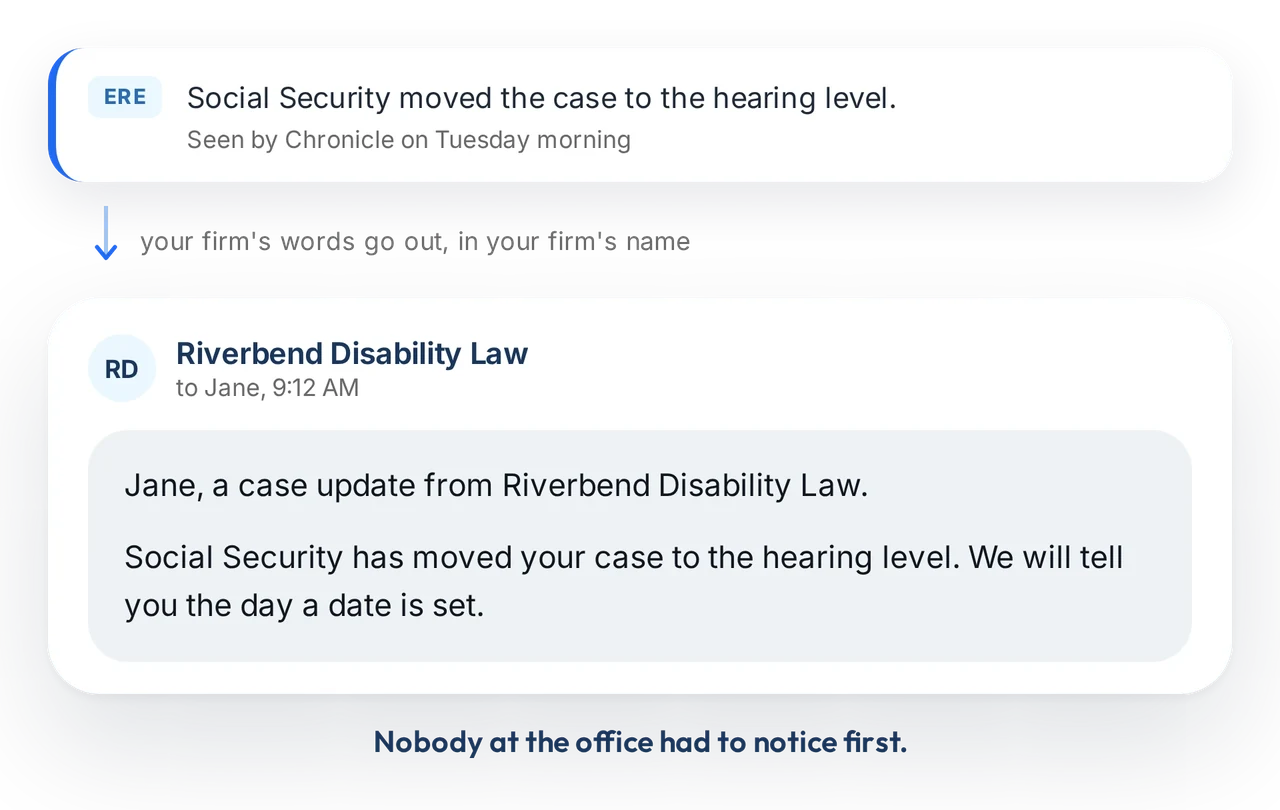
How an update reaches a client. Chronicle sees in the ERE that Social Security moved the case to the hearing level, and the firm's own words go out under the firm's name: a text telling the client their case has moved to the hearing level and that the firm will tell them the day a date is set. Nobody at the office had to notice first.
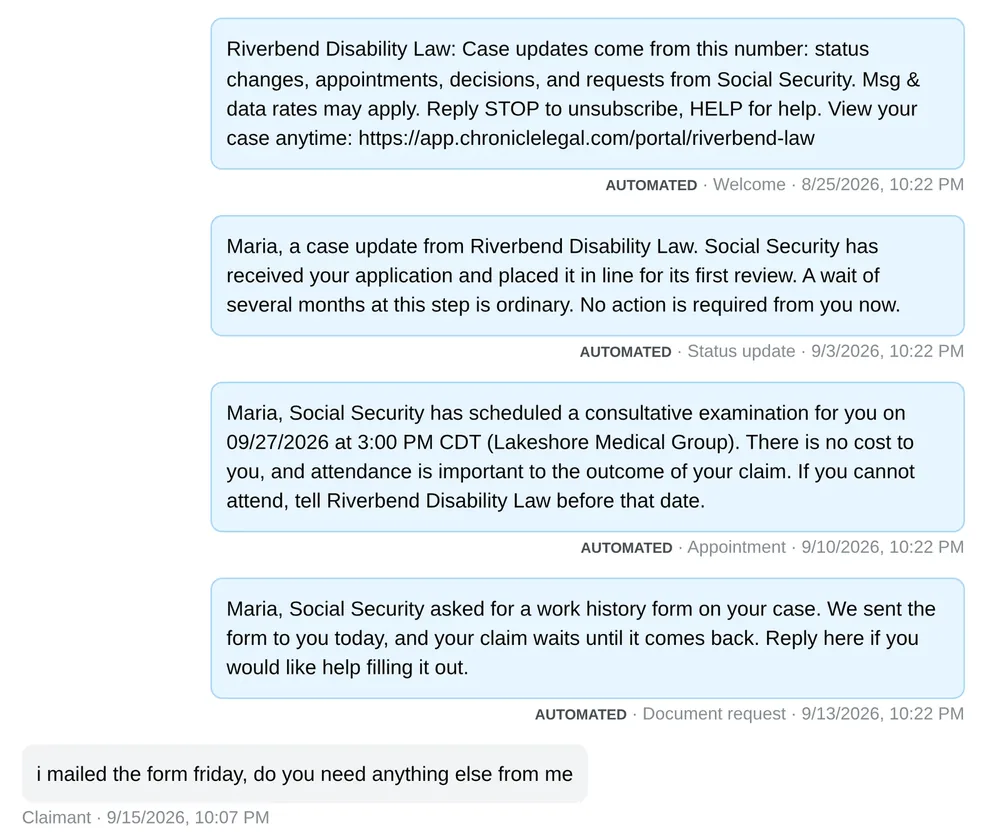
A claimant's conversation inside Chronicle: four texts the firm sent automatically, each labelled with the case event that triggered it, and the claimant's own reply at the end.

Your client's experience of the wait is the part you control

You do not set the fee and you do not make the decision. What a claimant remembers is whether anyone told them what was happening.

Right now they find out from the mail and call to ask what it means. Chronicle already knows what changed — Dispatch is what tells them.

Three things Chronicle Dispatch gives a firm

Status texts that send themselves, replies that come back to the whole firm, and a portal clients can check any time.

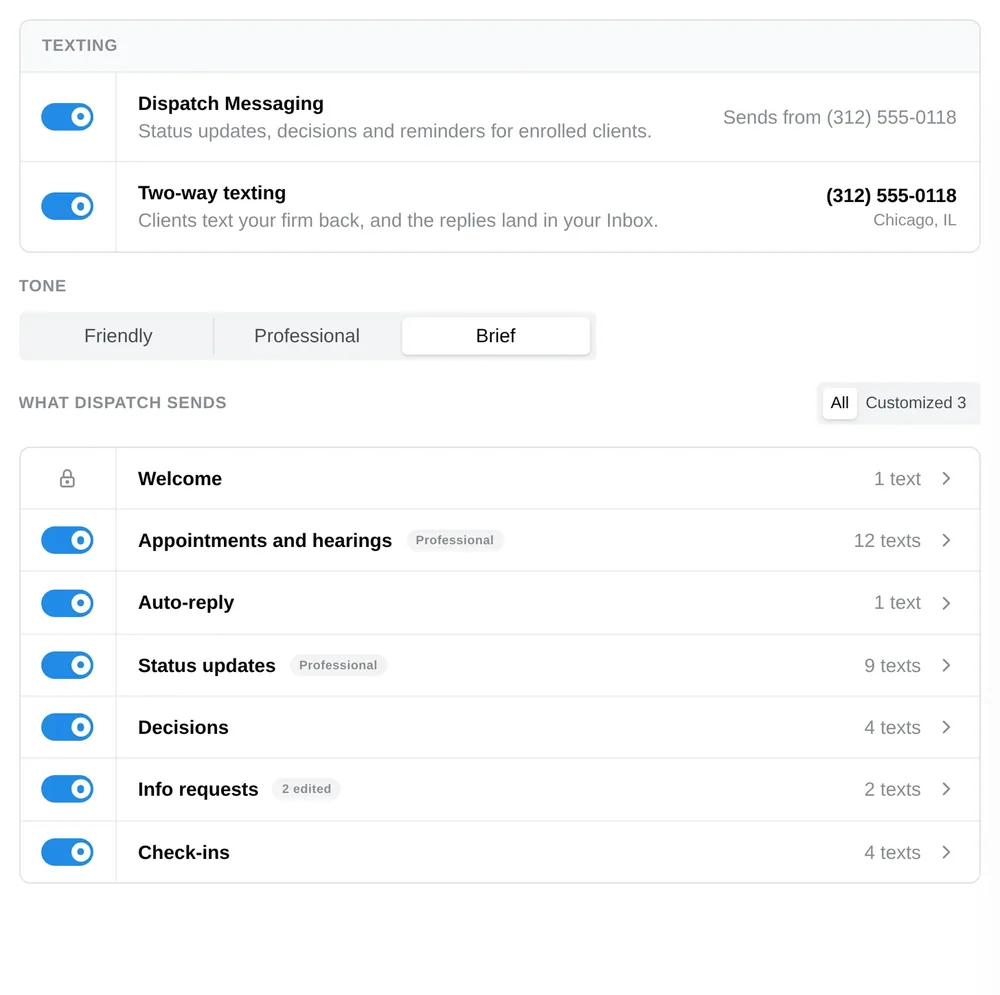
Chronicle's Dispatch message settings: texting and two-way texting switched on for the firm's own number, a tone setting, and the seven kinds of case event that text a client, each with its own switch and its own drafts.
Message Templates

Automatic status texts, in your firm's voice

Write each update once, in your firm's voice. Chronicle sends it every time that event happens, at whatever delay you set.

Nobody types the same status message again, and no client waits because the person who knew was busy. You choose which clients are enrolled and how long after a case moves the text goes out.

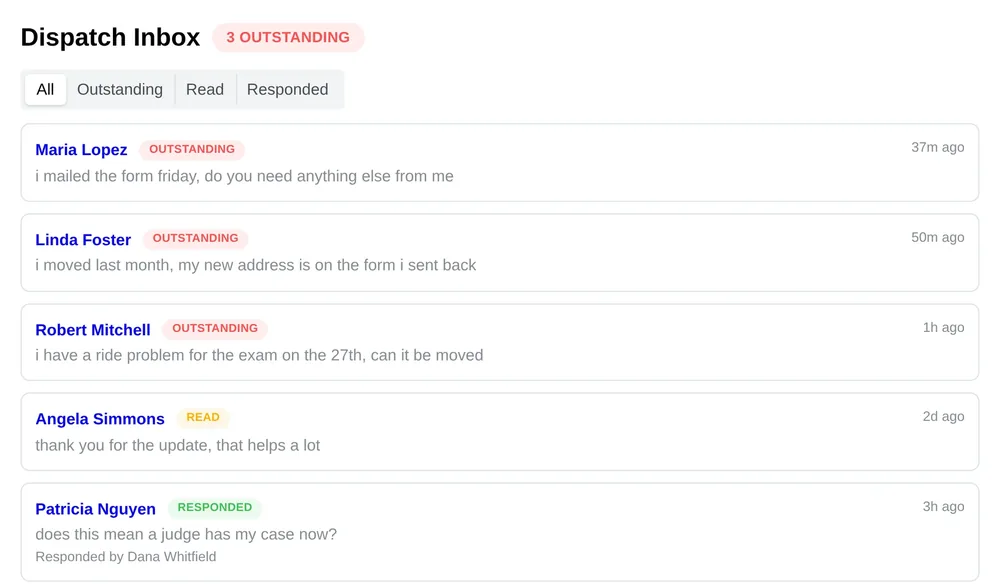
The Chronicle Dispatch inbox. Client replies from across the caseload in one list, each marked outstanding, read or responded, with the name of the staff member who answered.
Two-Way Texting

Clients text back, and the whole firm sees it

Your firm gets its own number. Clients reply to it, and your staff answer from inside Chronicle rather than from a personal phone.

Every message lands in one inbox for the whole caseload, and the full thread sits on the client's page, so whoever picks the file up can see what they have already been told.

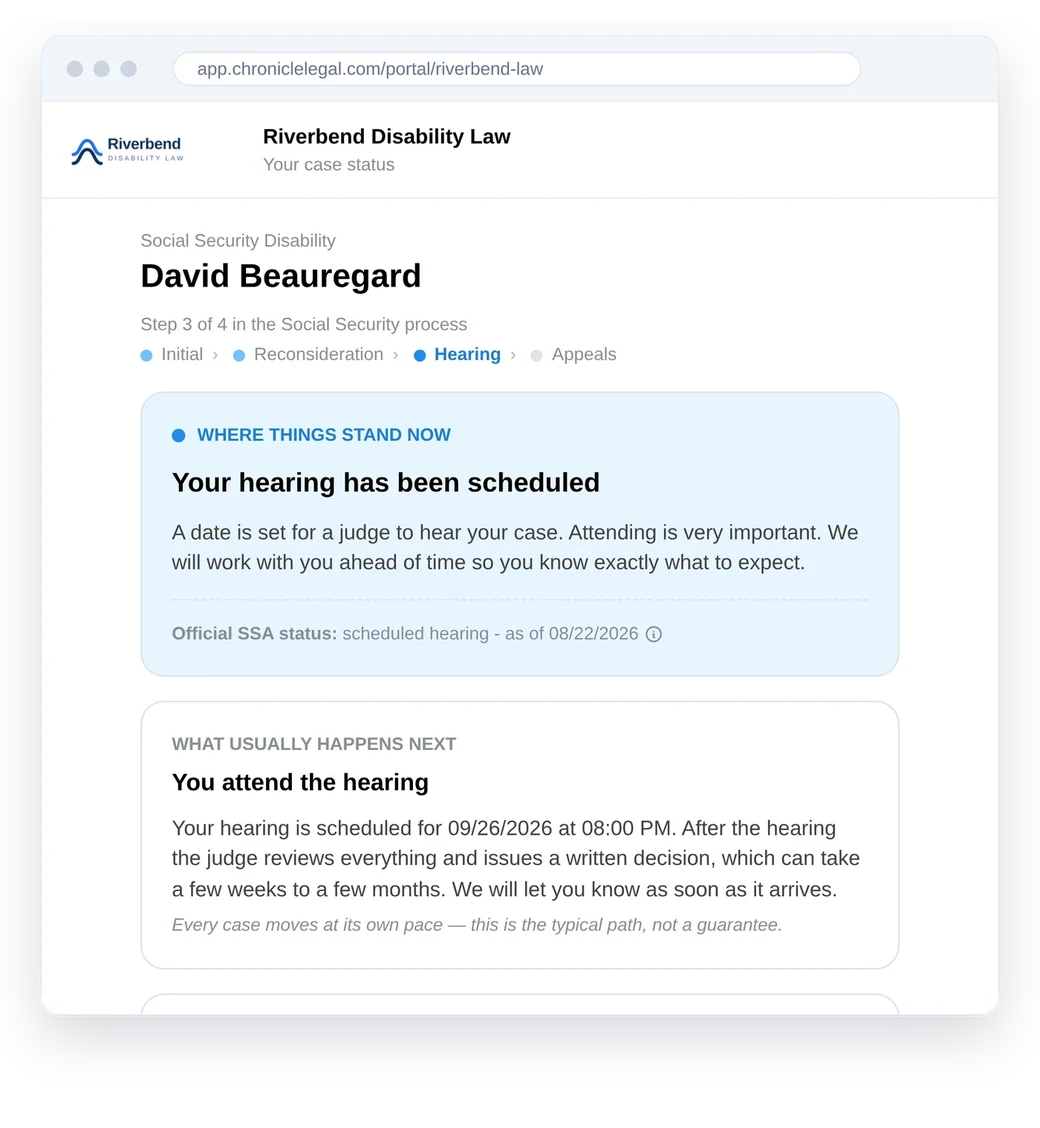
A client's view of the Chronicle portal in a browser, under their firm's own branding, explaining in plain language that their hearing has been scheduled and what usually happens next.
Client Portal

Somewhere to look instead of somewhere to call

Clients sign in to a portal under your firm's branding and see where their case stands, verified by Social Security number.

You write the plain-language explanation for each phase, and decide whether decision outcomes show at that level, so nobody reads a result you would rather deliver yourself.

Before

The silent wait

  • The client learns about a denial from the mail, days later
  • They call your office to ask what the letter means
  • A form request surfaces when someone opens the portal
  • Replies land on one person’s phone, if anywhere
After

Heard from you first

  • You tell them the day it posts, in your own words
  • The call you get is the one you wanted to have
  • The request goes out as a message they can act on
  • They text back, and the whole firm sees the thread

From Firms Already on Chronicle Dispatch

Jonathan O. Pena headshot

“Chronicle Dispatch has helped my firm automate a large portion of client communication that previously took dozens of staff hours each day. Clients receive case status updates and CE appointment notices automatically, along with another way to communicate with our team. A major time saver for our firm and a better experience for our clients. Five out of five stars!”

Jonathan O. Pena, Attorney at Law

Travis R. McCracken headshot

“The biggest benefit has been creating that consistent, branded ‘constant contact’ with our clients that was difficult to maintain with staff alone. Chronicle Dispatch helps supplement our real staff’s client communication so clients consistently feel like we’re on top of their case, even when there may not be a major update to report.”

Travis R. McCracken, Golson, McCracken Inc

Shivam Patel, Esq. headshot

“It lets us keep clients consistently informed with real-time ERE updates while removing a huge amount of manual follow-up from our team. The automated messaging and two-way communication have made it easy to maintain clear, documented conversations directly in each client’s file.”

Shivam Patel, Esq., The Law Office of Shivam Patel, P.C.

What firms do with the room this gives back

Answering fewer status calls is time your team spends on cases instead.

200
cases per case manager at Desert Disability, up from 120
2.5x
caseload growth in 12 months at Garza Law Firm
67%
revenue growth in one year at Ficek Law
Schedule a Call
4.9

150+ Satisfied Firms

SSD Client Communication: Frequently Asked Questions

Chronicle Dispatch is client communication built for disability practices. It texts your clients when their case moves, lets them text your firm back on a number that belongs to you, and gives them a portal where they can check status instead of calling. It runs on what Chronicle already sees in the ERE, so an update goes out because the case actually changed.

Yes. Chronicle Dispatch is generally available. We onboard a small number of firms at a time, so that each one gets set up properly rather than quickly. Email support@chroniclelegal.com and we will get you started.

Chronicle can text clients on status changes, decisions, information requests, consultative exams and hearings, and monthly check-ins. Those are the same case events your team already follows inside Chronicle, detected from the ERE rather than typed in by a person.

Yes. Messages use templates your firm writes and customizes, sent under your firm’s name, with merge fields for the client and your firm. Templates vary by claim stage, so an initial-level message reads differently from an appeals-level one, and Chronicle shows the character and segment count as you write.

Yes. Your firm gets its own dedicated number, and an inbound text becomes a conversation your staff answer from inside Chronicle rather than from a personal phone. Every reply lands in one dashboard inbox covering the whole caseload, and the full thread sits on the client’s page alongside the automated updates.

What you decide they see. You write the plain-language explanation for each phase of the case, and choose whether decision outcomes appear at that level. Clients verify their identity with a full Social Security number, or date of birth plus the last four.

Enrollment is separate from the channels. A client who is not enrolled receives nothing no matter what is switched on. You can auto-enroll clients as soon as they have a case, enroll them one at a time, and set how long clients stay enrolled after their cases close. Opt-outs are recorded, and a client your team excludes by hand is never re-enrolled automatically.

Most tools relay a status that somebody at the firm typed in, which means the client only hears from you after a person has noticed and entered something. Chronicle already watches the case in the ERE. Chronicle Dispatch tells the client what changed because Chronicle detected it, not because someone remembered to.

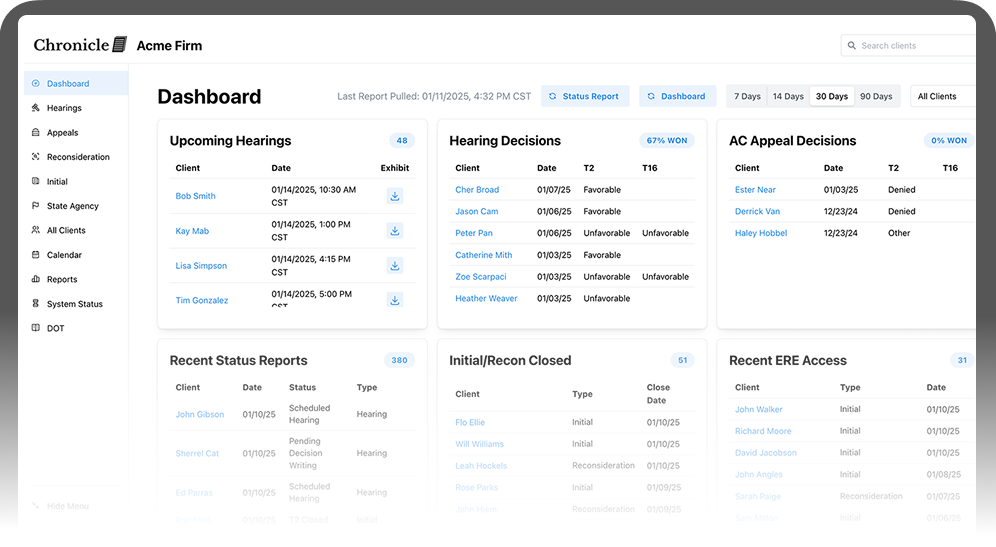
Chronicle platform dashboard view

See How Chronicle Works for Your Firm

Compare for yourself how daily monitoring changes your workflow.

Book a Demo

Join disability practices across the country

Free training invites, workflow guides, and industry reports.