
Most legal case management software wasn’t built for Social Security disability practices. That mismatch becomes obvious around 100 cases, when generic tools start failing at the specific workflows SSD firms depend on: ERE monitoring, SSA correspondence handling, appeal deadline tracking across multiple stages, and hearing preparation.
This guide helps SSD firm owners and operators evaluate case management software with the right criteria. The goal: understand what separates SSD-specific solutions from adapted general legal software, and know what questions to ask before committing to a platform.
What Disability Law Case Management Software Actually Does
Disability law case management software organizes the operational workflows specific to SSA-facing practices. This includes case tracking across appeal stages, document organization for medical records and SSA correspondence, deadline monitoring for reconsideration and ALJ deadlines, and client communication tools.
The category differs from general legal case management in one critical way: SSA disability cases follow a predictable multi-stage appeal process with strict deadlines, and the case file grows continuously with medical evidence, SSA forms, and correspondence from the Electronic Records Express (ERE) portal.
General litigation software handles matters and deadlines. SSD-specific software handles the operational reality of tracking hundreds of cases through initial application, reconsideration, ALJ hearing, Appeals Council review, and potentially federal court. Each stage has different deadlines, document requirements, and workflow patterns.
Core Features Every SSD Firm Needs
When evaluating disability law case management software, these capabilities matter most:
Deadline tracking and appeals management: SSD cases move through distinct stages: initial application, reconsideration, ALJ hearing, Appeals Council, and federal court. Each transition has strict deadlines. Software should track these automatically, alert staff before they approach, and make it obvious which cases need attention.
Document organization: the case file contains medical records (often thousands of pages), SSA correspondence, evidence packets, and hearing prep materials. Software should organize documents by type, make them searchable, and support the hearing preparation workflow.
ERE access and monitoring: this is the critical differentiator. SSA’s Electronic Records Express portal is where case status updates, decisions, and hearing notices appear. Most general legal software doesn’t touch ERE. SSD-specific solutions should either integrate with ERE directly or provide tools for automated ERE monitoring.
Client communication tools: SSD cases often last years. Clients need status updates. Software should support templated communications, client portals for case status visibility, and automated notifications when case status changes.
Workflow automation: repetitive tasks like routing new documents, assigning follow-ups, and triggering status updates should happen automatically rather than requiring manual data entry for every case.
SSD-Specific vs. General Legal Software
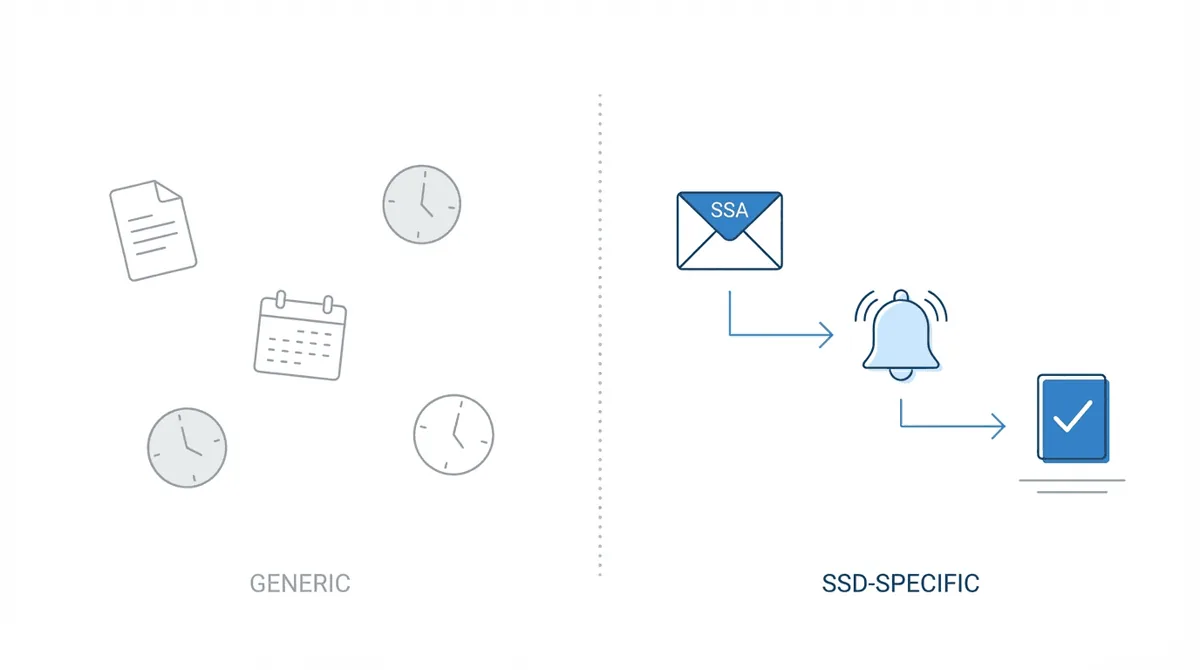
The practical difference between SSD-specific and general legal software shows up in daily operations.
Adapted personal injury software falls short: many SSD firms start with software designed for PI practices. These tools handle cases and deadlines, but they assume a different workflow: investigation, demand, negotiation, trial. SSD workflow is fundamentally different: application, evidence gathering, sequential evaluation by SSA, hearing, and potentially multiple appeals. This full-lifecycle approach requires software that tracks cases across every stage. Software designed for PI litigation doesn’t map to this structure without significant customization.
The ERE monitoring gap: this is where most general platforms fail SSD practices entirely. ERE is SSA’s system for case documents and status updates. Without monitoring ERE, firms discover decisions when clients call to report them. Worse, they miss deadlines because they didn’t know a denial had been issued.
At The Law Office of Nancy L. Cavey, paralegals spent 15 to 20 hours per week manually logging into ERE before implementing automated monitoring. At Martin, Jones & Piemonte, the estimate was five or six hours per week per paralegal just checking ERE. That’s operational overhead that generic software doesn’t address.
SSA mail handling requirements: SSA correspondence arrives through multiple channels: ERE, physical mail, and sometimes fax. Firms need a virtual mailroom that centralizes this correspondence and triggers the appropriate workflow. Generic case management software treats mail as a document to file. SSD-specific software treats SSA mail as a trigger for deadline tracking, client communication, and task assignment.
Questions to assess SSD-specific capability: when evaluating any platform, ask: - How does this system handle ERE document monitoring? - Can it track cases across all SSA appeal stages? - Does it understand SSA deadline rules? - How does it handle SSA correspondence routing and workflow triggers?
If the vendor can’t answer these questions specifically, the software probably wasn’t built for SSD.
Evaluating Integrations and Technical Requirements
SSD firms rarely use a single tool. Most run a primary case management system alongside specialized tools for specific workflows. Integration matters.
CMS integration: if you already use Prevail, Clio, or another general CMS, new SSD-specific tools should integrate rather than replace. Look for bi-directional sync: changes in either system should reflect in the other.
Cloud vs. server deployment: most modern SSD software is cloud-based, which simplifies access for remote staff and eliminates server maintenance. If you’re evaluating server-based options, factor in IT overhead and remote access limitations.
Security requirements: SSD files contain protected health information. HIPAA compliance isn’t optional. Evaluate encryption (in transit and at rest), access controls, and audit logging. Ask vendors about their compliance certifications.
Mobile access: attorneys travel. Paralegals work remotely. The software should work on mobile devices for case lookups, notifications, and basic updates.
API availability: firms with technical resources often build custom workflows connecting multiple tools. API access enables integrations with intake forms, document processors, and communication platforms.
Questions to Ask During Vendor Demos
Beyond feature lists, these questions reveal whether a platform actually fits SSD operations:
1. “How does the system check for new ERE documents?”
This separates SSD-specific from generic. If the answer involves manual login or “we integrate with your CMS which handles that,” dig deeper. Automated ERE monitoring that checks for new documents and alerts staff is the benchmark.
2. “How are appeal deadlines calculated and tracked?”
SSD deadlines follow specific rules. Software should calculate these automatically from case events, not require manual entry.
3. “What happens when we grow from 100 to 500 cases?”
Scaling reveals architectural limits. Ask about pricing tiers, performance at volume, and what other firms at that scale experience. At Disability Advocates, the team noted that things became “more and more cumbersome” once they hit 100–125 cases. Tools that work at 50 cases often break at 150.
4. “What does onboarding look like? Response time for issues?”
Implementation complexity varies. Some platforms require weeks of data migration and configuration. Others are operational within days. Support responsiveness matters. When something breaks, you need answers quickly.
5. “How does this connect to our existing CMS?”
If you’re adding SSD-specific tools to an existing stack, integration depth matters. Native integrations that sync case data bidirectionally work better than manual export/import workflows.
What High-Volume Firms Prioritize

Firms handling 500+ cases make different software choices than firms at 50 cases. Their priorities reveal what matters at scale.
Automated monitoring becomes non-negotiable: at volume, manual ERE checking is impossible. The Disability Champions grew from 900 to 3,000 active cases. Before implementing automated monitoring, they estimated wasting 80 to 90 staff hours per week on tasks that should be automated. At that scale, manual processes aren’t just inefficient. They’re impossible.
The breaking point for manual processes: most firms hit the wall around 100-125 cases. That’s when manual ERE monitoring, mail handling, and deadline tracking start consuming disproportionate staff time. Disability Advocates described this threshold: manageable at 50-75 cases, increasingly unsustainable past 100.
Staff efficiency metrics: high-volume firms measure cases per paralegal, time to client notification on status changes, and hearing prep hours. These metrics reveal whether software is creating leverage or just adding another system to manage.
Proactive vs. reactive communication: firms with automated monitoring contact clients before SSA letters arrive. At Viner Disability Law, automated monitoring enables emailing clients about decisions before mail arrives. That’s only possible with software that monitors ERE and alerts staff to changes immediately.
Multi-tool stacks are normal: large SSD firms typically run a general CMS (Prevail, Clio, SmartAdvocate) alongside SSD-specific tools for ERE monitoring, mailroom operations, and hearing prep. The “all-in-one” solution rarely handles SSD-specific workflows as well as purpose-built tools. Chronicle is that SSD-specific layer, integrating with existing CMS platforms while handling ERE monitoring, virtual mailroom, and hearing preparation workflows.
Building Your Evaluation Framework

When evaluating disability law case management software:
- Start with your scale trajectory: if you’re at 50 cases aiming for 200, prioritize tools that won’t break at that volume. Ask vendors about their largest SSD customers.
- Assess ERE monitoring capability: this single feature separates SSD-specific from generic. If a platform doesn’t automate ERE monitoring, it’s asking your staff to handle that operationally.
- Check deadline tracking depth: generic deadline calendars aren’t enough. Software should understand SSD-specific deadline rules and calculate them automatically from case events.
- Evaluate integration requirements: if you’re keeping your existing CMS, ensure new tools integrate cleanly. If you’re replacing everything, ensure the new platform handles all workflow stages.
- Talk to firms at your target scale: vendor references matter. Ask specifically about ERE monitoring, deadline compliance, and staff efficiency.
Some firms start with no vendor at all. Diane Haar coded her own case management system when she founded Hawaii Disability Legal Services, before she could afford to buy one. On Disability Heroes she talks through when building your own tools makes sense and when to stop.
The right software creates operational leverage: fewer missed items, faster awareness of status changes, tighter handoffs between team members, and lower administrative load. The wrong software adds another system to manage without addressing the SSD-specific workflows that consume your team’s time.
Choose accordingly.