
If your staff spends hours chasing clients to complete function reports, or manually re-keying form data into the ERE, this session was built for you.
On March 4, 2026, Chronicle hosted the latest session in its Advancing Technology in Disability Law series, spotlighting the new integration between Chronicle and Benny. Chronicle founder Nikhil Pai and Benny co-founder James Vancel walked through exactly how the integration works, what Benny’s mobile-first application experience looks like for claimants, and how firms are using the two platforms together to cut processing time and respond to SSA form requests before the paper even arrives in the mail.
This was a product demo with live screen sharing, audience polls, and a rich Q&A that covered everything from pricing to specialized questionnaires to how Benny’s AI agents parse claimant narratives. More than 100 disability professionals registered, representing solo practitioners, national firms, and everyone in between. The engagement was immediate: attendees were asking to sign up for Benny during the session itself.
This event recap complements the Chronicle + Benny integration announcement, which covers the technical details of how the integration works. This post focuses on what the speakers said, what was demonstrated, and the questions practitioners asked during the live session. Benny is part of Chronicle’s growing ecosystem of partner integrations, alongside our Superinsight medical chronology integration and our native Clio and Filevine integrations.
You can catch the replay here:
Speakers:
- Will Yang, Partnerships & Education at Chronicle, moderated the session and managed audience Q&A throughout
- Nikhil Pai, Founder of Chronicle, the platform helping Social Security disability firms automate case tracking, manage ERE access, and streamline case preparation. Chronicle now monitors more than 235,000 cases and 11.7 million SSA documents across 2,800+ disability professionals.
- James Vancel, Co-founder of Benny, the mobile-first platform helping disability firms replace hours of manual intake with a guided experience that claimants can complete in 30 to 45 minutes, filed directly to the SSA.
Key Takeaways
“The most common thing people wonder as they get started with Benny is, will my applicants be able to do this? We’re dealing with a vulnerable population that is often in crisis, and this is a really difficult process. We have seen, with our initial apps, roughly 90% completion from invite.” — James Vancel, Benny
“Most firms that have used us have been able to double their caseload within a month, because you have the same staff who are doing it, but they’re able to not be doing the data entry and sitting on calls, and able to really advocate for their clients.” — James Vancel, Benny
The four patterns that emerged from the session:
- Mid-case forms are the bottleneck this integration targets. Chronicle detects when the SSA requests forms like function reports and work history questionnaires via its ERE data feed. With the Benny integration, an advocate clicks one button to send the form to the client, who completes it on mobile. The workflow eliminates manual ERE checking and manual data entry in a single integration.
- Claimants can actually do this. James shared that Benny sees roughly 90% completion from invite on initial applications, with about 40% completing same day and the rest within a week. Function reports and work histories are shorter, typically taking 10 to 15 minutes. The mobile-first design removes the barrier of needing a desktop or printer.
- AI-suggested answers come from the claimant’s own narrative, not inference. Benny’s AI agents parse the claimant’s spoken narrative, conditions, and medication side effects to suggest answers for function report fields. The explicit instruction is to never infer. Suggestions trace back to specific statements the claimant made, and advocates review everything before submission.
- Forms are getting completed before the paper arrives. Because Chronicle detects the SSA form request digitally and Benny captures the response on mobile, the entire cycle can close before the physical paper form reaches the claimant’s mailbox. Several firms are proactively requesting forms at the time of initial filing to stay even further ahead.
How Does the Chronicle + Benny Integration Work?
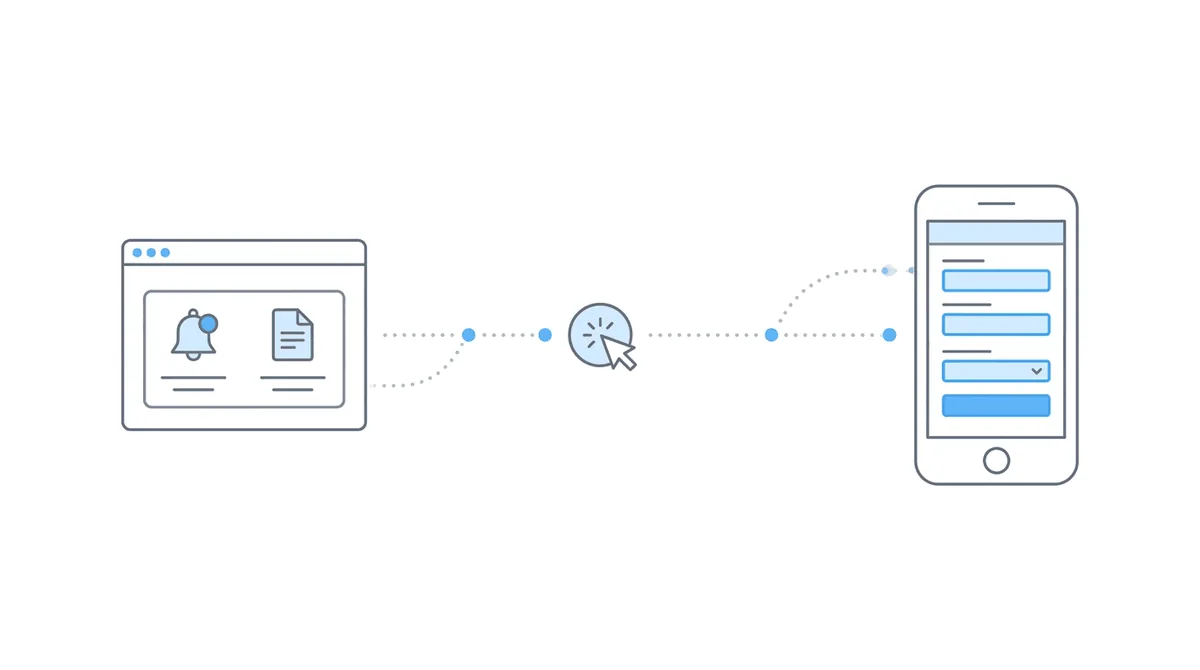
The integration connects two platforms that serve different stages of the same workflow. Chronicle monitors the SSA’s ERE and detects when form requests arrive. Benny captures the claimant’s response through a guided mobile experience. Together, they create a path from SSA form request to completed submission that bypasses manual monitoring and manual data entry entirely.
Why mid-case forms are the bottleneck
Nikhil explained why Chronicle built this integration: “It just takes time. If you miss it, you can miss a deadline, it stalls the case, and it’s really tedious work. That’s why we’ve built this integration with Benny, which has built something that’s super powerful — a mobile-first, super user-friendly system that guides applicants through the process of filling out these forms, both at the initial application level and these mid-case questionnaires.”
The integration specifically focuses on mid-case questionnaires. As Nikhil clarified: “We know a lot of firms spend time on the application and filling out these forms at the initial recon level. This is where a lot of the case development is done, and it’s very time-consuming, whether it’s that actual fill-in of the initial form or those mid-case initial and recon level questionnaires.”
As Nikhil further explained: “With this integration with Chronicle, it’s all about those mid-case questionnaires, like the work history questionnaire and the function report. That’s how we integrate with Benny and are able to trigger them. As you may know, if you use Chronicle, we detect when the SSA requests those forms, and with our integration with Benny, we can automatically have those stuffed into Benny and sent out to the client. It’s a one-click send.”
Setup: one API key, five minutes
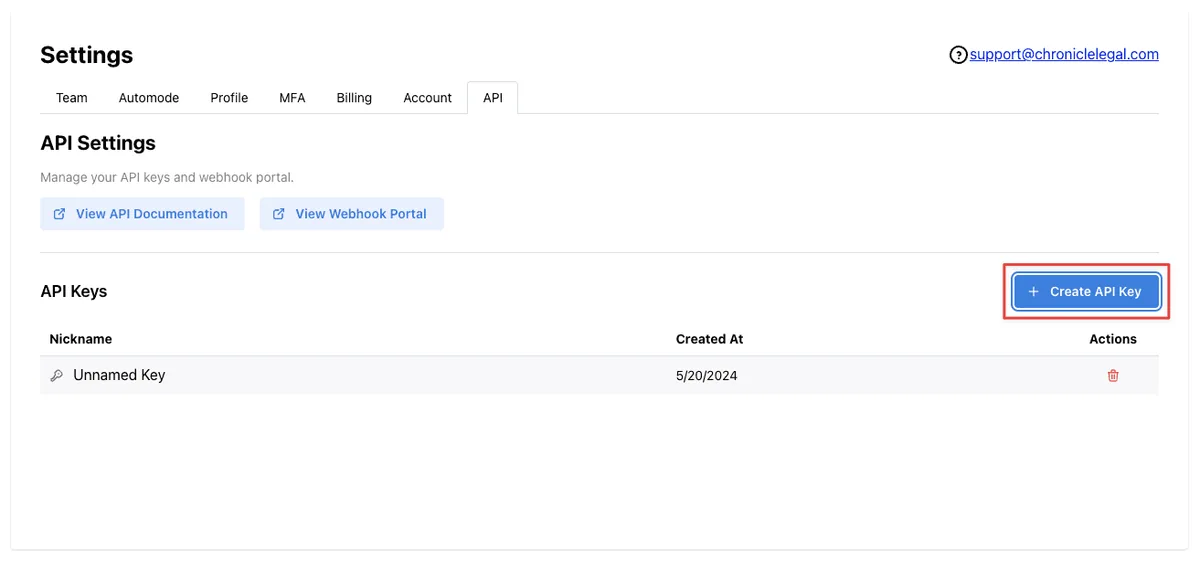
Setting up the integration is straightforward. Generate an API key in your Chronicle settings, paste it into Benny’s Integrations tab, and the two platforms start communicating. The API key only needs to be set up once. After that, Chronicle’s ERE feed automatically surfaces form requests in Benny.
Security considerations
Nikhil walked through the security considerations: “Those API keys only show up once. We want to keep it secure so we never show it to you again, so make sure you copy that and paste it into Benny immediately. You can always revoke access if you want to by clicking delete on any API key, so if you ever want to terminate access or worry about security, you can always remove an API key, and that terminates all access.”
For firms already using ERE monitoring software through Chronicle, this integration adds a direct action to the notification. Instead of seeing that a form was requested and then contacting the client separately, the advocate can send the form through Benny from the same workflow.
For firms evaluating how case management tools integrate with the ERE, this is a practical example of what happens when monitoring data drives downstream action rather than just creating visibility.
What Does the Benny Experience Look Like for Claimants?
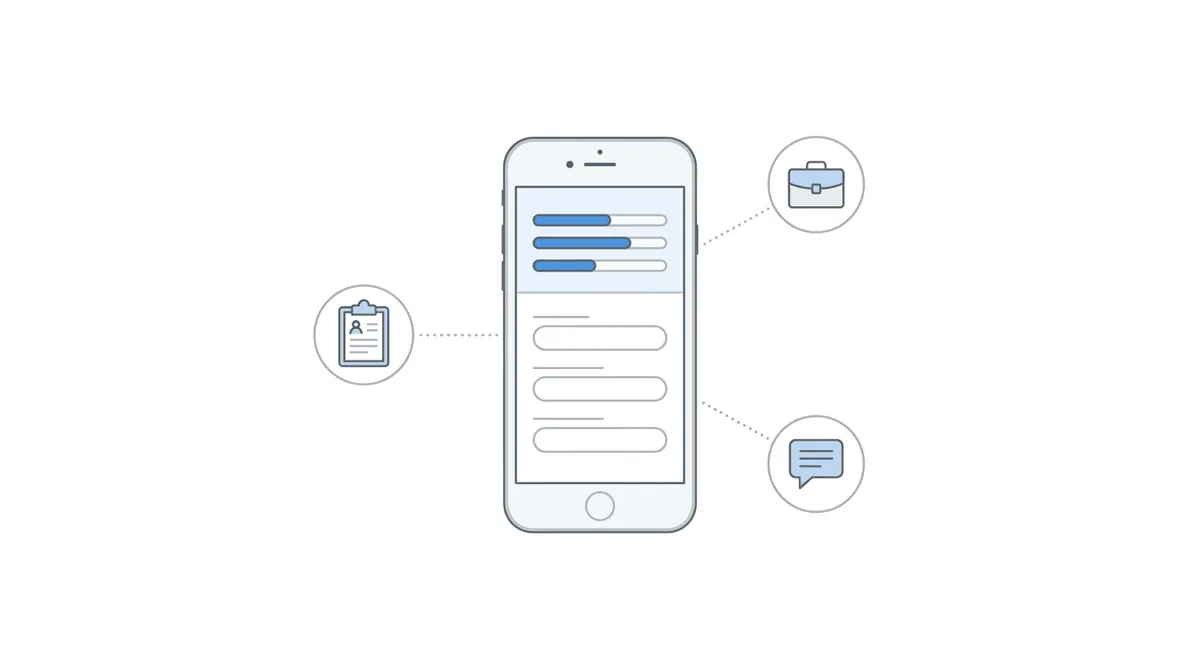
James screen-shared the full Benny portal during the demo, walking attendees through both the initial application workflow and the mid-case supplemental form process that connects to Chronicle.
He started with context on what Benny is solving: “What Chronicle has done with managing the ERE and managing your case post-submission, Benny really tries to automate and simplify the process of collecting information from your claimants to fill out these painful form requests and save you a lot of time.”
Initial applications: the TurboTax equivalent for disability
James described the initial application experience: “We have more or less built a TurboTax equivalent for disability. We know this is a really time-consuming task for a lot of law firms and advocates, filling out that information and then often duplicating it to enter into iClaim. We’ve just created a simple, guided experience for applicants to complete on their smartphone.”
The flow starts when an advocate creates a client in Benny and clicks Launch Intake. The claimant receives a text and email, logs in with a one-time code, and walks through the application step by step. Benny handles the intelligence underneath: if the platform knows the claimant’s work history, it can infer earnings and suggest employers. For exertional requirements, Benny suggests values based on the job title.
Once the claimant finishes, the advocate gets notified and reviews the application. Benny flags potential issues, such as eligibility for a DAC claim or onset date considerations for claimants under 25. After the advocate reviews and approves, Benny creates the account on iClaim, uploads the data, and stops right before submission with a re-entry number so the advocate can do a final check.
Supplemental forms: where the Chronicle integration takes over
After an application is filed and Chronicle begins monitoring the case, the integration kicks in for supplemental forms. James walked through how form requests appear in Benny once the API key is connected.
“Once you have them, they’ll pop up here on your Supplemental Forms tab, and there’s a couple different ways they’ll pop up. One will be ones that are matched to existing users, so if you already filed an app with Benny, we’ll be able to connect them, and we can use some of their initial app data to help make that process even easier.”
For cases where the work history was already collected during the initial application, the advocate may not need to contact the client at all: “We often complete the work history as part of our initial app, and it’ll just ping you here saying, hey, it was requested by Social Security, let me just go ahead and I can look at it and make sure I’m happy with it, see if everything looks right, and then I can just upload it to ERE via Chronicle. Immediately go in there, and then you can track it on Chronicle, and it’s already been submitted to SSA.”
For new requests like function reports, the claimant receives a text and email invitation to complete the form on their phone. They provide background medical information, tell their story, and review AI-generated suggestions.
How Does Benny’s AI Handle Function Reports?
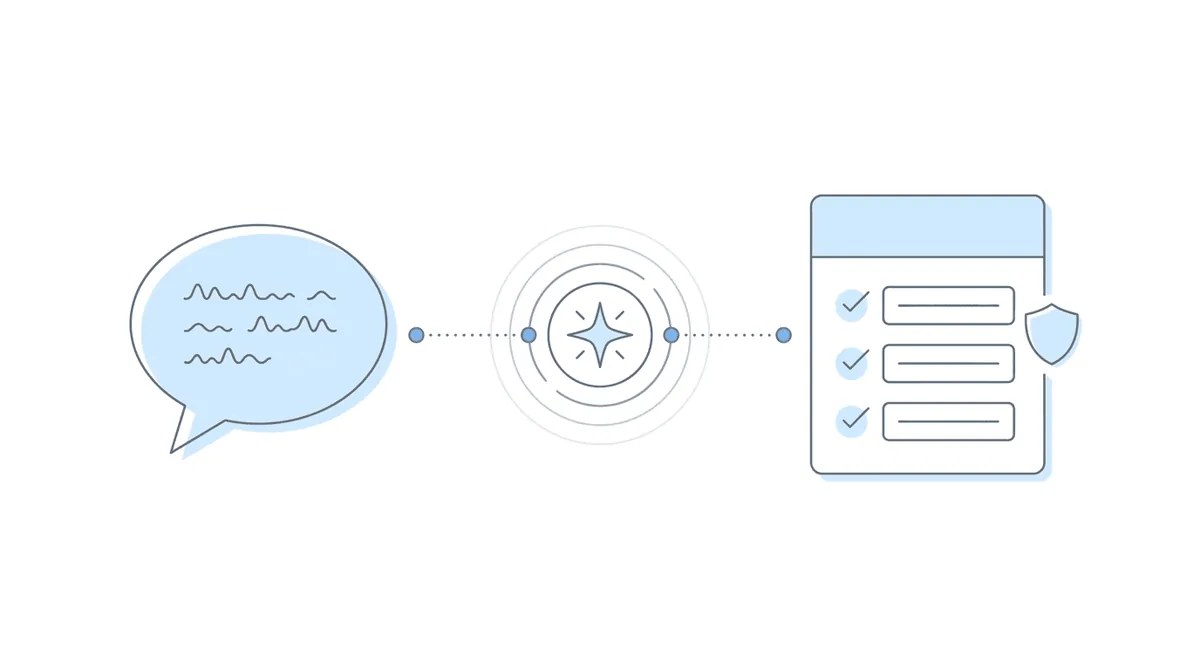
The function report demo was the centerpiece of the session. James walked through how Benny’s AI agents parse a claimant’s narrative to pre-populate function report answers, and the level of auditability built into the process.
How the narrative processing works
The claimant goes through a few screens where they provide conditions, medications, and their story. James explained how medication data connects to functional limitations: “We’re going to have their medications, which will be able to connect to likely side effects that they can select that are common for those medications. This is one of the most important things we see — users often can tell their stories, but connecting them to the medication side effects or the conditions is where a function report goes from a good narrative to a really strong testimony from the applicant, and one that connects their functional limitations to their medical impairments.”
The claimant can narrate their story by speaking into their phone’s microphone. James described the guidance Benny provides: “We typically guide users to say, hey, imagine you’re telling your condition story to a friend, and they can just record and narrate anything they want. We encourage them to give verbose narratives.”
What the AI does (and doesn’t) infer
After the claimant provides their narrative, Benny’s AI agents process it. James explained the scope and constraints: “We’ll have suggestions for usually around 80% of the function report. We don’t catch everything. They might not have mentioned something about their pets. They might not have mentioned their driving ability. We never try to infer that. We only take directly from the narrative what is required, or what they’ve said, and that we can directly take their testimony and put it in there.”
Each suggested answer includes attribution showing where it came from: “Here’s the detailed function report where we’re going to show everything they shared and where the source of the answer came from. They used a suggested answer, or they entered it themselves, or potentially they changed the suggestion and altered it based on what they felt was not the right suggestion. You have full traceability.”
When Sarah asked in the Q&A to expand on what an AI agent is, James broke it down: “An AI agent is essentially a protocol we’ve set up with the LLMs, where we’ve structured a set of functions that train the LLM on what to do. In this case, we’ve trained it on how to be a function report expert, and what to look for. It takes the narratives, the conditions, the side effects, and it’s given instructions on how to take that and try to find answers to all of the questions on the function report. The explicit instruction we’ve given is never infer — only use direct things from their narrative.”
He provided a concrete example of how the agent works: “The user might say, oh, I used to take care of my kids, but I can’t anymore. That would answer, do you have family who helps you? And they might have said, oh, my husband helps me with this. Then we would answer yes to that question, because the AI agent is trained to understand their narrative and infer from there the likely answers to all these questions.”
Advocate review: the gold standard
The advocate always has final say. As James emphasized: “Our gold standard is we never submit anything without — you have to submit everything, you have to click the button to do it. We want to make sure nothing is going to SSA without your explicit approval and review.”
What Results Are Firms Seeing with Benny?
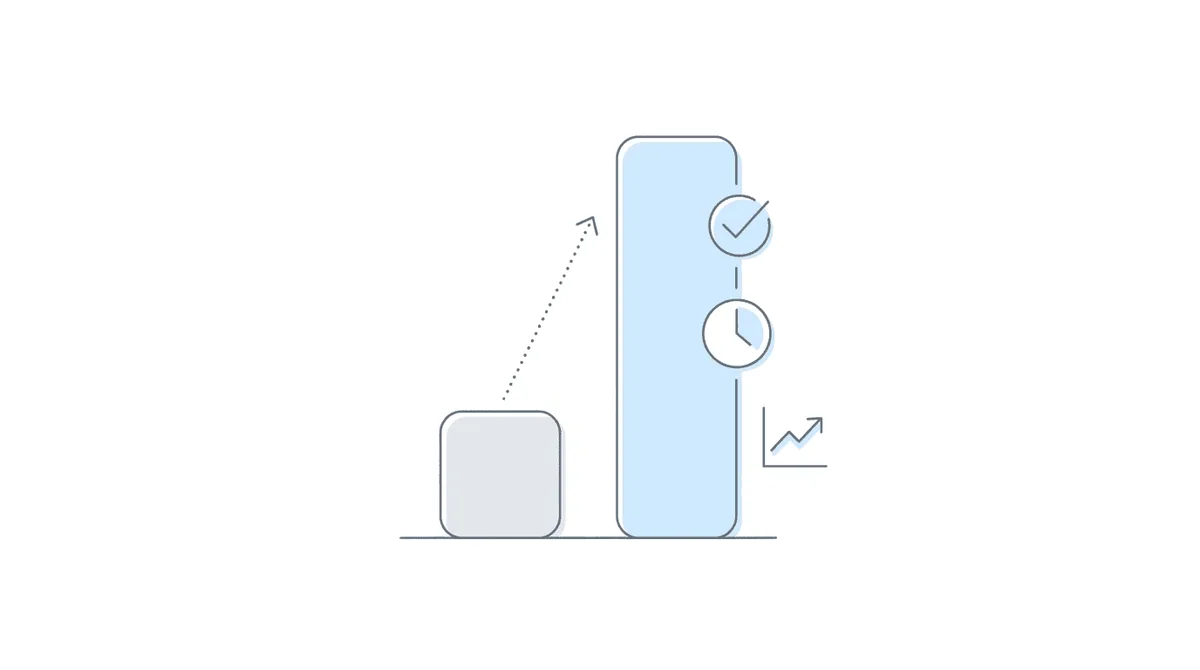
James shared specific outcomes during the session, and Will highlighted a client testimonial that captured the overall impact.
Completion rates
On completion rates, James reported: “We have seen, with our initial apps, roughly 90% completion from invite. Once they are invited and they’re able to just click the link and log in, we see about 90% complete. Not all immediately — about 40% complete same day, but the rest trickle in over the course of a week, because it takes time.”
For supplemental forms, the timeline compresses further: “For the function report and work history, it trims it down to around 10 or 15 minutes. They just need to tell their story, and then check the suggestions against what they said, and feel good about it.”
Processing time impact
The downstream impact on advocate time is substantial: “The big gain for you guys is it reduces your processing time down considerably. For these forms that are coming in, you’re spending 5 to 10 minutes just reviewing them and making sure these answers make sense and are compatible with what you know about the client, and then able to just immediately click send to SSA, so that you’re able to reduce that manual data entry and save your time on the higher skill tasks that your team really wants to focus on.”
Will shared a testimonial from Marcy: “Our processing time for retention to submission dropped by 90%, and monthly application volume more than doubled.” He described Benny as “a top-notch product with top-notch support.”
What attendees said matters most
James connected these outcomes to the broader capacity question that growing disability firms face: “Most firms that have used us have been able to double their caseload within a month, because you have the same staff who are doing it, but they’re able to not be doing the data entry and sitting on calls, and able to really advocate for their clients.”
When polled during the event on which feature would save the most time, attendees overwhelmingly chose mobile form completion for clients, reinforcing that client communication and form collection is the bottleneck most firms feel daily. Chasing clients to complete forms and manual data entry and re-keying were the two most common pain points attendees identified earlier in the session.
Getting Started: Requirements and Pricing
The requirements to try this integration are straightforward.
Chronicle Pro
A Chronicle Pro plan is required. Nikhil explained that Pro starts at $14 per case for the lifetime of the case: “That is just a one-time fee. If the case takes 18 months, gets remanded a couple times, it’s still just $14 to be on the Pro plan. That includes daily document checks, where we’re checking the ERE every single day, for every single case, for new documents, and gets you the API access you need for Benny. And then with that, we have a 14 case per month minimum.”
Benny pricing
James explained Benny’s usage-based pricing: “Everything on Benny is usage-based, there’s no monthly fees or minimums, there’s no subscription you have to pay. It is based on the work products we produce for you. For our full application, it’s usually $30, which will include the work history report and, if it’s an SSI applicant, the 8001, as well as electronic submission of the initial claim. And then for the supplemental forms for the function report, that is $15 per.”
The $30 initial application fee is only charged on completion. James clarified: “If someone dropped off throughout it, you don’t get charged for those. If they didn’t complete it, if you decide not to take the case on, you’re good for that.”
Launch offer
For anyone that signs up before April 1, 2026, Benny is offering an extended promo period: 10 free supplementary forms or function reports, just to try it out and make sure that it’ll work for your firm.
How to connect
Getting started steps:
- If you are on Chronicle Pro, go to Settings and navigate to the API section
- Create a new API key and select the Benny integration
- Copy the key immediately (it only displays once)
- Log into Benny and go to the Integrations tab (firm admin required)
- Paste the API key and save
James noted that new Benny users need to book a demo first: “You can’t sign up directly with Benny. You do need to contact us, just so we can enable it and get your firm set up. It takes 15 minutes.”
Frequently Asked Questions
The following questions were asked by attendees during the live Q&A session. Jeremy Shapiro from Benny also answered several questions directly in the Zoom chat throughout the event.
Is this integration live already?
Yes. The integration has been live for a couple months and is now available to all Benny users. If you’re a firm admin in Benny, you’ll see an Integrations link in your sidebar where you can set it up.
Does Benny work for initial applications, or just function reports?
Both. The Chronicle integration specifically focuses on supplemental forms (function reports, work history reports) that come after an application is filed, but Benny handles initial applications independently as well. You can join Benny just for the Chronicle integration, or use it for initial apps too — the two work well together, but either works as a standalone.
Does Benny work with the 3441 form (Disability Report - Appeal)?
Yes. Benny handles electronic filing of recon and appeals, including hearing requests. It’s a shorter application, so claimants can usually complete it faster. If the initial application was filed through Benny, all the original data carries over, reducing recon to a 5-10 minute process.
Can the attorney make changes, or just review?
Full editing capability. When the client completes the function report, the advocate gets notified and can review, change, or edit anything before submission. Nothing goes to the ERE without explicit approval — you click Upload to ERE only when you’re satisfied.
Is Benny available for specialized SSA questionnaires like headache, pain, or seizure questionnaires?
Not yet, but it’s on the roadmap. Benny currently covers the two highest-frequency questionnaires: work history and function reports. The work activity report is coming soon, and the team is working through the variety of other forms SSA sends.
Does the dictating of answers have limited characters?
The narrative input is unlimited, but Benny trims suggestions to fit SSA’s form field character limits. Some fields are short (dressing constraints are around 80 characters), while others like “describe a day in your life” allow much longer responses. Benny pulls the most relevant details and fits them to what the form allows.
How long has Benny been in business?
Benny got started in mid-2024 and has grown quickly. As of the event, they’re live with around 40 firms and processing a couple thousand applications and supplementary forms every month.
Does this integrate with NEOS?
Not directly yet. Benny has direct integrations with Salesforce and Litify, and can set up integrations with other case management systems on a case-by-case basis.
Is the application submitted as a first-party or third-party claim?
Always as a third party. When Benny sets up your firm, they collect your firm information so applications are filed under your name. That’s why the process stops at the re-entry number — it gives you the final say before submission.
Can you proactively request function reports before DDS sends the request?
Yes, and firms are increasingly doing this. Rather than waiting for SSA to send the request, some firms request the function report right after the initial application is filed — while the claimant’s attention is still focused. The completed form sits in Benny until Chronicle detects the SSA request, at which point you can send it immediately. It’s already done.
How does Benny handle SSI applications? Can it submit both Title II and Title XVI at the same time?
For claimants eligible for the online SSI application (not married, haven’t applied before), Benny collects the information and submits it electronically. For others, Benny can handle the PDF forms.
Where does the API key go in Benny?
The API key goes in the Integrations tab on the left sidebar, accessible to firm admins. Click Integrations, find the Chronicle card, click Manage, and enter your API key from Chronicle’s settings.
Watch the Full Replay
Missed the live event? The full 36-minute recording is available above, including timestamps for every section.
Upcoming Events
10-Minute Win: How to Spot Which Cases Need Attention This WeekLearn a quick workflow for identifying which cases in your caseload need action this week, using Chronicle’s case status tools and firm dashboard to cut through the noise and focus on what matters.
📅 March 12, 2026 — Register here
This was the fifth session in Chronicle’s Advancing Technology in Disability Law series, where we spotlight tools, workflows, and integrations that are helping disability firms modernize how they work. Previous sessions have covered the Litify (Salesforce) integration, the Superinsight medical chronology integration, and a panel on marketing, operations, and AI for disability firms. For questions or to learn more about Chronicle’s ERE monitoring platform, visit chroniclelegal.com.
Full Transcript
The following is a cleaned and lightly edited transcript of the full integration launch event.
Will Yang: Hello, everyone, and welcome to today’s session on 90% Faster Applications, Chronicle and Benny in Action. This workshop is part of Chronicle’s Advancing Technology and Disability Law series, where we spotlight tools, workflows, and integrations that are helping disability firms modernize how they work.
Just as a heads up, you will receive a replay recording for this after the event, so you do not need to worry if you miss anything. If you need a recap of anything that we go over, it will be covered with the transcript, as well as key takeaways after this event. We’ll be taking questions throughout this in the Zoom chat, so if you can include two hashtags before your question, just so it’s easier for me to spot, that would be great.
And then what we can do from there is we can answer those during the Q&A. As you are entering, if you are just joining in, since I see a lot of folks just joining in now, feel free to drop in your name, role at your firm, as well as your firm and or your city.
For a quick introduction from me, I’m Will. I focus on building education, partnerships, and collaborations that help disability practices adopt better tools and stronger operational standards. Before we jump in, let’s go over what you’re going to learn by the end of this session, and then we’ll do a quick introduction to our speakers.
In this session, you’re going to leave learning how Chronicle serves as the operational hub for your SSD workflows, how Chronicle’s new integration with Benny eliminates manual application data entry, what Benny’s mobile-first SSDI and SSI application process looks like, as well as how to get started if you’re interested. We have a very special launch offer as well for folks that the Benny team is excited to share with you, towards the end of this presentation.
For some quick introductions for our speakers today, we’re joined today by Nikhil, founder of Chronicle, the platform that’s helping Social Security disability firms automate case tracking, manage ERE access, and streamline case preparation. Nikhil has worked with attorneys and advocates across the country to simplify workflows in the disability space, monitoring over 177,000 cases, as well as 7.5 million SSA documents. We’re also joined by James, co-founder of Benny. Benny is the platform that is helping disability firms replace hours of manual intake with a mobile and desktop experience that claimants can complete in 30 to 45 minutes. And it’s all filed directly to the SSA. Firms using Benny have doubled their application volume within a month, while cutting processing time by 90%. With that introduction out of the way, I’m going to pass it over to Nikhil, who’s going to share a little bit more about why we built this integration with the Benny team.
Nikhil Pai: Hey guys, I’m super excited to be talking about this one today. It’s honestly one of my favorite tools in the SSD space. The reason why we built this is we know a lot of firms spend time on the application and filling out these forms at the initial recon level. This is where a lot of the case development is done, and it’s very time-consuming, whether it’s that actual fill-in of the initial form or those mid-case initial and recon level questionnaires.
It just takes time. If you miss it, you can miss a deadline, it stalls the case, and it’s really tedious work. That’s why we’ve built this integration with Benny, which has built something that’s super powerful — a mobile-first, super user-friendly system that guides applicants through the process of filling out these forms, both at the initial application level and these mid-case questionnaires. All through their phone, it’s super quick, it only takes 30 to 45 minutes for them to complete it, but it creates a very high-quality output that uses AI and other systems to really make that output quality super high fidelity.
Something I want to call out, though, is with this integration with Chronicle, it’s all about those mid-case questionnaires, like the work history questionnaire and the function report. That’s how we integrate with Benny and are able to trigger them. As you may know, if you use Chronicle, we detect when the SSA requests those forms, and with our integration with Benny, we can automatically have those stuffed into Benny and sent out to the client. It’s a one-click send, super easy. I’ll hand it over to James to talk a little bit about their side of the product.
James Vancel: Yeah, hi, nice to meet a lot of you and see some friendly faces from Benny users. We’re excited to be here today.
At a high level, Benny is really trying to — what Chronicle has done with managing the ERE and managing your case post-submission, Benny really tries to automate and simplify the process of collecting information from your claimants to fill out these painful form requests and save you a lot of time. We started by doing a lot of work on the initial application, but as we’ve gotten more involved in the cases, we know there’s multiple touchpoints with different users on collecting information and submitting paperwork to SSA. The focus of today is going to be after the app is submitted for some of these supplemental form requests, the function report, the work history, and we’ll show you how to do that. But we’ll also give you a quick tour of what we do on the initial app side.
James Vancel: Should I take over?
Will Yang: Yeah, absolutely.
James Vancel: Great. In a nutshell, what happens — I’m going to demo our screen so we can see our portal. Everyone see my screen? We good?
This is your Benny portal. This is where you would join. I’m going to start with the initial app and just show you a little bit about that. We have more or less built a TurboTax equivalent for disability. We know this is a really time-consuming task for a lot of law firms and advocates, filling out that information and then often duplicating it to enter into iClaim. We’ve just created a simple, guided experience for applicants to complete on their smartphone.
All you’ll do is go in and create a client. I’ve created one here. You just click Launch Intake, that’s going to send them a text and an email. That’s going to invite them to complete the application. They’re then going to log in just using a one-time code from their phone, and then they can walk through, step by step, guiding them throughout the process. We do a bunch of things — we collect all the information that’s needed for iClaim, but we’ll do a fair bit of suggesting to make it easier. If we know their work history, we can infer their earnings, and if they worked for employers, and various things like that. We try to create suggestions and guidance on the various exertional requirements for the job based on the job title they give us. And it just takes them through a pretty easy, seamless flow of how to complete it.
Once they are done, you’ll get emailed. This usually takes users between 30 and 45 minutes, but they do it at their own leisure. Once they’re done, they will send it to you, and you get an email saying they’ve completed it, it’s ready for your review. You have an opportunity to review it, we’ll flag a few things that maybe it’s accurate data, or it’s what the user said, but there’s helpful ways we can support the claimants. This might be eligible for a DAC claim, so we might want to think about when we’re setting their onset date because they’re under 25 years old. We’re just flagging those types of things, and then we’ll give you the full application to review.
See all the data, make sure you’re happy with it, and click to upload to SSA. There, we’ll create the account on iClaim, we’ll upload all the data, we stop right before the submission and give you the re-entry number so you can review everything and make sure you’re happy with it, and then you can submit it directly to SSA.
Once an app is submitted, then we get into the Chronicle link, where we can start to monitor if any supplemental forms are coming. To set that up, on the sidebar there’ll be an Integrations tab. It’s super easy. You just click Manage Integration, pop over to Chronicle and get your API key. You’ll just go to Settings, and see your API keys, pop here, create a new API key for Benny, and then you’ll just pop that into your Benny, and then we’ll start to get a live feed of any supplementary forms that are coming.
Once you have them, they’ll pop up here on your Supplemental Forms tab, and there’s a couple different ways they’ll pop up. One will be ones that are matched to existing users, so if you already filed an app with Benny, we’ll be able to connect them, and we can use some of their initial app data to help make that process even easier. You may have people who have already completed it. We often complete the work history as part of our initial app, and it’ll just ping you here saying, hey, it was requested by Social Security, let me just go ahead and I can look at it and make sure I’m happy with it, see if everything looks right, and then I can just upload it to ERE via Chronicle. Immediately go in there, and then you can track it on Chronicle, and it’s already been submitted to SSA.
For other ones where it’s a new request, they haven’t completed the function report yet, you would get them pinged here. It says, we got a function report for this applicant. You just click here, you can either create it and initiate it later, if maybe someone else on your team is going to be doing it, or you can directly send it to the client. When you send it to the client, they’re going to get the same text and email inviting them to complete this. From there, they will go through a couple easy screens, where we’re going to ask them a little bit about their background medical info, telling their story, and then a few other details that will then suggest a fair bit of the function report from there. Here we have some of their info that’s already from the initial app.
We might have some of their conditions that we already had from the initial app, and we’re going to have their medications, which will be able to connect to likely side effects that they can select that are common for those medications. This is one of the most important things we see — users often can tell their stories, but connecting them to the medication side effects or the conditions is where a function report goes from a good narrative to a really strong testimony from the applicant, and one that connects their functional limitations to their medical impairments.
From there, they’ll be able to communicate a few things. They can just talk into their mic. They can record whatever they want in terms of their story and what their limitations are. We typically guide users to say, hey, imagine you’re telling your condition story to a friend, and they can just record and narrate anything they want. We encourage them to give verbose narratives, and as you probably know, we get very, very verbose narratives from time to time. And once they go through two or three screens, we’re going to send it to an AI agent that’s going to parse their narrative, their conditions, and their side effects, and try to provide helpful suggestions for what the answers to the function report are. They’ll then go through that. We’ll have suggestions for usually around 80% of the function report. We don’t catch everything. They might not have mentioned something about their pets. They might not have mentioned their driving ability. We never try to infer that. We only take directly from the narrative what is required, or what they’ve said, and that we can directly take their testimony and put it in there. And then we will communicate where that suggestion came from, and why we suggested the answer we did based on what they said.
This takes a minute or two, because it is sending it to a bunch of agents that are parsing the narrative and trying to provide the most helpful suggestions for that. But once it’s done, we’ll be able to see the answers that are pre-populated, and then I’ll show you the last bit, which is where you get the chance to review it. Because, again, with everything, they’ve hired you to help them through this process. We want to make sure that you have the last say and the opportunity to review whatever they put in. And full auditability of what they’ve entered.
So now we’re moving in, and we’ll see the answers that we have. We’ve been able to fill out a vast majority of the function report here. I’m not going to go through every screen, I’m just going to take you to the final function report that is there. Here’s the detailed function report where we’re going to show everything they shared and where the source of the answer came from. They used a suggested answer, or they entered it themselves, or potentially they changed the suggestion and altered it based on what they felt was not the right suggestion. You have full traceability. Once you’re happy with it, you can export it, that’ll give you the PDF in SSA’s format. We’ve got a full function report fully populated. You can review it, make changes there, or you can just upload it to ERE via Chronicle, and it’ll be sent to SSA.
Will Yang: Awesome. Just to recap for folks here, what we’ve just covered is this new integration with Benny and Chronicle effectively gets your function reports from your claimants faster. Chronicle serves as your SSA data hub, and then Benny helps with the actual capture process of completing the respective form. In terms of how to get started, it starts with the SSA requesting a form, the ERE data then detecting that this is being picked up. The advocate then clicks one button to send to Benny, and then the client completes the form on mobile in about 30 to 45 minutes. The end result that we typically are seeing is that forms are completed before the actual paper arrives.
As we go into a recap of the steps that James went over, and then talk about some of the special offers that the Benny team has available for you all today, it’d be great to hear from you. What is the most tedious part when it comes to handling SSA form requests? Is it A, checking ERE constantly for new requests, B, chasing clients to complete forms, C, tracking which forms are still pending, or D, manual data entry and re-keying.
Looks like we’ve got a variety of answers. We’ve got some D’s for manual data entry and rekeying, B’s for chasing clients to complete forms, E, all of the above. A lot of B’s and D’s.
With that, Nikhil, if you want to go over the Chronicle steps as I go over this slide here, just to remind folks, this is the foundation of a lot of our integrations we’ve just been releasing. Why don’t you cover this, and then I’ll hand it back over to James to share a little bit more of the outcomes that the Benny team has been seeing.
Nikhil Pai: Yeah, for sure. It’s super easy. Now with all our integrations, all they take is a single API key, which is like giving someone the keys to your house as a guest entrance. You just go to the Chronicle Settings page, that’ll be in the bottom right-hand corner, just above Settings. You’ll navigate to the API tab, and you’ll click Create API Key. There’ll be a little drop-down there to select which integration you are setting up. You’ll select the Benny option, and then you’ll get to see the key. Just note, those API keys only show up once. We want to keep it secure so we never show it to you again, so make sure you copy that and paste it into Benny immediately. You can always revoke access if you want to by clicking delete on any API key, so if you ever want to terminate access or worry about security, you can always remove an API key, and that terminates all access.
Will Yang: Excellent. It’s really straightforward, and then from there, you can handle everything from Benny’s end. James, why don’t you share some of the results that folks are seeing with Benny, and then we can talk about the offer that you all have for us today.
James Vancel: Yeah, the most common thing people wonder as they get started with Benny is, will my applicants be able to do this? We’re dealing with a vulnerable population that is often in crisis, and this is a really difficult process. We have seen, with our initial apps, roughly 90% completion from invite. Once they are invited and they’re able to just click the link and log in, we see about 90% complete. Not all immediately — about 40% complete same day, but the rest trickle in over the course of a week, because it takes time. It’s a lot of information, you need to find your doctors, you need to do a variety of other things to make sure you have a good application. But we do see the vast majority are able to get through. We’re seeing similar numbers with our function reports and work histories, but often in a shorter timeline, because these are shorter forms.
Will and Nikhil were mentioning 30 to 45 minutes. That’s typically what we see for the initial app. For the function report and work history, it trims it down to around 10 or 15 minutes. They just need to tell their story, and then check the suggestions against what they said, and feel good about it. And the big gain for you guys is it reduces your processing time down considerably. For these forms that are coming in, you’re spending 5 to 10 minutes just reviewing them and making sure these answers make sense and are compatible with what you know about the client, and then able to just immediately click send to SSA, so that you’re able to reduce that manual data entry and save your time on the higher skill tasks that your team really wants to focus on.
Most firms that have used us have been able to double their caseload within a month, because you have the same staff who are doing it, but they’re able to not be doing the data entry and sitting on calls, and able to really advocate for their clients.
Will Yang: Amazing. And that leads to this story from Marcy. “Our processing time for retention to submission dropped by 90%, and monthly application volume more than doubled.” Benny’s a top-notch product with top-notch support. James, what is it that folks can expect when it comes to pricing? I know it’s a common question when it comes to these new integration releases that we have. What are the offers for this month for folks?
James Vancel: Yeah, sure. Everything on Benny is usage-based, there’s no monthly fees or minimums, there’s no subscription you have to pay. It is based on the work products we produce for you. For our full application, it’s usually $30, which will include the work history report and, if it’s an SSI applicant, the 8001, as well as electronic submission of the initial claim. And then for the supplemental forms for the function report, that is $15 per, but if anyone signs up with us in the next few weeks, we’re willing to offer an extended promo period — give you 10 free supplementary forms or function reports, just to try it out and make sure that it’s working for your firm.
Will Yang: Awesome, and I will leave that in the chat in case you don’t currently use Benny to find some time with the Benny team. In terms of hearing from folks here, I’m curious, with this new integration, which feature do you think is going to save you the most time? Is it automatic SSA form request detection, mobile form completion for clients, AI job code matching, or one-click send from Chronicle? A lot of B’s so far in terms of mobile form completion for clients is coming in.
With that, as a reminder for folks, the way that you get started here is, if you are already on Chronicle Pro, you can try this today. What you can do is go to your Chronicle settings page, navigate to the API section to create your key, and then you’re going to go into your Benny and input that key in the Integrations tab. And then from there, Chronicle will detect things while Benny captures it.
Will Yang: I dropped that link in the chat. We have a number of questions from folks, so we’re going to tackle a couple of these that have come in. I know a couple have been answered in the chat, but I want to make sure that they’re heard here as well, since they sometimes get lost in the chat. Starting from the top. Natalie asked if this is already live, as in, can they already use this if they have Benny?
James Vancel: Yes, we had been gating it for a bit as we did our first tests and pilots, but it has been live for a month or two. I just turned it on for all Benny users, so if you are a firm admin in Benny, you’ll see it on your sidebar, there’ll be an integrations link that you can go and set it up. If you’re not a firm-level admin, or you don’t seem to see that, please email me, we’ll make sure it gets turned on for you, but everything is live, yes.
Will Yang: Awesome. And Karen asked the question of, how long has Benny been in business?
James Vancel: Yeah, we got started probably around 18 months ago, so we were a little behind the Chronicle team, saw the great splash they had made in the world of SSD and SSI. We got started mid-2024, but have grown considerably. I think we’re live with around 40 different firms, processing a couple thousand applications and supplementary forms every month.
Will Yang: Awesome. Camilla asked the question of whether or not this works with a 3441 form.
James Vancel: Yes, we do electronic filing of recon and appeals, or hearing requests. It’s a much shorter application, so applicants can usually do that a little bit easier, a little bit faster. One added advantage is if you start doing initial apps with Benny, the recon is much easier, because we will import all of the data from their initial app into the reconsideration application, and then they will just be able to add any adjustments, new providers, new conditions. But that takes it down to maybe a 5-10 minute process, because all of the initial app information is already there. But yes, we do offer that for reconsiderations and hearing requests.
Will Yang: And Karen asked the question of if this works on just functions, or does it also cover initials?
James Vancel: Yes. I know we’re trying to demo two things, which can be a little confusing, because we’re trying to give people some color on Benny more broadly. But yes, the primary use case of the Chronicle integration is for supplementary forms that come after the application is filed — function reports, work history reports, or a notice of reconsideration, or denial that needs a reconsideration. But we do initial applications as well. If you join Benny just for the Chronicle integration, that’s great. If you join Benny and want to try the initial apps, that’s also great. It makes the function report process easier as well. But you can do it as a standalone, absolutely. We have lots of firms that just use us for the supplementary forms.
Will Yang: Stephanie asked the question, if an attorney can make changes, or just have the capability to review some of the work that Benny does.
James Vancel: Yes, absolutely. Our gold standard is we never submit anything without — you have to submit everything, you have to click the button to do it. We want to make sure nothing is going to SSA without your explicit approval and review. You will get notified when the client completes the function report, at which point you have the opportunity to review, change, edit, whatever you want. Nothing goes to the ERE without your explicit approval, where you will click Upload ERE that you are happy with it. Same thing for initial apps. There’s a review process, you get to see all of the data. You’re never submitting anything without your explicit approval and review. And we’ve tried to structure common flags or common issues that may be a complete application or a complete function report, but could be problematic and could hurt the case, just to make that review process easier for you as well.
Will Yang: Cassidy is wondering, is this available for the specialized questionnaires that SSA sends, such as headache questionnaires, pain questionnaires, or seizure questionnaires?
James Vancel: It is on the roadmap. We’ve focused on the two highest frequency questionnaires that we tend to see, which is the work history and the function report. We are shortly live with the work activity report, which is also quite common, but we are slowly working through the variety of other forms that SSA sends, so in time, we will hopefully have large-scale coverage of everything that you could be receiving.
Will Yang: And Natalie’s wondering, the foundational question of where does the API key go in Benny?
James Vancel: Yes, that’s on that integrations page, on your left sidebar for a firm admin. We have links to the Chronicle page to get your API, and you just plug it in there, and then the feed will start coming, and we’ll get live pings.
Will Yang: Do you want to show just your screen, just to walk folks through that section?
James Vancel: Yeah. This is only available for firm admins, so you have to be a firm admin — that’s so we don’t have a lot of people changing different things. But you just click Integrations, here there’s a Chronicle card, you’ll just click Manage That Integration, and then you can log into Chronicle and get your API key, and then you just enter it here and save configuration, and it will start live pulling that data in. And again, on Chronicle, you just go to your settings, go to API, you’ll create a new API key and select Benny, and then you can call it whatever you want, and it will give you a one-time key. It’s super important that you copy that and enter it into Benny right away, because you won’t be able to see that key again, because it is secure. That’s how we’re transmitting the data, because we are transmitting personal data from users over here. And then you’ll just pop that into Benny, and the data field will be live.
Will Yang: Awesome. Kelly has a question. Does the dictating of answers have limited characters? We wouldn’t want them to ramble on forever on their day-to-day activities.
James Vancel: This is, again, where the advocate review comes in. We’ve generally been comfortable letting people talk as long as they want, because the more data we have, the more the LLM and the agents can pull from. We trim everything to match the SSA character limits for those fields. Everything will be shortened to fit into that field. Some of them are really short, like your constraints to dressing, I think the limit is close to 80 characters, whereas “describe a day in your life” is going to be a much longer section. We will trim it down to what fits on the form, and try to pull out the most relevant details, but ultimately, you have ultimate discretion over what goes to SSA, and you can review it. We’ve generally encouraged people to give longer narratives rather than shorter, because it allows us to suggest more and reduces redundancy on their part.
Will Yang: Awesome. Sarah asked, can you expand on what is an AI agent and the function of it?
James Vancel: Sure. An AI agent is essentially a protocol we’ve set up with the LLMs, where we’ve structured a set of functions that train the LLM on what to do. In this case, we’ve trained it on how to be a function report expert, and what to look for. It takes the narratives, the conditions, the side effects, and it’s given instructions on how to take that and try to find answers to all of the questions on the function report. The explicit instruction we’ve given is never infer — only use direct things from their narrative. The narrative is the strongest and single source of truth that we want to be pulling from.
And if anything, you can add to the narrative in terms of how conditions might connect. For example, the user might say, oh, I used to take care of my kids, but I can’t anymore. That would answer, do you have family who helps you? And they might have said, oh, my husband helps me with this. Then we would answer yes to that question, because the AI agent is trained to understand their narrative and infer from there the likely answers to all these questions. You’ll see, for those of you who try it and get started, there are some questions where we often don’t have suggestions for assistive devices, or for if they socialize via voice chat, because that’s not commonly mentioned in narratives. And that’s okay, the user goes through that and will answer those questions. We’ve done a lot of work to try to make sure that this is as constrained as possible, while being as beneficial as possible in suggesting answers.
Will Yang: John was wondering if this integrates with NEOs.
James Vancel: We have integrated with a few case management systems, we haven’t directly integrated with NEOs. You probably saw my integrations tab — with Salesforce and Litify, we have a very easy direct integration. With a few others, we’ve set up integrations to bring data in, to pre-populate the app with eligibility or screener questions if you want. We can always do this on a case-by-case basis. It’s not too hard. We have good API documentation that we can also link to developers if they want to build from.
Will Yang: Aaron’s asking, Nikhil, we’re Benny users, but not currently on Chronicle. What are the prices for Chronicle Pro?
Nikhil Pai: Yeah, for sure. Chronicle starts at, for the Pro plan, $14 per case for the lifetime of the case. That is just a one-time fee. If the case takes 18 months, gets remanded a couple times, it’s still just $14 to be on the Pro plan. That includes daily document checks, where we’re checking the ERE every single day, for every single case, for new documents, and gets you the API access you need for Benny. And then with that, we have a 14 case per month minimum, where we expect you to be at least adding 14 new cases a month.
Will Yang: Excellent. And just an FYI for the Benny team, Karen’s looking to get help set up today on her Benny account, so if someone could follow up with her, that’d be great. Tony has a question — since we know at the initial applications, they all require the daily activity and work history report, can you just create a link to do this before DDS sends the request out?
James Vancel: Great question. And Karen, we will reach out to you. You can’t sign up directly with Benny, that may be what you’re experiencing. You do need to contact us, just so we can enable it and get your firm set up. It takes 15 minutes, but just book a demo on our website and we’ll get you set up. If you tried to create one just by logging in, we do gate that, just to make sure that your firm’s set up and we can get everything configured for you.
In terms of proactively requesting them, yes, this is something we’ve started doing more — rather than waiting for it, you have the client’s attention, their focus now, can we proactively request it? For the work history, we do that as part of the initial app. You often only need it for the online application if they only had one job, but we have the user’s attention. That’s pretty static data, so we, by default, collect it for all jobs they’ve completed in the last 5 years. The 3669 is generated on completion of the initial app, so that is ready for you. We’re also starting to do the function report immediately requested once the app is filed. You’ve just filed it, you tell the client, hey, we filed it, I need some more info from you, here’s the 820 or the 821 and the function report, please fill them out. And then they’ll sit on your Benny portal until Chronicle receives the request, and at that point, you can just send it to Chronicle. It’s done, it’s ready, so you don’t even have to contact the client at that point. They’re just waiting to be uploaded, and once they’re requested by DDS, you’re good to go.
Will Yang: Awesome. Brady, your question just got answered in terms of the onboarding session with Benny. It’s 15 minutes to get unblocked there. Rich had a question. Do you need the API key for one-time use, and is it just for the Chronicle Benny integration? And Benny does fill out the SSA Form 3441. What other forms does it cover?
Nikhil Pai: The API key is only essentially needed to set up the integration. You only need to set it up once. And then from there on, Benny will work. I’ll let James answer the question about the forms.
James Vancel: Yeah, we do the online submission of the 3441, but even with our initial apps, we print out the 16 and 3368. It’s all filed electronically, which is what Social Security prefers, probably what you prefer as well, but we do give you hard copies of the paper forms as well. For recon and requests for hearings, that would be similar. We haven’t quite finalized the 3441 printout, but we do have the online submission. That should be ready in a week or two — when you file it, we’ll give you the paper version as well.
Will Yang: Eve asked the question of if the application submitted is done as a first-party or a third-party claim.
James Vancel: Yeah, great question. Always as a third party. It is as you as the third party, so when we set up your firm, we’ll get some of your firm information, so we file it as you. That’s why we stop at the re-entry, because we want to give you the final say in submitting the application. They are filed as third party. To do first party, you would have to send the link to the user to log in with their MySSA account, which is possible, but does require a bit more user coordination and claimant coordination, which we know is hard for most firms. We tend to see most prefer to just file as third party, so that is the default, yes.
Will Yang: Rich is asking a question just for clarification again. What exactly does the $30 cover?
James Vancel: It covers everything that we send in the initial application. It is sending the request to the user, it is filling out the data, it is your review, and it is only charged once we have completed the application and sent it to SSA. If someone dropped off throughout it, you don’t get charged for those. If they didn’t complete it, if you decide not to take the case on, you’re good for that. It also includes the work history report and the 8001 if it’s an SSI claim that you want to file the 8001. That is all what is included — that is our initial application packet.
Will Yang: Awesome. I’m just going to double check the chat that we’ve covered everything. I believe that we mostly have. With that, I’m going to start wrapping up with some key takeaways, as well as some final things that folks will want to leave with.
As a reminder, Chronicle detects the SSA form request for you so that Benny can help you capture client responses. This allows you to connect this process and streamline it to get these responses faster. If you’re on a Chronicle Pro account, you can already try this. Just create your API key in the settings. If you’re not on Chronicle Pro, you can check the second link in the Zoom chat to learn more about upgrading there. And if you’re new to Benny, their team is on standby, ready to support you in terms of getting started on that end.
If you have any questions, here’s the contact information for folks on the screen. The main ones to call out is our support email at support@chroniclelegal.com, or james@getbenny.co. And these slides will also be covered in terms of the replay and recording later today.
With that, it’d be really useful if you could share your feedback. We’re currently thinking about experimenting with some ideas around roundtables, which are small group conversations connecting disability practitioners across the country. You can join the waitlist by filling out that feedback form, which is the first link in the chat.
And aside from that, I believe that we have covered everything. If there are no other questions, then thank you so much, everybody, for joining, and I hope you all have a great rest of your Wednesday.