
ERE monitoring software automates the process of checking SSA’s Electronic Records Express portal for new documents and status changes. Instead of paralegals logging into ERE multiple times daily, the software monitors cases automatically and alerts staff when something changes.
For disability law firms, this solves a specific and expensive problem: manual ERE monitoring consumes 15-20 hours per week per paralegal at some firms. ERE monitoring software can eliminate that time.
What ERE Is and Why It Matters
SSA’s Electronic Records Express is the official portal where disability case documents and status updates appear. For SSD practices, ERE is where you find:
- Case status updates (pending, decided, closed)
- Decision notices (approvals, denials, partially favorable)
- Hearing notices and scheduling information
- Medical records and evidence received by SSA
- Forms and correspondence from SSA
Every active disability case has an ERE file. Keeping track of what’s in those files, and knowing immediately when something new appears, is fundamental to SSD operations.
The distinction matters: “having ERE access” means you can log in and view cases. “ERE monitoring” means you know when something changes without having to check. That’s the capability gap most general legal software doesn’t address.
The Real Cost of Manual ERE Monitoring

Manual ERE monitoring fails at scale. The numbers from firms that tracked their time before automating reveal the operational cost:
15-20 hours per week per paralegal: at The Law Office of Nancy L. Cavey, each paralegal spent 15 to 20 hours per week in ERE before implementing automated monitoring. For a firm with two paralegals, that’s 30-40 hours weekly. Nearly a full-time equivalent devoted to checking a portal.
5-6 hours per week per paralegal: Martin, Jones & Piemonte estimated five or six hours per week per paralegal just checking ERE. With 7-8 paralegals, that’s 35-48 hours weekly across the team.
The 2FA friction: ERE requires two-factor authentication with time-sensitive passcodes. At SAM G Enterprises, the team described the problem: constantly passing two-factor codes back and forth, getting kicked out of ERE, and struggling to keep track of updates. For remote teams, that passcode forwarding becomes particularly disruptive, especially during hearings.
What happens when you miss something: without monitoring, firms discover decisions reactively. At Viner Disability Law, clients would call to report their own approvals or denials before the firm knew. Worse than the client experience: missed decisions mean missed appeal deadlines.
The breaking point: 100-125 cases: at Disability Advocates, the team identified when manual monitoring becomes unsustainable. Things were manageable at 50-75 cases but became increasingly cumbersome past 100. That threshold is where most firms either automate or drown in ERE checking.
What ERE Monitoring Software Actually Does
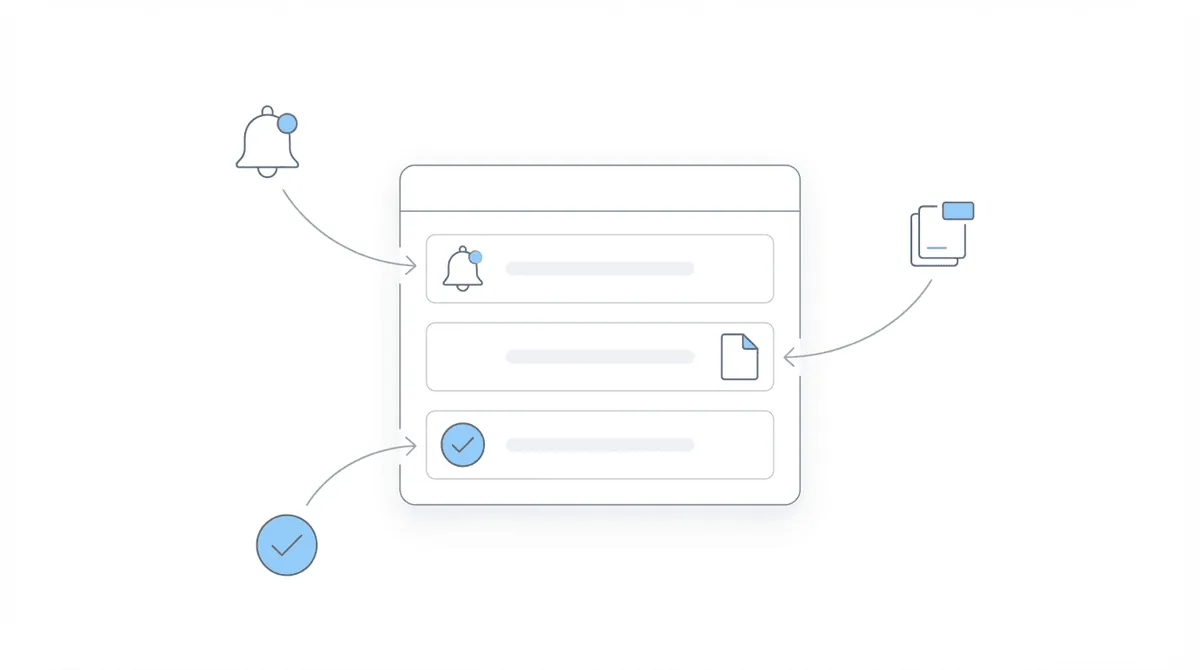
ERE monitoring software transforms ERE from a system you check into a system that notifies you. The core capabilities:
The software logs into ERE on your behalf and checks for new documents. This happens regularly, without anyone manually triggering the check, so you don’t miss updates during busy periods or staff absences.
When new documents appear or case status changes, the software notifies staff. This could be email alerts, dashboard notifications, or integration with your existing workflow tools. You learn about changes when they happen, not when you remember to check.
Rather than logging into ERE for each case, you see all cases and their status in a central dashboard. Which cases have new documents? Which decisions just posted? Which hearings were scheduled? The dashboard answers these questions without individual case lookups.
Beyond documents, monitoring tracks case status: pending review, decision issued, case closed. This visibility enables proactive workflows. You can act on decisions before mail arrives. Monitoring tools typically include document download and organization as well, reducing the manual download-upload-file cycle.
Chronicle provides real-time ERE monitoring with automated checks and alerts when documents arrive. The software monitors SSA activity and notifies firms of changes without requiring manual logins.
Key Features to Evaluate
When evaluating ERE monitoring software, these capabilities separate adequate from excellent:
Automation frequency: how often does the system check for updates? Daily? Multiple times daily? Less frequent checking means longer delays before you know about updates.
Alert mechanisms: how are you notified? Email is standard. Dashboard visibility matters for workflow integration. At Viner Disability Law, alerts connect to Clio via Zapier for automated workflows. Evaluate whether the alert system fits your workflow.
Document handling: does the software just alert you to new documents, or does it download and organize them? The former requires you to log into ERE anyway; the latter completes the workflow.
Status tracking depth: beyond document arrival, does monitoring cover case status changes? Decisions, closures, and hearing scheduling are status events that matter. Comprehensive monitoring tracks all of these.
SSA outage handling: SSA systems experience outages. Chronicle can perform recurring status checks during portal outages to preserve visibility. Evaluate how any monitoring tool handles interruptions.
CMS integration: monitoring data is most useful when it connects to your existing systems. Chronicle integrates with case management systems like Clio, Filevine, MyCase, and Litify. Integration enables automated workflows: new document in ERE triggers task creation in CMS.
How Firms Use ERE Monitoring in Practice
The workflow shift from manual to automated monitoring changes daily operations:
Scanning alerts instead of logging in: at Viner Disability Law, the daily routine involves scanning 20-30 alerts in a dedicated email folder. That’s the workflow: check notifications, identify what needs attention, act on what matters. No ERE logins required.
Proactive client communication: with automated monitoring, firms contact clients before SSA letters arrive. Anderson Marois & Associates reported calling clients before letters arrive, with workflow driven by monitoring rather than incoming calls. At Viner Disability Law, clients receive emails about decisions before mail arrives. That client experience is only possible with real-time monitoring.
Acting on decisions immediately: without monitoring, you wait for mail to file appeals. With monitoring, you can act on the decision date. At Anderson Marois & Associates, the team can file appeals without waiting for the denial letter. They download the decision document and act immediately.
Staff coordination: everyone sees the same dashboard. New documents and status changes are visible to the team without forwarding emails or verbal updates. At Disability Attorney Services, staff described Chronicle as the backbone for initial/recon workflows, with daily use for uploads/downloads and ERE monitoring.
The “most efficient paralegal” metaphor: Martin, Jones & Piemonte framed it this way: Chronicle is like having the most efficient paralegal in the world, one that doesn’t take a day off and gives you all the information you need immediately.
What Changes with Automated ERE Monitoring
The operational outcomes from firms using automated monitoring:
Hours reclaimed: the time previously spent on ERE checking becomes available for other work. The Law Office of Nancy L. Cavey avoided hiring a third paralegal. The Disability Champions eliminated three positions, with Chronicle contributing roughly two-thirds to the staff savings. William Viner of Viner Disability Law estimates Chronicle equals 50–75% of a paralegal in workload capacity.
Client experience transformation: reactive communication (“we’ll check on that and call you back”) becomes proactive (“we saw your decision posted today and are filing your appeal”). Clients experience a firm that knows their case status before they do.
Scaling capability: The Disability Champions grew from 900 to 3,000 active cases. That growth is impossible with manual ERE monitoring. Automated monitoring is infrastructure that enables scale. Not optional efficiency, but operational requirement.
Reduced anxiety: at Anderson Marois & Associates, the managing attorney noted sleeping better knowing where every single file is. Monitoring provides visibility. You know what’s happening across your caseload without wondering whether you missed something.
From reactive to proactive: the shift is structural. Instead of responding to what arrives, you’re acting on what’s posted. Instead of clients informing you of decisions, you’re informing them. Instead of checking ERE because something might have happened, you check your alerts for what did happen.
Choosing ERE Monitoring Software
ERE monitoring is a specific capability, not a generic feature. When evaluating options:
Prioritize automation depth: surface-level integration that just displays ERE data isn’t monitoring. It’s a different interface for manual work. True monitoring means automated checks and proactive alerts without staff involvement.
Assess alert quality: alerts need to be actionable, not overwhelming. Evaluate what triggers notifications and how they’re delivered.
Test the workflow: during evaluation, trace a document from ERE appearance to action. How quickly does monitoring detect it? How are you notified? What steps remain? The best systems minimize the path from “document posted” to “action taken.”
Consider the stack: ERE monitoring often pairs with other SSD-specific capabilities: virtual mailroom, medical chronology, hearing preparation. Chronicle provides all of these alongside ERE monitoring, functioning as SSD-specific infrastructure that integrates with your existing CMS.
The firms that have solved the ERE monitoring problem describe it in consistent terms: operational transformation, not incremental improvement. SAM G Enterprises called Chronicle their lifeline. At Disability Attorney Services, staff said removing Chronicle would cause a small revolution.
That’s what happens when you eliminate hours of repetitive portal checking: you get time back, visibility increases, and the operational constraint that limited your growth disappears.