
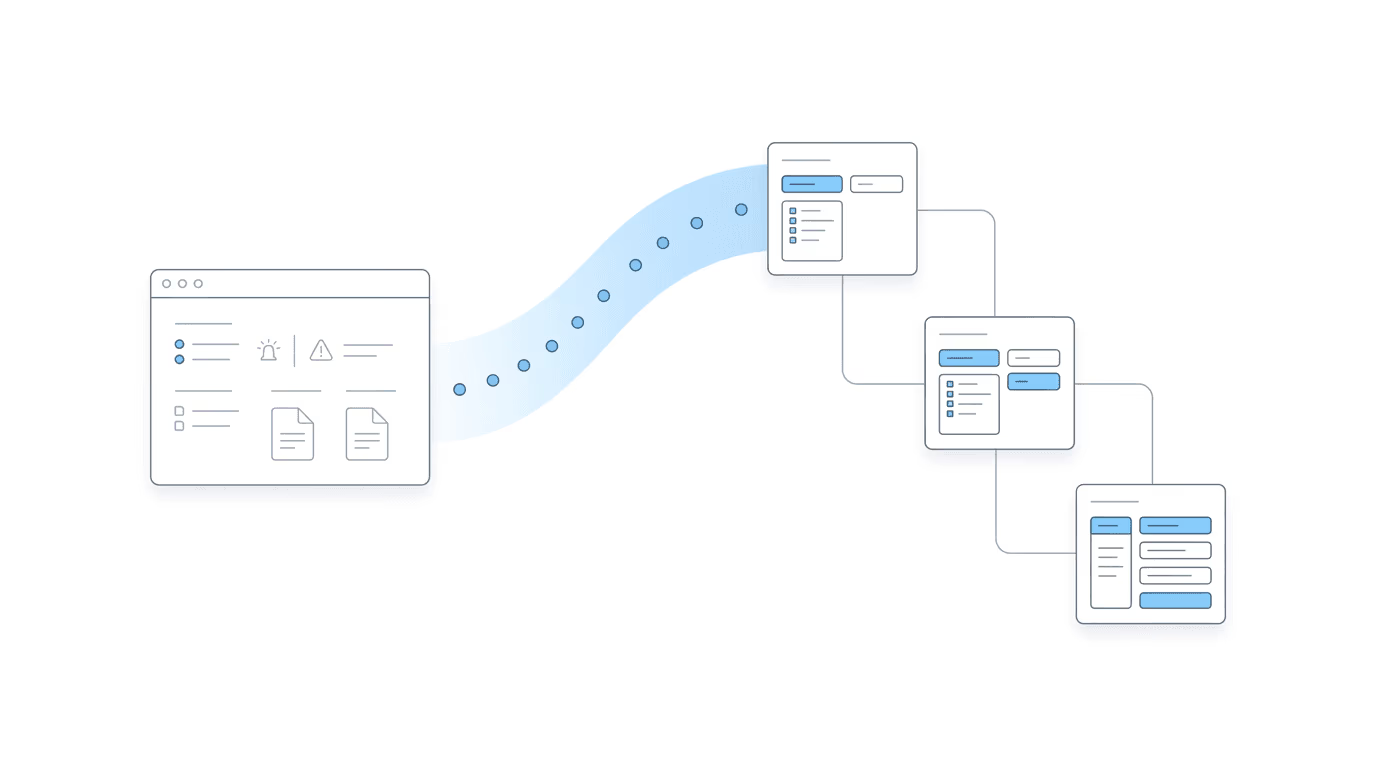
The Manual Entry Bottleneck
Filevine is where your firm operates. Every case progresses through phases, every document gets filed, every hearing gets tracked. But the data your team needs most (what’s actually happening at SSA) lives in the ERE. Getting it into Filevine means someone has to put it there.
That means your staff is:
- Checking the ERE for status updates on every active case
- Typing those updates into the corresponding Filevine project
- Adding hearing dates to the calendar manually
- Downloading ERE documents and uploading them into Filevine
For firms running dozens to hundreds of cases, this is a significant time drain. Your case management system falls behind because the data entry can’t keep up with what’s happening at SSA.
Chronicle + Filevine: No More Manual Handoff
Chronicle now syncs ERE data directly into Filevine through a native API integration. Case status, hearing dates, and documents arrive automatically. No manual entry. No Zapier. No extra cost.
Chronicle handles the ERE monitoring. It watches the SSA portal for changes across your firm’s entire caseload and picks up new statuses, hearing dates, and documents as they appear.
Filevine receives that data automatically. When your staff opens a project, the ERE information is already there. They see current statuses, upcoming hearings, and the latest documents without leaving Filevine.
“The goal is simple: your case management system should reflect what’s actually happening at SSA without your team doing the work to keep it updated. That’s what this integration delivers.”
— Nikhil Pai, Founder of Chronicle
“We really enjoy and appreciate the native Filevine integration. The field mapping feature has been a game-changer, immediately saving our team significant time by eliminating manual data entry. Furthermore, we really appreciate the updated phase mapping, which enables powerful downstream automations in Filevine, ensuring our team stays timely and on target.”
— John Foss, Fortis Disability
How the Chronicle + Filevine Integration Works
The setup takes a few minutes if you have Filevine admin access. Our team provides white-glove support if you want a hand.
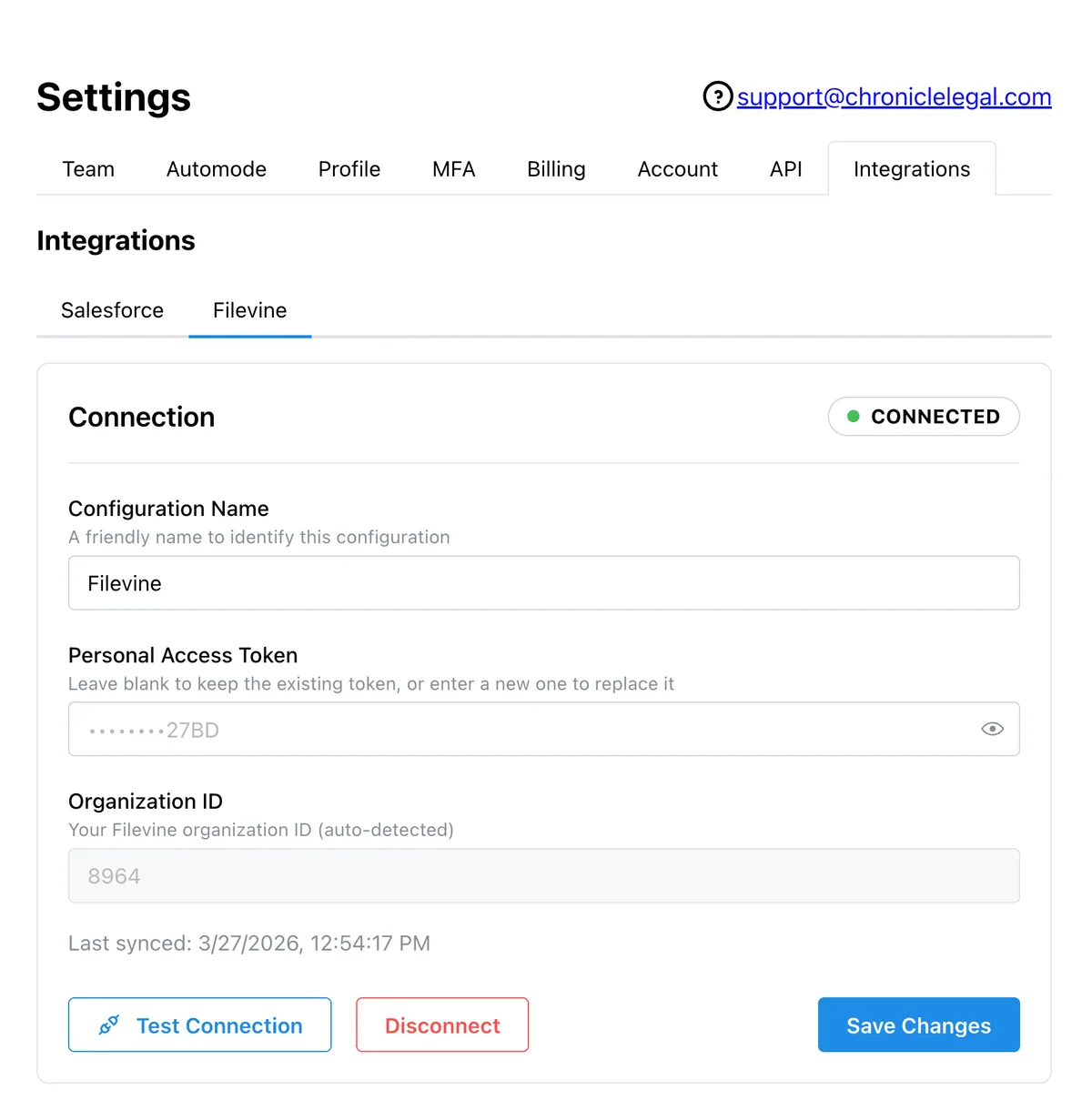
Step 1: Connect Your Filevine Account
Go to your Chronicle settings, navigate to the Integrations tab, and select Filevine. Enter your personal access token and organization ID. Chronicle auto-detects your org once authenticated.
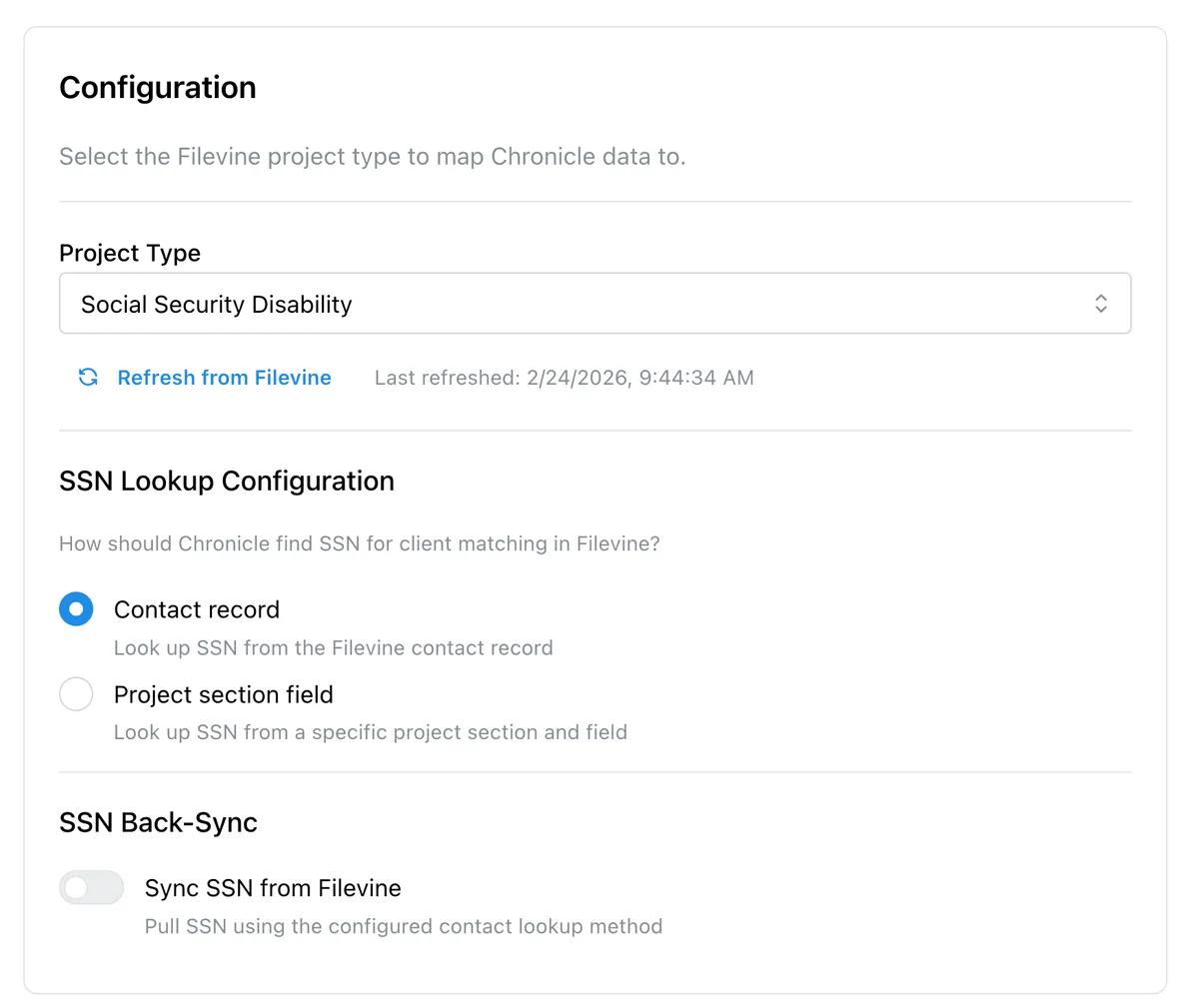
Step 2: Configure the Sync
Select your Filevine project type (Social Security Disability) and configure how Chronicle looks up SSN for client matching, either from the contact record or a project section field.
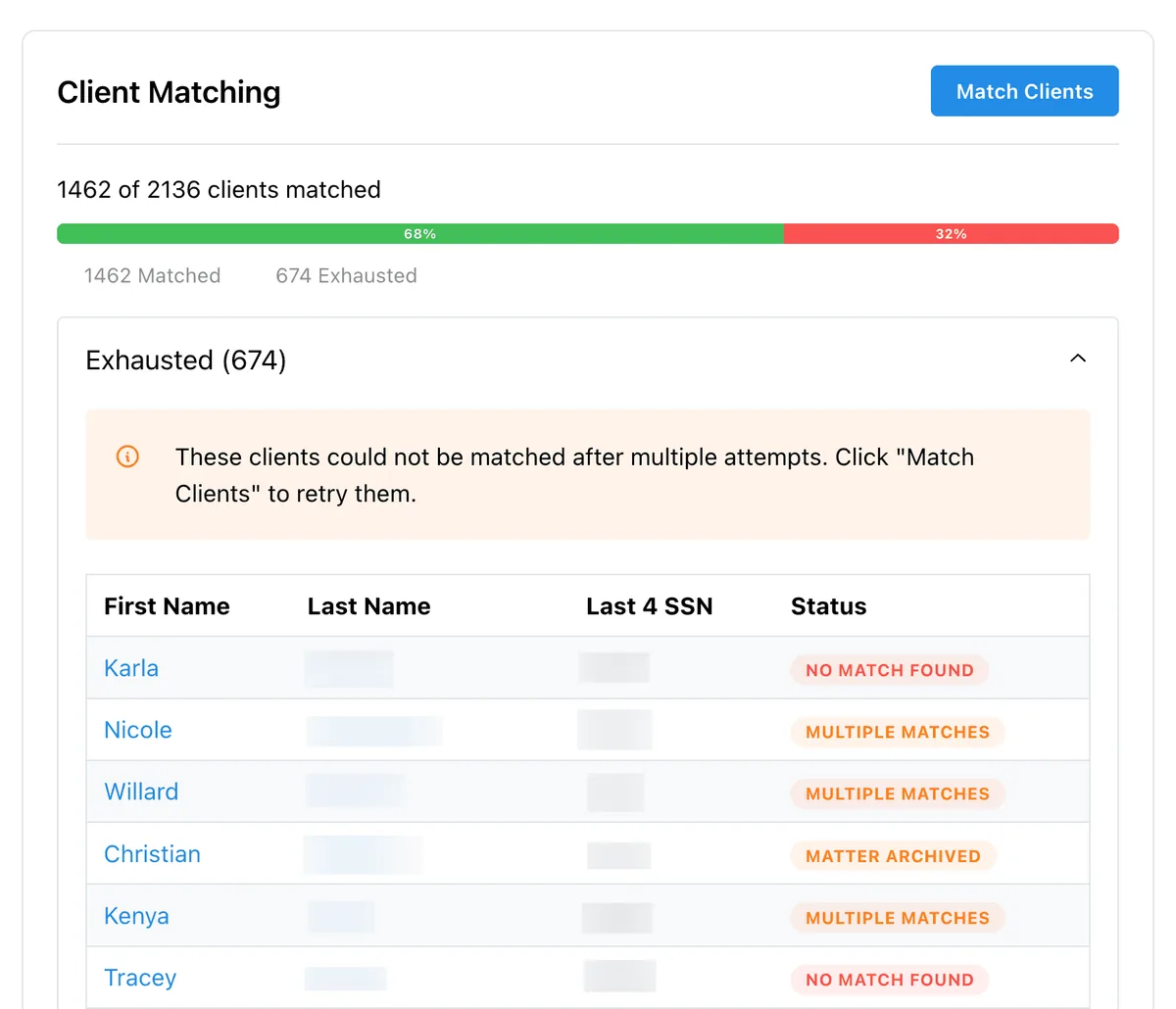
Step 3: Match Clients
Chronicle matches your ERE clients to Filevine contacts using last name and last four of SSN. The client matching screen shows your match progress and flags any records that need manual review.
Step 4: Map Phases
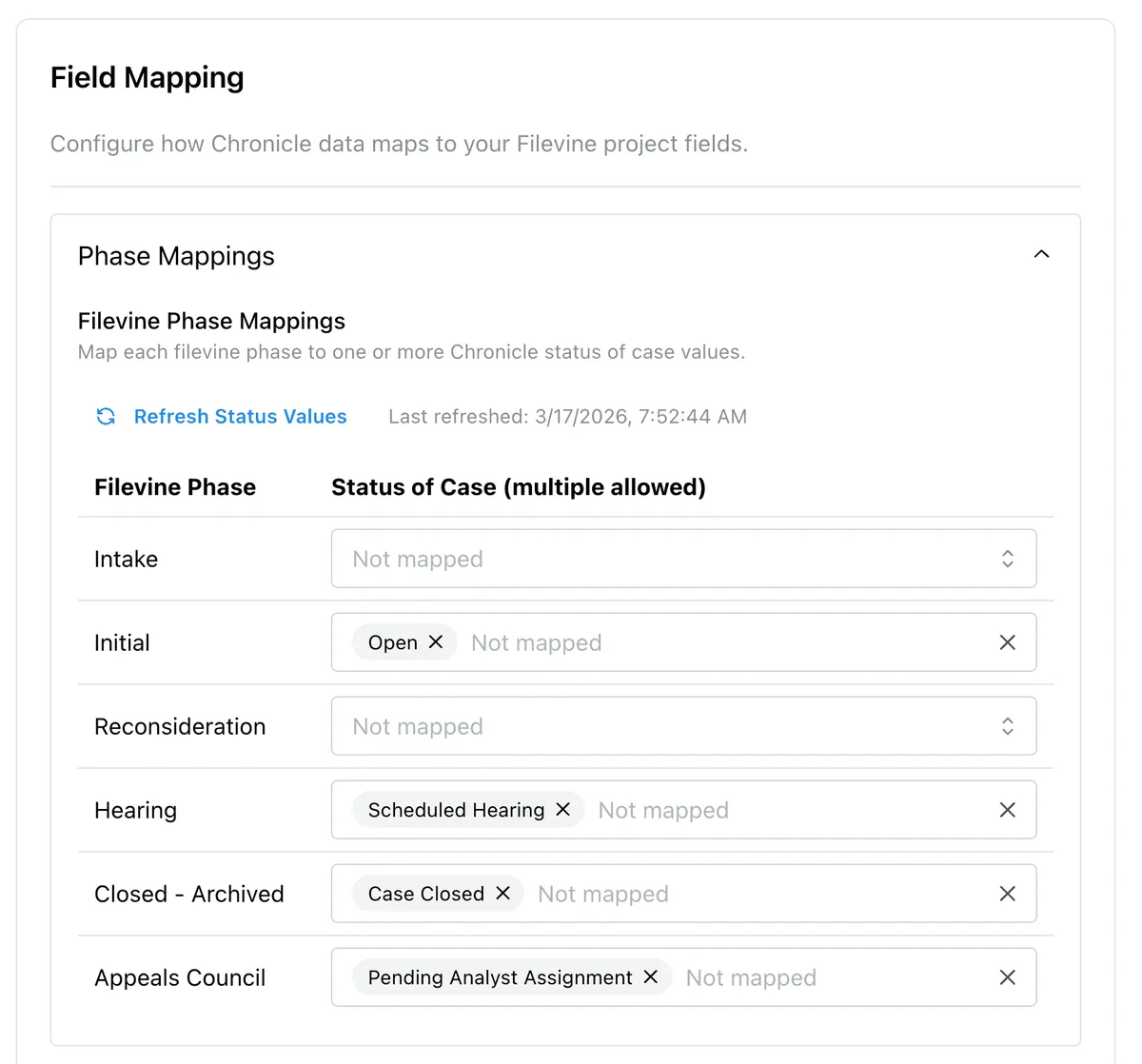
Configure which Filevine phase a project should be in based on its Chronicle status. For example, map “Scheduled Hearing” to your Hearing phase, or “Case Closed” to Closed - Archived.
Step 5: Map Fields
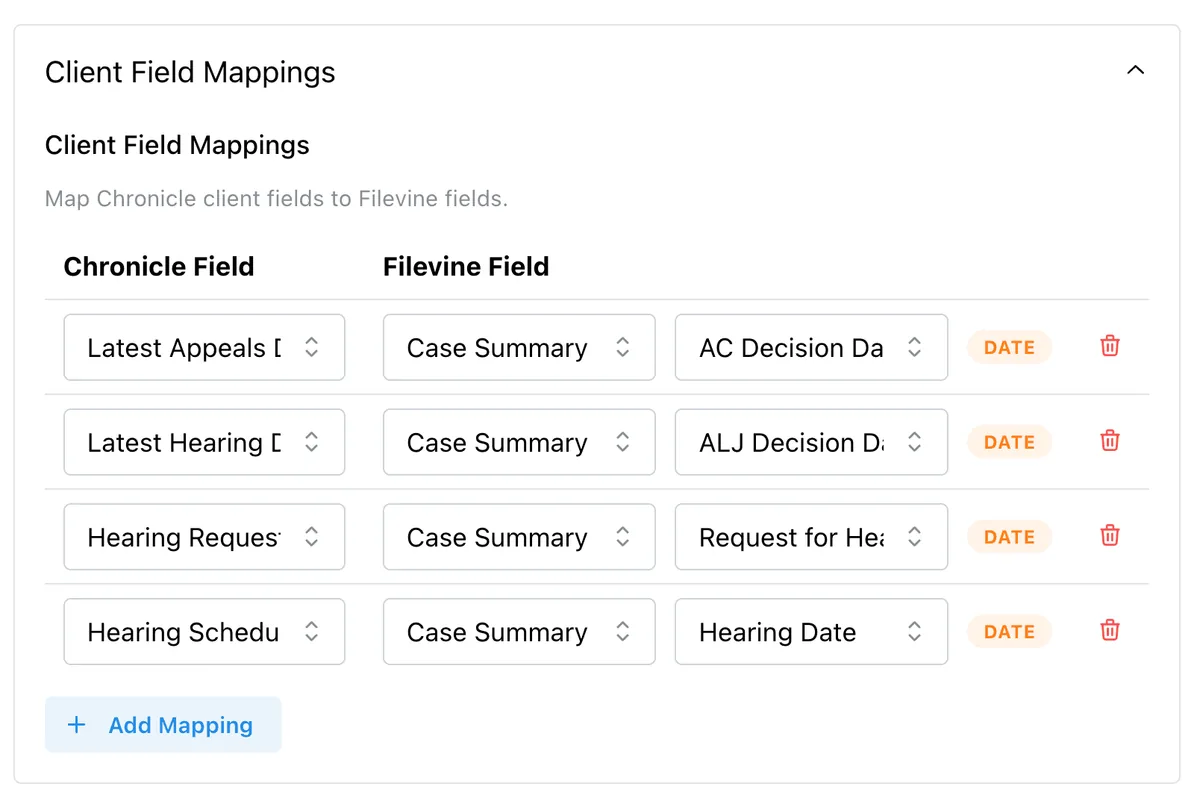
Choose which Chronicle data fields sync to which Filevine project fields. Map dates like Latest Appeals Decision, Latest Hearing Date, and Hearing Scheduled to your Case Summary section fields.
Step 6: Enable Document Sync
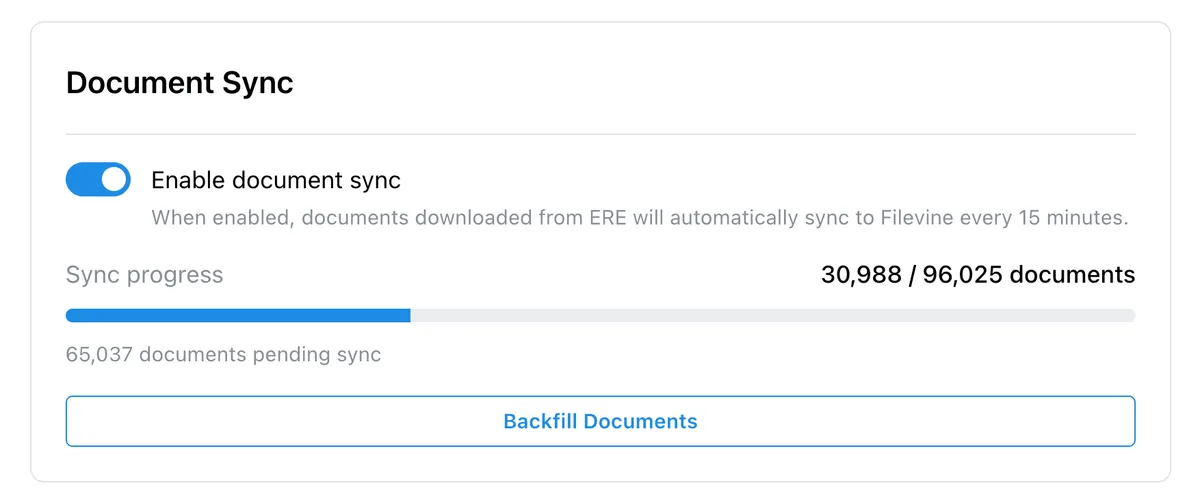
Turn on document sync to automatically pull ERE documents into Filevine. When enabled, documents downloaded from the ERE sync to Filevine every 15 minutes. Use the Backfill Documents button to pull in historical documents for existing cases.
Step 7: Confirm It’s Working
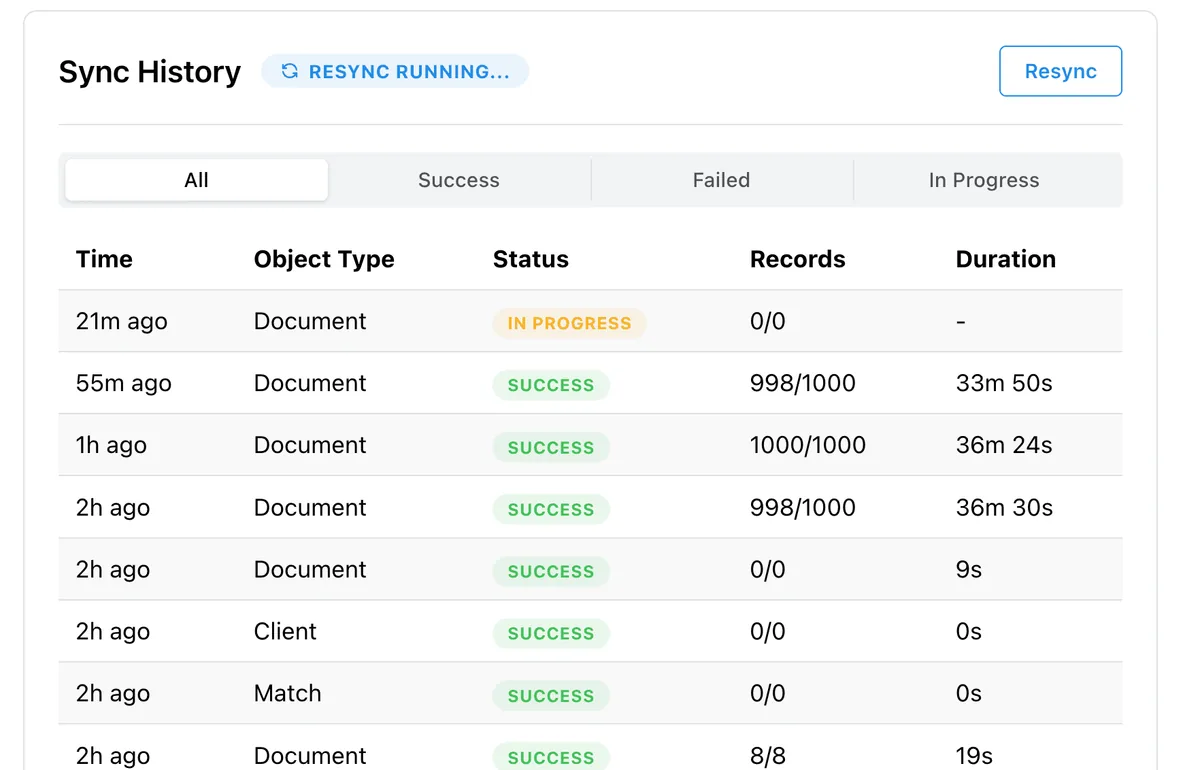
The sync history log shows every sync with status, record counts, and duration. You can trigger a manual resync at any time.
What syncs: Case status (ERE level, decisions, milestones), hearing dates (as calendar events), and documents (evidence and notices from the ERE).
Current limitations: The integration does not currently sync consultative exams, SSA information requests, or medical requests. These are on the roadmap.
Why Native Beats Zapier
The previous option for getting ERE data into Filevine involved building a Zapier connection. That approach introduces complications:
- Custom configuration. Zapier integrations require setup, testing, and ongoing maintenance. If the connection breaks, you’re debugging a third-party tool.
- Data reliability. Information passing through middleware can get dropped or mangled. A direct API connection is more dependable.
- Additional cost. Zapier plans aren’t free. Chronicle’s native integration is included with your Pro subscription.
- Silent failures. Zapier connections can stop working without warning. A native integration is maintained by the teams who built it.
The native integration removes Zapier from the equation entirely.
What This Unlocks in Filevine
The data entry time savings are real, but they’re the starting point. Once ERE data consistently lands in Filevine, other things become possible:
- Phase automation: Projects move through phases automatically based on ERE status changes
- Filevine’s AI capabilities work better with richer, more current case data
- Reporting accuracy: Dashboards and reports reflect what’s actually happening at SSA, not what someone last had time to enter
- Downstream workflows: Notifications, task assignments, and client communications can trigger off real ERE events
Having accurate data in Filevine isn’t just about saving 15+ hours a week on ERE checks. It’s about making every workflow that depends on that data more reliable.
Requirements and Pricing
Chronicle: Pro plan required. The Filevine integration is included at no extra cost.
Filevine: Any active Filevine subscription. A Filevine admin generates the personal access token for authentication.
Launch offer: Attend our April 16 workshop and get a free white-glove integration setup session with the Chronicle team.
How to Get Started
- Log in to your Chronicle account
- Navigate to Settings, then Integrations
- Select Filevine and enter your personal access token
- Configure your field mapping and phase rules
- Data starts syncing automatically
Not on Pro yet? Learn more about Chronicle Pro
What This Means for SSD Firms
If your team spends any portion of their day transferring data from the ERE into Filevine, that time is recovered. Chronicle watches the ERE; Filevine stays current without manual effort.
This joins Chronicle’s growing ecosystem of CMS integrations, alongside Litify, Superinsight, and Benny.
Chronicle monitors. Filevine manages.