
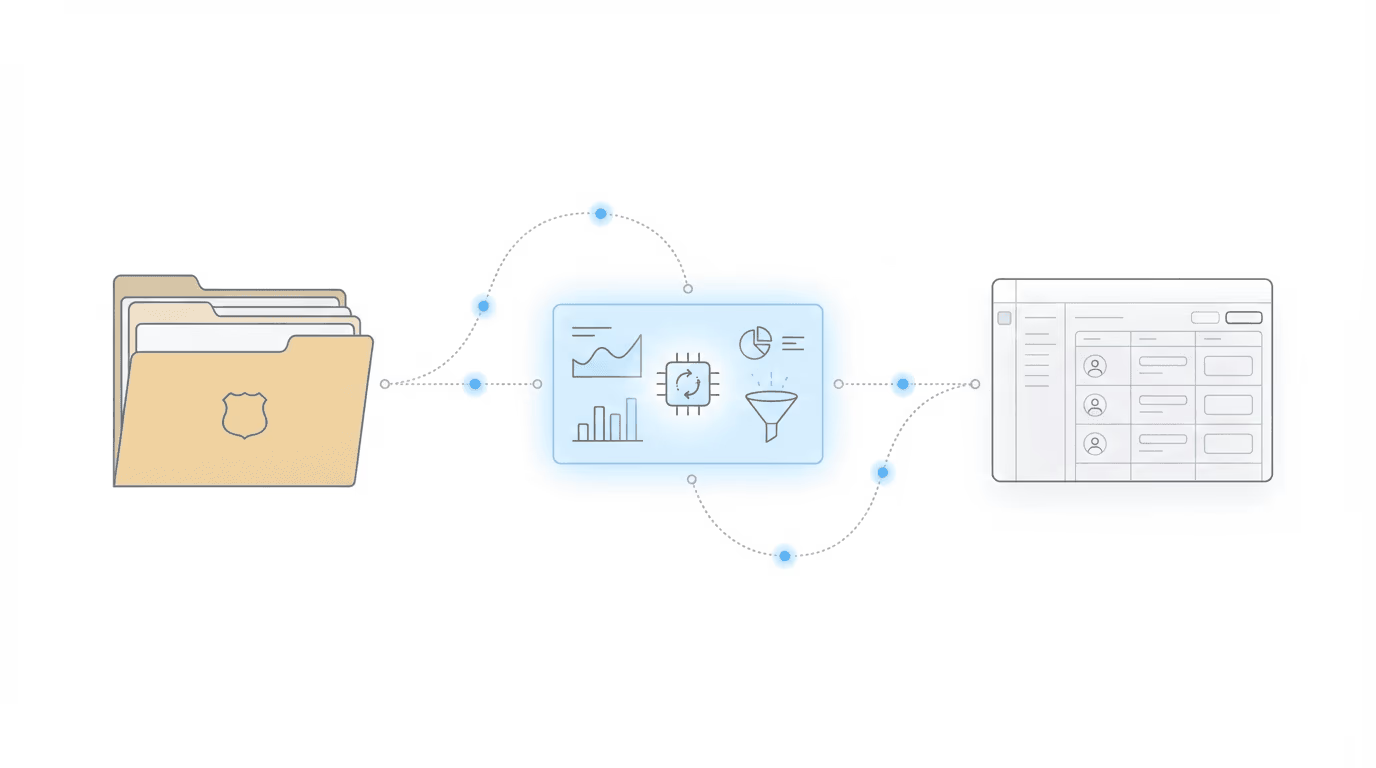
If your team is manually entering ERE data into Salesforce, this integration exists to make that stop. On February 5, 2026, Chronicle launched its Litify (Salesforce) integration in a live demo event, the third session in the Advancing Technology in Disability Law series. Chronicle founder Nikhil Pai walked through exactly how the integration works, what data flows into Salesforce automatically, and how firms can build workflow automations on top of that data.
This was not a panel discussion. It was a product demo: 25 minutes of live screen sharing followed by audience Q&A. The event drew Salesforce admins, firm operations managers, and attorneys who wanted to see how ERE monitoring data could finally live inside Litify without manual effort.
Speakers: - Will Yang, moderator, focused on education, partnerships, and collaborations that help disability practices adopt better tools and stronger operational standards. - Nikhil Pai, Founder of Chronicle, the platform helping Social Security disability firms automate case tracking, manage ERE access, and streamline hearing prep. Chronicle now monitors over 100,000 cases and 3.7 million SSA documents.
Key Takeaways
“We really don’t want firms having to do manual data entry tasks. The way things usually work right now is things change in the ERE, and if you’re using Chronicle, you have to manually enter that information back into your case management system, since it’s your system of record. This is very tedious, it takes hours of work.” — Nikhil Pai, Chronicle
“When you have that live data stream into your case management system, you can start automating task creation, client communications, and all those other great features your case management system usually has out of the box.” — Nikhil Pai, Chronicle
The four key insights from this event:
- Manual ERE data entry into Salesforce is the core problem this solves. Staff have been copying case status, hearing dates, documents, and decisions from Chronicle into Litify by hand. That manual step delays awareness and gates every downstream workflow.
- Auto-matching via last name and last four of SSN eliminates manual reconciliation. Chronicle automatically matches ERE clients to your Litify Party records (or accounts, cases, or matters) using just two fields. No manual linking required after the initial setup.
- Having ERE data in Salesforce enables workflow automation, and that’s the real power. The integration is not just about seeing data in one place. It is about triggering Salesforce Flows when Chronicle objects get created or updated: auto-creating tasks, sending client communications, updating matter records.
- Data syncs every 15 minutes; Chronicle checks the ERE every 2 hours. At worst case, information is 2 hours and 15 minutes delayed. For most updates, data lands in Salesforce within 15 minutes of Chronicle detecting a change.
Why Does ERE Data Living Outside Salesforce Create Problems?

If you are running Litify, you have invested heavily in Salesforce as your system of record. But there has always been a gap: critical SSA data (status changes, hearings, information requests, consultative exams, new documents) lives in the ERE, not in your CRM.
Nikhil framed the problem directly: “A lot of folks use different case management systems, whether it’s Litify, Prevail, Clio, FileVine, and we really don’t want firms having to do manual data entry tasks.”
The consequences of that manual entry step are significant:
- Delayed awareness. Your team does not find out about status changes or new documents until someone manually enters them. Anything that could happen instantaneously when data arrives is gated by whoever has time to do the data entry.
- Hours of wasted effort. Staff spend time copying information between systems instead of moving cases forward. For firms monitoring hundreds of cases, this adds up to significant weekly time spent on ERE checks alone.
- Workflows that cannot trigger. This is the deeper issue. Your Litify workflows cannot act on events they do not know about. If a consultative exam gets scheduled in the ERE but nobody enters it into Salesforce, no task gets created, no client gets notified, no calendar event fires.
As Nikhil put it: “Anything that could happen instantaneously when that data comes in is gated by the manual data entry process, therefore slowing things down and making cases take longer.”
For firms evaluating how ERE monitoring and case management tools fit together, this integration closes the gap between where SSA data lives and where your team works.
What Does the Chronicle-Litify Integration Actually Do?
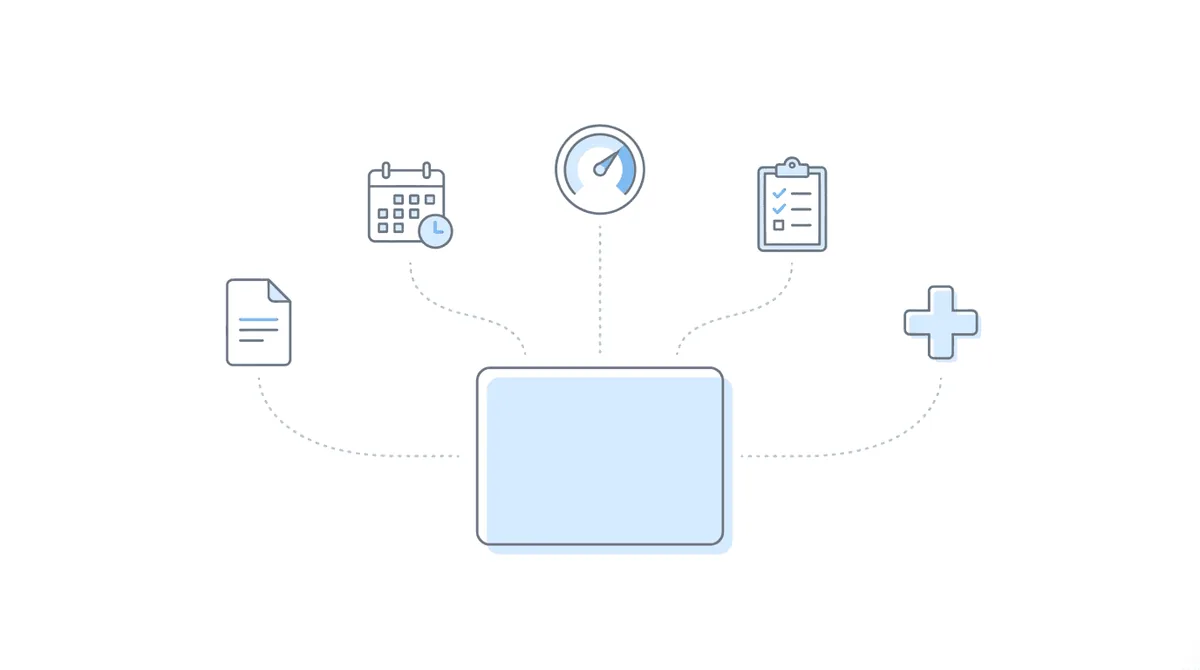
During the live demo, Nikhil screen-shared both Chronicle and a Salesforce instance to walk through exactly what the integration delivers. Here is what firms get:
Data that syncs automatically
The integration creates custom Chronicle objects in Salesforce that receive data from Chronicle every 15 minutes:
- Case status and milestones: level, status, decisions, AOD, DLI, office information
- Documents: the full list of ERE documents with metadata and links back to Chronicle for viewing
- Events: hearings and consultative exams as Chronicle Event objects
- Information requests: SSA questionnaires (coming soon as a dedicated object)
- Medical providers: facilities the SSA has reached out to (coming soon)
Nikhil demonstrated clicking into a Chronicle Client record in Salesforce and seeing the same AOD, DLI, and status information that lives in Chronicle, all synced automatically. “It’s really reflecting everything that’s in Chronicle, inside of Litify.”
Actions you can take from Salesforce
The integration is not read-only. Nikhil showed that teams can:
- Upload to the ERE directly from the Salesforce package
- Update the full SSN on a client without jumping back to Chronicle
- Request an ERE refresh to pull the latest documents on demand
- View documents via direct links that open Chronicle to the specific document
“Your team doesn’t have to jump back and forth,” Nikhil explained. “Super helpful to reduce that back-and-forth time.”
How matching works
Chronicle auto-matches clients using last name and last four of SSN. As long as your target object in Litify or Salesforce (whether it is an account, party, case, or matter) has those two fields, Chronicle will find and match automatically.
“Other packages require manual work to actually match to the client,” Nikhil noted. “The great thing about the Chronicle setup is we automatically match any object you want using last name and last four of SSN.”
Any unmatched records appear in a dedicated list so your team can investigate and resolve them. After the initial matching run, new clients match automatically going forward.
For firms that want to understand how this fits into the broader landscape of ERE monitoring software and CMS integrations, this is the first integration that auto-matches without requiring manual reconciliation for each client.
How Can Firms Automate Workflows Using Chronicle Data in Salesforce?
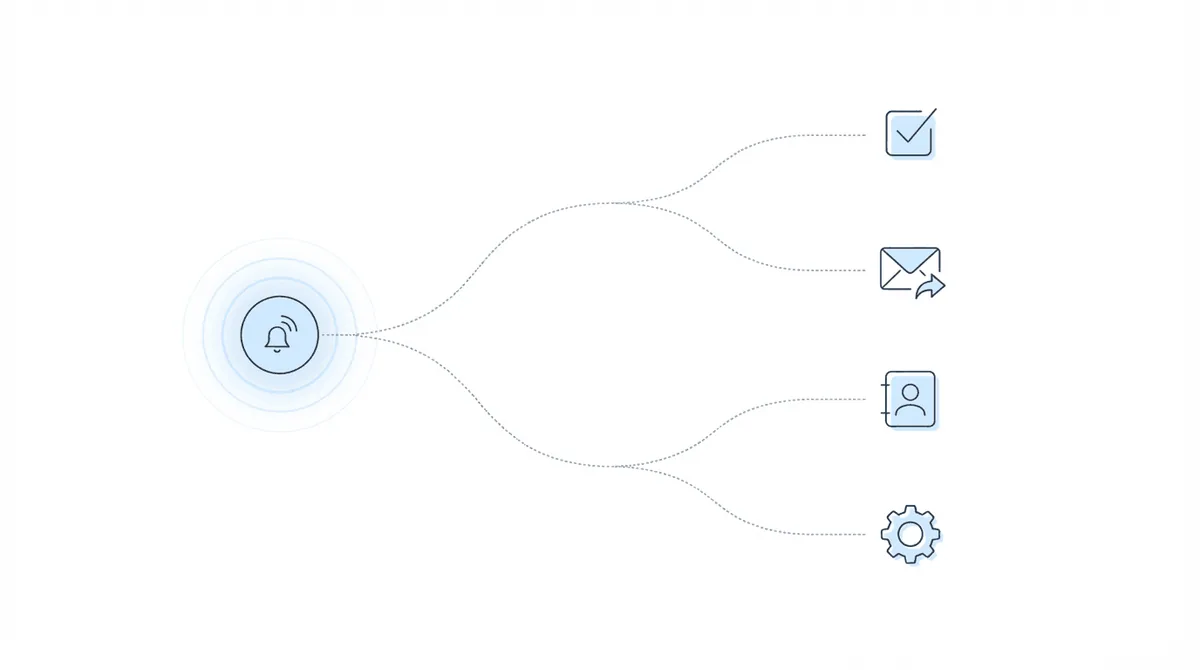
This is where the integration gets powerful. Having ERE data in Salesforce is useful for visibility, but the real value is building automations on top of it.
Nikhil walked through a live example of creating a Salesforce Flow:
“Whenever a Chronicle event gets created for a CE, it’s going to create a task for my team to call the client. This is basic, but you could imagine if you have a marketing automation system or the ability to email out of Salesforce, you could have it automatically email the client.”
What firms can automate
- Task creation when events happen. A consultative exam appears in the ERE, and Salesforce automatically creates a task for your team to prepare the client.
- Client communications. Status changes trigger automated emails or text messages through your Salesforce communication tools.
- Contact record updates. Chronicle client data flows into your existing contact, case, or matter objects via simple Flows, keeping all your records current.
- Escalation workflows. Decisions drop, hearing dates change, information requests arrive. Each one can trigger the appropriate response chain.
Nikhil emphasized that these are standard Salesforce Flows, not proprietary Chronicle automation. “Lucky for the Salesforce admins out there, I used to be a RevOps director in a past life, so I’m very familiar with Salesforce schemas and how to work around them.”
When polled during the event, attendees overwhelmingly chose “triggering workflows automatically” and “knowing the moment a decision drops” as the areas where real-time ERE data would help their teams most.
What Does Setup Look Like?
The setup process is designed to be straightforward, with Chronicle providing white-glove support throughout:
- Install the package. Chronicle provides a detailed setup document (in video form) that walks through every step of installing the Salesforce package.
- Configure matching rules. In the Chronicle admin page within Salesforce, you set up a matching rule that targets your preferred object and specifies which fields contain the last name and last four of SSN.
- Run the initial backfill. Chronicle matches your existing ERE clients to Litify Party records (or whatever object you use). The first pass may require some manual matching for edge cases.
- Go live. From there, the sync runs every 15 minutes automatically. You can monitor sync status both in Chronicle and within Salesforce.
“It takes about a day or two,” Nikhil said about the full setup timeline. “The key thing is your Salesforce admin going through the steps of setting up the package, but after that, the second day often is just fixing any issues with matching, and then after that, it’s off to the races.”
Availability and pricing
The integration is available today for Chronicle Pro and above customers at $14 per case, with no additional cost for the integration itself. Several firms are already using it in production.
“We have several firms already using it and having pretty good results, making use of the data flow, and finding different ways to automate off of it,” Nikhil confirmed.
The integration works in both sandbox and production Salesforce environments, and the Chronicle package is agnostic between Salesforce and Litify. Whether you are running standard Salesforce or the full Litify legal package on top, the integration works the same way.
To get started, reach out to the Chronicle support team at support@chroniclelegal.com. Chronicle prefers to handhold firms through the initial setup to ensure everything is configured correctly for your specific Salesforce schema.
Chronicle’s approach to data security extends to this integration. The platform is SOC 2 Type 2 certified, audited annually, and data between the two systems is encrypted.
Frequently Asked Questions
The following questions were asked by attendees during the live Q&A session.
How does client matching work?
Chronicle matches using last name and last four of SSN. As long as your target object in Litify or Salesforce has those two fields, Chronicle auto-matches. Unmatched records appear in a dedicated list for manual resolution. After the initial matching run, new clients match automatically.
What if our Salesforce schema is heavily customized?
Chronicle provides white-glove onboarding for this reason. “When we do initial calls, we’ll try to understand your Salesforce schema and give our best recommendation,” Nikhil said. Even if the out-of-the-box matching system does not fit your schema, “there should be a way to do so using Salesforce flows to do the matching custom to your schema.”
How often does data sync?
Data syncs from Chronicle to Salesforce every 15 minutes. Chronicle checks the ERE every 2 hours. At worst case, data is 2 hours and 15 minutes delayed, but for most cases, it arrives within 15 minutes of Chronicle detecting a change.
Is our data secure?
Chronicle is SOC 2 Type 2 certified, audited annually by a third-party compliance framework. “Through this integration, we’re holding ourselves to the same standard to make sure that data is secure and encrypted between the two,” Nikhil confirmed. Firms are responsible for ensuring their own Salesforce instance follows security best practices.
What’s the pricing?
There is no additional cost for the integration as long as you are on the Chronicle Pro plan ($14 per case). The Litify/Salesforce integration is included.
Are Clio and FileVine integrations planned?
Yes. FileVine is expected in the next few weeks, and Clio is the next integration after that. “I was actually just reviewing the API documents earlier today,” Nikhil said about the Clio integration.
Can ALJ approval percentages be pushed to Litify?
Not yet, but it is actively in development. “It will be in the future package update, with those additional objects I was mentioning,” Nikhil confirmed.
What about handling name suffixes (Jr., Sr., III) that cause matching issues?
Chronicle takes a cautious approach to matching and does not currently override suffix mismatches to avoid false matches. Nikhil recommended building a custom Salesforce Flow to handle suffix stripping and additional matching logic. “Happy to talk if you want to discuss how a flow could be designed to accomplish that.”
Will Chronicle be able to read from Litify matter teams and auto-claim clients?
Not currently, but auto-claiming via Litify is on the roadmap for later this year. Chronicle is also launching a broader notification system overhaul later in the quarter that will include auto-claiming capabilities with parameters like stage and alphabetical assignment.
Can the integration create time entries automatically?
Not out of the box. Time entries are typically managed by your case management system, but you may be able to build a Salesforce Flow that creates time entries when Chronicle events or decisions come in.
Watch the Full Recording
This event was recorded on February 5, 2026. For other CMS-side walkthroughs in this series, see our Chronicle + Clio integration launch and Chronicle + Filevine announcement. Litify is part of Chronicle’s growing ecosystem of partner integrations.
Upcoming Events
One-Click Medical Chronologies: Chronicle + Superinsight in ActionSee how Chronicle and Superinsight work together to turn ERE medical records into structured chronologies with a single click. The Superinsight team returns for a live demo of the workflow from ERE document to finished chronology.
📅 February 19, 2026Register now →
This was the third session in Chronicle’s Advancing Technology in Disability Law series, where we bring together operators, marketers, and technologists to help disability firms modernize how they work. Keep an eye out for future installments covering new Chronicle features, automation best practices, and partner collaborations. For questions or to learn more about Chronicle’s ERE monitoring and case tracking platform, visit chroniclelegal.com.
Full Transcript
The following is a cleaned and lightly edited transcript of the full integration launch event.
Will Yang: Welcome to today’s session, From Intake to Hearing: Connecting Litify, Salesforce, and Chronicle. We’re so glad you’re here, and if you are just joining us, since I saw a couple folks just pop in, it’d be great to hear from you where your firm is based out of, what your role is, as well as your name. Drop into the chat any frustrations that you may be having right now with respect to the ERE-to-Salesforce workflow. We want to hear what’s most painful for you there, because today we’re going to show you how to operate Salesforce as a true system of record from intake through the hearing process.
To walk you through some of today’s agenda: this event is going to be 45 minutes, about 25 minutes of content and then a demo, followed by some Q&A. Feel free to drop questions in the chat as we go. We’ll address them at the very end. You’ll receive a full replay within a week after this event, so there’s no need to worry if you miss a slide or want to send this over to somebody on your team after today.
After this session, you’re going to leave with a clear understanding of how Chronicle streams SSA ERE data directly into Salesforce and Litify. You’re going to get a live look at which Salesforce objects update automatically, as well as examples of automations firms are running today using Chronicle data, and details about the overall availability of this feature.
Will Yang: As a quick introduction from me, I’m Will. I focus on building education, partnerships, and collaborations that help disability practices adopt better tools and stronger operational standards. My work centers on bringing together the people and technology that are pushing the disability field forward, and making sure that firms have clear, practical paths to implement what works. I’ll be moderating today’s session.
I’ll also introduce Nikhil, who is the founder of Chronicle. Chronicle is the platform helping Social Security disability firms automate case tracking, manage ERE access, and streamline hearing prep. He has helped many attorneys and advocates across the country simplify complex workflows in the disability space, and Chronicle now monitors over 100,000 cases, as well as 3.7 million disability documents. Nikhil, I’d love for you to take us away in terms of covering why we built this integration.
Nikhil Pai: Yeah, for sure. As Chronicle, we really focus on your ERE data, and that is a live stream of everything that’s going on with your case, whether it’s the status, new documents — it’s a really valuable data feed. But it lives outside of your case management system at this point. A lot of folks use different case management systems, whether it’s Litify, Prevail, Clio, FileVine, and we really don’t want firms having to do manual data entry tasks.
The way things usually work right now is things change in the ERE, and if you’re using Chronicle, you have to manually enter that information back into your case management system, since it’s your system of record and how you track things. This is very tedious, it takes hours of work, and it means that anything that could happen instantaneously when that data comes in is gated by the manual data entry process, therefore slowing things down and making cases take longer.
We really wanted to build something that reduces that friction, automatically pushes data into Salesforce and Litify, so that way your team is not doing this entry work, saving hours of time, and you can start building automations off of that. And that’s where this gets really powerful — when you have that live data stream into your case management system, you can start automating task creation, client communications, and all those other great features your case management system usually has out of the box.
Will Yang: Before we jump into the demo, it’d be great to hear from folks if you can share what SSA data currently causes you the most friction in your Salesforce or Litify workflows today. While you answer that, we’re going to start getting ready for Nikhil to screen share and show how everything works.
Nikhil Pai: For this demo, I’ll start off by showing you what is currently available in the integration, in terms of the data transfer and how it flows into Litify or Salesforce. Then afterwards, I’ll show a little bit about the setup process, so you can understand the capabilities and features for getting this going if you choose to set up this integration.
Most of you are probably familiar with the Chronicle dashboard right now. There’s a lot of great information. For example, this is an initial level case that’s closed out. I have it set up where I have the AOD, the DLI, the statuses, the office, all of that, and then going down, I have the full list of documents, all in Chronicle. The crux right now is, for a lot of folks, this doesn’t automatically push into their case management system.
Here I have a Salesforce instance. In case it’s a little unclear, Litify is built on top of Salesforce. It’s a package that skins Salesforce to do legal work and legal processes. The Chronicle package is agnostic between Salesforce or Litify. You can use it with either, and I’ll show you in the back half how that is set up.
As you can see here, all my Chronicle clients are being automatically loaded into a custom object in Litify called Chronicle Clients in the Chronicle app. I can see all my clients here, I can see all their report data, status data — what level they’re at, what the status of the case is. I can click in and find these clients. For example, if I have Logan Gutierrez, I can go in and search Logan.
I have my contact, Logan, so this might be your case or account or party in Litify. From there, I have all my details, this is my internal representation of Logan. And I now have a link to the Chronicle client. When I click that Chronicle client, I can now see all that ERE information that used to live in Chronicle, now in Litify. I can see here the same AOD, the DLI, all of the status information, the office, the decisions — it’s all here and available.
Then I can also see all the documents. Rather than having to jump back into Chronicle, I can see the full list of documents here. If there were any CEs, they would also show up, and so on. It’s really reflecting everything that’s in Chronicle, inside of Litify.
First, that’s super helpful for your team — they don’t have to jump in between both places. Second, I can go in and view these documents. We have links to every document, so if I want to see one, I can jump in and view it. It’ll open up Chronicle right to that document, so it’s available right there. Super helpful to reduce that back-and-forth time.
Additionally, we do our best to enable all the same features that you could use to interact with the ERE in the integration. You can still upload to the ERE out of the Salesforce package. Just as you would have done in Chronicle clicking upload, I can upload right out of the Salesforce package. I can also update the full SSN — you’re probably familiar with the process of entering the SSN into Chronicle. You can also do it from here, so your team doesn’t have to jump back and forth. And you can also request an ERE refresh, so you can always make sure it has the latest documents.
So, super helpful in terms of things syncing over from Chronicle into Salesforce, so you’re not doing manual data entry — it’s all here. What a lot of firms I see do is they will find a way to get this view right onto their contact, case, or account view, so they don’t have to jump back and forth even within Salesforce. If you have a Salesforce admin, definitely talk to them once you’ve set up the integration about how to get the Chronicle data right on the contact object or the party object, if you’re using Litify.
The other powerful part of this is the automations. But before I go to automations, I want to quickly point out that we do, as I mentioned, have the documents, but we also have events. If I go to all events, I’ll be able to see we push in for this Chronicle client — Murphy here has a hearing. It will show up under the Chronicle Events section, so I’m able to see the hearings and CEs also in Litify. And we’ll also have info requests and medical requests coming soon, so those will be additional information that will be passed in, and that we can build automations on top of.
Nikhil Pai: Just to give you a sense of the automation possibility: here I have a link back to Chronicle client, it’s a very simple flow, but you can imagine whenever a new Chronicle object gets created — a Chronicle client, a Chronicle event — you can have this create an automation where something gets triggered, and I update something else, or I create a task.
Will Yang: Just so that folks on smaller devices can check this out, Nikhil, can you zoom in a little bit here on the workflow and run through what’s happening?
Nikhil Pai: Yeah, for sure. Right now, this is a very simple flow: whenever a Chronicle client is created, it’s going to make sure that we have matched it to someone, and then it will automatically update the contact with information from that Chronicle client.
It’s a very simple flow — just that manual data entry process, putting stuff back into the contact so I can use that data in the actual contact object. I know this may be a lot of jargon right now, it’s very Salesforce-specific, but it’s pretty much just moving data around within Salesforce, so that way you can trigger automations off of the creation and update of Chronicle clients and events and objects.
Nikhil Pai: Any questions before I go to the setup and what it looks like from an implementation standpoint?
Will Yang: One question from Michael in the chat was if ALJ approval percentages can also get pushed over to Litify.
Nikhil Pai: Yeah, that’s a great question. It’s something we’re actively working on. It will be in the future package update, with those additional objects I was mentioning.
Nikhil Pai: One of the great benefits of the Chronicle package is how we actually match to your objects. Other packages — there is one other package that currently pushes data from the ERE into Litify — however, it requires manual work to actually match to the client. The great thing about the Chronicle setup is we automatically match any object you want using last name and last four of SSN. As long as your target object, whether it’s an account, party, case, or matter, has that last name and last four of SSN on it, we can automatically find and match to that object.
The way it works is in two steps. First, you have to set up the integration package. We have a very thorough setup document that has all the steps you need to install the package. Once you’ve installed the package, you’ll have this app in Salesforce, you’ll be able to go to the Chronicle admin page, and you can set up a matching rule.
The matching rule lets you target, as I mentioned, any object, and then you can choose what fields have the last name and last four of SSN, and that will auto-match to every single contact that has a match based on the Chronicle data. There’s no manual process there — it automatically matches. And if you have any unmatched records, we do have an unmatched list that lets you go and figure out what is wrong and manually update that.
It’s fairly seamless. Once you get set up, we walk you through the process and white-glove help you set it up. From there, there might be one set of matches you have to do manually, but after that, it should go automatically.
Will Yang: In your testing, how long did that setup take?
Nikhil Pai: It takes about a day or two. The key thing is your Salesforce admin going through the steps of setting up the package, but after that, the second day often is just fixing any issues with matching, and then after that, it’s off to the races.
Will Yang: Anything else that you wanted to showcase before we take a step back and summarize how this integration works, as well as what fields are getting updated in Salesforce?
Nikhil Pai: I guess just the thing to know is within Chronicle, once you’ve set up the integration, you are able to monitor it. We have a sync history on every client that will show you the last time it synced and to which integration, so you know if this is working or if there are any issues. Additionally, under the settings, we have a page where you can also monitor and make sure your integration is active and connected, and you can always test the connection if there’s any issues.
Will Yang: If there are any issues, what sort of notification or way would the firm know that there is an issue?
Nikhil Pai: Right now it’s mainly manual monitoring on each contact. We have a section called system information. You can see if there are any matching issues for that Chronicle client — that’s the best way to see if there’s any issues. Or we have the Chronicle logs, which also show any system issues.
Will Yang: I’m going to take back over on the screen share, and then let you wrap up on some of the overviews of how this integration works and what the data syncing entails.
Nikhil Pai: How the integration works: first, you have to connect. As I mentioned, we have a thorough onboarding document, and it comes in video form to set up the integration. The best way to get that process started is reach out to the support team. We like to handhold people through this, so we’ll send you a copy and have a quick call to make sure that you are ready to go and understand how to complete the process.
Once that integration is set up, we’ll run a backfill for you. Chronicle will automatically match the ERE clients to the Litify party records, or whatever object you are using. As I mentioned, the initial one usually requires a little bit of manual matching, just if there are any issues with last name or last four of SSN. From there, the sync will happen every 15 minutes. Data will flow automatically from Chronicle as it updates into your Litify or Salesforce instance. You can monitor how that’s going, both in Chronicle and within Litify, and then from there you’re able to start building flows and automations in Salesforce to automate things like task creation, client communications, or whatever your heart desires on the automation side.
Just to make clear the data that is automatically syncing in: everything from case status goes in — whether it’s status of case, the level, the decisions. We also create objects for any events, so those are hearings and CEs, which automatically create Chronicle events. We also have information requests — those will be the questionnaires being sent out by the SSA. We’ll create a separate object. Same for medical providers — what facilities the SSA has reached out to. And then document metadata, where the full list of documents provided from the ERE will also show up in Salesforce.
Will Yang: Curious from folks: where would real-time ERE data potentially help your team most? A, tracking info request deadlines. B, scheduling around CE appointments. C, knowing the moment a decision drops. Or D, triggering workflows automatically?
While we wait for some responses in the chat, we’re going to summarize the overall availability of this feature, and then we’ll switch over to a Q&A section. It looks like the workflow automation is highly appealing for folks, and also knowing when a decision drops is coming up as well, so C and D are the predominant answers to this poll question.
Nikhil, do you want to go over some of the high level on this integration’s availability today, and then we can wrap up with some Q&A?
Nikhil Pai: Yeah, for sure. The best way to get started is just reach out to the support team, say you want to set up a Salesforce or Litify integration. It’s available today. We have several firms already using it and having pretty good results, making use of the data flow, and finding different ways to automate off of it. It’s very easy to set up in both a sandbox or production environment.
Will Yang: We have a couple questions coming in. The first one is from Michael: will Chronicle be able to read from our Litify matter teams and auto-claim clients?
Nikhil Pai: Great question. Just to help folks understand, in every case management system, usually you assign a case to an owner, so they can keep track of that case. You can do the same thing in Chronicle, where you can follow a case and get notifications. Right now, what Michael’s asking is, can you bridge the gap so we automatically take whatever’s the owner in Litify and pop that into Chronicle? At this time, we don’t have that ability, but it is on our roadmap for later this year to allow for auto-claiming via Litify.
Will Yang: The next question I have from Will may require you to take over on screen share again, Nikhil. Can you walk through a couple other automations that are set up, or just examples?
Nikhil Pai: Yeah, for sure. Hopefully this is not too technical for folks, but for the Salesforce admins, this will be enlightening. This is the Salesforce Flow system. I might create a new flow, and I’ll take the example of a CE getting created and creating a task for my team. It’s going to be a triggered automation, record triggered. In Salesforce parlance, this means whenever a record and object gets created, I want to do something about that. So I’m going to search up Chronicle event. Whenever it’s created or updated, the condition will be the event category is CE.
Then we’re going to create a record — create a team task. We’re going to create a task with the subject “Call the client.” This is a very basic example, but now whenever a Chronicle event gets created for a CE, it’s going to create a task for my team to call the client.
This is basic, but you could imagine if you have a marketing automation system or the ability to email out of Salesforce, you could have it automatically email the client. Rather than using a “call the client” subject, you could do whatever you want there, or you could launch more complex workflows, such as checking if something is true on the matter, updating it there, and then doing something else.
Will Yang: Will, if there’s a particular idea you have in mind, feel free to follow up in the chat, and we can certainly explore that.
Marcy had a question of curiosity: with this automatic integration, does it include time entries? Meaning, if a decision is being automatically added, can you have it assign a time entry?
Nikhil Pai: Unfortunately, I don’t believe so at this point, not out of the box. For time entries, that usually goes to your case management system, and you may be able to build a workflow that does that for you. That’s the powerful part of Litify — you can build any flow you want quite easily, but we won’t do it out of the box.
Will Yang: And then Christy has a question. If the matter can’t be auto-claimed and if email notifications have to be sent, is there a way for the notification to be sent to the person who claims the case? They’re currently receiving an email for every case that they have, even after the other case managers have claimed a file as their own. And if it’s not a file that’s been claimed yet, can they possibly be sent to each case manager until it is claimed? Are those currently available as options?
Nikhil Pai: Great question. I’m not quite tracking exactly the flow you have in mind, but I will say we are launching later this quarter an overhaul to the notification system that will allow for auto-claiming. It won’t require you to go one by one — it will let you set various parameters like stage, or alphabetical, anything like that. And that way, if someone hasn’t claimed it yet, the auto-claim system could catch them. Hopefully that answers your question, Christy. Feel free to reach out over email if needed.
Will Yang: Another question: can Chronicle accurately identify and separate records or data for different providers who are part of the same health network?
Nikhil Pai: It really depends on the use case you are thinking about. I think I need a little bit more context on the question of what you mean by separate records and where you want those records separated. What we do today is we have the document list, and every time a document is uploaded, it does come with the source. But I have heard that the SSA sometimes merges a couple different sources into one document, and that can make it a little tough. We are not separating that today.
Will Yang: And I know you’ve gone over it a couple times, but just to make sure it’s clear for folks, how does the client matching work with respect to this integration?
Nikhil Pai: The key way that Chronicle matches clients and identifies clients is last name and last four of SSN. As long as your object in Litify or Salesforce has those two fields — last four of SSN and last name — we’re able to match against that.
Will Yang: Some folks might be thinking their Salesforce schema is really heavily customized. How have you been working with those cases in the testing periods before this launch?
Nikhil Pai: Yeah, this is why we like to do a white-glove service with these integrations. When we do initial calls, we’ll try to understand your Salesforce schema and give our best recommendation. Lucky for the Salesforce admins out there, I used to be a RevOps director in a past life, so I’m very familiar with Salesforce schemas and how to work around them. Even if we aren’t able to use our out-of-the-box matching system, there should be a way to do so using Salesforce flows to do the matching custom to your schema.
Will Yang: And in general, for the data syncing into Salesforce, I know you mentioned every 15 minutes earlier, but then also Chronicle is checking on a regular basis. What is the frequency in terms of the data sync directly into the Salesforce side of things?
Nikhil Pai: It will automatically go in every 15 minutes, and as you know, in Chronicle we check the ERE every 2 hours. So at worst case, it’ll be 2 hours and 15 minutes delayed, but for most cases, it will be within 15 minutes.
Will Yang: Will has a question. He’s noting that Litify requires a minimum of 10 platform licenses, which doesn’t work for smaller firms. Are there any plans to extend the data connecting or integrations with the Clio platform?
Nikhil Pai: Yeah, great question, Will. Yes. Long story short, we are on a full list of integrations to build out. We’ll have FileVine coming out in the next couple of weeks, and then Clio is the next one we will be building out right after that. I was actually just reviewing the API documents earlier today.
Will Yang: And then Michael had a question. Do we have a way to ignore the matching issues that often get affiliated with those with suffixes? For example, juniors, seniors, or the thirds, which cause the system to not match the last four with the ERE?
Nikhil Pai: Unfortunately not. Chronicle takes a very cautious approach to matching, and we want to make sure that we don’t create false matches, as that can trigger unexpected consequences. What I would suggest is building your own flow, as we’ve shown here, where you can override the matching or do additional matching — for example, removing those fields and doing a search. Happy to talk, Michael, if you want to discuss how a flow could be designed to accomplish that.
Will Yang: And I know that whenever folks are connecting systems, the natural question that comes up is, is our data secure? Can you just remind folks on Chronicle’s approach to that?
Nikhil Pai: Yeah, the thing to always remember is Chronicle is SOC 2 Type 2 certified, so we go under a compliance framework set by a third party. That means we’re audited on a yearly basis, and we follow these policies quite tightly. Through this integration, we’re holding ourselves to the same standard to make sure that data is secure and encrypted between the two. It is ultimately on the firm to make sure their own case management system is secure, so as long as you guys are following best practices on your side, everything should be good.
Will Yang: Generally speaking, what is the pricing for this integration?
Nikhil Pai: Right now, there is no additional cost, as long as you’re on the pro plan, which is $14 per case. You will be able to integrate with your case management system, such as Litify.
Will Yang: If folks have any final questions, feel free to drop them into the chat. Otherwise, thank you all for joining us today. I’d love if folks can use the link in the chat for sharing some feedback about thoughts around this event. We’ve been putting together more and more of these events, and the feedback that folks are sharing is super helpful for us to know what to prioritize, whether it’s sharing new integrations we’re building or the virtual panels that we’ve been putting together.
If you submit your feedback, you’ll also get a panel recap from just a couple weeks ago of a session we had with the folks over at DL Marketing (since rebranded as Ascenda) and Superinsight. There was a great discussion across growing a disability firm, what’s working, what’s not, and what’s next in terms of 2026.
Our next event is going to be in two weeks. We are excited to also share the release of one-click medical chronologies through Superinsight, in case you’ve ever used their platform to improve the workflow there. We’re going to be bringing back the Superinsight team. If you want to RSVP for that event, it is in the feedback form as well at the bottom.
Other than that, thanks so much for everybody tuning in today. If you have any questions, feel free to contact us at support@chroniclelegal.com. Thanks so much, everybody!
Nikhil Pai: Thanks, everyone.