
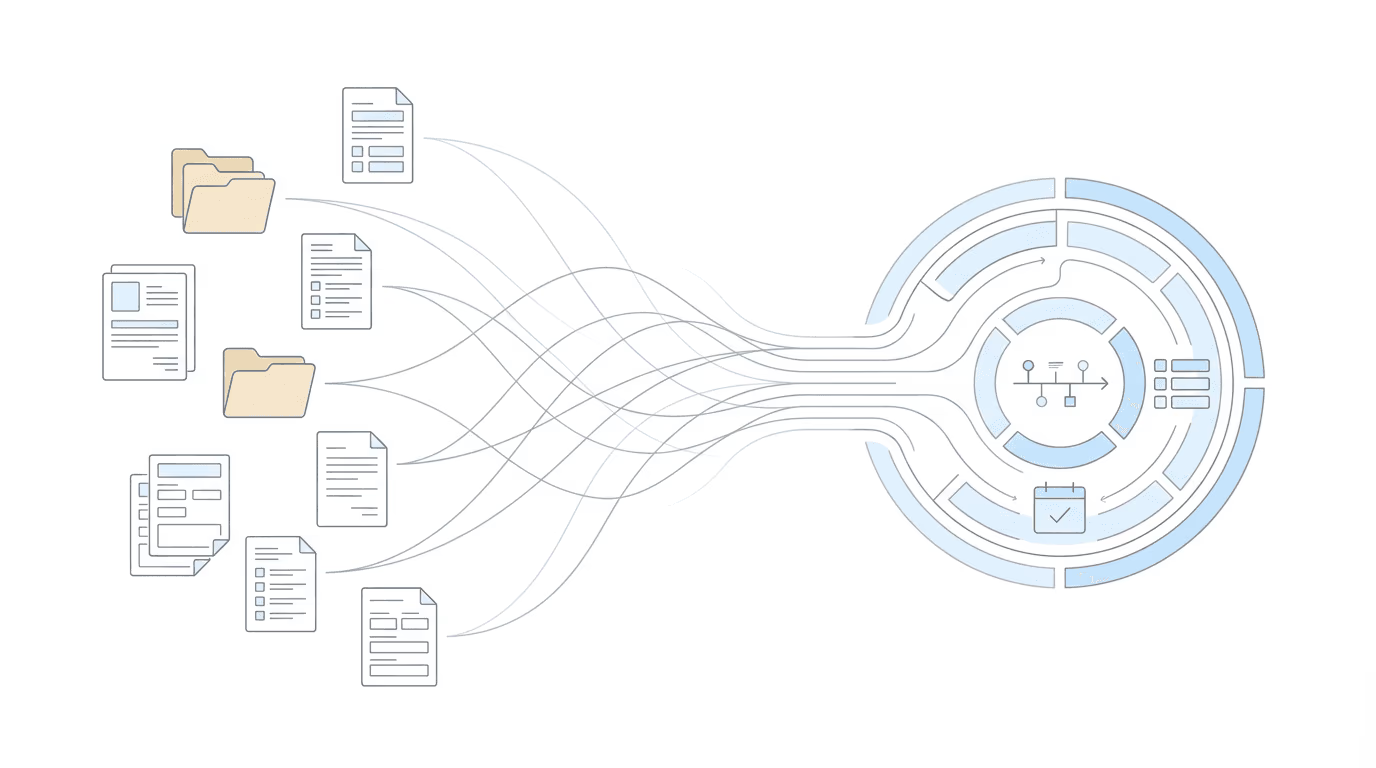
If you use Superinsight for medical chronologies, you already know what it does: AI analysis with Blue Book matching, RFC extraction, and editing tools built for disability law. The analysis itself is solid. But before any of that happens, there’s setup.
Log into Superinsight. Add the client manually. Upload the records. Wait. Then start working.
For firms handling volume, that admin work adds up. Chronicle’s Superinsight integration handles the setup automatically; your team skips the manual client creation and file uploads entirely.
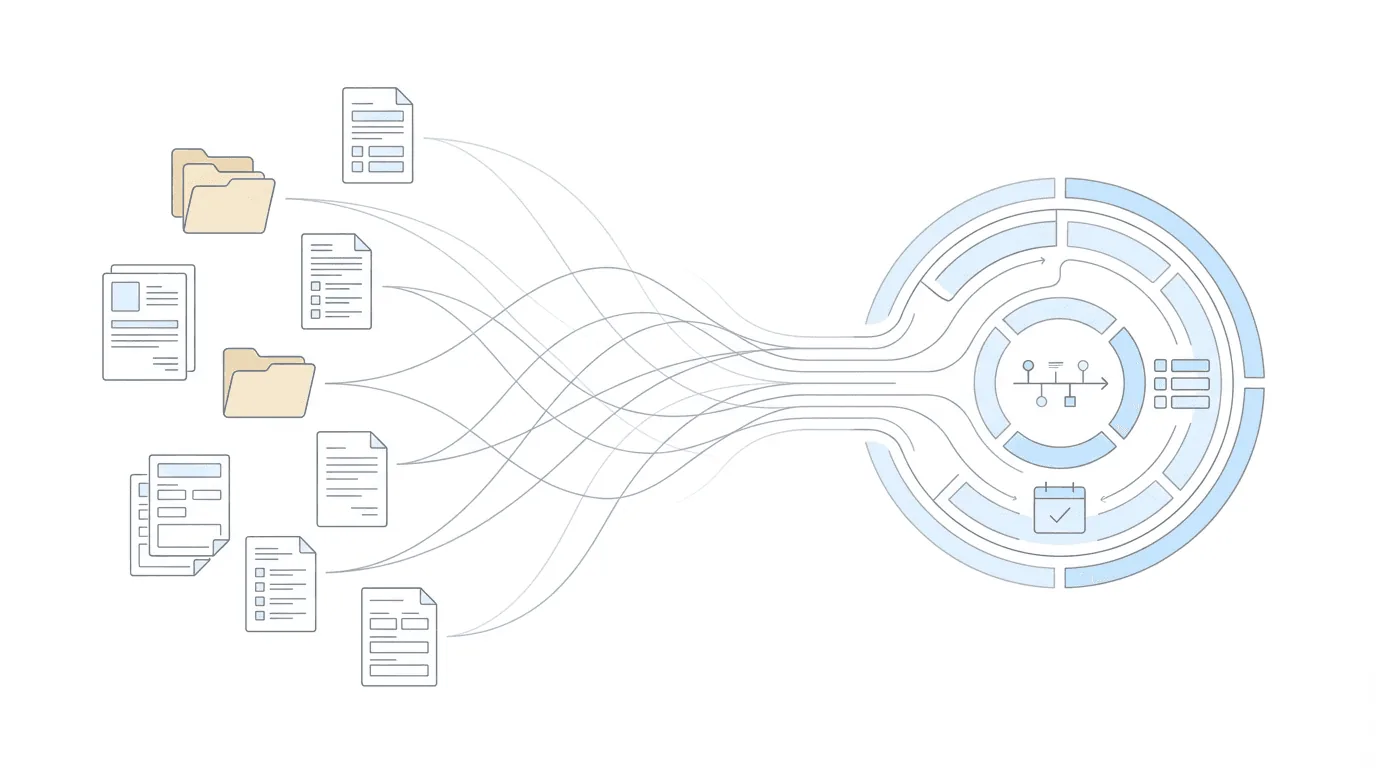
Why Manual Setup Creates Friction
The typical workflow for getting a Superinsight chronology looks like this:
- Log into Superinsight separately from your main workflow
- Create a new client record with demographic information
- Navigate to your medical records storage
- Upload files one by one (or in batches, if you’re organized)
- Wait for processing
- Return later to start working with the chronology
That process works for one case. At scale, the repetition becomes a problem. Staff toggle between systems. They re-enter information that already exists elsewhere. Time goes to file management instead of case analysis.
The issue is not Superinsight’s capabilities. It’s the handoff between where medical records live and where chronology work happens.
A New Way Forward: Chronicle & Superinsight
Chronicle’s new integration handles the setup automatically.
When you request a Superinsight chronology, your client information and medical records sync automatically from Chronicle. No manual client creation. No file uploads. One click, and your request is on its way.
You still get everything Superinsight offers: sophisticated AI chronologies, Blue Book matching, RFC extraction, and advanced editing tools. You just skip the admin work to get there.
“This integration is about removing friction. Superinsight users get the same powerful analysis; they just don’t have to do the manual setup anymore.” — Nikhil Pai, Founder of Chronicle
“Chronicle monitors, we analyze, and attorneys are able to effortlessly move with speed and efficiency to get to the insights that matter.” — Luke Connally, Co-founder of Superinsight
On February 19th, 2026, Nikhil from Chronicle and Luke from Superinsight walked through how this new integration works to superpower medical chronologies for disability firms:
How the Chronicle & Superinsight Integration Works (Setup)
Getting started requires a simple API connection between Chronicle and Superinsight. The whole process takes a few minutes minutes if you have admin access to both systems.
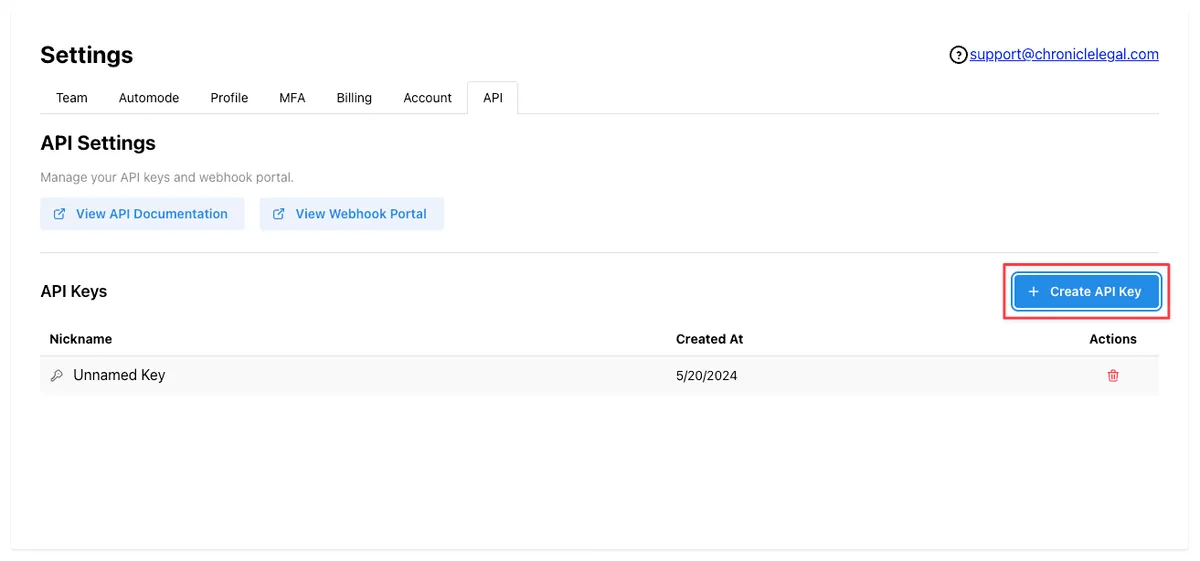
Step 1: Create an API Key in Chronicle
Go to your Chronicle settings page, then navigate to “API” to create an API key. This key authorizes Superinsight to pull client and document data from your Chronicle account.
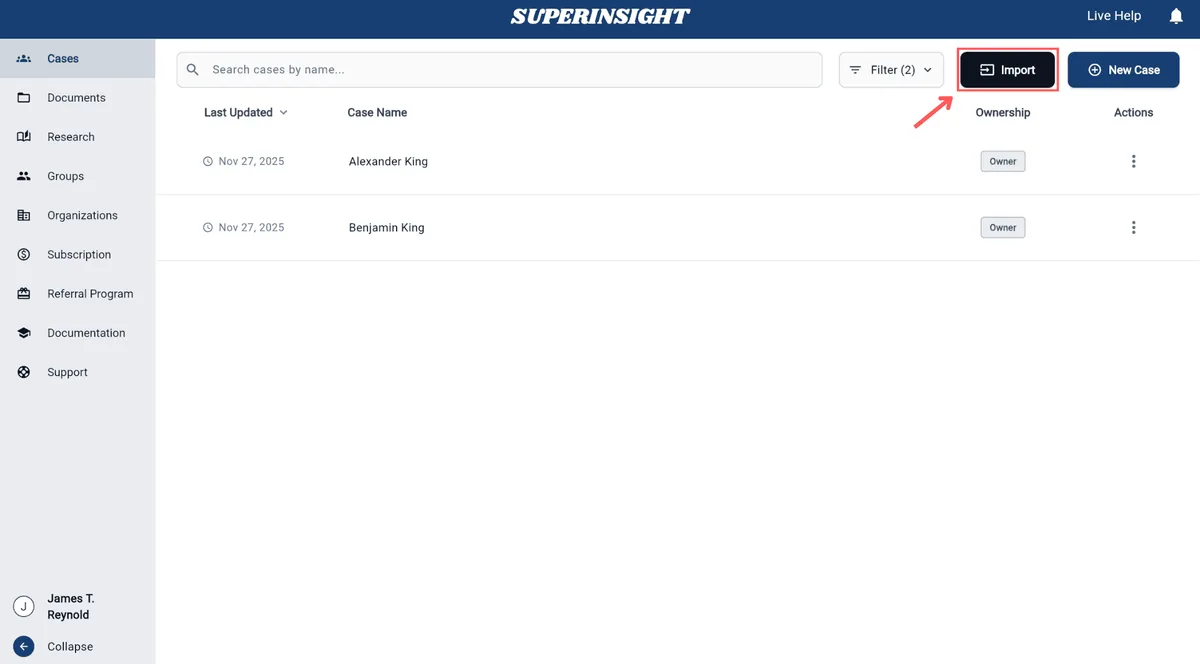
Step 2: Access the Import Function in Superinsight
In Superinsight, navigate to the Cases page from the left sidebar. Click the Import button in the top-right corner to begin.
Step 3: Configure Your Source and API Key
In the Import dialog:
- Select a Source: choose Chronicle from the dropdown.
- Enter API Key: paste the key you created from your Chronicle settings.
- Connect: click to authenticate your integration.
That’s it for the connection. The systems are now linked.
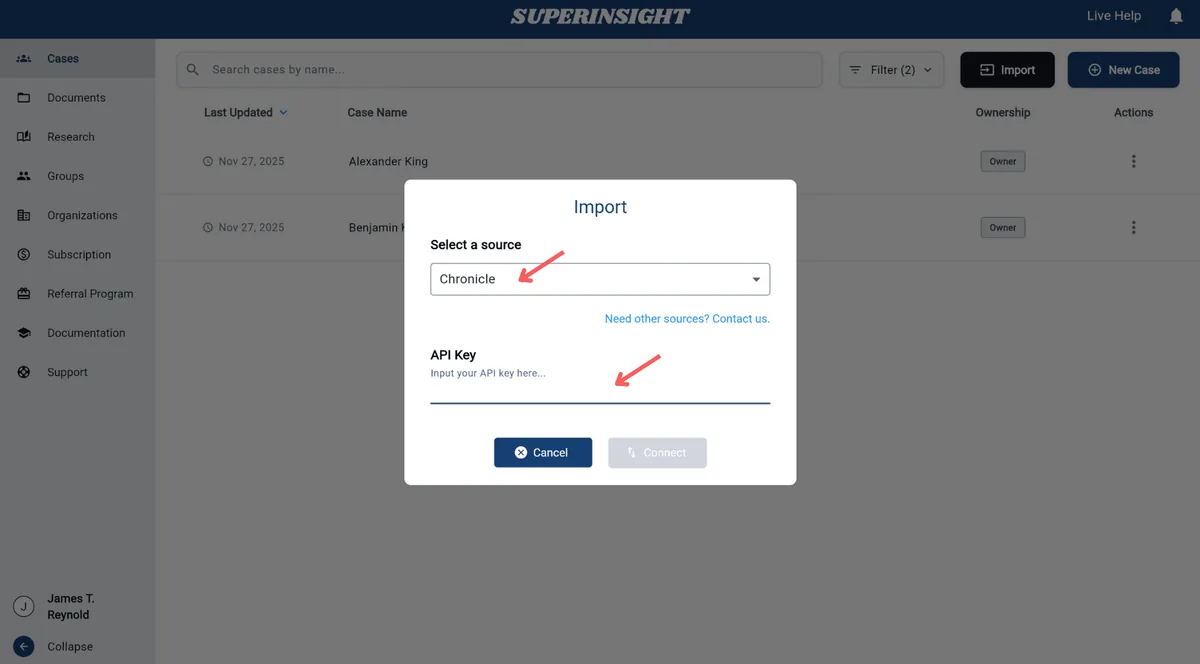
Step 4: Search and Select Cases
Once connected, you can search for cases to import by name or by the last 4 digits of SSN.
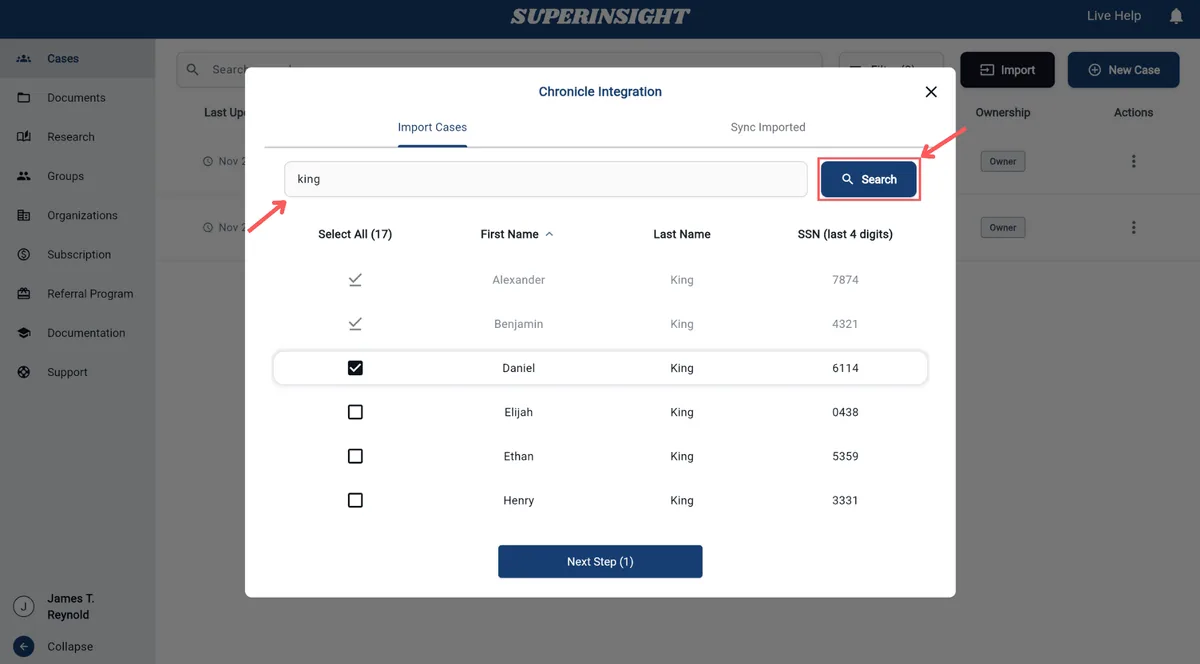
Review the search results showing First Name, Last Name, and SSN details. Check the boxes next to the cases you want, then click Next Step.
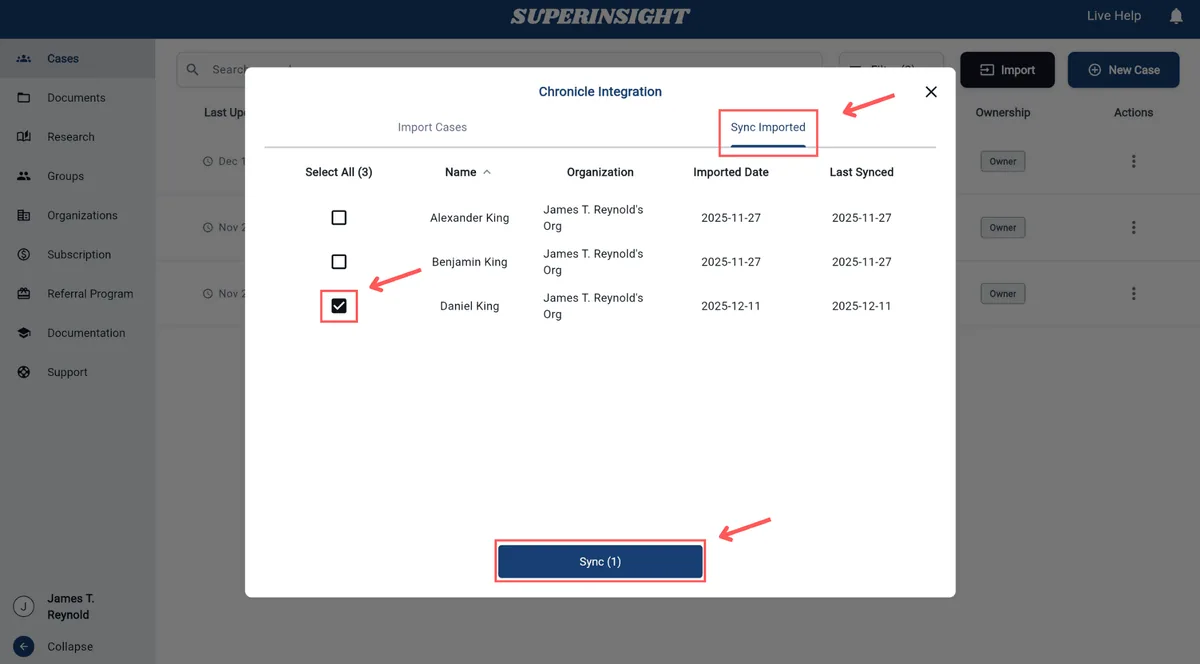
Step 5: Complete the Import
Confirm your selection, start the import, and wait for the sync to complete. This may take a few minutes depending on how many records you’re pulling.
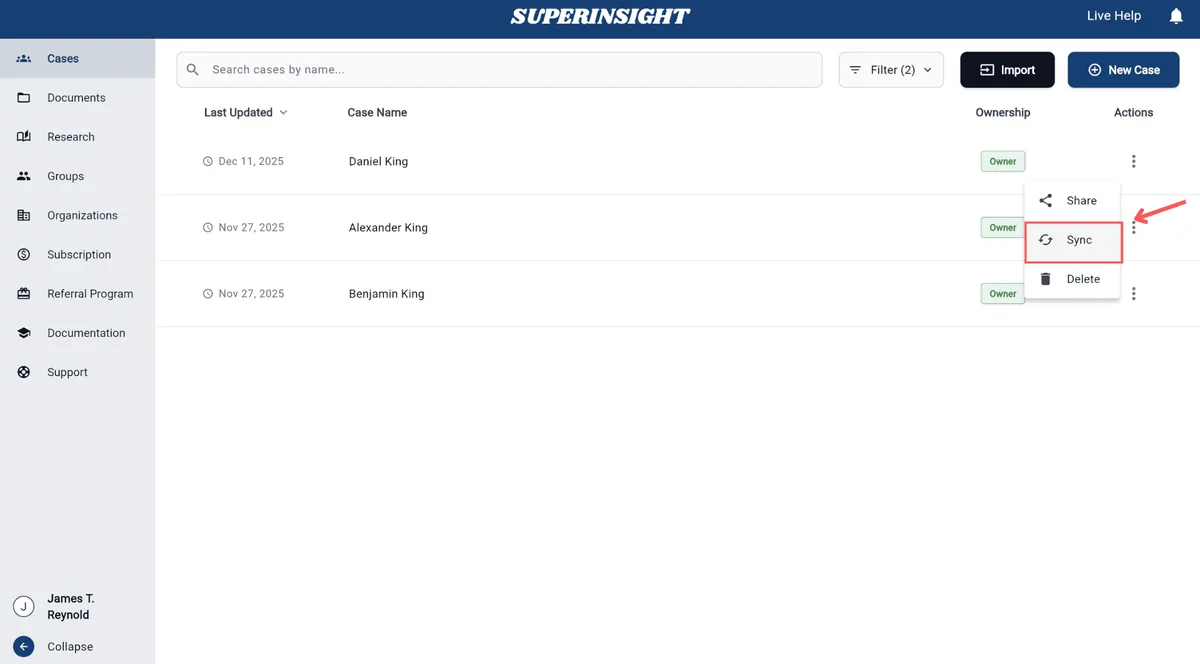
Once cases are synced, you can always re-sync them later from the Cases tab in Superinsight.
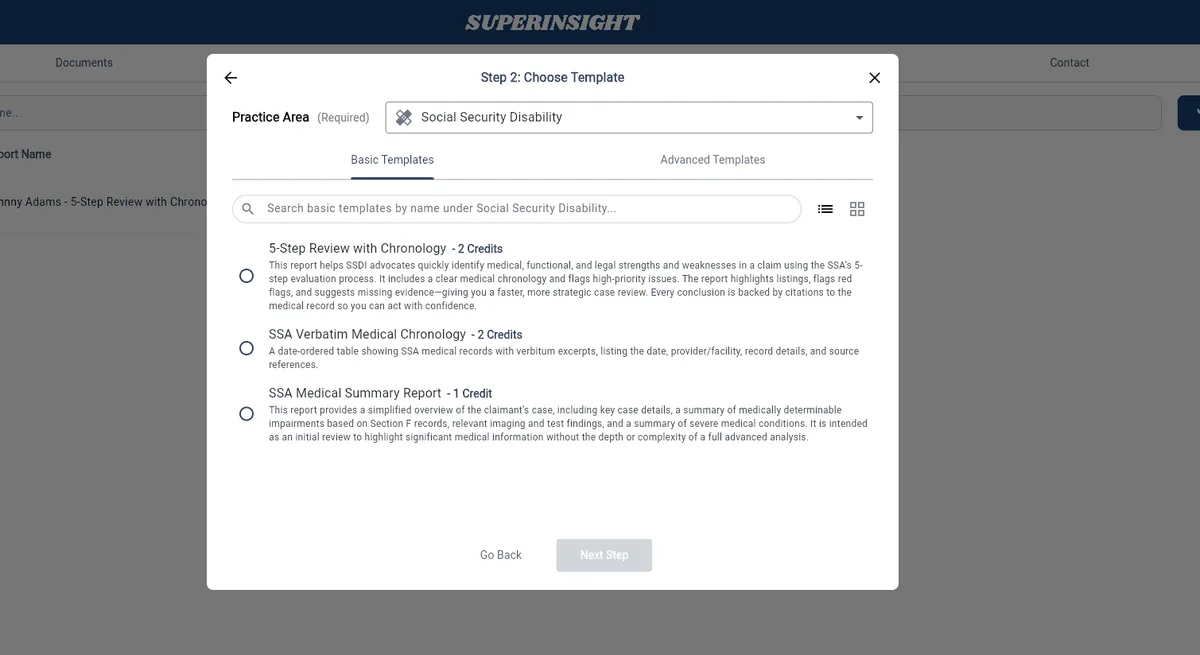
For your SSD work, you’ll be able to select from three basic templates:
- 5-Step Review with Chronology
- SSA Verbatim Medical Chronology
- SSA Medical Summary Report
You can also create your own advanced template and prompt Superinsight’s model to create a fully customized report. After the report is complete, you can export the report into a PDF or ask specific questions using Superinsight’s report insights tab. Alternatively, if you don’t want to generate a report, you can use the research tab and click on the same source files.
What You Get from Superinsight
The integration gives you access to Superinsight’s full capabilities. Here’s what that includes:
- Medical Chronology: Paginated with source references. Organized timeline of medical events. Key findings highlighted.
- Blue Book Matching: Conditions mapped to relevant SSA listings. Evidence requirements identified. Gaps flagged for follow-up.
- RFC Extraction: Functional limitations pulled from records. Physical and mental findings organized. Ready for RFC form completion.
- Editing Tools: Superinsight’s interface for refining output. Full control over the final product.
The integration does not change what Superinsight produces. It changes how you get there.
Requirements and Pricing
Chronicle: A Pro plan is required for the Superinsight integration.
Superinsight’s pricing: - Monthly credit-based subscriptions - No per-case fees or file size charges - Average cost: 2 credits per report (advanced reports run 3-4 credits) - Credit pricing varies from $25 to $80 depending on plan tier
You can learn more by visiting their pricing page here.
Save $100 off your first month’s Superinsight subscription with code: save100first
How to Get Started
The setup is straightforward:
- Ensure you’re on Chronicle Pro.
- Log in to your Chronicle account to create an API key.
- Input that Chronicle API key into Superinsight.
- Select the cases you’d like to import from Chronicle into Superinsight.
- Run your chronologies, and view them in Superinsight when ready.
Learn more about Chronicle Pro
Watch the replay of the February 19th, 2026 live demo of this integration, or read the recap here.
What This Means for SSD Firms
If you already use Superinsight for medical analysis, you should not have to do manual client setup for every case. That’s the entire point of this integration.
Chronicle handles the data handoff. Superinsight handles the analysis. Together, they let you focus on what the chronology tells you about your client’s case rather than the logistics of getting it built.
Superinsight joins Chronicle’s growing ecosystem of partner integrations. If your firm also runs a CMS, see our native Clio and Filevine integrations, or our Litify integration for Salesforce-based firms.