
On July 22, 2026, NOSSCR hosted a Chronicle-presented workshop on a skill almost nobody in disability law is formally taught: how to evaluate legal software before you sign the contract. Chronicle founder Nikhil Pai and Will Yang, who leads events and community at Chronicle, spent an hour building a scoring rubric, applying it to two fictional firms with opposite outcomes, and then turning it on Chronicle in public, including a candid list of where Chronicle loses points.
The session was part of Chronicle’s Advancing Technology in Disability Law series. It opened with a poll that set the tone for everything that followed. Asked whether they had ever bought legal software they regret, the room split across every option, but the heaviest cluster landed on one answer: yes, we switched, and it hurt.
You can catch the replay here:
Speakers:
- Nikhil Pai, Founder, Chronicle. Built Chronicle, the ERE monitoring and analysis platform for social security disability firms, and was a panelist at NOSSCR’s session on using AI to reimagine efficiency in SSD practices.
- Will Yang, Head of Growth, Chronicle. Leads events and community at Chronicle, and spends most of his week talking with disability firms about what they bought, what they stopped using, and what they wish they had asked before signing.
Key Takeaways
- The buying problem is structural, not a matter of vendors being dishonest. Firms buy major software a few times a decade. Vendors sell it every day. That asymmetry is why demos get optimized around questions buyers do not know to ask.
- Four criteria carry almost all the weight. Is it built for this work? Does it play well with your stack? Will your staff actually use it? Will the vendor still be around? Score each 1 to 5, then weight the criteria to your own firm.
- The same tool can be a yes for one firm and a no for another. A configurable case management system scored an informed yes for a 1,000-case firm with an ops lead, and would be a walk away for a 120-case solo with nobody to configure it.
- If it is not live, it does not exist. Roadmap integration is not integration. Evaluate every vendor on what is shipping today, ideally with a reference firm you can call.
- Ask what the AI actually generated. Real AI can be pointed to in the product. If a vendor cannot show where the output came from, what happens when it is wrong, and what you would lose if it were switched off, the label is marketing.
- The switching costs are where the money hides. Data migration, forms and template libraries, and configuration labor are routinely left out of the first-year number.
Want the one-page version? Get the free evaluation scorecard, a printable sheet carrying the framework below, the five demo questions, and the red flags on the back. No email required.
Why Does Buying Legal Software Go Wrong So Often?
Nikhil opened by naming the pattern that every firm in the room recognized.
Every vendor is trying to sell you on a dream. They’re always saying this will change your life, this will make you more efficient. You get on the call, you go on a demo, they show you all these case studies, and it’s looking great. It makes you feel like everything’s going to be solved. And you know what? There’s a pricing page there, and it just says contact us.
The trouble is that the bill for a bad decision arrives long after the decision.
Then what happens is the cost of choosing the wrong one doesn’t show up until you sign. […] Six months later, your staff is complaining, you’re doing double data entry, you haven’t fully transitioned, and it comes time to renewal, and you’ve already invested too much time. It’s a classic sunk cost fallacy, and you’re stuck with it.
He was careful to separate the structural problem from any accusation of bad faith. There are three mechanics at work.
Information asymmetry. Firms replace a case management system maybe every five to ten years. The vendor on the other side of the call runs demos daily.
But the people you’re talking to, these vendors, they’re selling it every day, and so they know all the right buttons to push, all the right catchphrases to make you want to buy their software and believe the dream they’re selling.
Backloaded costs. The headline number is engineered to be small.
They’re going to try to give you the lowest number possible, and then slowly ratchet that up over time with additional add-ons, or switching fees, or things like that.
The user isn’t the buyer. This is the one that quietly does the most damage as firms scale.
The person who’s actually buying the software tends to be the firm owner or the representative, who doesn’t have the day-to-day nuances of using the actual systems. Your case managers, your paralegals are the ones who are in this every day, making the updates.
And then the framing that made the rest of the hour make sense:
This doesn’t mean the vendors are villains. They’re not always trying to be coy or hide things. But it’s just hard, unless you have a firm rubric and you understand what you’re looking for every time, to get over these problems in the buying process.
The rubric is the fix. Not skepticism, not hardball negotiation. A written structure that makes you ask the same questions of every vendor, so the comparison is real.
What Are the Four Criteria That Actually Matter?
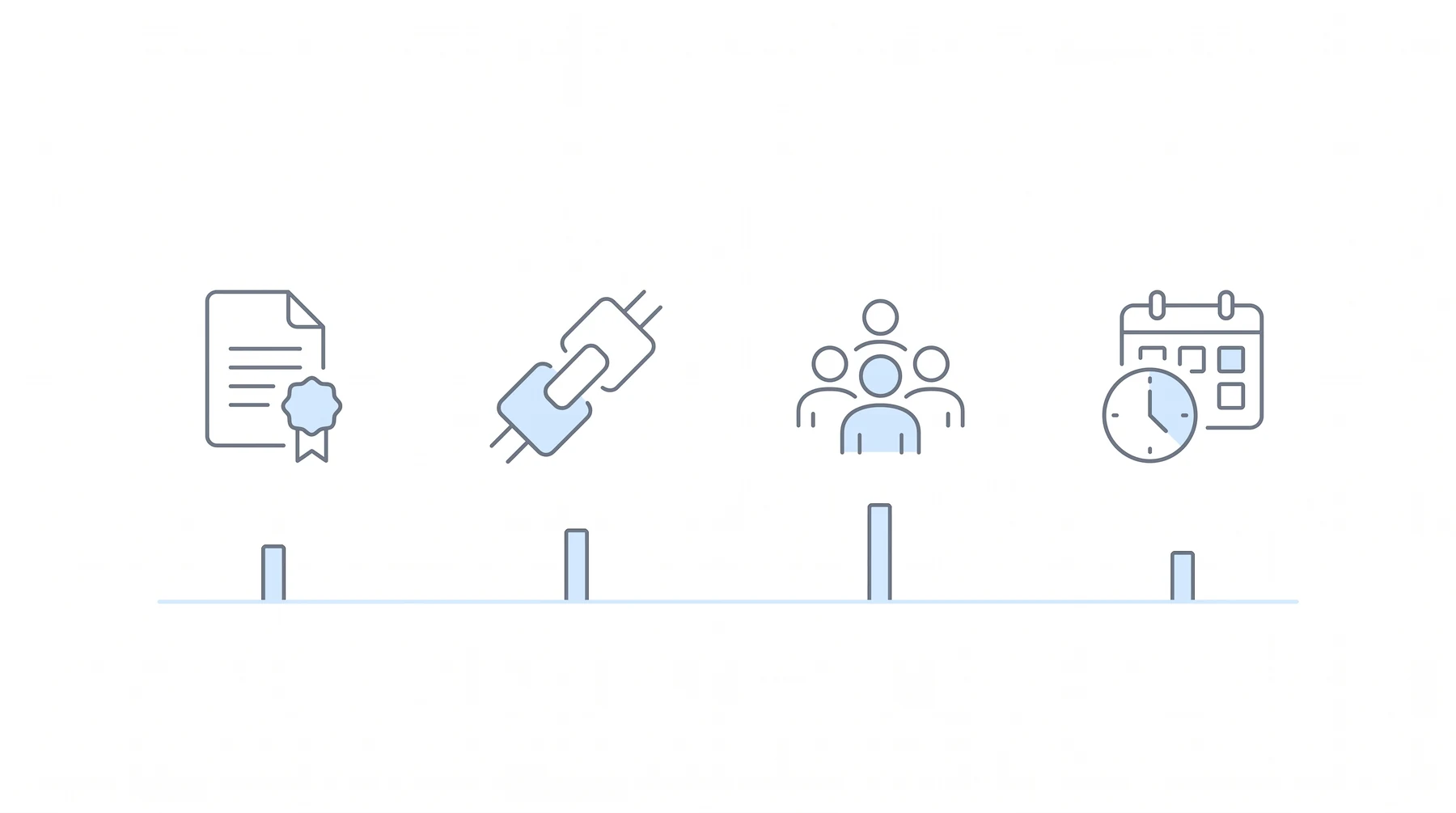
Nikhil compressed the entire evaluation into four questions.
1. Is it built for this work?
Disability-specific or generic. The test he gave is a language test.
Does this vendor speak SSD natively? Do they understand what you’re talking about? When you say CE, are they like, what’s a CE, what’s this acronym, or do they understand that’s a consultative exam?
The second test is social proof from your own community, not the vendor’s general customer list.
Second, who else in disability law uses this? Ask for names that you recognize from rooms like this one.
He was explicit that this is not a reason to freeze out newer vendors.
Obviously, give everyone a chance. Folks in NOSSCR gave me a chance when we started this company, and I’m so appreciative of that, so always be willing to try stuff. But vet it with other folks.
The reason this criterion matters so much in disability specifically is that a great deal of legal software entering the space was designed for a different practice area entirely.
We all know a ton of software sold into disability is designed for PI or workers’ comp, and it doesn’t actually work well for disability.
He closed the criterion with a warning that surprises most buyers, because configurability is usually sold as an unqualified good.
Configuration depth cuts both ways. Something that’s built for large firms doesn’t always work for small firms. If you think about the ability to configure something, like, oh great, I can configure this a zillion ways, well, that means I have to configure it, and now it’s a burden upon me to actually go do this.
If you want a deeper comparison of what belongs in a disability-specific tool versus a general one, Chronicle has written about ERE monitoring versus case management software and about disability law case management software specifically.
2. Does it play well with your stack?
The line Nikhil used here is the one worth writing on the whiteboard.
The best tool that doesn’t connect loses to a good tool that does.
Three sub-questions do the work. First, direct integration beats middleware, because middleware is a cost and a configuration project you inherit.
There are tools that integrate with each other directly, so they talk to each other, and then there are ones that need some sort of intermediary tool to connect between the two. A great example of an intermediary tool is Zapier.
Second, open API versus closed, which is really a question about whether you own your own data.
The question here is, if they don’t have an API, how do you get your data out of there? What if you want to connect it to your own systems? What if you want to be able to migrate out?
He added that the value of an open API is partly insurance, whether or not you ever call it.
Even if you don’t use it, just having that peace of mind is super important.
Third, and this became a recurring theme:
Roadmap integration is not integration.
The cautionary example came from a large firm in one of Chronicle’s Peers in Practice sessions. They had used an ERE monitoring provider for years and were happy with the access. But the provider had a closed API, so when the firm wanted to move to a new case management system, they could not get their own data out, and the migration became painful.
Chronicle’s own approach to this is documented in its material on secure SSD software integrations, the API, and case management tools that integrate with ERE.
3. Will your staff actually use it?
Will took this criterion, and framed it around a cost that never shows up on an invoice: software your team quietly routes around is more expensive than no software at all.
The practical proxy is time to first value.
How long does it actually take for a paralegal to get started on this platform? What can they do within one hour, or one phone call training? If it’s a software where it’s super complicated and it’s going to take them ten or more hours to learn it, it’s going to be really hard to get that adoption piece in place.
That question has a follow-up that firms routinely forget to ask, and then absorb as unplanned internal labor.
Who’s actually going to do the training, and does the vendor you’re thinking about working with provide training?
When the vendor does not train, the work does not disappear.
Oftentimes when we see folks do that, it’s one of the boots-on-the-ground folks who has to learn the software themselves and then roll it out to their team through some separate training. A lot of times what you want is to prioritize vendors that have what are called customer success teams.
He also raised a point that matters increasingly for firms with distributed teams: the tool has to survive your actual staffing model, including remote and overseas team members.
That same logic applies to asking yourself whether the software is going to work with your staff, or if it’s going to work around your staff.
4. Will the vendor still be around?
You’re not buying a product, you’re buying the next five years of it.
Nikhil gave four signals to read.
Shipping velocity, and specifically whether your feedback becomes product.
How often are they making updates or releasing new features to you? And are they actually taking your feedback when you give it to them? […] Because if you’re paying them on a yearly or monthly basis, you should be seeing changes for that. Otherwise, you should have just paid one time for what it was.
Customer base trajectory, or whether the vendor is still building in your practice area or merely collecting revenue from it.
Growing in your practice area, or harvesting it? Are they really listening to the community, identifying new problems and fixing them?
Roadmap honesty, which is the counterintuitive one. A vendor who agrees to everything is not being generous.
As much as you want them to say yes to what you want and say they’re going to do things, if they’re never saying no, that’s also a bad sign, because they’re probably lying to you. […] So you want people to be able to also say no to you. That’s actually a pretty good sign.
Security posture, meaning whether the vendor has submitted to outside scrutiny at all.
Are they taking the time to actually get audited? Are they having certifications done?
How Do You Tell Real AI from a Marketing Label?
Nikhil broke out a sidebar on this, because it now touches every category of legal software.
If you’re looking at a case management system and they say we have AI, have them actually point to and explain what the AI is doing. If they can’t point to it, it’s just a marketing term.
Three questions do the diagnostic work:
- Where in the product did the AI actually generate something?
- What happens when it goes wrong? As he put it: “Do things go out to clients without your review, or do you get to review things first?”
- What would you lose if the AI was turned off? This one is a trap for vendors, and deliberately so.
If the answer is, well, you can still pretty much do everything, then maybe AI actually is not doing that much.
He returned to this in the Q&A with a sharper version of the same test, distinguishing genuine generation from a fill-in-the-blanks template.
I know there are some brief writing tools that label themselves as AI, and they’re just a template. They’re just popping in words like a Mad Lib or something like that. You really want to make sure you can actually see that output and know that it is bespoke, and ideally give it feedback and iterate with it.
The peer quote he shared from a Peers in Practice session on AI tooling made the commercial point bluntly:
Don’t get upcharged for a fancy wrapper.
Chronicle has covered the underlying question of what AI can and cannot do in this practice area in why AI can’t replace a social security disability lawyer and how AI is changing medical record review for disability law.
Worked Example: Why the Same Tool Is a Yes for One Firm and a No for Another
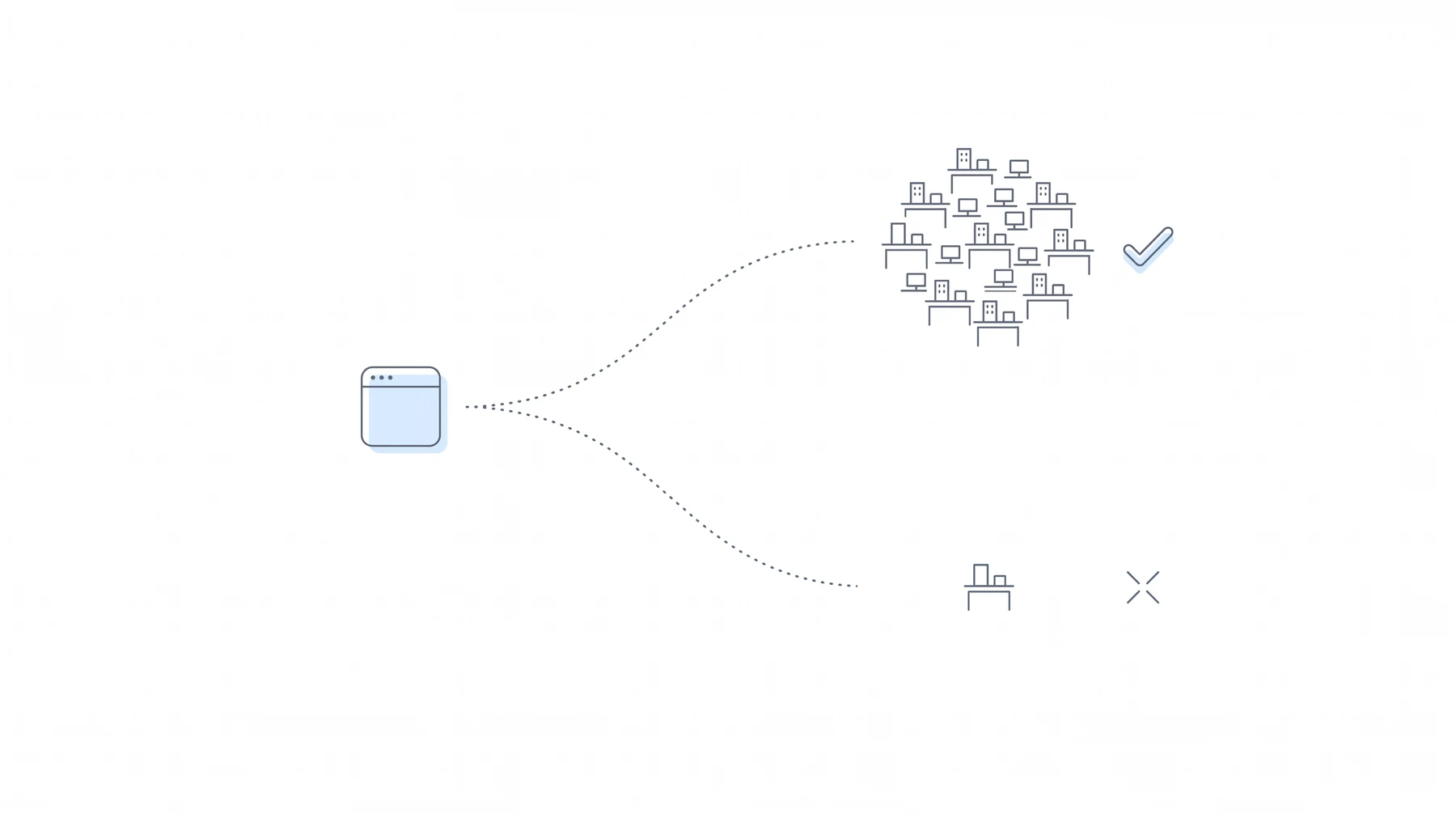
This was the centerpiece of the workshop. Nikhil scored a fictional case management system, CaseMon, twice, for two very different firms.
Before the examples, he sketched the three archetypes most buyers are actually choosing between:
- The reliable generalist: solid, easy to adopt, built for every field of law rather than disability specifically.
- The configurable powerhouse: can be made to do almost anything, but likely built for personal injury first, and getting it configured costs either your hours or a consultant’s fee.
- The SSD niche tool: purpose-built for disability and strong out of the box, but a smaller vendor with fewer integrations and less history.
Firm A: 120 active cases, solo, no dedicated admin
Top priority: it has to connect with the rest of the stack.
| Criterion | Weight | Score | Reasoning |
|---|---|---|---|
| Built for this work | Medium | 3/5 | General software, not SSD native, but matters can be configured into disability cases |
| Plays well with your stack | High | 5/5 | Direct ERE monitoring integrations, open API, large app ecosystem |
| Will your staff use it | High | 4/5 | Polished, fast to adopt for a small team, thumbs up from the case manager |
| Will the vendor be around | Medium | 5/5 | Established vendor, many years in market, shipping consistently |
Total: 17/20. An informed yes.
It isn’t perfect in every way, they weren’t built for SSD, but I will give that up for knowing that they work well with my stack and my staff will use it.
The phrase “informed yes” is doing real work there. The rubric did not produce a perfect score. It produced a decision the buyer can explain, with the trade-off named out loud.
Will followed up by unpacking how you actually source the evidence behind each of those scores, which is the part that usually goes unexamined:
That might show up with this vendor in the form of a dedicated landing page that details exactly how disability firms are using this case management software. Or in the case of the direct integrations, there’s often going to be documentation from vendors on either their partners page or in their overall help center.
And for the staff-use score, a tactic for firms whose case manager cannot make the live call:
If they don’t hop on that same call with you, what you’re going to want to do is make sure you record that demo, share it with the case manager, and then get their direct thoughts there.
He also pointed to third-party evidence gathering, including a use of LLMs that most firms have not thought to try:
Nowadays it’s even easier with LLMs, where you can literally just go in and ask, hey, what are impressions? What do people like? What do people not like about these different vendors?
Firm B: 1,000 active cases, 12 staff, an ops lead, some team remote and overseas
Top priority: SSD workflow that holds at volume.
| Criterion | Weight | Score | Reasoning |
|---|---|---|---|
| Built for this work | High | 4/5 | Deep customization closes the SSD gaps, but only because the ops lead can build for it |
| Plays well with your stack | High | 4/5 | Strong open API, but some connections need middleware, which means paying for Zapier and a consultant |
| Will your staff use it | High | 3/5 | Requires real training for 12 people and a rebuild of the firm’s SOPs |
| Will the vendor be around | Medium | 5/5 | Established at scale, with multi-year reference firms |
Total: 16/20. Also an informed yes, for completely different reasons.
The punchline is the comparison, not either score on its own.
It’s a configurable powerhouse, which means I can really configure it, and likely that would be a walk away for a smaller firm. A small solo firm can’t configure the software to do exactly what they want it to do.
Which leads to the line that summarizes the whole framework:
Anyone who says one tool wins for everyone is probably selling something.
Score your own shortlist using the same four-criterion sheet Nikhil used for both firms above.
What Are the Hidden Costs of Switching?
Nikhil flagged three costs that routinely fall outside the quoted price, drawn from firms he has watched attempt migrations, including one that failed outright.
Data migration. The question is not whether migration is possible, but whether this vendor has done your specific migration before, and whether they will bill you for it.
Have they moved from the current case management system you’re on to the one they’re selling? You want to know, have they done this migration before, so they understand how to actually move over the open matters, all of the history, all the client files?
Forms and templates. This is the one that catches firms by surprise, and it is specific to how disability practices actually run.
They had this whole library of forms that they used to get filled out in their old case management system. They didn’t realize they had to pay extra to get those moved over to their new case management system.
He named the categories that matter here: SSA-specific forms for hearing acknowledgement, work history, and the rest of the library a practice accumulates over years.
Configuration labor. Whether it lands on your ops lead’s calendar or a consultant’s invoice, it lands somewhere.
What Five Questions Should You Ask in Every Demo?
Will made the case that question design matters as much as question content, because vague questions authorize vague answers.
When you keep it vague, you allow too much flexibility in how a vendor can respond to you.
His worked example: instead of “do you integrate with my case management system?”, ask:
Is this integration with my case management system live today? And if so, can I talk to a firm using it?
That version does two jobs at once. It forecloses the wishy-washy answer, and it generates a reference call.
It not only gets to a real answer, but also creates momentum, in which you can then get an introduction to somebody who’s actually been in the trenches.
He was clear about the posture, too.
It’s not necessarily grilling for the sake of being hostile. It’s actually just trying to separate the signal from the noise.
The five questions:
- Is this live today, or is it on the roadmap? And if it is on the roadmap, how long has it been there? That answer doubles as a read on shipping velocity. “If it’s not live, it doesn’t exist yet.”
- Can you show me how this works on an actual disability case? At the hearings level, on CE exams, against SSA deadlines. Not a generic workflow built for a general legal audience.
- What is my total first-year cost, in writing? Implementation, training, and add-on fees are the usual omissions, and they either surface in year two or sit unexplained in the year-one contract. Will’s analogy: “It’s your classic advice if you’ve done some home improvement or renovations: you always want to get a couple of quotes and get the itemized quote.”
- What can my paralegal do after one hour? Followed immediately by: who runs the training, you or us?
- What does your SSA forms library look like, and can you take it with you? Portability of your own templates and prompts, so a switch later is not a total rebuild.
Will added that intuitiveness deserves more weight than firms usually give it:
Intuitive solutions are almost always something that we recommend firms overweight, because at the end of the day, if you are going to invest, in many cases, thousands of dollars into software solutions, then you want to make sure your staff are actually going to use it, and it’s not just going to collect dust after you have signed the contract.
The security question
Will gave the room a plain-language version of the compliance question and, more usefully, of the answer.
SOC 2 is essentially an independent auditor that checked this vendor’s security controls. The difference between Type 1 and Type 2 is essentially that Type 1 is controls that existed on the audit day, whereas Type 2 are controls that operated over months.
The practical ask is short: can I see your Type 2 report? A vendor without one is either young and has not invested there, or has chosen not to prioritize it. Either way, you now know which, and can weight it against the sensitivity of the data you are about to hand over.
What Are the Red Flags That Should End a Demo?

Will listed five.
“It’s basically ready.” The roadmap problem in disguise.
If it’s not live, it does not exist. I really need you to remember that, because at the end of the day, even the best salespeople in the world can always tell you that it’s basically ready.
Pricing you cannot get in writing. Treat the sales process as a preview of the relationship.
Imagine, if that’s the first time you’re purchasing from a vendor and that’s their approach to it, how is it going to look in year two, or year three, or year four? It’s not going to be better.
No references in disability law specifically.
Law firms love us is not the same as Social Security disability firms use us.
If the site has no disability-specific case studies, ask for introductions. A vendor with real depth will offer several; one who offers exactly one or two is telling you something about the size of that list.
Your data held hostage. No export path, a closed API, or vague answers about leaving.
Because in the case where you end up like those folks in the audience who answered B, we implemented a software solution and then we regretted it, they feel really locked in in that situation.
The demo never touches your workflow. A presentation built for every practice area at once is not an evaluation of yours.
How Did Chronicle Score Itself?
The workshop’s most unusual segment was Nikhil running Chronicle through the same four criteria, in front of an audience that includes Chronicle’s prospects and customers.
| Criterion | Score | Reasoning |
|---|---|---|
| Built for this work | 5/5 | Chronicle only serves disability law, focused on the ERE and the full SSD lifecycle |
| Plays well with your stack | 4/5 | CMS-agnostic with direct integrations and an open API, but not every case management system |
| Will your staff use it | 5/5 | Built alongside disability firms for fast adoption, though he flagged the obvious bias |
| Will the vendor be around | 4/5 | About three years in market, deeply embedded in the community |
On the staff-use score, he added the caveat himself:
We’ve heard that folks will revolt if you remove Chronicle, so, 5 out of 5, but take that with a grain of salt coming from us.
Then the part that made the segment credible: three places Chronicle loses points.
Chronicle is not a case management system.
Chronicle is not trying to do all the things a case management system does. We are an ERE monitoring tool. So it is something you have to have alongside other tools. If you want an all-in-one, we’re just unfortunately not that.
Chronicle does not offer human-enabled services.
We don’t let you outsource to other humans. We’re an AI-focused company, so all of our things like medical chronologies, hearing coverage, and brief writing are done by AI. If you want something that’s done by a human, it’s not something we do.
Chronicle is built for growing firms.
If you’re a small firm that is just trying to stay at your current caseload, you may be able to do all of this by hand, and it’s just not worth it.
Chronicle is CMS-agnostic: it works with Prevail, any CMS with an API, or no CMS at all. For the underlying distinction Nikhil is drawing between an ERE monitoring layer and a case management platform, see ERE monitoring vs case management software.
All-in-One or Best-of-Breed?
A recurring question, and Nikhil refused to give it a universal answer.
Lean toward an all-in-one if: nobody in your firm wants to configure or stitch things together and the vendors will not do it for you; your caseload is small enough that juggling several tools costs more time than it saves; and you are comfortable accepting, as he put it, “a B-plus everywhere.”
Lean toward best-of-breed if: you want to own your stack and have someone who can; you have specific workflows where saving an hour produces immediate ROI; and you already have a CMS or other system capable of connecting the pieces.
Why Your Software Choices Are Part of What Your Practice Is Worth
The closing idea reframed the whole exercise as a succession and valuation question rather than an operations one.
If you’re someone trying to think about the value of your firm, not just the revenue you bring in today, but what this would look like when you hand things off to someone else, whether it is to a child, a spouse, or you’re trying to sell your firm, you want to make sure that what you’re buying is actually going to be something someone else can use in the handoff.
The concrete illustration:
If you’re using a piece of software that runs on an on-prem server that’s in a closet in your office, and you’re trying to sell your firm, it’s actually going to be really hard to move that server to someone else’s office without having some sort of outage.
Which produces the summary line:
It is not just how you operate, it is actually part of the value of your firm.
What This Looks Like for Your Practice
Three concrete next steps came out of the session.
If you are shopping right now: take the scorecard into your next demo and score the vendor live, on all four criteria, with weights you set before the call rather than during it.
If you are not shopping: run the rubric against the software you already own. As Will suggested, this is an audit of what you are actually using versus what you are paying for, and the biggest savings is often a tool you stop paying for.
If you are a larger firm: score the vendor with a small group rather than alone, and compare results.
Sometimes it can be helpful as well, if you are a larger firm, to put together a very small team that’s going to give you a couple of different perspectives, and then compare how everyone evaluates it to come up with an average.
Download the evaluation scorecard as a printable PDF. No email required.
If you want a second set of eyes on a decision you are weighing, Chronicle offers a free 30-minute software strategy session. Book a demo and bring your filled-out scorecard.
Frequently Asked Questions
What would you say if a vendor is not SOC 2 compliant? Do you recommend walking away?
It depends on what the software touches. Nikhil’s answer:
It’s somewhat dependent on what the software is being used for. If it’s not anything around PHI, so personal health information, and it’s just about contacting your clients, or it’s a marketing automation platform, or even at the intake level, you probably don’t need to be SOC 2. You really think about SOC 2 for when it’s really about secure, private information.
Where it does touch sensitive data, his bar is firm, with one acceptable substitute:
I would actually probably walk away if they don’t have a SOC 2, or at least have it on their roadmap. If they are currently planning on it, they can actually deliver a letter from an auditor saying we’re in the process. That’s the minimum you want to see.
How do you tell what is real AI versus a wrapper?
I think it goes back to, can you point to where something was actually generated? Is it just a marketing label, or can you point to, hey, I gave it these inputs, and then it actually created this unique output from that? And that means it’s not a template.
The distinguishing test is bespoke output plus the ability to iterate: “can you point to specifically where in the product the AI generated text?”
Who should be in the room for a software demo?
Nikhil’s answer named a gap he sees constantly.
I often only see the owner of the firm who’s making the buying decision. Every now and then you will see an ops-type person. And the person I really wish I saw was the actual case manager or the paralegal who’s going to be using it day to day.
Attendance alone is not enough, though:
The nuance here is you don’t just bring them on the call and let them sit there silently. Make sure you poke them to actually engage in the demo, because they may not feel comfortable asking the questions unless you tell them to.
We already bought software and now we’re stuck with it. What now?
Once again, classic sunk cost fallacy. Explore. Just be curious, go out, see what else is out there, talk to other firms who have been in similar positions. This is the great thing about the NOSSCR listserv, or other groups. You can actually see what other people have used, and what they transitioned off, and get their opinion.
And the underused move: make the incoming vendor carry the migration.
Lean on your vendors. They can probably do a lot of the heavy lifting for you for that transition if they want to be serious about closing your business. So ask them also, have you made this migration from Y to X to Z, and can you help me with it?
What are the biggest mistakes disability firms make when selecting software?
Two, both covered earlier in the session.
One, not having the right people on the call. Making sure that people actually using the software every day are going to be on that call, because if you’re someone who just focuses on the hearings, you don’t know what’s going on at the initial and recon level.
And then lastly, actually finding what the switching costs are, because that’s where a lot of vendors hide the bag on the switching costs, especially with case management systems.
How should firms think about switching costs specifically?
Definitely the timeline. How long will it take to switch? What will the vendor do for you versus what you need to do yourself? They’ll probably have some sort of worksheet or process they run. Find that out before you sign the deal. And then lastly, understand which things cost extra. Do they charge you more to move over your templates, or anything like that?
Watch the Full Replay
Upcoming Events
Chronicle runs monthly sessions for disability practitioners, including the Disability Peers in Practice roundtables referenced throughout this workshop, where firms compare notes on tooling, staffing, and operations with peers at a similar scale.
You can see what is coming up on the Chronicle events calendar.
About This Series
Advancing Technology in Disability Law is Chronicle’s ongoing education series for social security disability practitioners. Sessions cover the tools, workflows, and operational decisions that shape how disability firms run, with practitioners and product builders in the room together.
This workshop was hosted by NOSSCR, with Chronicle presenting as a Strategic Educational Partner.
Related reading from Chronicle:
- ERE Monitoring vs Case Management Software: What’s the Difference?
- Case Management Tools That Integrate with ERE
- Choosing the Right AI Medical Record Platform
- Why AI Can’t Replace a Social Security Disability Lawyer
Follow Chronicle on LinkedIn for session announcements and recaps. Questions about anything covered here: support@chroniclelegal.com or 847-665-9612.
Full Session Transcript
Lightly edited for readability.
Welcome and Framing
Will Yang: Welcome, everybody. In case it is your first time to a workshop of ours, this recording will be shared with you afterwards, so no need to write anything down. Both the NOSSCR team and the Chronicle team will follow up with you with a recording of today’s workshop. Thanks so much, first and foremost, to NOSSCR for collaborating with us to put together this educational programming opportunity.
Today, we’re talking about how to evaluate legal software. Specifically, what should you do before you sign? This is hopefully going to give you a buyer’s framework as you evaluate any software that you’re thinking about. The reason we think this is so important is because it’s something you don’t necessarily get taught when you’re running your own firm. It’s something you usually learn from repetition, from going through different softwares, and that can sometimes lead to good experiences as well as not-so-good experiences. We’re hoping that from this workshop you’ll get more of the good experiences and less of the bad experiences.
Before we get started, a quick introduction to both of us today. My name is Will. I lead events and community work at Chronicle, which is the ERE monitoring solution for disability firms, and I’m joined today by Nikhil, who is the founder of Chronicle. He was also featured in NOSSCR’s panel on using AI to reimagine efficiency in social security disability practices.
The reason I think we have interesting perspectives to share on this topic is because we talk to hundreds of disability firms every single week, and have seen what works and what doesn’t for different folks. Where we’re coming from today is really the angle of what questions vendors get from folks considering their applications. What we’re going to do in today’s workshop is apply the framework we’re going to teach you to ourselves, so you can learn from how, if we were in your shoes, we would think about this purchasing decision. We’ll also do an example of a fictional case management solution.
Again, the reason we think this is really valuable is because it’s not a skill that’s typically taught. It’s more intuited by folks who have been thinking about how to operationalize and scale their firms.
What you’re going to take away by the end of today’s workshop: first and foremost, you’re going to learn a new scoring framework for how you can evaluate any legal software on four things that actually matter before you get to the point where you’re ready to sign with a vendor. The other thing we’re going to leave you with is five smart buyer questions to ask. We’ll tell you exactly why we’re recommending you ask these questions, and we’ll share some of the red flags that should caution you to walk away from that demo.
Hopefully what you’ll also get is the right answer for your firm. One of the biggest takeaways from today’s workshop is going to be the emphasis on finding the right solution for your firm’s goals, which is always different depending on what you’re setting out to accomplish. And if you stick with us all the way until the end, we have a printable scorecard that will be readily available, so that whether it’s you or somebody else in your firm evaluating these purchasing decisions, you can download it and save it for the next time you’re walking into a demo with a vendor.
With that, a quick check-in. I’m curious to hear from folks in the chat. Have you ever bought legal software that you regret? Type in the answer letter: A, yes, and we’re still using it. B, yes, we switched, and it hurt. C, no, we’ve been lucky. And D, we’ve barely bought any software.
All right, let’s see what folks are saying in the chat. We’ve got all sorts of responses. Looks like we’ve got a whole spectrum of answers right now. Hopefully what you can tell from being in this chat in this moment with all of your colleagues is that everyone’s had a very wide range of experiences. However, as more answers are coming in, there’s definitely a majority of folks leaning into that B side. Hopefully what you’ll be able to do is start applying this framework to be more successful in minimizing the regrets that you face.
With that, I’m going to pass it over to Nikhil, who’s going to talk about this perspective and the tee-up into our framework that you’re going to want to think about when you’re evaluating legal software.
Why Buying Software Goes Wrong
Nikhil Pai: Every vendor is trying to sell you on a dream. They’re always saying this will change your life, this will make you more efficient. You get on the call, you go on a demo, they show you all these case studies, and it’s looking great. It makes you feel like everything’s going to be solved. And you know what? There’s a pricing page there, and it just says contact us. So you know you have to talk to them. It really puts you in their court.
Then what happens is the cost of choosing the wrong one doesn’t show up until you sign. When you actually sign up, that’s when all these things start piling up: all the decisions, all the questions that you didn’t realize you were making when you made that choice. And you feel stuck. Six months later, your staff is complaining, you’re doing double data entry, you haven’t fully transitioned, and it comes time to renewal, and you’ve already invested too much time. It’s a classic sunk cost fallacy, and you’re stuck with it.
It’s a common story we hear at Chronicle as we talk to all these firms while they’re evaluating different software. We have the great pleasure of talking to law firms through our Peers in Practice sessions, and these are some quotes we’ve heard from other firms:
Switching from A to B, it’s a gigantic cost.
There’s a configuration cost, and then does it connect to all your systems? All these things add up. Or:
Anytime you switch case management systems, it’s going to be a huge headache and hassle.
You’re trying to make things line up perfectly, and it’s not always going to be possible. It’s always going to be this big cost, and you never have enough information when you’re making the switch. Often it’s like hiring someone. It’s a lot of information that you don’t have until you’re actually using it or working with it, and at that point it’s potentially too late.
Part of the reason this happens is that you are buying software just a few times a decade. When you think about case management systems, folks aren’t switching case management systems multiple times a year. It’s something they do maybe every five to ten years. But the people you’re talking to, these vendors, they’re selling it every day, and so they know all the right buttons to push, all the right catchphrases to make you want to buy their software and believe the dream they’re selling.
So there’s information asymmetry. They’re running thousands of demos, they know those pain points, they know how to hook into your heartstrings, and the demo is optimized so that you’re not even knowing to ask the right questions. They maybe hide something that they know you may need, but they don’t want you to ask questions about it, so they’ll skip over it.
Second, the costs are often backloaded. They’re going to try to give you the lowest number possible, and then slowly ratchet that up over time with additional add-ons, or switching fees, or things like that. It makes it hard to actually know what the full cost is, or they have a completely different pricing model that makes it hard to compare.
And last, the user isn’t the buyer. Unfortunately, this is a common issue we see as firms are scaling. The person who’s actually buying the software tends to be the firm owner or the representative, who doesn’t have the day-to-day nuances of using the actual systems. Your case managers, your paralegals are the ones who are in this every day, making the updates. So when the rep, essentially the business owner and the buyer, is in the demo, they don’t know all the questions to ask unless they have someone else in the room.
This doesn’t mean the vendors are villains. They’re not always trying to be coy or hide things. But it’s just hard, unless you have a firm rubric and you understand what you’re looking for every time, to get over these problems in the buying process.
The Four Criteria That Actually Matter
Nikhil Pai: We think about this as four things that actually matter when you’re evaluating software.
First is, is it built for this work? Is it disability-specific versus generic? Do they understand the space you’re operating in? We all know, in the disability space, it’s different than other fields of law. The cycle times are different, the client needs are different. So is this actually built for disability?
Second, does it play well with your stack? All of us have several different tools we like and use. You don’t want to have to rip and replace all of them, so does it play well with your current systems? Does it connect with what you already have, or what you want to buy in the future?
Third, will your staff actually use it? What is the training like? Is it going to be hard to get your teams to adopt it? We were recently in a Peers in Practice session with some firms who were talking about AI adoption. They said, we just spent a couple thousand dollars on this tool, and nobody’s using it. Why did you even buy it in the first place?
And fourth, will the vendor still be around? Things are moving quickly, especially with AI vibe coding, people building software left and right. Will the vendor you’re signing up for actually still be around in a couple of years’ time? You don’t want to have to suddenly scramble and buy new software because your current vendor either went out of business or stopped maintaining their software. Or they might get bought out by someone, and when they get bought out, things get even worse.
Criterion 1: Built for This Work, or Wearing an SSD Costume?
Nikhil Pai: Does this vendor speak SSD natively? Do they understand what you’re talking about? When you say CE, are they like, what’s a CE, what’s this acronym, or do they understand that’s a consultative exam? Is this something that you’re really going to have to massage to work for disability? That’s question one you should definitely ask.
Second, who else in disability law uses this? Ask for names that you recognize from rooms like this one. You want to make sure this has been vetted by other folks. Obviously, give everyone a chance. Folks in NOSSCR gave me a chance when we started this company, and I’m so appreciative of that, so always be willing to try stuff. But vet it with other folks. See what they say. Have they had good experiences, bad experiences? What do the Facebook groups or the listservs say? That’s always a good way to know: is this adopted by SSD folks? Because it could be for PI or workers’ comp. We all know a ton of software sold into disability is designed for PI or workers’ comp, and it doesn’t actually work well for disability.
And last, configuration depth cuts both ways. Something that’s built for large firms doesn’t always work for small firms. If you think about the ability to configure something, like, oh great, I can configure this a zillion ways, well, that means I have to configure it, and now it’s a burden upon me to actually go do this. So you need to make sure it’s actually tailored to what you want to configure.
Sidebar: Telling Real AI from a Marketing Label
As we talk about built for SSD, this is obviously a hot topic in AI products right now, which is that everything is AI. What you want to make sure when you’re looking at AI, and specifically AI for disability, is: can they actually point to what the AI is doing in the workflow? If you’re looking at a case management system and they say we have AI, have them actually point to and explain what the AI is doing. If they can’t point to it, it’s just a marketing term. They’re just putting AI in their literature or their brochure for the sake of having the word AI.
What happens when it goes wrong? AI is a great product, but we’ve all heard about hallucinations and issues with it. Have them tell you what happens when things go wrong in the verification workflow. Do things go out to clients without your review, or do you get to review things first?
And what would you lose if the AI was turned off? This is a good counterexample, where they’re saying AI does all this work. Well, what if I don’t want the AI? What’s still possible? If the answer is, well, you can still pretty much do everything, then maybe AI actually is not doing that much. So once again, you’re just buying into this marketing term of things being called AI versus what actually adds value.
Another great quote here from our Peers in Practice session around AI tooling:
Don’t get upcharged for a fancy wrapper.
A lot of AI tools do similar things at the same sort of level, broadly speaking.
Criterion 2: Plays Well with Your Stack
Nikhil Pai: The best tool that doesn’t connect loses to a good tool that does. You want to think about this as your ecosystem of tools, or your stack. It’s a very techy term, but your stack of tools is how things all layer together. That’s why it’s a stack.
First, you want a tool that directly integrates, rather than something that requires middleware. There are tools that integrate with each other directly, so they talk to each other, and then there are ones that need some sort of intermediary tool to connect between the two. A great example of an intermediary tool is Zapier. They’re a platform that connects various softwares together. If you need that, you have to configure it yourself, you have to pay extra costs. So you want to look for things that connect directly. Chronicle connects directly to some case management systems, and that means there’s a lot less configuration and a lot less added cost to get that set up.
Second, open API versus closed. API is jargon. An API is essentially a protocol for talking between software, and it essentially means: can you access your data programmatically, and do you have access to all of your data? The question here is, if they don’t have an API, how do you get your data out of there? What if you want to connect it to your own systems? What if you want to be able to migrate out? Do they have an open API that lets you get access to your data, or are you locked in and the only way to get your data is in their software? That’s a really important question when you’re thinking about connection and your ability to access your data. Even if you don’t use it, just having that peace of mind is super important.
And last, roadmap integration is not integration. There’s a famous tech YouTuber who always says you want to evaluate products on what they offer today, not what they promise in the future. You want to make sure that when you’re in the vendor demo, they’re telling you about what they offer today and have live, ideally with other customers. That’s how you should be evaluating, not on what they are promising in the future. If they’re saying, hey, we’re going to connect to this in the future, that future may never come. So make sure you’re evaluating on what is an actual integration today.
Another quote from a large firm in our Peers in Practice session: they had previously been using an ERE monitoring provider for a number of years, mainly for ERE access, which was great, plus brief writing and medical summaries. But unfortunately, that provider had a closed API. They weren’t able to get their data out of there, and so when they wanted to take on a new case management system, it was really hard.
Criterion 3: Will Your Staff Actually Use It?
Will Yang: If you have any questions along the way, feel free to drop them into the chat.
The third criterion folks should be considering is whether the software your staff works around is more expensive than no software at all. At the end of the day, one of the things you should be thinking about is whether your staff are going to use it, and that is dictated by whether there is a quick time to first value.
What does that mean? It means asking questions like: how long does it actually take for a paralegal to get started on this platform? What can they do within one hour, or one phone call training? If it’s a software where it’s super complicated and it’s going to take them ten or more hours to learn it, it’s going to be really hard to get that adoption piece in place for your team when you introduce that new software solution.
The question that naturally leads to is: who’s actually going to do the training, and does the vendor you’re thinking about working with provide training? The reason this is a big deal is because in the case where they don’t provide that training, that’s just another task item you’re going to need to factor in on the implementation side. Oftentimes when we see folks do that, it’s one of the boots-on-the-ground folks who has to learn the software themselves and then roll it out to their team through some separate training. A lot of times what you want is to prioritize vendors that have what are called customer success teams, or just a customer success person who can help you navigate that initial onboarding process.
And obviously, if you were to prioritize a solution that is really easy to learn up front, that also saves you some time, because you know that it’s intuitive enough that people of all different skill levels can pick up on what they need to do in that solution.
The other thing is your actual team. Is it going to survive your current team’s composition? Sometimes different firm owners are using a combination of teams, when sometimes they’re remote or overseas as well. That same logic applies to asking yourself whether the software is going to work with your staff, or if it’s going to work around your staff. That’s one of the important considerations when it comes to the evaluation criteria.
Criterion 4: Will the Vendor Still Be Around?
Nikhil Pai: You’re not buying a product, you’re buying the next five years of it. So you really have to think about the longevity of these tools, and there are a couple of different ways to gauge that.
Shipping velocity: how often are they making updates or releasing new features to you? And are they actually taking your feedback when you give it to them? How long does it take from you giving feedback to actually seeing something change? Make sure that when you’re evaluating software, they’re moving, they’re shaking, they’re actually trying to deliver a service. Because if you’re paying them on a yearly or monthly basis, you should be seeing changes for that. Otherwise, you should have just paid one time for what it was.
Customer base trajectory: growing in your practice area, or harvesting it? Are they really listening to the community, identifying new problems and fixing them? Or are they just trying to say, hey, we know this one problem, we’re just going to sit on it and never make any other changes? Do they really understand the space and want to grow in it?
Third, roadmap honesty. As much as you want them to say yes to what you want and say they’re going to do things, if they’re never saying no, that’s also a bad sign, because they’re probably lying to you. If they’re just saying yeah, yeah, yeah, we’re going to build this, we’re going to build that, that’s probably not honesty. That’s just them trying to close the deal or get you to go away. So you want people to be able to also say no to you. That’s actually a pretty good sign. And obviously they owe you an explanation, and that explanation may just be, hey, there’s not enough demand for this. But that’s how you know you’re having a real conversation with a future-looking organization.
And then last is security posture. Are they taking the time to actually get audited? Are they having certifications done?
Another quote here from a firm:
Chronicle is the backbone of my firm’s days, and I would hate if that would suddenly disappear.
The Scorecard
Nikhil Pai: We have a scorecard here that we’ll be walking through. It’s four rows, going through this criteria. Built for this work: is it for SSD? Plays well with your stack: does it integrate well with other tools you currently use or plan on using? Will your staff actually use it? And will this vendor still be around? You’ll be able to score this on a scale of 1 to 5, weight it depending on how important it is to your firm, and then of course you have your notes section. We’ll have a printable version of this at the end of this session.
Worked Example 1: A 120-Case Solo Firm
Nikhil Pai: Now we’re going to do the fun part, which is a working example. We’re going to go through how you do this with a case management system. Just a reminder, CMS is a case management system, so it’s where you track all of your cases and what you’re doing with them.
What this room already knows about case management system trade-offs: you’ve probably evaluated a couple of different ones. We see there are three archetypes. First is the reliable generalist: something that’s solid and easy to adopt, maybe not specific for disability, but built for every field of law, so it should work for me. Then there’s the configurable powerhouse: hey, this seems to be able to do everything I want, I can get it to do X, Y, and Z, I can configure it. But it’s likely built for PI first, because they have very custom workflows. And if you want to get it configured, you either have to spend hours of time yourself, or you have to pay someone to configure it for you. And then last, there’s the SSD niche tool: it’s built specifically for disability, it’s great, it comes out of the box with everything I need, but it’s a smaller vendor, it has fewer integrations, maybe they haven’t been around as long, so there are just some trade-offs there.
So then, going to the scorecard. We’re going to take this example of a 120-case solo firm. Imagine you’re in the shoes: you have 120 cases active at a time, you have no dedicated admin, maybe you have a paralegal or part-time assistant, and you’re trying to decide if you want to buy this case management system called CaseMon. Your top priority is that it connects with the rest of your stack.
Criterion 1, is this built for SSD? Is CaseMon built for SSD? For my 120-case firm, built for SSD is a medium-level priority. It’s important, but it’s not the most important thing for me, because I’m really looking for it to connect well with the rest of my stack. The score here with CaseMon is 3 out of 5. It’s general software, it’s not SSD native, and I can configure matters into disability cases, so it looks okay here.
Then, plays well with the rest of your stack. As I mentioned, this is my top priority for my firm. I have a couple of different tools I really love. Let’s say Chronicle’s one of them, and so the fact that it plays well is super important to me. And amazing: CaseMon has direct integrations with ERE monitoring, it has an open API, it has a big app ecosystem. 5 out of 5 for me.
Then, will my staff actually use this? Based on the demo, and I had my case manager on the demo with me, a 4 out of 5. It’s important to me, I want to make sure my staff is going to use it, I don’t have a ton of money, so I want to make sure they use it. I’m giving it a 4 out of 5. It’s polished, it’s fast to adopt for a small team, the client portal looks modern, this software looks good, and I get the thumbs up from my case manager, but maybe there are some things that could be a little bit better here.
Then, will the vendor still be around? For me, this is medium importance. This firm is still new, I’ve only been practicing for the last three years, so five years out is kind of hard to even imagine. So, medium importance to my firm. 5 out of 5, though. CaseMon has been around for multiple years, they’re a large established vendor, they have a ton of customers. I go to their website, they have hundreds of case studies, it seems like they’re always shipping new things.
So, 17 out of 20. I put all the scores together, 17 out of 20, and the 5s were where I thought things were most important. So if I weight this, it’s even better. For me, that’s an informed yes. It isn’t perfect in every way, they weren’t built for SSD, but I will give that up for knowing that they work well with my stack and my staff will use it. So this is an informed yes.
Will Yang: Before we go into the next example, which is a different scenario, what I want to highlight are a couple of those sub-details that Nikhil just mentioned.
The first one was, when it came to built for the work, he’s asking the specific question of different specific workflows as it relates to Social Security disability work. That might show up with this vendor in the form of a dedicated landing page that details exactly how disability firms are using this case management software. Or in the case of the direct integrations, there’s often going to be documentation from vendors on either their partners page or in their overall help center that details this.
And then when it came to that staff use question, he was asking, okay, I had the case manager with me on that call, let me get their actual impressions. If they don’t hop on that same call with you, what you’re going to want to do is make sure you record that demo, share it with the case manager, and then get their direct thoughts there.
And on that last one, that idea was checking through for the case studies and the other citations. You can look for third-party sites as well. There are small bloggers here and there that will write about their experiences. Simply going through, and nowadays it’s even easier with LLMs, where you can literally just go in and ask, hey, what are impressions? What do people like? What do people not like about these different vendors? So there are some quick-hitting, simple questions, but just to highlight the specificity of how you get to the rubric assessment on each of these.
Worked Example 2: A 1,000-Case Firm, Same Tool, Different Answer
Nikhil Pai: Let’s take this now to another example, which is the same exercise, but now you’re a 1,000-case firm, and your weights are different. Because you’re going to say, hey, my top priority now is SSD workflow that holds at volume. I’m a scaling business, I have a thousand cases, I need to make sure things are efficient. And I have a big team now. Some people are remote and overseas. I have 12 staff, and an ops lead. So my thinking here is going to be different as I go through the evaluation.
Going through each criterion: built for this work. For me, it needs to be high. I am a 1,000-case SSD firm. I want to make sure I can customize this to be SSD-specific, and we can get all the value we want out of this. So it’s going to be a high weight for me, and in the demo I asked them about the ability to customize. Is this built for SSD? What are other people doing? And it scores a 4 out of 5. It has deep customization that closes the SSD gaps, but only because the ops lead can build for it. So once again, taking that balance of, it is built for this work, but you have to customize it to get it there.
Then, does it play well with your stack? Once again, that’s going to be important. At a thousand cases, I need a lot of customization, so I want to make sure it connects with the other tools I like. Maybe I have a client communication tool I want to bring in. 4 out of 5. It has a strong open API, so it has the ability to connect with anything, but some things need middleware to glue it. That means now I have to pay for Zapier for it to connect to some of my tools, I need a little bit more time to configure it, I have to pay a consultant to configure it. Great, I have the ability to pay for these things, but it just means it’s more work on my side, and I have to pay those additional costs.
Then, will my staff actually use it? Once again, I have a large team, I have my ops lead, I have my 12 staff, so it’s super important that we’ll adopt it. I bring my ops lead to every call that I do for demos. 3 out of 5. It’s going to require real training, we have to get 12 people to start using this, and we have to rebuild our training material, our standard operating procedures. So it’s going to require a lot of time, and that actually makes it score a 3 out of 5.
And then last, will the vendor still be around? Medium importance for me. I think I can make this work for the next five years until I scale out of it, potentially. So not super important, but it scores a 5 out of 5. It’s established at scale. There are a couple of other firms that have been using it for a couple of years. Great.
This brings me down to my bottom score, which is 16 out of 20. An informed yes for this 1,000-case firm. It’s a configurable powerhouse, which means I can really configure it, and likely that would be a walk away for a smaller firm. A small solo firm can’t configure the software to do exactly what they want it to do. So that’s the counterexample: for a large firm, this software is likely a yes; for a small firm, it’s likely a no. That’s how this rubric really helps you understand how there is nuance between every system.
Hidden Costs When You Switch
Nikhil Pai: I also want to flag here, because I’ve talked to a lot of firms about hidden costs, that switching your case management system has a lot of common pitfalls. One of the folks in a firm I know tried to switch case management systems and actually failed out of it. It’s not an uncommon story. There are three things to look out for when you’re switching case management systems that can add up.
First is data migration. Have they moved from the current case management system you’re on to the one they’re selling? You want to know, have they done this migration before, so they understand how to actually move over the open matters, all of the history, all the client files? And are they going to bill you for actually moving your data over?
Second is forms and templates. This is another one I actually heard from a firm. They had this whole library of forms that they used to get filled out in their old case management system. They didn’t realize they had to pay extra to get those moved over to their new case management system. So if you have a lot of templates, contracts, whatever, make sure you know those are part of your migration, or that you’ll have to do it yourself. Those could be things like SSA-specific forms for hearing acknowledgement, work history, all of that. Just make sure that as you go through these, you understand what they are actually willing to move and how.
To bring this all together: same tool, different winners. Each tool you buy isn’t going to work for everyone, so just know what you’re trading off with this framework. Anyone who says one tool wins for everyone is probably selling something. They’re selling a dream. You really want to get into the nuances here to make sure that, using this framework, will this actually work for me? Is this sales conversation targeted to my needs? And you walk away knowing the trade-offs and what you want to lean towards, rather than just buying something based off the pitch.
Five Questions to Ask in Every Demo
Will Yang: What do you do once you start walking into the demo? Here are a couple of tips in terms of how you can be an informed buyer, keep vendors honest, and get the information you need as you run through this evaluation.
There is a difference between a good question and a bad question in terms of how you frame it to the vendor, because when you keep it vague, you allow too much flexibility in how a vendor can respond to you. That costs you the precision you’d want in order to grade that on the scale.
An example of this, going back to our case management solution example, would be asking a question like: do you integrate with my case management system? The reason that’s not a great question is because it invites some flexibility. If a vendor weren’t necessarily directly integrating with them right now, but they plan to, they might be a little wishy-washy on that. Instead, you can ask a question like: is this integration with my case management system live today? And if so, can I talk to a firm using it? The reason you ask this sort of question is because it not only gets to a real answer, but also creates momentum, in which you can then get an introduction to somebody who’s actually been in the trenches, who has been experiencing this potential migration that you might be thinking about doing.
The key here that I want to highlight is, it’s not necessarily grilling for the sake of being hostile. It’s actually just trying to separate the signal from the noise in terms of the substance that matters to you when it comes to the four criteria we just went over.
There are five questions we recommend you go into each room asking.
The first question is: is this live today, or is it on the roadmap? If it’s something that’s on the roadmap, you can also ask, how long has it been on the roadmap? Because that can give you a general sense of that sub-point mentioned earlier, in terms of how fast that vendor is releasing new features and actively listening to customer feedback. If it’s not live, it doesn’t exist yet, so when you think about whether you’re going to purchase this software, you should think about it with what you have today, not what you have tomorrow.
The next question you want to ask is: can you show me how this is working on an actual disability case? Whether it’s looking at the hearings level, the CE exams, or SSA deadlines. At the end of the day, you want that specificity that matters in terms of your workflow, and not necessarily just a general workflow that is being sold to a variety of different law practices.
The third question is: what is my total first-year cost in writing? The reason this is really helpful is because sometimes, especially with legacy vendors, there are cases where they’re going to tack on implementation or training or add-on fees, and these sometimes don’t show up in the first-year contract but they’re going to kick up in the second year. Or they are in the first-year contract and they don’t explain it to you. It’s your classic advice if you’ve done some home improvement or renovations: you always want to get a couple of quotes and get the itemized quote. Same sort of ordeal here. Figure out what the total first-year cost is, and get that in writing. That can also be super helpful in the case where you’re evaluating a couple of vendors, to be able to understand how different vendors are approaching that pricing, and to get a more competitive quote as well.
On the criterion of whether staff will use it, you can literally ask the question: what can my paralegal do after one hour? Like we mentioned earlier, intuitive solutions are almost always something that we recommend firms overweight, because at the end of the day, if you are going to invest, in many cases, thousands of dollars into software solutions, then you want to make sure your staff are actually going to use it, and it’s not just going to collect dust after you have signed the contract. So you want to ask what people can learn or start doing within this new solution after an hour, because that’s going to be a good high-value signal as to whether you’re going to be able to start immediately realizing the value of what has been implemented for you. This is also one of those times where a follow-up question can be: who is going to run this training? Do you have a training, or is it something where I’m going to be running the training?
The fifth question is: what does your SSA forms library look like, and can you take it with you? This is really important right now, especially in the whole AI conversation around software. It’s come up a lot in our Peers in Practice roundtables, in which people have been talking about using broader, larger tools that are kind of prompt libraries. Being able to know whether there are things you can take with you, and not just be locked into one provider for the indefinite future, is really valuable to know here. In the case where you are buying one of those more generalist softwares, knowing that they have a specific disability form library can be useful compared to a vendor that doesn’t have that. Oftentimes what they’ll do is it’ll come from them having worked closely with other disability practitioners, which then fills the criteria for, are your peers using it, and have people had success with these implementations?
The Security Question
One also very important note: when it comes to the security or privacy side of things, the easiest technical question you can ask these vendors is essentially whether they are SOC 2 compliant. The reason you want to ask this question is because SOC 2 is essentially an independent auditor that checked this vendor’s security controls. The difference between Type 1 and Type 2 is essentially that Type 1 is controls that existed on the audit day, whereas Type 2 are controls that operated over months. So it’s a more intensive analysis of how serious this firm is around security practices.
As we all know, working in disability, there’s plenty of sensitive information that needs to be respected. So what you can ask vendors is, can I see your Type 2 report, or are you SOC 2 compliant? In the case where they are not, it’s generally a sign that either they’re a younger vendor that hasn’t invested in this area, and so you’re taking a little bit more risk because they haven’t gone through that process, or it means they haven’t prioritized it. The reason that’s not a great answer is because, again, given the sensitive nature of the work that we all are doing, you want a vendor that has gone out of their way to invest in SOC 2 compliance. If you are able to find another vendor that is SOC 2 compliant, and you have one that is not, that might be something you internally discuss as to how your firm wants to prioritize that factor.
Red Flags
Will Yang: What about red flags? There are obviously red flags that will come up over the course of these conversations.
One of the clearest red flags we have seen before is cases where people have been told it’s basically ready. This is the equivalent of saying it’s on the roadmap, but again, it’s not actually here today. If it’s not live, it does not exist. I really need you to remember that, because at the end of the day, even the best salespeople in the world can always tell you that it’s basically ready, but if it’s not live, it’s not actually something you are experiencing the value of.
Pricing that you cannot get in writing. If the vendor is cagey about this, or they need a phone call, or it’s just not explicitly written down, then that’s not great in terms of their pricing policies. Imagine, if that’s the first time you’re purchasing from a vendor and that’s their approach to it, how is it going to look in year two, or year three, or year four? It’s not going to be better. It’s going to be worse in terms of the transparency of how this pricing is going to change over time.
No references, especially in disability law. Law firms love us is not the same as Social Security disability firms use us. If they don’t have specific case studies live on their site, you can always ask for customer references and introductions, and from there a solid vendor will typically put you in touch with a variety of options. If they’re just putting up one or two, then they might not have that many to call upon, and again, that goes into that specificity of who they’re serving.
Your data held hostage. This is really important, especially when you’re looking at programs or solutions where there’s going to be a lot of data put in from your firm. You want to make sure you ask questions around what it looks like if I end up switching in the future. Is it easy for people to get out? If there’s no export path, or there’s a closed API, or just vague answers around leaving, that can be tough. Because in the case where you end up like those folks in the audience who answered B, we implemented a software solution and then we regretted it, they feel really locked in in that situation. Oftentimes the inertia of, well, we can’t really switch at this point, can be a big deal there.
And then the last one is the demo never actually touches your workflow. If they demo something that’s just very general, a lot of the broader solutions that might be addressing multiple types of law will do this, then you’ve got to do your due diligence on this side of things.
With that, Nikhil, why don’t you do a quick score of how you would score us, and then we can leave some time for Q&A.
Scoring Chronicle on Our Own Rubric
Nikhil Pai: Going into Chronicle on this rubric. Built for this work: is Chronicle built for disability specifically? Yes, 5 out of 5. We only service disability law, we’re focused on the ERE, which is only with the SSA, and we do the full SSD lifecycle, so we’re really focused on disability.
Then, plays well with your stack. We know lots of folks have different case management systems, so you’re evaluating on our ability to go with any CMS. And we are CMS agnostic. 4 out of 5. We work alongside some, and then with other ones we have direct integrations, and we have an open API. So we are able to integrate with most case management systems, but not all of them. So, 4 out of 5 on that.
Will your staff actually use it? Chronicle is built alongside many different disability firms, so we pride ourselves on something that staff can quickly adopt and get a lot of value out of immediately. We’re going to give ourselves a 5 out of 5 there. We’ve heard that folks will revolt if you remove Chronicle, so, 5 out of 5, but take that with a grain of salt coming from us.
Then, will the vendor still be around? We’re going to give ourselves a 4 out of 5 on this. We got started about three years ago, but we have a large and growing base of cases being monitored in Chronicle, and we’re working with thousands of disability professionals, so we are deeply ingrained in the community and plan on staying here. You’ve probably seen my face at all the conferences, and we plan to be at them, so we will be around.
Then, going to where we lose points, candidly. One, we’re not a case management system. Chronicle is not trying to do all the things a case management system does. We are an ERE monitoring tool. So it is something you have to have alongside other tools. If you want an all-in-one, we’re just unfortunately not that.
Two, we don’t enable human services. As in, we don’t let you outsource to other humans. We’re an AI-focused company, so all of our things like medical chronologies, hearing coverage, and brief writing are done by AI. If you want something that’s done by a human, it’s not something we do.
And last is we are built for growing firms. If you’re a small firm that is just trying to stay at your current caseload, you may be able to do all of this by hand, and it’s just not worth it. But if you’re a firm that is trying to grow, scale your processes, and do a lot, that’s where these tools around ERE monitoring are super, super helpful.
All-in-One or Best-of-Breed?
Nikhil Pai: One platform, or a bunch of best-in-class tools stitched together? This is a common question we get: should I be looking for an all-in-one, or something where I can get the best of each piece and bring it together? It really depends on who you are and what you want.
You should lean toward an all-in-one if you have no one in your firm who wants to configure things or figure out how to stitch things together, or the vendors won’t do it for you. If your caseload is small, and so switching between a bunch of different software is probably going to take a lot of time. And if you’re okay with, you know what, this isn’t perfect, but it’s good enough, so you’re accepting a B-plus everywhere. Then you can lean into an all-in-one.
If you want best of breed, you’re probably someone who wants to own their stack and has someone who can do it, so you’re willing to spend some time piecing things together and finding the best and configuring that. You have specific needs that will drive your revenue, so you’re doing that math: hey, if I can shave an hour of time off here and there on this specific workflow, this will have ROI immediately. And last, you have something that is able to connect this stuff. You already have a CMS or another system that can connect to these tools, so it’s even possible to connect these things together. That’s when you’d want to lean into best of breed.
Your Software Choices Are Part of What Your Practice Is Worth
Nikhil Pai: This is an interesting last nugget to take away as you’re thinking about all of your software. If you’re someone trying to think about the value of your firm, not just the revenue you bring in today, but what this would look like when you hand things off to someone else, whether it is to a child, a spouse, or you’re trying to sell your firm, you want to make sure that what you’re buying is actually going to be something someone else can use in the handoff.
If you’re using a piece of software that runs on an on-prem server that’s in a closet in your office, and you’re trying to sell your firm, it’s actually going to be really hard to move that server to someone else’s office without having some sort of outage. So you really want to think about this when you’re buying software. It is not just how you operate, it is actually part of the value of your firm. Something that’s cloud-native and easy to use makes it more attractive to buyers. This is something we’ve actually heard from some of the folks we spoke to in our Disability Peers in Practice sessions. You really want to be thinking about this for the long run in terms of what your firm is worth, especially if you’re thinking about handing it off in the next couple of years.
The Scorecard and What to Do Next
Will Yang: In the case where you want a free download of this evaluation scorecard, it’s been in the bottom right corner, but I’m going to put it in the chat right now. You can go to chroniclelegal.com/playbook. We’ve put this up as a simple PDF download that you can have. You don’t need to put in your email or anything like that. You literally can just download it, and then bring it into the next time that you run into one of these demos, and you can start asking yourself these questions.
Sometimes it can be helpful as well, if you are a larger firm, to put together a very small team that’s going to give you a couple of different perspectives, and then compare how everyone evaluates it to come up with an average.
What to do next from here. If you are shopping for anything right now, take this scorecard into the demo. Ask yourself those key five questions, that way you’re going to make sure that you’re asking smart questions as a buyer and that you feel well-informed. And then you could also run it against your existing software solutions. There are a couple of different folks today who shared that they use all different types of solutions. You could definitely reevaluate and just do an audit through what you are actually using and what you are not.
In the case where you want a free software strategy session, and you just want to talk about some of these respective things, or get the perspective from Nikhil, from having spoken with hundreds of disability firms about their solutions, he’s spoken to small firms, medium-sized firms, and large firms. You can just scan this QR code and chat about some of these questions that you might be exploring.
Live Q&A
Will Yang: There are some questions that have come in, so I’m going to make sure that we can start tackling some of those. The first one is from Diana. Nikhil, what would you say if a vendor is not SOC 2 compliant? Do you recommend walking away? And if not, what level of security would you deem acceptable?
Nikhil Pai: That’s a great question. It’s somewhat dependent on what the software is being used for. If it’s not anything around PHI, so personal health information, and it’s just about contacting your clients, or it’s a marketing automation platform, or even at the intake level, you probably don’t need to be SOC 2. You really think about SOC 2 for when it’s really about secure, private information. That’s when it’s important to have.
And yeah, I would actually probably walk away if they don’t have a SOC 2, or at least have it on their roadmap. If they are currently planning on it, they can actually deliver a letter from an auditor saying we’re in the process. That’s the minimum you want to see, the fact that they are in that workflow with an auditor.
Will Yang: Another question: earlier on you had mentioned making sure you don’t buy an AI wrapper. Not everybody is spending as much time in these AI tools. How do you tell what is real AI versus a wrapper?
Nikhil Pai: I think it goes back to, can you point to where something was actually generated? Is it just a marketing label, or can you point to, hey, I gave it these inputs, and then it actually created this unique output from that? And that means it’s not a template. I know there are some brief writing tools that label themselves as AI, and they’re just a template. They’re just popping in words like a Mad Lib or something like that. You really want to make sure you can actually see that output and know that it is bespoke, and ideally give it feedback and iterate with it. That is the key thing: can you point to specifically where in the product the AI generated text?
Will Yang: When it comes to getting team buy-in for your medium-sized and larger firms, who are the best people to have in the room when completing demos for different softwares? Who do you most often see, and who do you wish people added more to the room?
Nikhil Pai: I often only see the owner of the firm who’s making the buying decision. Every now and then you will see an ops-type person. And the person I really wish I saw was the actual case manager or the paralegal who’s going to be using it day to day.
And I will say, the nuance here is you don’t just bring them on the call and let them sit there silently. Make sure you poke them to actually engage in the demo, because they may not feel comfortable asking the questions unless you tell them to. Definitely, you want to have the person who you know will be using the software every single day talking to the vendors.
Will Yang: We already bought XYZ software, and now we’re stuck with it. What now?
Nikhil Pai: Once again, classic sunk cost fallacy. Explore. Just be curious, go out, see what else is out there, talk to other firms who have been in similar positions. This is the great thing about the NOSSCR listserv, or other groups. You can actually see what other people have used, and what they transitioned off, and get their opinion.
And then lastly, lean on your vendors. They can probably do a lot of the heavy lifting for you for that transition if they want to be serious about closing your business. So ask them also, have you made this migration from Y to X to Z, and can you help me with it?
Will Yang: And what are some of the biggest mistakes that you see disability firms making when selecting software solutions?
Nikhil Pai: I think it goes back to two things we’ve discussed. One, not having the right people on the call. Making sure that people actually using the software every day are going to be on that call, because if you’re someone who just focuses on the hearings, you don’t know what’s going on at the initial and recon level. So you want to make sure you have full coverage there.
And then lastly, actually finding what the switching costs are, because that’s where a lot of vendors hide the bag on the switching costs, especially with case management systems.
Will Yang: When it comes to that switching cost question, what are the ways that people should be thinking about that?
Nikhil Pai: Definitely the timeline. How long will it take to switch? What will the vendor do for you versus what you need to do yourself? They’ll probably have some sort of worksheet or process they run. Find that out before you sign the deal. And then lastly, understand which things cost extra. Do they charge you more to move over your templates, or anything like that?
Close
Will Yang: Thank you so much, everybody, for joining us for today’s session on how to evaluate legal software. Again, reminders: if you want to download this resource so you can take it the next time you’re evaluating something, you can go to chroniclelegal.com/playbook. It’s going to go out with the replay as well. The recording will be sent out as well, in case you want to forward it to somebody on your team.
And if you can just take a few seconds to submit some feedback, we’ve been mentioning those Peers in Practice roundtables. That’s where you can get invited to our next ones as well. It’s a good time for you to connect with other practitioners like yourself.
Other than that, we are at the top of the hour, so thank you so much, everybody, and thanks so much to NOSSCR for partnering with us on this.