
The debate about whether disability law firms should use AI for medical record review is over. Paralegals spending 15-20 hours per week manually combing through records, missing buried impairments, scrambling before hearings to locate RFC-relevant evidence: that workflow stopped being sustainable somewhere around 2023. The question now is which AI tool fits your practice.
The short version: Dodo offers direct Chronicle integration for firms that want ERE-first workflows with fast turnaround. Superinsight leads for Blue Book matching and RFC extraction with credit-based pricing and no per-case or file size fees. Wisedocs handles high-volume enterprise work but targets insurance and mass tort rather than SSD-specific needs. General litigation tools like CaseFleet and budget options like InPractice exist, but lack disability-specific features.
Most comparison content online comes from vendors. This guide takes a different approach, evaluating tools through the lens of full-lifecycle SSD operations. Which platforms actually understand Blue Book listings? Which ones extract RFC limitations reliably? And, for firms already running automated ERE monitoring, which tools plug into that workflow without creating new manual steps?
Why AI Medical Record Software Matters for SSD Practices
Every SSD case eventually comes down to the records. A single case can generate thousands of pages. Mental health treatment notes spanning years. Primary care visits. Emergency department records. Specialist evaluations. Physical therapy documentation. Somewhere in those pages is the evidence that supports or undermines the claim.
Manual review of this volume is where cases go sideways. At Martin, Jones & Piemonte, staff estimated spending “five or six hours per week per paralegal” just checking the ERE. Medical record review adds substantially more time on top of that baseline. The time investment is a problem, but the real cost is what gets missed: a psychiatrist’s RFC opinion buried on page 847, a Blue Book listing match obscured in dense clinical notes, a treatment gap opposing counsel will flag at hearing.
At Ficek Law, medical chronology became the hearing prep backbone. The shift from manual review to AI-assisted analysis changed what attorneys could accomplish before hearings. Staff started with high-level summaries and drilled into specific records only where AI flagged relevant evidence. That changed the prep calculus entirely.
AI medical record software solves a different problem than generic document management. The best tools are trained specifically on disability terminology. They recognize RFC language. They match clinical findings to SSA Blue Book listings. They surface what matters for hearings rather than producing generic summaries that still require hours of attorney review. For a deeper look at how AI is reshaping this workflow, see how AI is changing medical record review for disability law.
What to Look for in AI Medical Record Software
Before comparing specific platforms, establish your evaluation criteria. Not every feature matters equally for every practice.
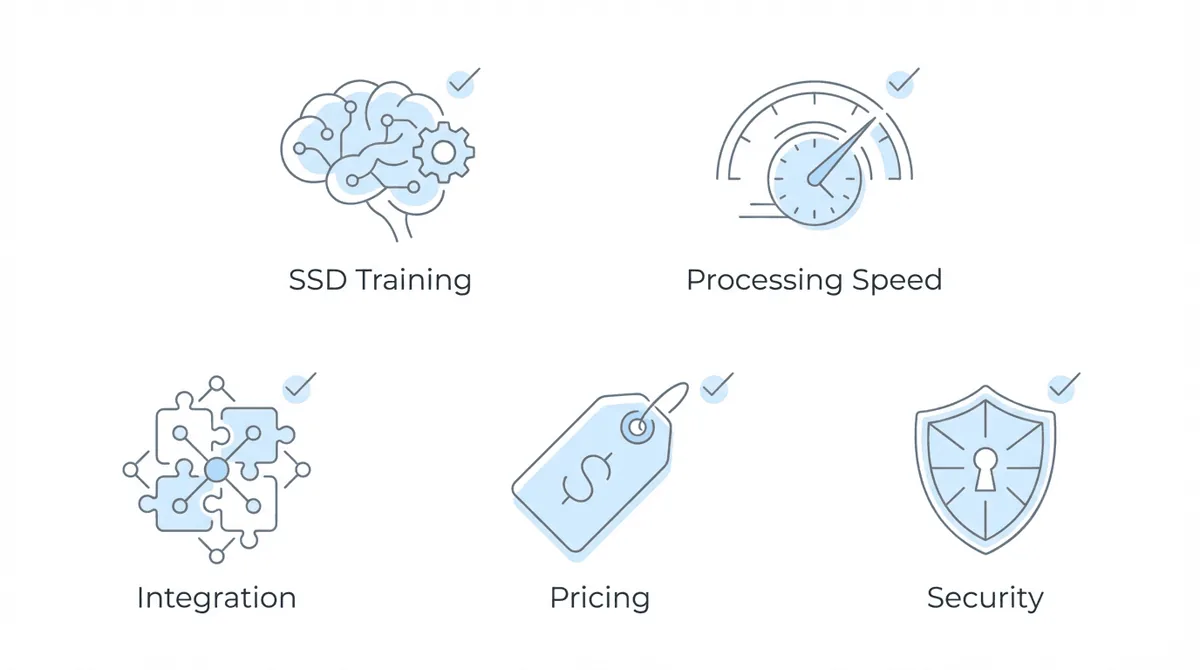
SSD-specific training separates specialized tools from generic AI. Blue Book listing matching identifies evidence that aligns with SSA’s medical criteria. RFC extraction locates residual functional capacity opinions from treating sources. Disability-specific terminology recognition prevents misclassification of clinical findings. General-purpose AI like ChatGPT can summarize medical records, but without training on Social Security disability criteria, it cannot reliably identify what matters for your cases. You might get a summary. You will not get the evidence mapped to the right listings.
Processing speed and accuracy determine whether AI actually saves time. Fast processing means nothing if outputs require extensive manual correction. Look for tools that provide page citations linking findings to source documents. Verify whether the platform handles handwritten notes, poor-quality scans, and mixed document formats. Some tools choke on the messy scans that come out of SSA eFolders.
Integration capability affects daily workflow more than feature lists suggest. Does the tool connect to your ERE monitoring platform? Can it pull documents automatically, or does it require manual upload for each case? Does it feed outputs to your case management system or produce standalone reports you then re-enter elsewhere? These questions matter more at 300 cases than at 30.
Pricing model varies dramatically. Per-page pricing works for small firms with occasional large cases. Per-case pricing creates predictable costs but may not suit practices handling only portions of the medical record. Subscription models favor high-volume operations. Compare total cost for your typical case volume, not just advertised rates.
Security and compliance are non-negotiable. HIPAA compliance is the baseline. SOC 2 certification indicates stronger security controls. Understand where data is stored, how long it is retained, and who has access during processing.
AI Medical Record Platforms Compared
The landscape includes specialized disability-focused tools, general litigation platforms, and generic AI options. Each serves different practice profiles. For detailed breakdowns of individual tools, see our best medical chronology software guide.
Comparison Table
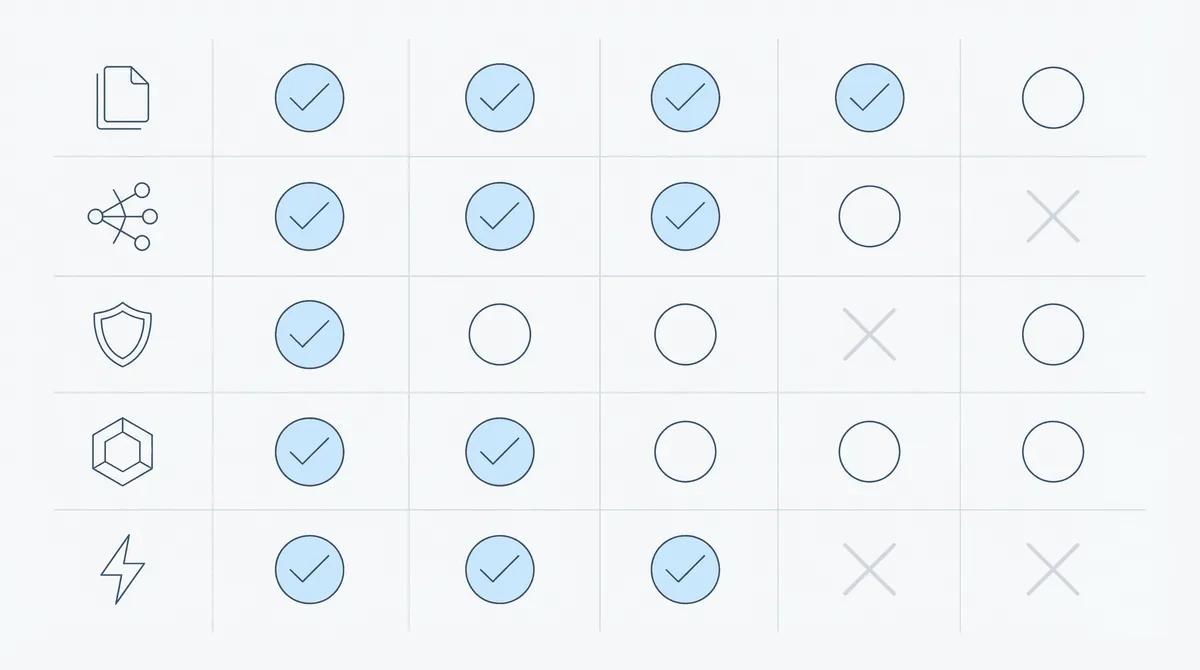
| Tool | SSD-Specific | Blue Book Matching | RFC Extraction | ERE Integration | Pricing Model | Best For |
|---|---|---|---|---|---|---|
| Dodo | Yes | Limited | No | Via Chronicle | Per case | ERE workflow integration |
| Superinsight | Yes | Yes | Yes | No | Credit subscription | Blue Book and RFC analysis |
| CaseFleet | No | No | Limited | No | Per user/month | General litigation timelines |
| InPractice | No | No | No | No | Per page | Budget-conscious processing |
| Wisedocs | No | No | No | No | Enterprise | High-volume insurance/mass tort |
Dodo: Speed and ERE Integration
Dodo prioritizes workflow integration over feature depth. The platform connects directly with Chronicle, meaning documents surfacing through ERE monitoring flow automatically into Dodo for processing.
Processing speed is the headline capability. Most medical records complete within an hour. The system is optimized for document types and formats common in SSA eFolders rather than general medical records. You are not waiting two days for a chronology to come back.
Blue Book matching and RFC extraction are limited compared to Superinsight. Dodo focuses on generating usable chronologies quickly rather than deep SSA-specific analysis. For practices that handle RFC extraction through attorney review of the chronology, this tradeoff may be acceptable. If you need the AI to do that heavy lifting, Superinsight is the better fit.
The Chronicle integration is the key differentiator. One-click chronology generation from ERE documents eliminates the manual upload and download cycle. Outputs feed directly to hearing prep dashboards. The workflow becomes: ERE surfaces documents daily, Dodo processes them into chronologies, attorneys review and prep for hearings. No file shuttling.
Superinsight: Blue Book and RFC Analysis
Superinsight serves the SSD market with features tailored for disability claims. The core value proposition is identifying evidence that meets SSA criteria, not generic medical summarization.
Blue Book listing matching analyzes clinical findings against SSA’s disability criteria. The system highlights where records support specific listings, giving attorneys concrete evidence to cite at hearings. RFC extraction locates residual functional capacity opinions from treating physicians (often buried in progress notes rather than formal RFC forms).
Processing generates chronological medical histories with precise page references. Reports download in PDF or Word format. Pricing uses a credit-based subscription: standard SSD chronology reports use 2 credits ($50-160 depending on plan tier), advanced reports 3-4 credits. No per-case fees or file size charges, which simplifies cost prediction. Chronicle’s Superinsight integration enables one-click document syncing without manual file transfers.
The limitation: Superinsight operates as a standalone tool. You upload records manually, receive reports, and work those findings into your case management workflow separately. No direct integration with ERE monitoring platforms means document flow remains manual. For firms processing 10 cases a month, that may not matter. At 50 or 100, the upload-download-upload cycle becomes its own bottleneck.
Wisedocs: Enterprise Volume
Wisedocs targets high-volume processing for insurance and mass tort work. The platform handles large case volumes with enterprise-grade infrastructure.
Strengths include processing capacity at scale and strong enterprise features. For practices managing hundreds of cases monthly alongside insurance or mass tort work, Wisedocs can handle the volume. Pricing follows an enterprise model that varies by volume.
The limitation for SSD firms: Wisedocs optimizes for insurance and mass tort rather than disability-specific requirements. Blue Book matching and RFC extraction are not available. The platform may be overkill for smaller SSD practices focused purely on disability claims.
No ERE integration exists. Records require manual upload.
Other Options Worth Knowing
CaseFleet provides comprehensive fact management with strong timeline visualization for general litigation rather than disability specifically. Subscription pricing creates ongoing costs regardless of case volume. Good for complex litigation timelines, but not built for SSD.
InPractice offers the lowest per-page cost at $0.05. Processing is fast. Features are basic. No SSD-specific capabilities. The tool works for practices needing occasional medical record processing without feature depth.
General-purpose AI assistants can summarize medical records but have significant limitations: no Blue Book matching, no RFC extraction, no page citations, no consistent output format, no integration with legal software. Compliance concerns exist when uploading medical records to consumer AI services. For systematic case prep, specialized tools deliver more consistent results.
Which Tool Fits Your Practice?
Practice profile determines optimal tool selection more than feature comparison charts.
High-volume firms (500+ active cases) need processing speed and workflow integration. Manually uploading 500 case files annually creates substantial overhead regardless of AI quality. Dodo’s direct Chronicle integration eliminates that friction. Firms not using automated ERE monitoring should evaluate whether adding that capability makes AI medical record tools more valuable. At this volume, the integration question tends to dominate the feature comparison.
Mid-size practices (150-500 cases) benefit from balancing features with integration. Chronicle for ERE monitoring combined with Superinsight for deep RFC and Blue Book analysis covers both workflow automation and disability-specific intelligence. Running both tools for different case types is common: Superinsight for complex multi-impairment cases heading to hearing, Dodo for initial intake and monitoring cases where speed matters more than depth.
Solo and small firms (under 150 cases) should avoid enterprise overhead. Per-case or credit-based pricing models (Superinsight, Dodo, InPractice) prevent paying for capacity you do not use. Superinsight’s credit system (2 credits per standard report, no per-case fees) makes sophisticated Blue Book and RFC analysis accessible without enterprise commitment. Integration becomes less critical when case volume is manageable manually.
Already using Chronicle: The decision simplifies. Do you prioritize speed and integration (Dodo) or depth of SSD-specific analysis (Superinsight)? Most Chronicle users benefit from Dodo for routine chronologies and Superinsight for complex cases requiring detailed Blue Book matching. The combination costs more but covers more ground.
How AI Medical Records Fit Your Full Case Workflow
AI medical record software delivers maximum value when connected to the broader case workflow rather than operating in isolation. A slightly better chronology sitting in a separate system may be less useful than a good-enough chronology that is already in your hearing prep dashboard.
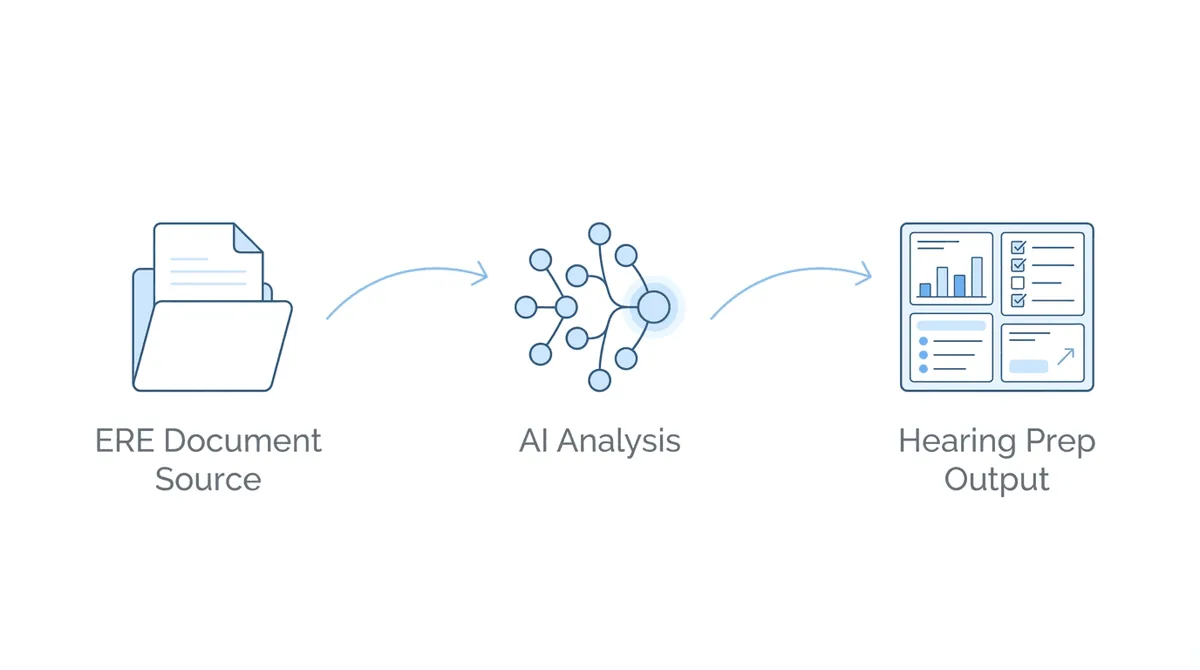
The ideal flow: ERE monitoring surfaces new medical records daily as SSA posts them. Those documents route automatically to AI processing. Chronologies and summaries appear in your hearing prep queue. Attorneys review AI-generated analysis alongside source documents. Relevant findings inform brief writing and hearing strategy.
At Anderson Marois & Associates, medical chronology AI processed files exceeding 2,000 pages. The shift was not just about time savings. Staff could handle record volumes that were previously impractical to review thoroughly.
When AI tools operate in isolation, manual handoff steps reappear. Upload documents to AI platform. Wait for processing. Download outputs. Re-upload to case management. Manually link findings to hearing prep. Each step introduces delay and potential for documents to fall through cracks. That is three file transfers before anything useful happens.
Chronicle supports this integrated workflow by monitoring the ERE and eFolder daily for each case. New medical records surface automatically. For firms using Dodo, one-click chronology generation means the document-to-insight pipeline requires no manual intervention. The medical chronology management and hearing preparation dashboards then consume those AI-generated chronologies, keeping everything in one operational view.
The workflow difference shows up in hearing prep particularly. Attorneys starting from organized AI chronologies rather than raw record stacks can focus on case strategy. The question becomes “what does this evidence mean for the hearing” rather than “have we found all the relevant evidence.”
Frequently Asked Questions
Can I use ChatGPT for medical record review in disability cases?
You can, but the limitations are significant. ChatGPT was not trained on SSA Blue Book criteria and RFC frameworks. It does not provide page citations to source documents. Outputs are inconsistent across sessions. For occasional research questions, general AI works. For systematic case prep, specialized tools deliver better results with proper compliance protections. Most firms that try it end up switching.
What is the difference between Superinsight and Dodo for disability law?
Superinsight provides deeper SSD-specific analysis with Blue Book listing matching and RFC extraction. Dodo prioritizes speed and ERE workflow integration. Superinsight requires manual upload; Dodo integrates directly with Chronicle for automated document flow. Many practices use both: Dodo for routine processing, Superinsight for complex cases requiring detailed disability criteria analysis.
Do I need AI medical record software if I already have Chronicle?
Chronicle handles ERE monitoring and document flow, not medical record analysis. AI chronology tools process those documents into usable intelligence for hearing prep. The combination is more valuable than either alone. Chronicle surfaces records daily; AI tools make those records actionable. Dodo’s direct Chronicle integration creates a particularly streamlined workflow.
How do I compare per-page versus per-case pricing?
Calculate total cost based on your typical record volume. A 1,500-page case at $0.05/page costs $75. The same case with per-case pricing might be $50-80. Per-page favors smaller cases; per-case creates predictable budgets regardless of record size. High-volume practices may find subscription models more economical despite higher base cost.
Is AI-generated medical chronology admissible at disability hearings?
AI chronologies are work product informing attorney preparation, not evidence submitted directly. Attorneys cite specific medical records (with page references) that AI surfaced. The chronology helps locate relevant evidence; the source documents support the legal argument. ALJs evaluate underlying medical evidence, not AI-generated summaries.
Moving Forward
Choosing AI medical record software is an infrastructure decision. The right tool depends on your case volume, existing workflow, and specific analysis requirements.
Firms still doing manual medical record review face a compounding disadvantage. Each case takes longer to prep. Evidence gets missed in dense records. Paralegals spend hours on organization instead of case development. The gap widens over time.
Start by evaluating your current workflow. How much time does medical record review actually consume? Where do cases break down due to missed evidence or incomplete chronologies? What would change if chronologies were available within hours of records arriving rather than days or weeks?
For practices using Chronicle, the path is clear: Dodo for integrated ERE-to-chronology workflow, Superinsight for deep Blue Book and RFC analysis on complex cases, or both depending on case mix. The daily ERE monitoring that Chronicle provides becomes substantially more valuable when AI tools process those documents automatically.
For practices not yet using automated ERE monitoring, consider whether adding that capability makes AI medical record tools more effective. Documents flowing in daily with AI processing attached creates a different operational rhythm than manual document gathering followed by batch AI processing.
Chronicle was built for this kind of operational shift. Daily ERE monitoring, document organization, and hearing prep dashboards create the foundation. AI medical record tools plugging into that foundation multiply the value of both.