
Filevine is a strong case management system for disability firms. It handles tasks, workflows, documents, and team coordination well. What it cannot do is monitor the SSA’s ERE (the portal where decisions, denial notices, hearing schedules, and new documents actually appear). Without ERE monitoring, Filevine-based firms learn about SSA activity when mail arrives or when a paralegal manually checks the portal. Chronicle connects directly to the ERE and pushes that data into Filevine automatically, closing the gap between what the SSA is doing and what your team knows.
What Filevine Handles Well (And Where It Stops)
Filevine is built for internal operations. Task assignments, phase-based checklists, document storage, contact management, matter tracking, team communications: it manages the firm’s execution layer. At a disability practice running hundreds of active cases, that matters. A well-configured Filevine setup keeps staff moving, surfaces what needs attention, and creates accountability through structured workflows.
The boundary Filevine hits is structural, not a design flaw. Filevine manages what your firm is doing. It has no connection to the SSA’s portal, no mechanism to log into the ERE, and no way to detect what the SSA just did on a case. The firm’s view of a case inside Filevine reflects the last time someone manually updated it.
This is the fundamental category distinction. A CMS answers: what work should our firm do? ERE monitoring answers: what did the SSA just do? These are different systems solving different problems, and most mature disability practices need both.
For a deeper look at full-lifecycle SSD operations and what that means at scale, Chronicle’s documentation covers the broader framework. This article focuses specifically on what a Filevine-based practice is missing when ERE monitoring isn’t connected.
The SSA Events That Filevine Never Sees

Filevine does not have eyes on the ERE. That means five categories of SSA activity routinely arrive late, or not at all, at Filevine-based firms operating without ERE monitoring.
Denial notices from SSA field offices: field offices mail denials to the claimant’s address of record. Mail is unreliable. Notices get delayed, misrouted, or lost. A firm relying on physical mail to learn about a denial has no fallback if the envelope never arrives. The appeal clock runs regardless. Without ERE monitoring, there is no mechanism to catch a denial notice until someone manually logs in and looks.
Hearing schedules: hearing dates appear on the ERE weeks before the formal Notice of Hearing arrives by mail. Firms without ERE access learn about their hearing date when the paper notice lands. That gap in awareness compresses prep time and means the earliest you can begin scheduling witnesses, reviewing exhibits, and coordinating travel is weeks later than it could be.
Consultative exam requests and questionnaires: the SSA posts CE requests and functional reporting forms to the ERE when it needs additional information. Without monitoring, these requests can sit unreviewed until the response window is nearly closed. Missing a CE request without a documented reason creates avoidable friction at the hearing level.
Case status changes and technical denials: decisions, closures, and technical denials post to the ERE without consistent mail follow-up. Technical denials in particular are rarely mailed. If no one has manually checked the ERE, Filevine’s case status reflects what the firm last entered, not what the SSA has actually decided. That gap is where cases fall through.
Medical record upload confirmations: ERE confirms document uploads during a session, but that confirmation is not stored permanently. There is no persistent audit trail native to the ERE showing what was submitted and when. Without Chronicle, there is no durable record of upload completion tied to the Filevine project.
Each of these is a category of information the SSA is generating continuously across your caseload. What happens when you miss an SSA deadline documents the downstream consequences in detail. For firms running 600 or more active cases, the probability of missing at least one of these events in a given month without automated monitoring is not theoretical.
What the Chronicle-Filevine Integration Actually Does
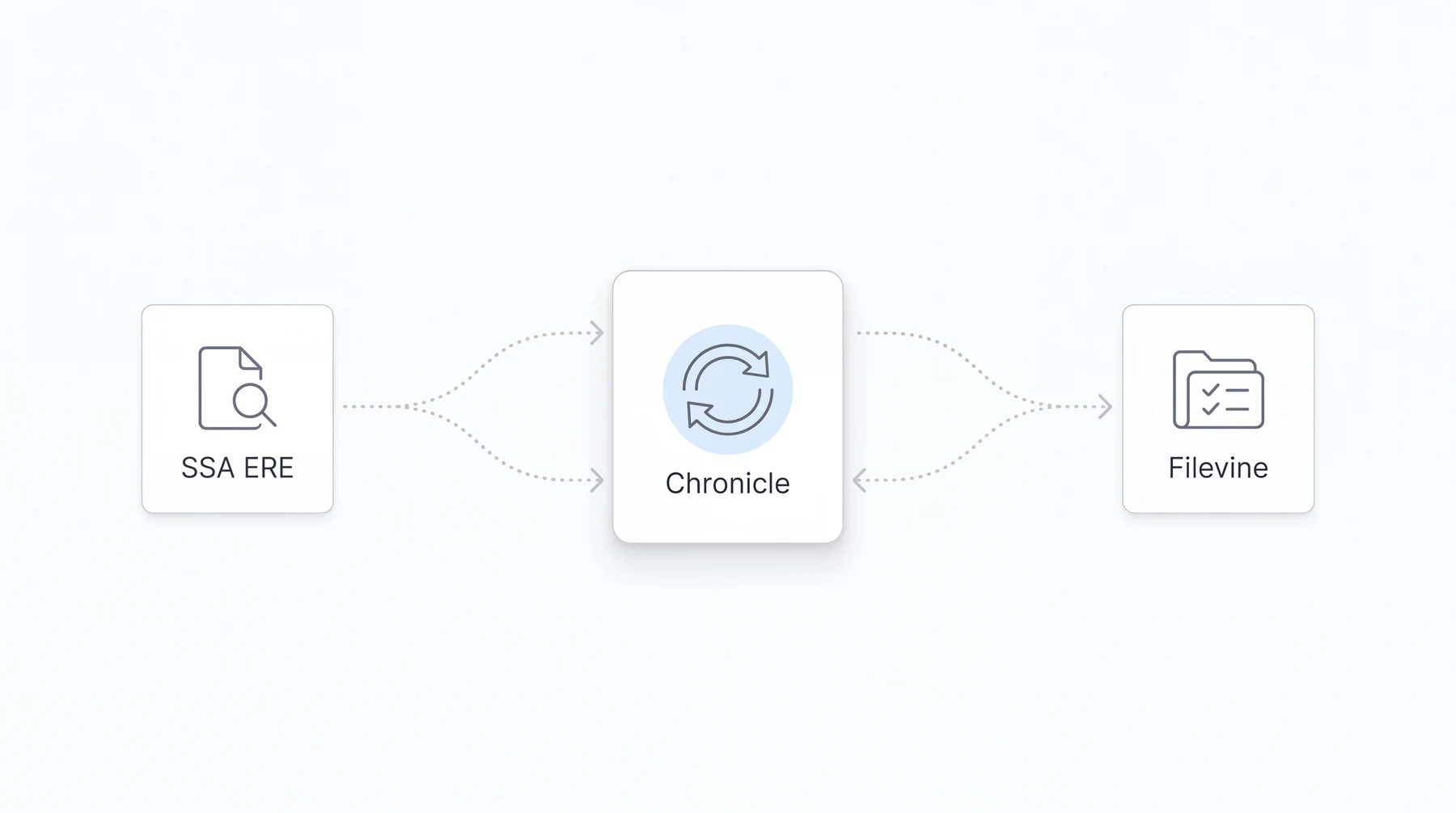
Chronicle monitors the ERE daily for each case in your caseload, checking for new documents, status changes, hearing events, questionnaires, and denial notices. When something changes, that information syncs into Filevine automatically, without manual re-entry. The integration uses Filevine’s direct API; it is not routed through Zapier middleware. Cases are matched by client last name and the last four digits of the Social Security Number.
Four specific capabilities define how the integration operates in practice.
Field mapping: routes ERE case data (status, hearing date, decision type) directly into corresponding Filevine fields. Before Chronicle, a paralegal who logged into the ERE and saw a status change had to navigate to the Filevine project and type that information in manually. With field mapping, that step does not happen. The ERE data writes into Filevine directly.
Phase mapping goes further. When Chronicle detects that a case has moved from one ERE stage to another (initial to reconsideration, or reconsideration to hearing), it can trigger the corresponding phase transition inside Filevine. That phase change then fires whatever downstream automations the firm has built in Filevine: task checklists, paralegal assignments, notification sequences. The SSA event becomes the trigger.
Document auto-push places new ERE documents into a Chronicle ERE folder inside each Filevine project as they appear. Paralegals do not download from the ERE and upload to Filevine. The document is already there.
Sync frequency runs approximately every 15 minutes via the direct API connection.
John Foss at Fortis Disability described both capabilities this way:
The field mapping feature has been a game-changer, immediately saving our team significant time by eliminating manual data entry. Furthermore, we really appreciate the updated phase mapping, which enables powerful downstream automations in Filevine, ensuring our team stays timely and on target.
For readers who want full setup documentation, the technical guide at Chronicle’s Filevine integration post covers configuration steps in detail. This article covers what the integration does operationally, not how to configure it. For an overview of case management tools that integrate with ERE, Chronicle’s comparison piece is the relevant reference.
From Manual Handoff to Automated Operations: What Changes at a Filevine Firm
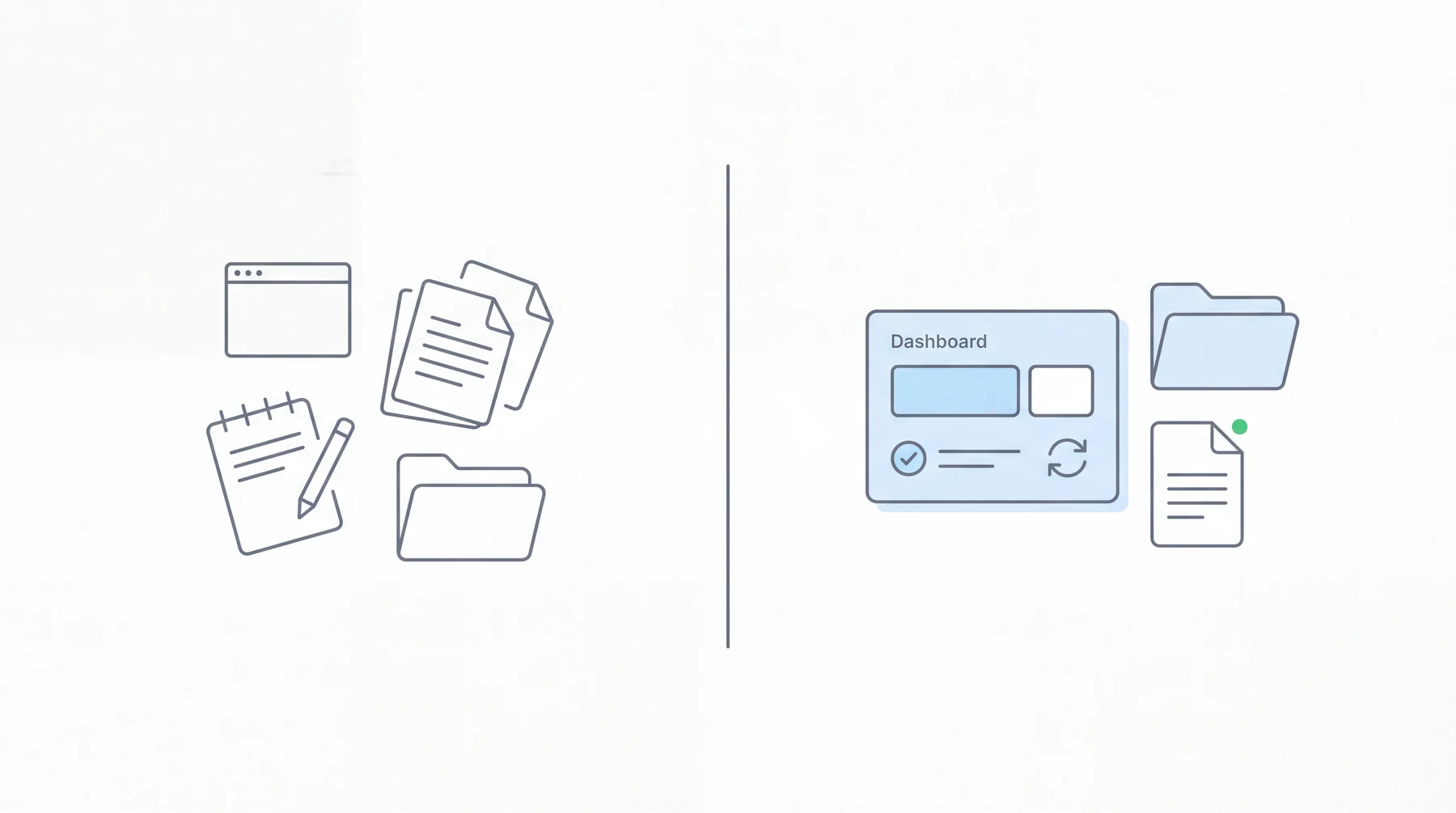
Before Chronicle, a case manager at a Filevine-based disability firm started the day with a specific ritual. Log into the ERE portal through BSO. Pass the 2FA code. Work through cases one at a time, checking for changes. When something had changed (a status update, a document, a hearing date), write it down. Then navigate to the corresponding Filevine project and enter the same information again.
Physical mail from SSA field offices arrived on Mondays, often in volume. Sorting, scanning, determining which items were duplicates of ERE content and which were not. Large medical records had to be split to fit ERE size limits, then uploaded in parts, then confirmed, with that confirmation disappearing at session end.
Garza Law Firm described this pattern before Chronicle:
Prior to using Chronicle, we would basically live out of the mail. The more we grew, the more overwhelming it became… Now with Chronicle, the documents are automatically loaded from the electronic record into Filevine. Any document that is already in the electronic record we no longer have to scan in. That helps filter out the wheat from the chaff.
After Chronicle, the morning looks different. ERE changes from the prior day have already synced into Filevine before the workday starts. Phase changes have already triggered the auto-task checklists. Denial notices that appeared on the ERE are already surfaced. Documents are already in the project folder.
Garza Law Firm reported that mail triage dropped from 1-2 hours to approximately 10 minutes on Mondays. The firm reported growing from 400 to 1,000 active cases in approximately one year after adopting Chronicle. Phase-change automation now triggers structured paralegal checklists at every case transition. When the SSA advances a case to the hearing stage, the appropriate task sequence fires in Filevine without anyone initiating it manually.
Setup for a Filevine firm is not a months-long configuration project. Michael J. Bock at Garza Law Firm described their experience:
From the point that we decided we wanted to move forward with it, it was just one white glove session with Nikhil and then we started linking things together. It probably took maybe forty-five minutes to link the phases, another forty-five minutes to map the fields. And that was really it.
The relevant question is not whether the integration is complicated. It is whether the manual alternative (daily ERE logins, re-entry into Filevine, physical mail as the primary denial detection mechanism) is actually sustainable as caseload grows. Garza’s trajectory suggests it is not, and that growth is what made the operational shift visible.
What Full-Lifecycle Operations Means for a Filevine Firm
The integration story is the how. The lifecycle story is the why.
Filevine disability firms often think of Chronicle as a hearing prep tool, or as a way to eliminate manual ERE logins. Both are accurate. Both are also incomplete. Chronicle supports the full SSD lifecycle (initial, reconsideration, hearing, and post-hearing) with daily monitoring at every stage from the day a case opens.
Initial stage. Most of the monitoring that matters at initial happens quietly: questionnaires posted, DDS assignments, medical records requests. Without daily ERE checks, these events appear only when mail arrives. Chronicle detects them the day they post and pushes the update to the corresponding Filevine project automatically, which means staff can begin tracking SSA activity from day one of a case rather than discovering events from the mail stack days later.
Reconsideration. The gap between reconsideration denial and the next ERE entry is where the 60-day clock matters most. Chronicle monitors this window daily. When a denial appears, it surfaces in Filevine immediately rather than arriving by letter four days later. That is the difference between having time to act and scrambling to act.
Hearing stage. This is where ERE monitoring has historically been most visible, and Chronicle covers it fully: hearing prep dashboards, exhibit file access, and hearing transcript availability. But the monitoring that builds a strong hearing file starts months earlier, at initial and reconsideration. Chronicle’s daily monitoring through the full pre-hearing period means the file is current by the time the NOH arrives, not just after.
Post-hearing. Stage changes, favorable decision documents, onset date confirmation: all of these appear in the ERE before mail arrives. Chronicle monitors post-hearing activity and pushes it to Filevine as it happens, so the firm’s response to a decision does not depend on USPS timing.
Chronicle also centralizes SSA mail handling through a virtual mailroom, digitizing and organizing SSA correspondence into a consistent workflow. For Filevine firms that currently depend on USPS for denial notices and questionnaire deadlines, the virtual mailroom eliminates the mail-dependency risk entirely. Read more about what the virtual mailroom replaces in SSD operations.
What Your Filevine Firm Is Still Missing Without Chronicle
This section is an honest gap analysis. Run it against your current workflow and see where the gaps appear.
Can your firm answer these questions without manually logging into the ERE?
- Did any cases receive a denial notice this week?
- Are any hearing dates newly scheduled or rescheduled?
- Are there consultative exam requests with response deadlines approaching?
- What cases changed status at the SSA in the last 72 hours?
- Was that medical record upload from Tuesday confirmed?
If any of those require a paralegal to log in and check, the firm is running partial operations. Filevine reflects what the firm has manually entered. The ERE reflects what the SSA has actually done. The gap between those two is where missed deadlines, compressed prep time, and client frustration originate.
The specific risks at 600 or more active cases:
- Missed denial deadlines when field office mail fails or is delayed. The appeal window closes on schedule regardless.
- Staff time consumed by manual ERE data entry, check-by-check, case-by-case. That is time not spent on substantive work.
- Hearing prep compressed because the date was discovered from the mailed NOH rather than from an ERE monitoring alert weeks earlier
- Clients discovering case outcomes before the firm does, because the SSA notified the claimant directly and the firm’s ERE check was scheduled for later in the week
Rabin and Associates, running 1,500-2,000 active cases, experienced the deadline exposure directly before implementing Chronicle. Shari Rabin noted: “We don’t miss those dates anymore.” On staff capacity, she said: “What Chronicle is allowing us to do is use our staff more effectively.” Both outcomes (deadline compliance and staff reallocation from data entry to substantive case work) reflect what happens when the ERE-to-CMS gap is closed.
Chronicle monitors more than 235,000 cases. More than 2,800 disability professionals use it. The scale reflects that the operational gap described here is not unique to a particular firm size or Filevine configuration. It is a structural consequence of running a disability practice where ERE monitoring is not connected to the system of record.
Getting Started with Chronicle for Your Filevine Practice
For a Filevine-based firm, the connection process is straightforward. Chronicle matches your cases automatically using client last name and the last four digits of the SSN, so case matching does not require manual tagging.
On the Filevine side, you will need API access enabled and your phase structure documented before the configuration session. Chronicle’s team handles the field and phase mapping with you in a single working session. Garza Law Firm completed phase linking and field mapping in approximately 90 minutes total.
The full setup guide lives at Chronicle’s technical Filevine integration post. That piece covers every configuration step in detail. If you want to see how field mapping and phase mapping work against your specific Filevine configuration before committing to setup, a demo is the right first step.
Frequently Asked Questions
Does Filevine integrate with the SSA’s ERE system natively?
No. Filevine has no native connection to the SSA’s ERE portal. It cannot log in, monitor case status changes, or retrieve documents automatically. To connect Filevine to ERE activity, a firm needs a dedicated ERE monitoring tool like Chronicle, which syncs changes from the ERE into Filevine directly via API.
What does Chronicle add to a Filevine disability practice?
Chronicle adds ERE visibility that Filevine cannot provide on its own. It monitors the SSA portal daily for each case, syncs status changes and documents into Filevine automatically, and triggers Filevine phase transitions when SSA stages advance. The manual re-entry loop that otherwise bridges the two systems goes away.
How does Chronicle push ERE documents into Filevine automatically?
When a new document appears on the ERE for a monitored case, Chronicle deposits it into a Chronicle ERE folder inside the corresponding Filevine project. No manual download from the SSA portal or upload into Filevine is required. The document is available in the project within approximately 15 minutes of appearing on the ERE.
Can Chronicle trigger Filevine phase changes automatically?
Yes. Chronicle’s phase mapping feature detects when a case advances to a new SSA stage (initial to reconsideration, or reconsideration to hearing, for example) and triggers the corresponding phase transition inside Filevine. That phase change then fires any downstream automations the firm has configured in Filevine, including task checklists, notifications, and assignments.
What is the difference between ERE monitoring and case management software?
Case management software answers: what work should our firm do? It handles tasks, internal workflows, documents, and team coordination. ERE monitoring answers: what did the SSA just do? It checks the SSA portal for status changes, denial notices, hearing schedules, questionnaires, and new documents. The two categories are complementary; one tracks firm execution, the other tracks SSA activity. Chronicle is not a CMS. It monitors the ERE while your CMS manages tasks and firm execution.