
On May 20, 2026, Chronicle hosted the latest session in the Advancing Technology in Disability Law series: a deep walkthrough of LexMed’s pre-hearing pipeline. Chronicle founder Nikhil Pai and LexMed founder Nick Coleman walked attendees through three connected products (Medical Chronology, ChartVision, and Pre-Hearing Brief) and answered more than 20 live questions from practicing disability attorneys and representatives.
The session ran about 50 minutes and covered everything from how the pipeline fits inside Chronicle’s existing case view, to what ChartVision actually does that reading the chronology yourself does not, to honest answers about current limitations around Spanish-language records and E-section coverage.
You can catch the replay here:
Speakers:
- Nikhil Pai, Founder of Chronicle, the platform helping Social Security disability firms automate ERE monitoring, case tracking, and document workflows. Chronicle now monitors more than 235,000 cases and 11.7 million SSA documents across 2,800+ disability professionals.
- Nick Coleman, Founder of LexMed.ai, SSD-specific AI built by a practicing disability attorney with over 1,000 hearings and 14 years of Social Security disability experience encoded into its products.
- Will Yang, Head of Growth at Chronicle, builds the education, partnerships, and community programs that help disability practices adopt better tools. He moderated the session and managed audience Q&A throughout.
Key Takeaways
- Hearing prep is still the most manual part of SSD practice. Attorneys reported spending 2 to 5 hours per case on pre-hearing prep: organizing the ERE, building a theory, drafting the brief. LexMed’s three-product pipeline is designed to compress that to under an hour of attorney review time.
- ChartVision applies legal analysis, not just summarization. It runs the sequential evaluation process over the medical evidence, flags listing arguments (including elements that are close but not fully met), identifies adverse evidence, and surfaces what the attorney needs to cover with the claimant.
- Citation-linked outputs keep the attorney in control. Every finding in the Medical Chronology, ChartVision, and Pre-Hearing Brief links back to a specific exhibit page in the ERE. The attorney verifies before using; the output is a starting point, not a black box.
- The pipeline lives inside Chronicle. No separate upload, no separate billing portal. One click inside the Chronicle case view triggers the pipeline; results come back to the same case file.
The Problem: Pre-Hearing Prep Is Still Manual
Nikhil Pai opened with the core issue.
The core problem that you all know is the ERE is not organized. You get all this information out of the SSA, whether it’s evidence, forms, documents, notices, all of that. And you are on tight timelines, where you only have a couple hours to dedicate per case prior to the hearing. It’s crunch time, and you have to read through thousands and thousands of pages.
For a lot of firms, Nikhil explained, that means creating Excel spreadsheets with encounters and timelines to build out the theory of the case, work that takes many hours, or requires hiring someone to do it, adding cost and pressure on the bottom line.
The hearing prep phase is where attorneys need to put their case theory together, figure out how to argue it, and turn that thinking into something a judge can read. That part is irreducibly attorney work. But the part that comes before it (organizing the ERE, pulling the relevant evidence, locating opinion evidence, identifying adverse records) is not.
That is what LexMed is designed to handle.
Nick Coleman, who founded LexMed after more than a decade practicing Social Security disability law, put the problem in personal terms.
Having to handle 300 hearings a year, sometimes 30 hearings in a month, and not being able to do the due diligence as far as digging into the record, getting the pre-hearing briefs out to the judges, and doing a lot of the work that I wished I could do. There’s not enough time in the day to actually do it. And the work that I was doing wasn’t up to par as far as my standards, just because I felt like I had to get something out the door.
That experience is what drove the design of LexMed’s pipeline. It is not built to replace legal judgment. It is built so that attorneys spend less time on record organization and more time on the judgment calls that only they can make.
Why LexMed Is Different from General Medical AI
Nick addressed this directly, because it is a question that comes up often in disability law circles.
A lot of the products that are on the market really aren’t tailored for Social Security disability attorneys. They’re tailored for personal injury attorneys. As you know, we’re not sending demand letters on property damage and injuries from a car wreck to an ALJ. We’re trying to outline what’s important as far as what’s severe in terms of impairments, how it’s going to impact their ability to work, and how to establish that the treating source opinion is supported and consistent with the ERE.
The distinction matters practically. An SSD practitioner reviewing a mental CE is not asking whether the claimant was polite to the examiner. They are asking: what did the claimant score on the recall tests? Was the GAF score documented? Do the findings in the body of the report contradict or support the opinion on the last page? Does this support the severity of the listed impairment?
LexMed’s chronology is built around those questions: not general medical summarization, but evidence review from the lens of a practicing SSD attorney.
How the Pipeline Connects to Chronicle
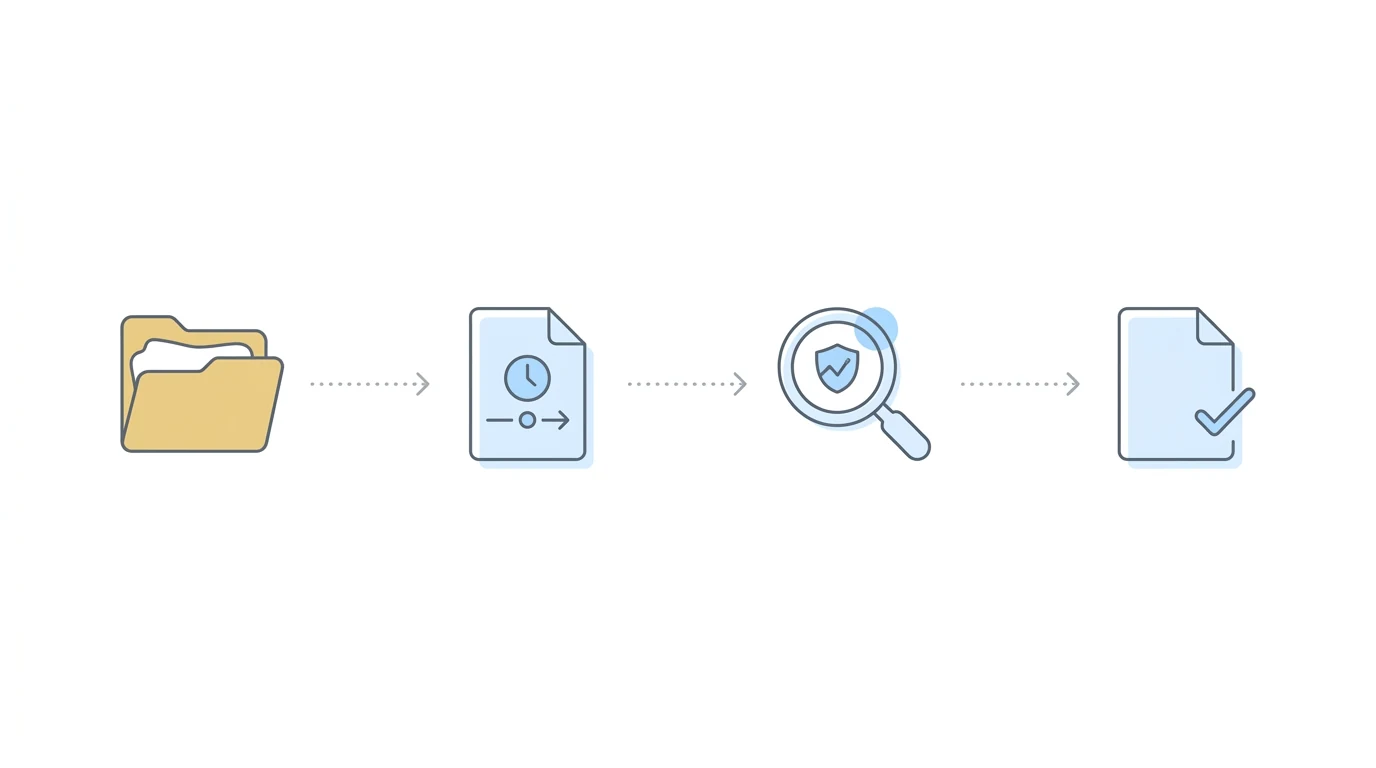
Before Nick walked through the LexMed products, Nikhil showed how the pipeline surfaces inside Chronicle.
The integration is deliberately minimal on the attorney’s side. From within any case in Chronicle, the Medical Chronology tab now includes two options: LexMed Medical Chronologies and the previous Dota Detect Medical Chronologies. Firms that prefer Dota Detect can still use it. Firms that want the LexMed pipeline select that option.
From there, the workflow is:
- Navigate to the client’s case in Chronicle
- Open the Medical Chronology tab
- Click “Request Medical Chronology” (optionally add ChartVision and Pre-Hearing Brief at this step, or add them later)
- Chronicle sends the current ERE packet to LexMed
- LexMed processes the file and returns outputs back to Chronicle
- An email notification confirms completion (usually within 30 minutes)
- The attorney returns to the case in Chronicle, opens the Medical Chronology tab or Brief tab, and views or downloads the output (PDF or Word)
Nikhil noted that the ERE packet LexMed receives is always current because Chronicle checks the ERE and e-file daily on every monitored case. The attorney does not need to manually download the ERE and upload it to a separate tool. It flows from within the Chronicle workflow they already use.
Chronicle keeps us up to date and ready to go for you at any point in time.
Outputs are billed at the end of the month as part of the Chronicle invoice; no separate billing setup is needed for LexMed through the Chronicle integration.
Product 1: Medical Chronology
Price: $50
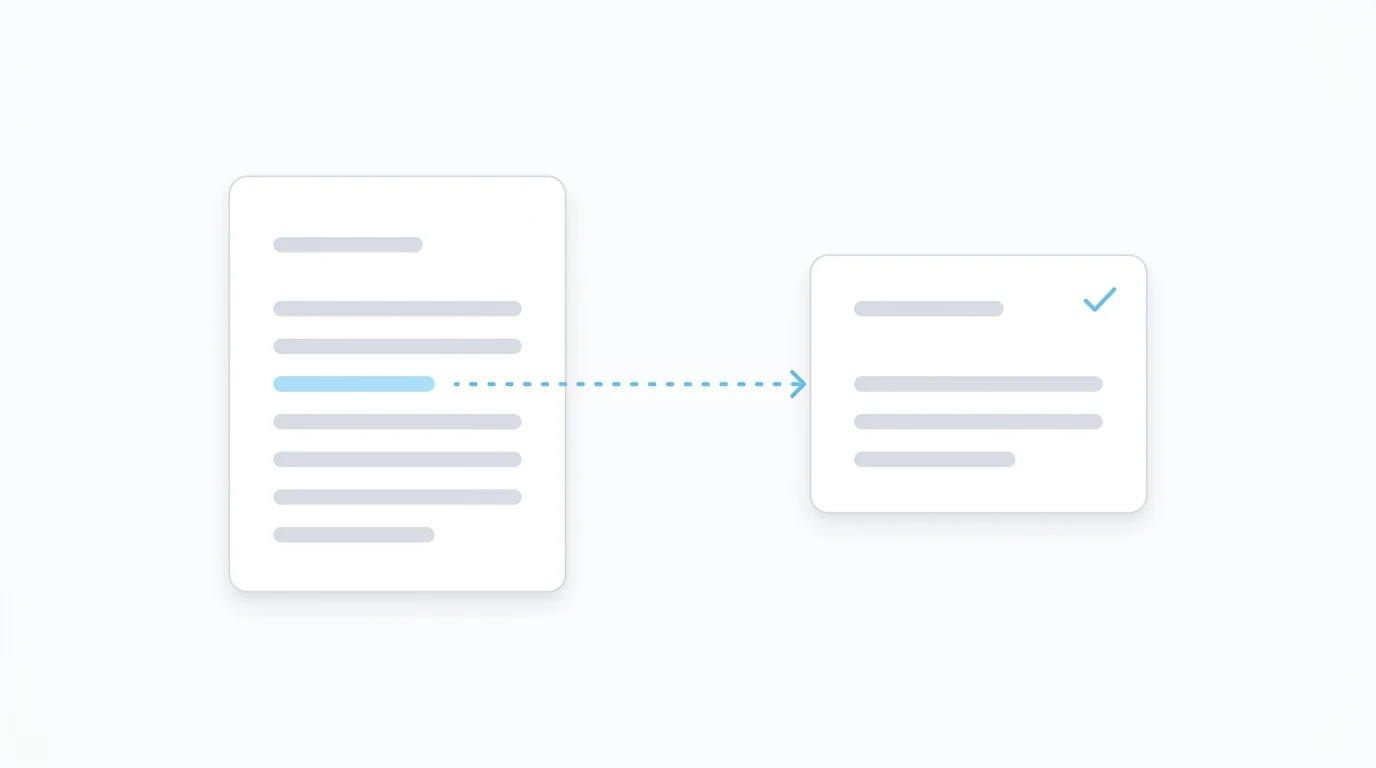
The Medical Chronology is the foundation of the pipeline. Everything else (ChartVision and the Pre-Hearing Brief) runs on what the chronology surfaces.
What the Chronology Pulls
The chronology focuses on the data that matters in an SSD case:
- Section A findings: DDE findings from the state agency doctors. Nick starts here intentionally. “That acts as a roadmap, even though it’s adverse to everything we want to argue for. It really gives us an idea of what we need to establish, the evidence we need to overcome, because if a case is denied, it’s often because the ALJ decided to side with the state agency doctors and use their findings to deny the case.”
- Section F findings: All relevant medical evidence, organized by provider and date of service. Objective findings, diagnoses, treatment history, and opinion evidence.
- CE report bodies, not just the last page: The system looks at the full body of consultative examination reports. If a mental CE documents that the claimant could remember three words after a few minutes, or shows specific scores on recall tests, that information is extracted, not just the diagnostic impressions and opined limitations on the final page.
- Medical source statements: Handwritten notes, restriction checkboxes, and written findings are captured using vision-capable AI models.
Currently, the chronology pulls from Sections A and F. Section E (headache questionnaires, seizure diaries, VA ratings, LTD information) and Section D coverage are on the roadmap for June 2026. Nick noted this directly: “For example, in the E section, I always want to know if there’s a headache questionnaire, seizure diary, seizure questionnaire, VA ratings, LTD information, so we’re going to be pulling that in.”
Scale and Format
The output ratio is approximately 10 to 15 pages of chronology per 100 pages of source records. Michael, an attendee, had just ordered a chronology on a 2,452-page ERE that came back as 237 pages, consistent with that ratio.
Nick acknowledged the calibration challenge directly: slim the chronology too much and practitioners say something got missed; keep too much and it is still unwieldy. The team is actively working on tightening the output while preserving completeness.
The output is available as PDF for review or Word document for editing.
Accuracy
LexMed built the chronology product starting with a team of offshore human reviewers. Earlier this spring, the AI chronology accuracy began exceeding the human team’s output.
We’re capturing probably 95% of the findings, and because we’re focusing on the pieces of evidence that Social Security practitioners are wanting, it tends to be fairly accurate, focusing on all those abnormal objective findings you really want to see in the medical record, the medical opinions you want to know about, the restrictions that are buried in a consultation visit or a visit with a treating doctor.
Every finding in the chronology includes a citation to the specific exhibit page in the ERE. The attorney does not have to trust the accuracy; they can click through to verify.
Product 2: ChartVision
Price: $25 (requires chronology)
ChartVision is the analysis layer. Where the chronology tells you what is in the record, ChartVision tells you what it means for the case.
ChartVision has been my passion project for actually connecting the dots to what’s in the ERE and why it’s important, and what is going to help you best prepare for the case. It’s going to give you the good, the bad, and the ugly for how to strategically prepare for your hearing.
What ChartVision Surfaces
The output is structured around the questions a disability attorney is actually trying to answer before a hearing:
Theory of the case: What argument does the record actually support? Not what you hope it supports, but what the evidence in this specific ERE establishes.
Strengths and weaknesses: Where is the case well-supported? Where is it vulnerable? Where does adverse evidence create exposure at hearing?
Severe impairments: Which impairments meet SSA’s severity threshold, and what medical evidence supports each one?
Listings and SSRs: Does this case implicate any Blue Book listings? Are there applicable SSRs: migraine (SSR 19-2p), fibromyalgia (SSR 12-2p), obesity (SSR 19-3p), mental impairments? Even where a listing is not fully met, ChartVision flags which elements are present and which are missing, giving the attorney the opportunity to get a letter to a treating provider before the hearing.
RFC strategy: What functional limitations does the evidence support? How do those interact with the Grid or the claimant’s past relevant work?
Medical opinion analysis: What treating or examining source opinions are in the record? Where is supportability and consistency at issue?
Adverse evidence: What records, gaps, or inconsistencies does the attorney need to be ready to address before the ALJ raises them first?
Hearing prep questions: What does the attorney need to cover with the claimant? What vocational questions should they anticipate?
The Safety Net Framing
Nick returned several times to describing ChartVision as a safety net: not a replacement for the attorney’s own review, but a check on what the attorney might miss.
We all have biases that we build into our practice and how we review things. The way I look at ChartVision is it’s really a safety net to give you everything that you need to know before a case, so you’re prepared.
The specific example he used resonated with the room: an ejection fraction below 30% in an echocardiogram that would otherwise establish meeting a cardiovascular listing. Easy to miss when reviewing dozens of cases. The kind of thing that changes the outcome.
It’s like an x-ray of the ERE, so you know exactly what you need to know and be prepared for in the case.
ChartVision also flags adverse evidence proactively: credibility issues, periods of work, drug use, anything that could surface from the ALJ that the attorney needs to be prepared to address.
Product 3: Pre-Hearing Brief
Price: $25 (requires chronology)
The Pre-Hearing Brief takes what ChartVision surfaces and drafts it into a document structured for submission to the ALJ.
This is a draft. The attorney reviews it, edits it, and makes the final filing decision. But instead of starting from a blank page, the attorney starts with facts organized, citations in place, and argument moving in the right direction.
What the Brief Includes
The brief is structured around the five-step sequential evaluation process:
- Background and theory of the case: Framed around the claimant’s conditions, onset, and what the record establishes
- Severe impairments (Step 2): Which impairments meet severity and the evidence supporting each one
- Listing arguments (Step 3): Where the evidence supports listing-level severity, the brief makes that argument. Where a special SSR applies (fibromyalgia, migraine headaches, obesity), the brief addresses it.
- Medical opinion evidence: Treating and examining source opinions are included, with the supportability and consistency reasoning spelled out
- RFC and Step 4/5 analysis: What the functional limitations support, and how they interact with the Grid or unskilled and sedentary work threshold
Every argument in the brief includes citations linking back to specific pages in the ERE. The attorney can verify any cite before filing.
Nick described the editing burden as an 80-20 split: LexMed handles the first 80% (organization, citations, structured argument) and the attorney handles the last 20%, adding strategy and final judgment.
Whereas sometimes it takes 3 or 4 hours to get a brief together, we handle 3 hours of that work, and you handle the last hour.
For attorneys who currently skip pre-hearing briefs entirely because there is not enough time (which Nick said described his own practice at volume), the brief makes it viable to file something on every case.
The ALJ Audit + AC Brief: The Other Side of the Pipeline
Nick mentioned, and Will recapped, that today’s session focused on the pre-hearing side, but LexMed also offers ALJ Audit and AC Brief tools that have been live inside Chronicle since November 2025.
The ALJ Audit takes an unfavorable ALJ decision and runs it through a graded error analysis, surfacing errors in the ALJ’s evaluation of the record and drafting arguments for the Appeals Council brief. Mike Sullivan, one early user, saw his AC remand rate climb to 23% against a national average of 15.5%.
Nick explained the difference between when to use each:
- Pre-hearing pipeline: Runs on the ERE before the hearing. Helps the attorney build the strongest possible case going in.
- ALJ Audit: Runs on the unfavorable decision after a denial. Finds the legal errors and drafts the appeals brief.
They cover the two highest-effort moments in SSD practice: one on each side of the hearing, and they build on the same foundation.
Pricing Summary
| Product | Price | Requires |
|---|---|---|
| Medical Chronology | $50 | No prerequisites |
| ChartVision | $25 | Chronology first |
| Pre-Hearing Brief | $25 | Chronology first |
| Full Pipeline | $100 |
All three products are billed through your Chronicle invoice at the end of the month.
What This Looks Like for Your Practice
The three products in the pipeline address different moments in the pre-hearing workflow:
If your attorneys are spending 30+ minutes just organizing the medical record before real hearing prep begins: The Medical Chronology handles that. It turns a large, unstructured ERE into a citation-linked, organized chronology in about 30 minutes, so the attorney starts with the evidence already organized.
If you are a solo or small firm where the attorney is also the hearing prep person: ChartVision is where the leverage is most visible. Instead of re-reading the chronology from scratch to form a theory, the attorney gets a structured analysis covering the questions they would work through anyway, in a fraction of the time.
If you are a larger firm with paralegals running hearing prep: The full pipeline produces consistent, repeatable output that attorneys can review and edit rather than build from scratch. This standardizes the quality baseline across every case, regardless of who ran the prep.
If you currently skip pre-hearing briefs because there is not enough time: The brief is designed for exactly that situation. Nick built it because he was in it: handling volume, wanting to file briefs on every case, not having the time. The output gives attorneys a strong foundation to file on every case, with the last-20% strategic edits as their contribution.
Frequently Asked Questions
The Q&A ran for more than 20 minutes and covered a wide range of questions from attendees. The answers below are drawn directly from the session transcript.
Is there software that drafts post-hearing objections automatically?
Not as a standalone product, and no vendor in this space currently automates objections end to end. What exists is adjacent: LexMed’s ALJ Audit reads an unfavorable decision against SSA regulations and produces a graded list of errors, which is the raw material an objection or Appeals Council argument is built from. The attorney still decides which errors are worth arguing and writes the argument. Treat any claim of fully automatic objection drafting with suspicion.
How do you write an Appeals Council brief with AI?
The workable pattern is audit first, draft second. Open the denied case in Chronicle, request the LexMed brief, and the ALJ decision analysis and a draft Appeals Council brief save back into the case file. Chronicle can generate an Appeals Council brief from an ALJ decision this way. The draft is a starting point: every citation and the legal theory need attorney review before anything is filed. See the AC brief writing guide for what a strong brief contains.
Are there AI-generated hearing transcripts for SSD cases, and do they integrate with case management?
Yes. Chronicle provides hearing audio playback and can generate transcripts of hearing recordings, and because Chronicle is CMS-agnostic it works alongside any case management system, or none, with direct integrations for Clio and Filevine. That matters more than it sounds: a transcript that lands in the same case file as the exhibit record is one you can check against the record without re-establishing context somewhere else. More detail in hearing transcript software for disability attorneys.
How many revisions are available? Can the chronology or brief be updated when new records come in?
Nikhil Pai: “The way it’s currently built, it will take the current state of the ERE file at that moment in time, and run it purely off of that. If you would like an additional refresh, it’s like starting from fresh: you’re paying another $50 for a brand new medical chronology. Each refresh is an additional set of charges, but that will be changing in the future.”
Nick Coleman: “We’re currently working on a supplemental feature where, I always use the example of getting 3,000 pages of VA records last minute, we’re going to offer that where we allow you to supplement the medical chronology and supplement your ChartVision reports and your pre-hearing brief. Hoping to have that out by the beginning of June.”
Pricing for supplemental updates has not been finalized. Nick said they are thinking approximately $25 depending on the size of the additional records, but are still gathering customer input before setting it.
Can I manipulate the chronology and ChartVision entries, for example organize them by provider?
Nick Coleman: “No, but that is on our roadmap. Currently, you can manipulate them in DocX, but you can’t filter them by provider or exhibit. That is something we plan on updating; we know that’s important for practitioners.”
Does the chronology look inside the body of CE reports, or just at the assessment and limitations on the last page?
Leanne asked this one specifically about mental CE reports, where the body of the report may include meaningful test results (e.g., the claimant remembered 3 words after a few minutes) that do not appear on the final page.
Nick Coleman: “That’s exactly the kind of thing that we’re doing and focusing on, looking at a mental CE and actually focusing on the things a practitioner is wanting to know, as far as how the claimant performed on the different tests and the ultimate determination of how they’re impaired. At the end of the report, we’re pulling out that information and excluding the noise. We’re pulling out the things you really want to know: is this mental psychiatric eval helpful in supporting your client’s claims, or is it harmful? We’ll pull that and put that in the chronology.”
Does the chronology include docs in the E section, or only the F section?
Nick Coleman: “Right now, we’re only pulling from the A and the F section. Probably in June, we’re actively working on pulling out the relevant information from the D and E section. For example, in the E section, I always want to know if there’s a headache questionnaire, if there’s a seizure diary, seizure questionnaire, VA ratings, LTD information, so we’re going to be pulling that in. It’s not in there yet, but it is on the roadmap.”
How reliable is it for Spanish-language records?
This question came from Palacio, a Puerto Rico-based attorney whose practice is primarily Spanish-language. He described scanned records, handwritten notes, mixed English/Spanish documentation, and psychiatric evaluations, and asked whether the system could reliably analyze and generate chronologies directly from Spanish records while preserving provider names, dates, exhibit and page citations, medications, RFC-related findings, and longitudinal treatment patterns.
Nick Coleman: “We’ve only done testing on our workflow in English, so I would not say that it would be reliable for records in Spanish. We currently don’t have that capability.”
This is a current limitation. LexMed is not yet suitable for Spanish-language or bilingual record sets.
What is the SOC 2 and data security status?
Nick Coleman (LexMed): “LexMed is actively working toward SOC 2 compliance. What we do offer is zero retention policies to ensure that attorneys are following their obligations under the professional rules of conduct. As far as Model Rule 1.6, with our zero retention policies, none of the information you’re sending us is going off to any of the big AI providers, like Anthropic, or OpenAI, or Google. The only reason we would retain that information is just for your benefit, and we’re not using any of your clients’ data to train any models.”
Nikhil Pai (Chronicle): “From Chronicle’s side, we are SOC 2 Type 2 compliant. We actually just finished our 2026 audit, so that is available for folks if they would like it. In our 2026 audit, we did complete a security questionnaire with LexMed, so they have filled out the equivalent of a SOC 2 security questionnaire. We know that they are compliant with our standards.”
Chronicle’s SOC 2 Type 2 compliance is documented on the features page for firms doing due diligence.
Do practitioners pass along the cost to clients as an advanced expense?
Nick Coleman: “Yes, they do. It’s been a big request on our end for tracking: when they buy multiple products for one client, they want to be able to track that and bill them after the case has been approved.”
One attendee (Leanne) noted that she does not charge clients for items she considers business operations, and does not charge for the cost of obtaining medical records either. Nick deferred on the question of whether passing along costs requires a specific fee agreement clause; state rules vary, and attorneys should consult their applicable professional responsibility rules.
How accurate is the medical chronology? What if it misses something?
Nick Coleman: “We originally built this product where we had humans, a team offshore, building our chronologies. We got to the point, early this spring, where the accuracy of our AI medical chronologies was exceeding that of our human team. We’re capturing probably 95% of the findings.”
The citation-linked format is the practical backstop for accuracy questions. Every finding links to a specific exhibit page, so if something looks off, the attorney knows exactly where to check. The system is not a black box; it is a navigable reference tied to the source document.
Why not just read the chronology carefully? What is ChartVision actually doing differently?
Nick Coleman: “The chronology tells you what happened. ChartVision applies legal analysis to what the record means. It identifies which impairments are severe under SSA standards, whether listings apply, where the RFC evidence sits, what the medical opinions say, where adverse evidence creates vulnerability at hearing. That is a different kind of work: not organizing facts, but applying disability law to the facts.”
Nick used the ejection fraction example: “You’re reviewing an ERE and you miss an ejection fraction that’s less than 30%, which would otherwise establish meeting a cardiovascular listing. Our system’s going to pull up those kinds of things that you might miss, just because of human error.”
The same dynamic applies to listings with multiple elements: ChartVision flags when four out of five elements are met, and the attorney still has time to get a letter to the treating provider before the hearing.
It’s not just here are the facts; it’s really why is it important, and how is it going to help me win this case on the day of the hearing.
Does the brief go through the five-step analysis?
Nick Coleman: “Yes, that’s the way we built it. We’re hitting on the severe impairments (that’s step two), looking at if there’s a relevant listing where all of the different factors are met, and we’re going to make that argument for you. Even looking at the special SSRs: fibromyalgia, migraine headaches, obesity.”
The brief also addresses RFC and, for claimants under 50, what the evidence establishes regarding their capacity relative to unskilled sedentary work.
We got a 237-page Med Chron from a 2,400-page ERE. How do we sort through it? Does ChartVision help?
Nick Coleman: “The chronology is really a data cleansing process. It’s pulling out all the important information. Then ChartVision’s actually giving you everything you want to know about the case, clearing out the noise and pulling out the important objective findings to make your arguments.”
On the output ratio: roughly 10 to 15 pages of chronology per 100 pages of source record. For a 2,400-page ERE, 237 pages is consistent. Nick acknowledged the team is working on tightening that output further, but faces the tradeoff between completeness and conciseness.
For large EREs, ChartVision becomes especially valuable: rather than reading a 237-page chronology cover to cover, the attorney can start with ChartVision’s analysis to understand what the case is actually about, then use the chronology as the citation reference for specific evidence.
Gina also asked whether the chronology could be slimmed by using the 12 months before the alleged onset date as a reference point. Nick said that is not currently offered, but it is a good idea they should consider.
How much editing does the pre-hearing brief typically need?
Nick Coleman: “The way I really envision these products is an 80-20 rule: we’re giving you the solid foundation to do 80% of the work, and then you do the last 20%. There are going to be things that we’re not always going to see that you as an attorney or representative are going to see, where you put the last pieces of strategy on it. So, whereas sometimes it takes 3 or 4 hours to get a brief together, we handle 3 hours of that work, and you handle the last hour.”
Does it handle handwritten records or poor-quality scans?
Nick Coleman: “Yes. Depending on the type of exhibit in the ERE, we use different AI models: ones focused on vision capabilities where we know there’s a high percentage chance of handwriting, and where certain types of documentation consistently have poor quality. For medical source statements, we know handwritten notes are consistently used to check off boxes and write written notes. We’re always going to use our vision model for those.”
Does it work with EREs over 1,000 pages?
Nick Coleman: “We’ve run all different kinds of cases, ranging from 500-page EREs to really stress-testing it. We pushed ours to running a 14 to 15,000-page ERE. No problems there. Even with that size ERE, we can generally hit all the products in our pre-hearing pipeline and get them back to you in 30 minutes.”
Pre-hearing pipeline vs. ALJ Audit: which cases are best suited?
Nick Coleman: “I can’t say any particular kind of case. It’s any case that helps me identify an issue I might have missed, and that’s a lot of them.”
Nick described two types of findings these tools surface that he sees most frequently:
The first: nuanced listing arguments. An ejection fraction below 30% that would otherwise establish meeting a cardiovascular listing, something easy to miss when reviewing dozens of cases under time pressure.
The second: procedural errors in ALJ decisions, specifically relevant to the ALJ Audit. “In step four, the ALJ determined the claimant could return to their past work, but also identified it as a composite job and found they could perform that job as generally performed in the national economy, which you can’t do.” These are the kinds of errors that an attorney who handled federal appeals (as Nick did for eight years) has pattern-matched on. That pattern recognition is now in the tool.
Is $100 per case worth it? How was the pricing determined?
Nick Coleman: “We looked at the overall market. We understand that we’re not selling to personal injury attorneys, so there’s only so much we can charge for our products. But we saw an opportunity to provide very competitive pricing. We felt $50 for a chronology was very reasonable compared to other competitors, especially with the value add we’re adding.”
The full pipeline is $100. Manual hearing prep runs 2 to 5 hours of attorney or paralegal time per case. At any reasonable billing rate or opportunity cost, $100 is a fraction of that, and for high-volume practices handling 20 or more cases a month with hearings, the math is straightforward.
Given that not many other people on the market are providing the value add within a product built by a Social Security disability practitioner, I think you’re getting a lot of bang for your buck.
Can a post-hearing brief incorporating VE testimony be produced?
Allison asked this question near the close: whether a brief incorporating the hearing transcript could be produced as a post-hearing brief.
Nick Coleman: “We’ve got a separate product that we just released. We haven’t integrated with Nikhil’s platform yet, but plan to. We’ve got a post-hearing brief that’s based on the transcript, but ours is based on essentially auditing the vocational expert’s testimony. We audit the VE’s testimony to look for inconsistencies, and then draft a brief outlining issues with their testimony, but we don’t have one that incorporates medical evidence arguments.”
The VE testimony audit is a separate LexMed product, not yet integrated into Chronicle. For attorneys handling post-hearing work, it is available directly through LexMed.
Watch the Full Replay
Upcoming Events
A practitioner peer exchange session where disability attorneys and representatives talk through workflows, challenges, and what is actually working in their practices.
Wednesday, May 27, 2026 · 2:00 PM CT · Register now →
About This Series
This session is part of Chronicle’s Advancing Technology in Disability Law series, spotlighting tools, workflows, and integrations helping disability firms modernize how they work. Upcoming sessions cover additional partner integrations, automation patterns, and workflow deep dives.
LexMed’s pre-hearing pipeline joins Chronicle’s growing ecosystem of partner integrations, including the LexMed ALJ Audit + AC Brief integration for post-decision appeals, the Superinsight medical chronology integration, the Benny integration for automated SSA forms, and native integrations with Clio and Filevine.
See what’s next on Chronicle’s events calendar and subscribe to get notified when new sessions go live.
For questions or to learn more: Contact support@chroniclelegal.com or book a Chronicle demo.
Follow us on LinkedIn to stay informed about upcoming events and sessions.
Full Session Transcript
The following is a lightly edited transcript of the May 20, 2026 session. Filler words and false starts have been removed. Speaker attribution is preserved.
Will Yang: Hello, everybody, and welcome to today’s session: Hearing Prep Without the Manual Work.
This is part of Chronicle’s Advancing Technology in Disability Law series, where we spotlight tools and workflows that are helping disability firms do their legal work with less of the manual grind.
You will get a full replay and summary in your inbox right after this event, so you can watch and engage rather than worry about taking notes. We’ll also take questions throughout in the Zoom chat; put two hashtags in front of your question to make it easier to track.
Today we’re going to learn how LexMed’s pre-hearing brief pipeline works, including a rundown through the medical chronology side, what ChartVision is, and the pre-hearing brief. We’re also going to talk about what ChartVision actually surfaces: theory of case, listings, RFC, medical opinions, adverse evidence, and hearing prep questions. We’re going to explore why citation-linked outputs let the attorney stay in control of their AI-generated work product, and then we’re going to show you how this pipeline fits into the broader Chronicle workflow.
The first speaker today, coming in from the Chronicle side, is Nikhil, the founder of Chronicle. Chronicle is the platform helping disability firms automate ERE monitoring, case tracking, and document workflows. We monitor over 177,000 cases and 7.5 million SSA documents across 2,100+ disability professionals.
Nick is the founder of LexMed. He is building a disability-specific AI for practicing attorneys with over a thousand hearings of experience himself. He has encoded 14 years of being in the trenches on the disability side into the engine behind LexMed’s products.
And I’m Will. I’m focused on building education, partnerships, and collaborations that help disability practices adopt better tools and stronger operational standards.
With that, I want to pass it over to Nikhil to share why we’ve partnered with LexMed on this hearing prep gap.
Nikhil Pai: Great to be speaking with you all. I’m excited about this release today. As some of you who’ve been around with Chronicle for a few years have known, pre-hearing briefs is something we’ve always promised and wanted to get out to you. We know it’s one of the key pieces of the disability workflow, and we’re excited to be working with Nick today to bring that to the community and give you something that will save you hours of time.
The core problem that you all know is the ERE is not organized. You get all this information out of the SSA: evidence, forms, documents, notices, all of that. And you are on tight timelines, where you only have a couple hours to dedicate per case prior to the hearing. It’s crunch time, and you have to read through thousands and thousands of pages.
For a lot of folks, that means they’re mainly creating Excel spreadsheets with encounters and timelines and all of their theory of the case, and that takes many hours, or they have to hire someone to do that, bearing additional costs and hurting the bottom line as a practicing representative or attorney.
Pre-hearing briefs is usually where people get their theory of the case together, how they’re thinking about it. That’s what we’re trying to solve today: cutting down that review time and that thinking time, so you can do that one double-click deeper and think about the case off of a summary, rather than doing it from scratch.
The complete hearing prep workflow: everything flows into the ERE from Chronicle. It’s your hub of all your statuses, where your cases are being monitored, where your team is already working. Some of you may have already been using our medical chronology products from before, but it’s very simple: just a one-click, where you’re able to get that information from Chronicle, transfer it to LexMed. It’ll always be the latest file because we’re checking every day on every case. LexMed’s able to run its AI, use its domain expertise, and actually build out that chronology, ChartVision, and hearing brief with citations back to that file we sent from Chronicle to LexMed. You get results right back into Chronicle, so you have that central hub where everything is organized.
There are 3 products we’re going to be presenting today: medical chronologies, ChartVision, and pre-hearing briefs. This is the full pipeline of your hearing prep: you’re getting a medical chronology, which is your timeline narrative of the whole medical record with each exhibit broken out into encounters. Then there’s ChartVision that organizes that into a structured record for you to focus on case strategy. And the pre-hearing brief is that ideal, simplified draft you can submit to the ALJ. The pricing is $50 for the medical chronologies, $25 for ChartVision, and $25 for the pre-hearing brief, or for the complete workflow, the full pipeline is $100.
Nikhil Pai: So this is the Chronicle dashboard. You’re able to see all of your cases, all of your documents, right in Chronicle. If you’re on our Pro plan, this will be updating on a daily basis, so every case will have the latest set of documents when you open it each day.
I can scroll down and see my full list of documents in Chronicle, everything from the DDEs to the medical records. I’m able to click into these and see the information, and these are all critical pieces of data needed for the chronology and brief writing process. Chronicle keeps us up to date and ready to go at any point in time.
If you’d like to start requesting a medical chronology, we have the Medical Chronology tab. Navigate to it, and you’ll notice we now have two options: the LexMed Medical Chronologies and the Dota Detect Medical Chronologies. Dota Detect is our prior provider that you can still use. But what we’re showing you today is the LexMed medical chronologies. You can request just the medical chronology ($50) or add on ChartVision and Pre-Hearing Brief for an additional $25 each. You don’t have to select these immediately; you can always add them on later.
Clicking this button starts the chronology process. We’ll send over the packet to LexMed, and you will get notified over email when it’s complete. It doesn’t take more than 30 minutes on average.
If you want a brief, you do have to have a medical chronology first from LexMed. You can go to the brief tab and request a chronology and a brief for $75. If you already have the chronology, it will only be $25 additional.
Let me show you what it looks like for a client where we’ve completed a chronology. If I go to the chronology tab, I can see these are completed. I can see the date they were generated. Clicking this button opens the chronology; you can download as a PDF or a DocX. You can also view ChartVision if you’ve purchased that.
I can always add additional things on later, like a brief: I can unlock it for $25, and clicking this button starts generating that brief. With everything in Chronicle, these are billed at the end of the month as part of your invoice.
Nick Coleman: Thanks, Nikhil. Like Nikhil was saying, I practiced in Social Security Disability for a little bit over a decade, and a lot of what I’ve built out is born out of frustrations I experienced as a young attorney on the road when we actually used to go to hearings.
Having to handle 300 hearings a year, sometimes 30 hearings in a month, and not being able to do the due diligence as far as digging into the record, getting the pre-hearing briefs out to the judges, and doing a lot of the work that I wished I could do. There’s not enough time in the day to actually do it.
And the work that I was doing wasn’t up to par as far as my standards, just because I felt like I had to get something out the door. What I wanted to do was provide products that are really subject matter expert based. At the time, AI technology wasn’t there, but now it is.
A lot of the products that are on the market really aren’t tailored for Social Security disability attorneys. They’re tailored for personal injury attorneys. As you know, we’re not sending demand letters on property damage and injuries from a car wreck to an ALJ. We’re trying to outline what’s important as far as what’s severe in terms of impairments, how it’s going to impact their ability to work, and how to establish that the treating source opinion is supported and consistent with the ERE.
So we’ve created this pre-hearing pipeline. We pull the most important findings from the DDEs in Section A, and pull out the critical findings in Section F from all the medical evidence. The way we’re distinguishing ourselves from other providers is we’re actually pulling out the information that’s important for Social Security disability attorneys. Everything we’re building is coming from the perspective of a practitioner.
Initially, we’re hitting on what were the findings of the state agency doctors. That acts as a roadmap, even though it’s adverse to everything we want to argue for. It really gives us an idea of what we need to establish, the evidence we need to overcome, because if a case is denied, it’s often because the ALJ decided to side with the state agency doctors and use their findings to deny the case. So we always outline that at the beginning, and then we go through, head on, all of the providers and dates of service, and outline that in a nice, organized chronology.
ChartVision has been my passion project for actually connecting the dots to what’s in the ERE and why it’s important, and what is going to help you best prepare for the case. It’s going to give you the good, the bad, and the ugly for how to strategically prepare for your hearing.
It’s going to outline all the important claim details, the winning theory for the case, give you the strengths and the vulnerabilities, outline issues as far as record development: if there are gaps in the records, if you need to get treating medical provider opinions. It’s going to hit on all of that to really give you a streamlined view of what you need to know before the case.
And then it’s going to run, essentially, the sequential evaluation process over the medical evidence. Hitting on: what are the severe impairments? What are the dates of onset? What are the relevant listings? What are the relevant special SSRs: fibromyalgia, migraine headaches? Hitting on all these pieces of the sequential process.
There’s no rock unturned. It’s like an x-ray of the ERE. And with all of our products, we include citations to the ERE, so when you click on a citation, it scrolls down directly to the ERE so you have the source document and can validate the accuracy of those outputs.
With this case (a case I handled in federal court), we had a claimant with extensive rheumatologic conditions. It’s outlining all of these abnormal findings related to all the different issues throughout their joints. In this case, they had issues with nerve root compression, so it outlines issues with the musculoskeletal listings, and it’s also looking at inflammatory arthritis with the applicable listings. There was a differential diagnosis with fibromyalgia, so it’s also looking under the relevant SSR.
In this case, there was also a diagnosis for obesity and migraine headaches, so it’s doing the evaluation under SSR 19-2p and SSR 19-4p, and hitting on all the relevant listings. Even if there’s a mental impairment, it’s hitting on psychiatric review technique with supporting evidence under the different domains.
The value in this product is we get so bogged down reviewing sometimes 20, 30, some people up to 50 cases a month. You can zoom through an ERE, but there are so many things you can miss. We all have biases that we build into our practice and how we review things. The way I look at ChartVision is it’s really a safety net to give you everything that you need to know before a case, so you’re prepared.
When you’re able to see the weaknesses in the case, such as credibility issues, problems with the claimant working, or drug use, it’s going to highlight those as red flags, so you’re not surprised at the hearing when the judge asks about it.
With this product, we are offering a pre-hearing brief that will distill this down into something you would actually send to the judge, giving you the background and the theory of the case, with all of the citations, all linked to the ERE for your ability to validate the accuracy of the citations.
We outline the severe impairments. If there are arguments to be made on a listing or a special SSR, we will put that in the pre-hearing brief. Then we will outline the medical opinions: if there are treating medical opinions that support your client’s case, we’ll hit on those, explain the restrictions and why those are supported. And also outline the RFC that’s essentially going to get you to that grid, or if they’re under the age of 50, why the evidence establishes that they’re less than unskilled and less than sedentary.
The way I looked at this is we’re providing a service where a lot of times we don’t have the opportunity to get a pre-hearing brief in. When I had a large volume practice, I wanted to get pre-hearing briefs in all my cases, but I didn’t always have the luxury of the time. We’re hoping to fill that gap, allowing you to do the work you weren’t doing before, or at least get you a head start to where you’ve got a strong foundation to work off. Then you can craft it based on our findings, put your own strategy and your own spin on it to help you be a better advocate and fully develop the record the way you really want to.
This analysis and these products help with pre-hearing work, in addition to our ALJ audit tool that we offer on Nikhil’s platform, where we audit ALJ decisions and provide pre-drafted Appeals Council briefs.
Will Yang: To recap what Nick was alluding to: this is a new side of LexMed’s offerings within Chronicle. Last November, we included the ALJ audit and AC Brief release. It’s really getting at these pockets of preparation work, both pre and post, that take a lot of time, that you wish you had the time to do, and that’s where these services come in.
LexMed is very specific to disability workflows. This pulls in from all of the different Blue Book listings, special impairment SSRs, RFC checklists, grid rules, and it’s from Nick’s encoded experience of having done over a thousand disability hearings himself and over a decade of experience as a practicing attorney.
Folks have been sharing really strong reviews. They’ve played around with other AI tools, but this is some of the most advanced Social Security disability tooling they’ve come across. It puts things in order more quickly than spending 4 to 5 hours. One customer example: Mike Sullivan’s AC remand rate has gone to 23% versus the national average at 15.5%, using Chronicle and LexMed’s past products on the post-decision side.
For Chronicle users, you can try this on a real case, the full pipeline, for free, through June 4th. Follow the process Nikhil outlined: go into a case, kick off the pipeline, run it through the medical chronology, see how ChartVision comes back, and work through that pre-hearing brief.
Q&A transcript continues above in the Q&A section.