
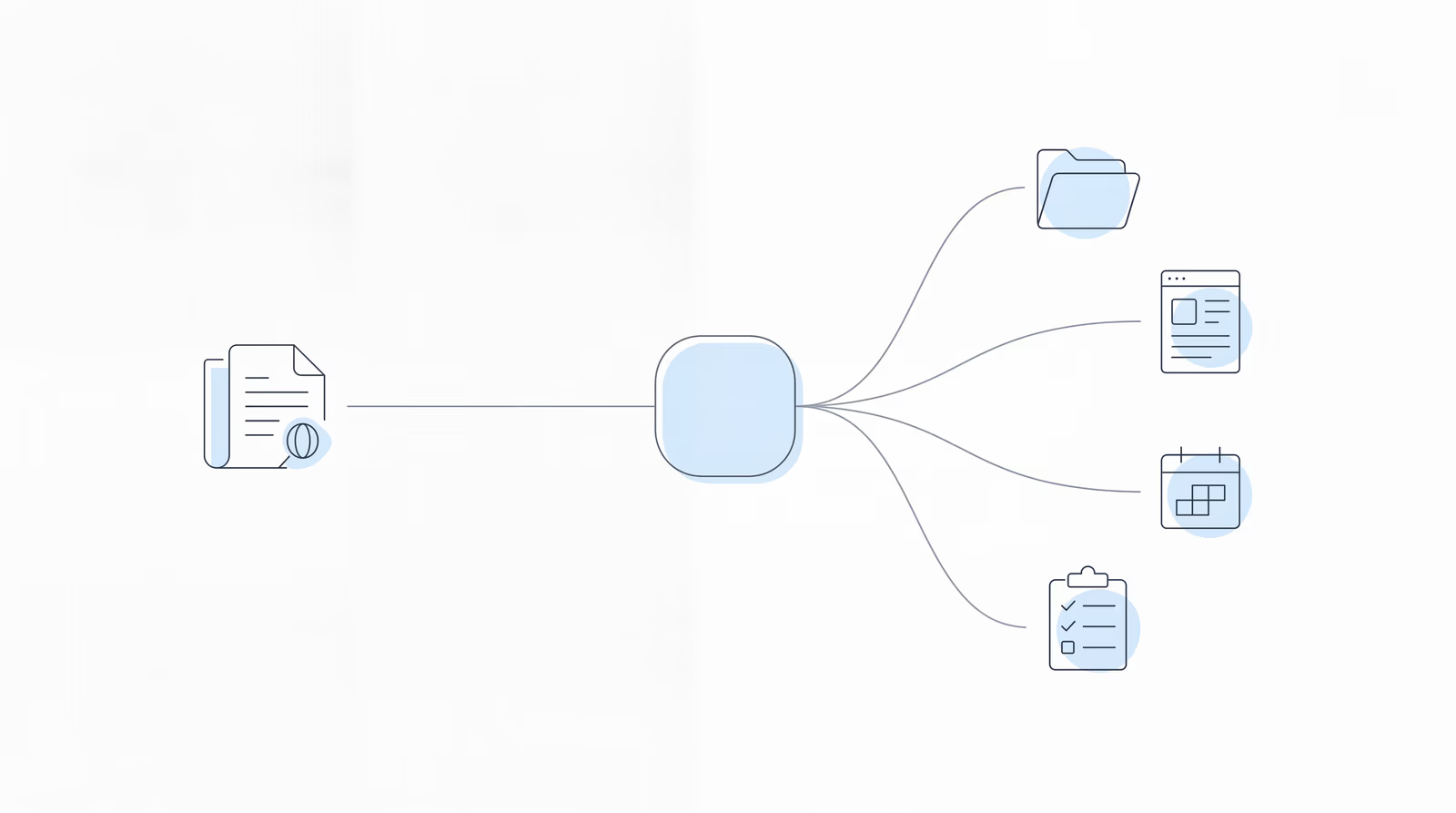
Chronicle’s Summer Launch is a different kind of event. Instead of unveiling one feature, the Chronicle team stepped back to show the whole picture: every integration that shipped in the first half of 2026, the quality-of-life features that quietly landed alongside them, and a first look at what is coming in the second half of the year. It was a mid-year checkpoint for the disability firms building their operations on Chronicle, and the latest session in our Advancing Technology in Disability Law series.
If you only catch one launch at a time, it is easy to miss how the pieces fit together. The point of this session was to connect them: six integrations that pull the SSA’s ERE documents into the tools your firm already uses, a live walkthrough of how that data flows automatically into your case management system, and the roadmap that ties it all into the operational backbone of a growing practice.
You can catch the full replay here:
You can review the slides from this session below:
Speakers:
- Will Yang, Head of Growth at Chronicle, who leads the company’s events and community programs for the disability law space.
- Nikhil Pai, Founder of Chronicle, who built the platform to monitor the SSA’s ERE and is extending it into the system a whole firm runs on. Chronicle now monitors more than 235,000 SSA cases and more than 11 million documents across more than 2,800 disability professionals.
Key Takeaways
We truly believe that your data is yours, and you should be able to use whatever AI providers you like, so we’re trying to connect with as many as possible.
Nikhil Pai, Founder, Chronicle
Chronicle is really trying to become this operational foundation that you can run your practice off of, whether you’re a firm with just 20 cases and growing, all the way to a large firm dealing with thousands and thousands of cases.
Nikhil Pai, Founder, Chronicle
What the session made clear:
-
Chronicle shipped six integrations in H1 2026. Litify, SuperInsight, Benny, Clio, Filevine, and LexMed each connect ERE data to a different part of firm operations, from case management to medical chronologies to SSA forms.
-
The integrations exist to kill manual data entry. Status changes, hearing dates, and documents now flow from the ERE into Clio, Filevine, and Litify automatically, about every 15 minutes, so paralegals stop copying information between systems.
-
Chronicle is deliberately not a closed system. Rather than force one medical chronology engine or one CMS, Chronicle connects to many providers so firms can keep the tools they prefer.
-
The features firms underuse most are the simple ones. The hearings calendar subscription, dashboard filtering, and AARPS fee payment tracking are already live and going unused at many firms.
-
The roadmap points at the firm’s daily workflow. Precise notifications, a firm-wide case feed, an ERE-driven task system, and more CMS connections are next.
What did Chronicle launch in the first half of 2026?
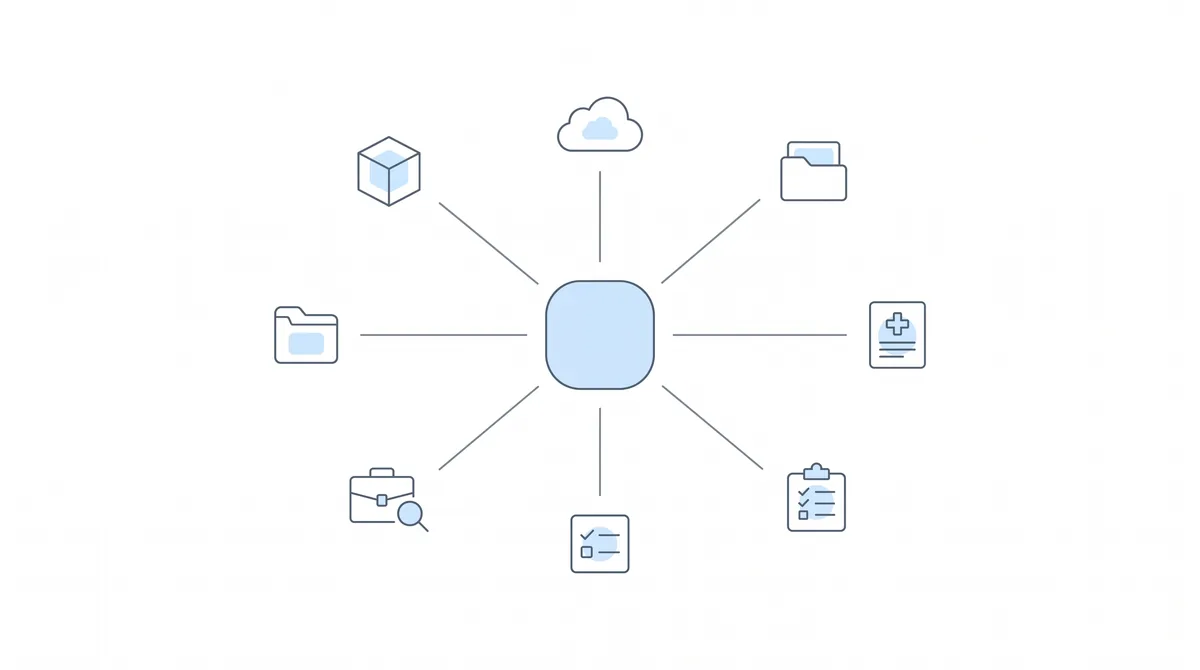
Nikhil opened with the throughline behind every release. Chronicle started by monitoring the ERE so firms could move from reacting to mail that arrives late to acting ahead of SSA deadlines. From there, the goal became broader: to become the data foundation a firm builds its systems and processes on top of. That framing matters because it explains why a single year produced six integrations across very different categories.
The six launches, in order:
-
Litify (February 5). Chronicle’s integration with Litify, the case management package built on Salesforce, pushes ERE status, hearing dates, documents, and events into Litify automatically. Nikhil called it one of the firm’s most robust integrations, and noted it also works in reverse: you can upload from Litify back into the ERE. Because Litify is a powerful automation platform, firms can build automated processes on top of the data once it is flowing in. You can read the full Litify integration recap for the deeper walkthrough.
-
SuperInsight (February). A one-click medical chronology provider that connects directly to Chronicle. Instead of downloading a file from the ERE, uploading it elsewhere, and managing the back-and-forth, SuperInsight pulls the files out of Chronicle automatically and keeps them current. It offers medical chronologies, listings analysis, and RFC extraction, and recently added an RFC breakdown with Workscape Analytics. The SuperInsight launch recap covers it in full.
-
Benny (March). Benny lets firms handle initial applications, appeals, and supplemental forms the way TurboTax handles tax filing. When the SSA requests a form like a work history questionnaire or function report, Benny contacts the client, walks them through it, and the completed form flows back into Chronicle through the ERE upload function for your review and one-click submission. Because Chronicle surfaces these requests early, the whole thing becomes proactive instead of a scramble. See the Benny integration recap for details.
-
Clio. Chronicle now syncs matter stages, hearing dates, fields like AOD and DLI, and the ERE documents themselves into Clio. If your team currently scans mail and uploads it into Clio, Chronicle does that for you, and updates the matter stage automatically so any Clio automations triggered off that stage can fire.
-
Filevine. Launched back-to-back with Clio and built on the same idea for the larger firms (around 1,000 cases) that tend to use Filevine. Chronicle keeps the data current by changing the project phase, entering hearing information, and uploading documents, so the case file is ready when a client calls in.
-
LexMed (May 20). Built out of a federal court firm that specialized in SSD, LexMed brings AI medical chronologies, pre-hearing briefs, and a tool called Chart Vision into Chronicle natively. Chart Vision runs a full case analysis, the theory of the case, the RFC, the listings analysis, and the strengths, weaknesses, and gaps, and you can build a pre-hearing brief on top of it. The Chronicle and LexMed recap has more.
The common thread, Nikhil stressed, is that Chronicle is intentionally open. On adding SuperInsight alongside the existing DodoDetect chronology engine, he put it plainly: Nikhil said, “We truly believe that your data is yours, and you should be able to use whatever AI providers you like, so we’re trying to connect with as many as possible.” The same logic extends to partners Chronicle does not connect with directly. As he described the wider ecosystem, Nikhil said, “This isn’t just about Chronicle, it’s about the community around disability technology.” Through Chronicle, a firm can push data to SuperInsight, which can then feed Workscape Analytics for ORS job numbers, even though Chronicle and Workscape never connect directly.
How does Chronicle sync ERE data into your case management system?
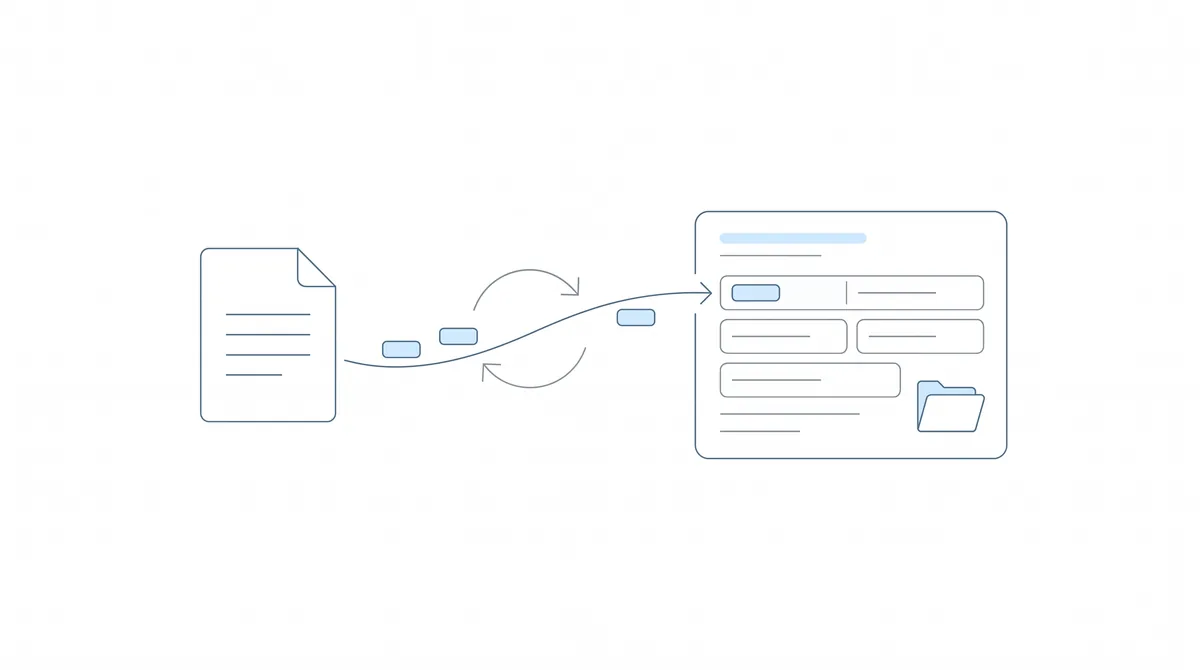
To make it concrete, Nikhil ran a live demo. The starting point is the dashboard: Chronicle automatically checks the ERE for every monitored case and surfaces what changed, whether that is a scheduled hearing, a decision at any level from initial through the Appeals Council, new documents, or a case being assigned. The activity feed on each case shows exactly what is new since you last looked, and it flags events like a rescheduled hearing.
The integration is where the manual work disappears. Opening a connected case in Clio, Nikhil showed fields populated straight out of Chronicle: case status, DLI, and office, all pushed automatically about every 15 minutes. The matter stage moves on its own as the case progresses through initial, recon, hearing, denial, and appeals, which means any secure CMS integration automations keyed to that stage fire without anyone touching them. A Chronicle ERE folder in the Documents tab fills with subfolders of documents pulled from the ERE, so the scan-and-upload step is gone and everything is there for auditing.
From the same connected case, hearing prep starts in a click. For any case with a downloaded file, you can request a medical chronology or a pre-hearing brief, pick Chart Vision or a brief, and Chronicle generates the document and emails you when it is ready. The takeaway Nikhil returned to: it all lives in one place, so the team stops jumping between systems.
This is also the cleanest way to understand what Chronicle is and is not. It is not a case management system, and it does not replace one. It is the ERE monitoring layer that keeps your CMS and your team aligned with what the SSA is actually doing.
Which Chronicle features are firms underusing?
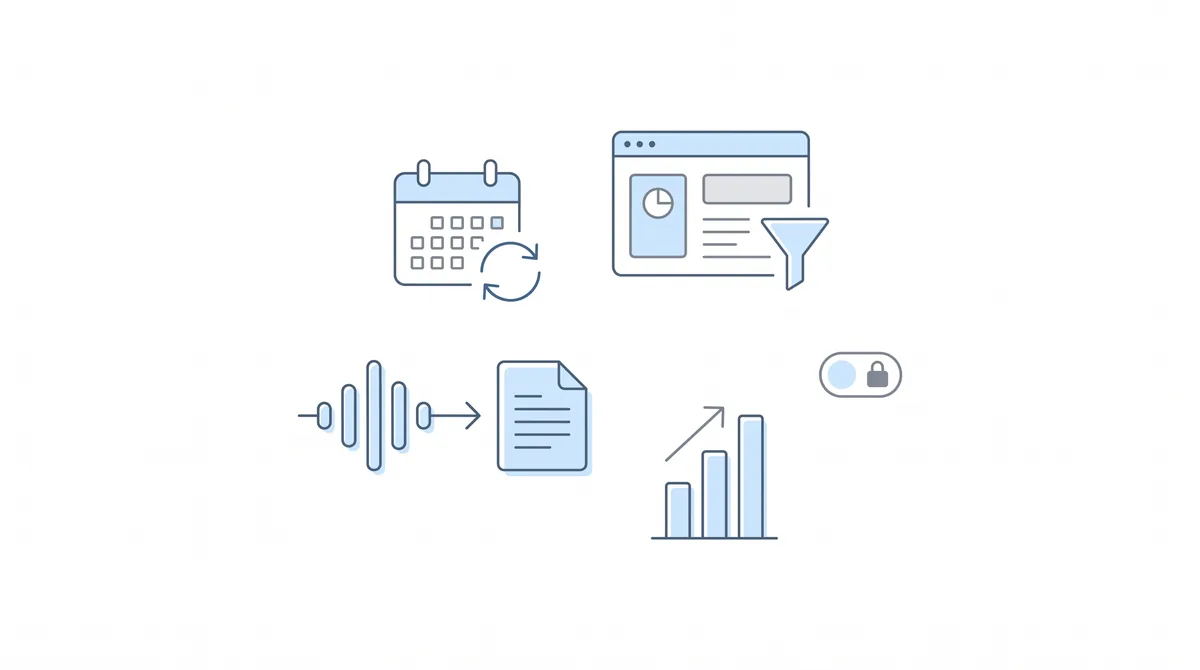
Will took over to highlight the quieter releases, the features many firms already have access to but have not turned on. The pattern, he noted, came directly from the Disability Peers in Practice roundtables, where firms kept discovering capabilities they did not know existed.
-
Hearings calendar subscription. You can subscribe to your Chronicle hearings calendar directly in Google, Outlook, or Apple Calendar, and it updates itself as the SSA reschedules. Will mentioned firms whose teams were manually adding reminders one by one, which the subscription makes unnecessary. When Nikhil was asked later what firms underuse most, this was his answer.
-
Dashboard filtering and case following. Follow the cases you care about, then filter the dashboard down to just those clients to cut the noise, especially useful at larger firms.
-
Hearing transcripts. Request a full minute-by-minute hearing transcript from the Hearing Audio tab, and export it to PDF.
-
Hearing forecast calculator. Estimate a hearing timeline based on your office’s actual backlog data, which helps set client expectations.
-
Restricted accounts. Role-based permissions for contract reps, so you can give someone full access to a single case without exposing the rest of the firm, and never the fee payments.
-
AARPS fee payments. A reporting dashboard that shows the fee payments coming your way, set up by adding your login.gov credentials in your profile.
Alongside those sat a slate of smaller upgrades: one-click table exports to CSV, the ability to work on multiple open cases at once, bundled zip packets for external sharing, faster refreshes from backend work, and a cleaner notifications digest.
Will also used this section to talk about the community side of the first half of the year: the Disability Firm Playbook educational series, the monthly Disability Peers in Practice roundtables, the partner launch sessions behind each integration, and a growing library of customer case studies. The underlying goal, he said, is to help firms look good to their own clients and peers as the technology in the space advances.
What is on Chronicle’s roadmap for the second half of 2026?
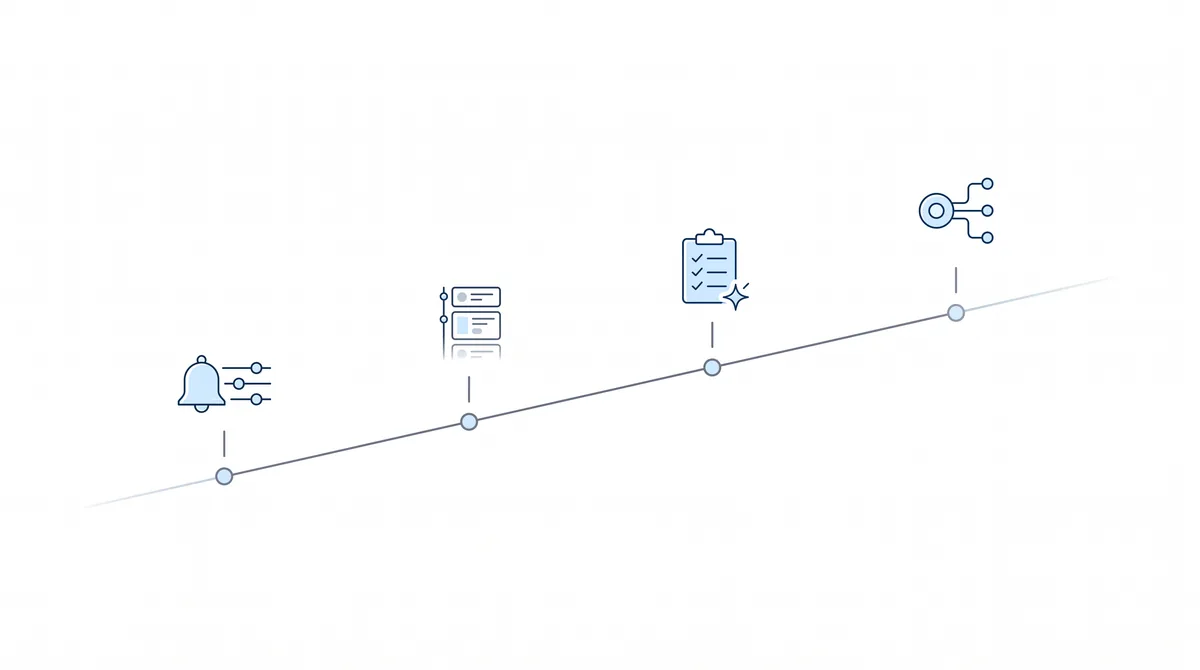
Nikhil closed the presentation with what is coming next, and the theme is the firm’s daily workflow.
-
Precise notification settings. Today’s notifications can firehose a firm with information. The plan is granular control, such as only post-hearing documents, only missed CEs, or only earnings reports, plus the ability to automatically follow certain case types like everything at DDS. Asked what he is most personally excited about, this was Nikhil’s pick.
-
A firm-wide case feed. The per-client activity feed becomes a filterable, firm-level feed so you can catch things like an accepted appeal extension letter that would otherwise slip by.
-
An ERE-driven task system. A centralized to-do system inside Chronicle, with tasks auto-generated off ERE events, such as an appeal deadline created automatically when a denial comes in, customizable by firm.
-
More CMS connections. On top of Litify, Clio, Filevine, and Zapier, NEO is in progress and coming soon, with Smart Advocate and Law Roller on the docket. Nikhil framed this as demand-driven and asked firms to flag the systems they want.
He was also direct about one integration that will not happen. On Prevail, Nikhil said, “we cannot integrate with Prevail. They do not let anyone integrate with it.” The system lacks a modern API and Prevail owns a competing product, so the door is closed from their side, not Chronicle’s.
What does the Chronicle summer offer include?
For firms still evaluating Chronicle, Will shared a summer offer: sign an annual contract by the end of July 2026 and Chronicle will do a free historical backfill plus white-glove setup, so you only pay for cases going forward rather than the cases already in your history. On pricing for the AI tools, the LexMed full pre-hearing pipeline runs about $100 per case, and the first one is free inside Chronicle, so firms can try Chart Vision and a pre-hearing brief before committing.
To see any of this against your own caseload, book a Chronicle demo.
Frequently Asked Questions
How do you set up the Benny integration to send clients their SSA forms?
Most of the Benny system lives on Benny’s side. You need an API key from Chronicle, and your firm must be on the Pro plan. In Chronicle, go to Settings, then API, request a key for Benny, and paste it into the Benny site. From then on, Benny automatically sends function reports and other forms to your clients to complete by text. Reach out to Benny for a full walkthrough.
Does Chronicle integrate with Smokeball, Time Matters, or other case management systems?
Not currently. Chronicle builds integrations based on demand and asks firms to flag the system they use so it can be prioritized. The catch is twofold: the case management system has to be willing to work with Chronicle (some, like Prevail, decline), and if your firm has the resources, Chronicle’s open API is an alternative path to building it yourself.
Where do I find contact information for the hearing or agency offices?
On any case with a scheduled hearing, Chronicle now shows the office along with a phone icon you can hover over for contact information. This also appears on initial and reconsideration cases once they reach DDS. Chronicle sources this information from the SSA and NOSSCR.
Can Chronicle monitor multiple AARPS accounts for one firm?
Yes. As with the ERE, any user with an ERE account can add an AARPS account, and Chronicle flags each one so you can see where a payment came from, including split payments across multiple attorneys on the same client.
How do DodoDetect, SuperInsight, and LexMed medical chronologies differ?
Nikhil’s advice was to try them all, since preferences vary. DodoDetect is a high-level overview and updates for free when new records arrive. LexMed is the choice if you want the full pre-hearing pipeline, since Chart Vision and the pre-hearing brief build on its chronology. SuperInsight is not native (you jump to their site for a still-one-click report) but lets you converse with an AI to tailor the format exactly.
If a hearing date is rescheduled at the SSA, does the change reach my CMS automatically?
Yes. Whenever something changes at the SSA, Chronicle updates your connected case management system automatically, within about 15 minutes.
What can a contract rep see under restricted accounts?
A restricted account gets the full Chronicle view, but only for a single case: documents, uploads, notifications, activity, and hearing audio, but never the fee payments. You create the account under team invites, then follow the specific case you want that rep to see.
Which integration delivers the fastest ROI for a solo or small firm?
For a solo practitioner, Nikhil pointed to Benny. Small firms still handle a high volume of forms and struggle to reach clients by phone, and Benny has a high success rate getting clients to complete forms by text.
Watch the Full Replay
Upcoming Events
Disability Peers in Practice Our monthly roundtable for disability practitioners returns, with breakout rooms for smaller and larger firms guided by Will and Nikhil. It is a working space to compare notes on the operational side of running a firm and ask questions of peers facing the same challenges.
June 24, 2026 · 12 PM and 2 PM CT · Register here
About This Series
This was a Summer Launch session in Chronicle’s Advancing Technology in Disability Law series, where we bring together operators, marketers, and technologists to help disability firms modernize how they work. Catch past integration launches and educational sessions on the Chronicle blog, keep an eye on the events calendar for what is next, and follow Chronicle on LinkedIn to join the conversation. Have questions, or want to see Chronicle work against your own caseload? Book a demo, or reach the team at support@chroniclelegal.com or 847-665-9612.
Full Session Transcript
The following is a cleaned and lightly edited transcript of the Chronicle Summer Launch 2026 session. Timestamps reflect the trimmed recording, which begins at the welcome.
Will Yang: Welcome, everybody, to Chronicle Summer Launch, everything that is new in H1 2026, as well as where we are going next. In the next hour, we’re going to cover a good amount of content, but here’s what you can expect.
First, we’re going to give you a full picture of everything new on Chronicle this year, just in case something was released where you may have missed the official launch event, or you just want a quick refresher because you’d decided to table it for later and now is a better time. So we’ll talk about the six integrations and the platform growth behind them, so you’re not leaving any value on the table if you’re already using Chronicle.
Then we’re also going to talk about a short list of quality-of-life features that you can turn on this week. From conversations with different firms, we know folks don’t always know about them, so those will be some easy, quick wins for you. And then we’re going to leave with a first look at what’s launching later this summer, as well as heading into the second half of the year, as we start preparing for NOSSCR in the fall.
So, a quick introduction in case you aren’t familiar with either of us. I’m Will, I lead events and community efforts for Chronicle, and I’m excited to be joined by Nikhil, the founder of Chronicle. We are the ERE monitoring platform and SSD operations platform for a variety of firms, supporting over 150 firms now with their daily needs.
With that, I’m going to pass it over to Nikhil to share a little bit more about the origins of Chronicle, where we started, and where we are headed.
Nikhil Pai: Great to be speaking with y’all, many familiar faces who’ve been with Chronicle for this journey over the last couple of years as we continue to add to the platform. I’ll give a quick overview of where we started and why we do what we do.
As many of you know, Chronicle is focused purely on disability law. We find it a very unique space with its own set of challenges that we really love working on. It’s a community that’s helping people get the benefits they need to have a life with dignity.
The way we started is focusing on the ERE. The ERE is unique to disability, the SSA makes this portal available to you to get case information, but they do a pretty bad job of actually letting you know what’s going on and what’s changing, so many firms rely on the mail. The problem Chronicle looked to solve was monitoring the ERE, so whenever something changes you can see it in a dashboard and move from being reactive, where you’re getting mail that’s late or missing, to being proactive, where you’re able to call your clients ahead of time and notify them about questionnaires and decisions. That way you look really top-notch and give clear, beneficial communication to your clients.
But that was just the start. For a growing disability firm, there are many operational complexities that come with running a scaling practice, and that’s where Chronicle continues to move: becoming the way your whole firm runs. It becomes the backbone and data foundation that you can build systems and processes on top of. That’s why Chronicle focuses on all those operational workflows that can happen off of real-time ERE data, connecting to your case management systems, medical chronology so you can review thousands of pages of medical records, the SSA forms that go out at the initial and recon levels, and the general hearing prep process.
So Chronicle is really trying to become this operational foundation that you can run your practice off of, whether you’re a firm with just 20 cases and growing, all the way to a large firm dealing with thousands and thousands of cases. There’s a great quote from Emily at Victory Disability: there has not been many options to do this, connect the ERE to a case management system for an all-in-one platform. It’s so unique and easy to use, and it’s easy to show our staff how to use. That’s what we’re striving for with Chronicle, making it that one-stop shop.
We’ve also had a lot of great progress. Some of you probably met me at NADR in Atlanta, that was my first conference. At that point we had just a handful of firms who were beta testers. Today, we are monitoring 235,000 SSA cases at all different levels. We have over 11 million documents stored and indexed that we’re analyzing and notifying firms on, and we have over 2,800 disability professionals using our platform every day, logging in and getting a ton of value out of Chronicle.
We’re a lean team, but we ship quickly and we ship a lot. Just this year alone, since the beginning of the year, we’ve shipped six different features for you, in addition to a bunch of other quality-of-life improvements we’ll go over later.
The big things we did: we are now integrating with Litify, which is a package on top of Salesforce, a case management system for large firms. We launched SuperInsight, which is a medical chronology provider. We launched Benny, which is another great company focused on SSA forms and initial applications. We launched Clio and Filevine, two different case management systems used by a range of firms. And lastly, we launched LexMed, medical chronologies, pre-hearing briefs, and Chart Vision, on May 20th. So a lot of stuff came out this year so far. If you missed these sessions, we’ll have links to the launches, so if you want a more in-depth look we’ll send those out to you.
On February 5th we shipped Litify. For some large firms that use Litify, a package on top of Salesforce, we launched an integration that pushes ERE status, hearing dates, documents, and events automatically into Litify, so the team isn’t doing manual data entry. It’s one of our most robust integrations. It also lets you upload out of Litify into the ERE. And because Litify is a very powerful automation platform, once all of this data is feeding in real time, firms are able to build quite a few automated processes off of it.
Then we have SuperInsight. Right now in Chronicle we’d had DodoDetect for a long time as our sole medical chronology provider. We truly believe that your data is yours, and you should be able to use whatever AI providers you like, so we’re trying to connect with as many as possible. One of the first ones we added, in February, was SuperInsight, we’d heard really great things from folks who use Chronicle, and we know Luke and Nelson quite well. It’s a one-click medical chronology. Some of you may be using other AI medical chronology providers where you have to download the whole file out of the ERE, upload it, it’s a convoluted process where you’re constantly uploading and downloading, filling the computer up with files. With the Chronicle and SuperInsight connection, SuperInsight can go into Chronicle, grab all the files automatically, and keep them up to date, so you can click one button and generate whatever report you want. They have a range of options, from medical chronologies to listings analysis to RFC extraction, and they just launched an RFC breakdown with Workscape Analytics.
Then, in March, this is one of my favorites, Benny. These are all friends of the company: James, Jeremy, and Vincent built this. Benny is a really cool tool that lets you essentially TurboTax initial applications, appeals, and supplemental forms. They have a neat system that will contact your client and walk them through how to fill out these forms in an AI-native way, pushing your client to provide the necessary information to create a strong response to the SSA. We now integrate with Benny, so when we know the SSA has requested a form, like the work history questionnaire or the function report, Benny will automatically send out that request to your client and get them to fill it out. You’ll review the completed form Benny generated, make any edits you want, and then in one click submit it back into Chronicle via the ERE upload function and on to the SSA. You’re probably used to getting the piece of mail, your client calling you, and then scrambling to meet the deadline. Because Chronicle knows seven days ahead of time, this is now a proactive situation, your client is contacted, guided by Benny, you review, and you submit, saving you hours and hours of time.
The next two are very similar. Clio is a cloud-native case management system, a lot of law firms are trying to move to Clio off of Prevail. What we now do with Clio is automatically sync data in: the matter stages, the hearing dates, information like the AOD and DLI, and the actual documents out of the ERE. So if you currently scan mail and upload it to your case management system, Chronicle automatically pushes those documents into Clio for you, so you don’t have to scan and upload, and you don’t have to do manual data entry anymore.
And then Filevine, we launched this back-to-back, same idea. Filevine is a case management system used by some larger firms; around 1,000 caseload is where we tend to see folks using it. Super robust, but it had the same problem of manual data entry. Your case management system is only as good as the data in it, and for a lot of firms, case managers or paralegals had to manually update it and it would be out of date, leading to missed deadlines or missed workflows. Chronicle now automatically updates the data in Filevine, changing the project phase, entering the hearing information, and uploading the documents, so it’s always up to date and ready to go when your client calls in.
And the last one is LexMed. LexMed was built out of a federal court firm that specialized in SSD, and they’ve built some really cool AI around medical chronologies and pre-hearing briefs. Once again, it’s at the click of a button, no downloading, uploading, and managing a couple of different software tools. It’s all in Chronicle natively, where you can request a medical chronology from LexMed and then add on Chart Vision. Chart Vision is something you guys probably never heard of before, but it’s a very cool tool that essentially does a full case analysis, the theory of the case, the RFC, the listings analysis, and any strengths, weaknesses, or gaps. Then, if you want, you can build a pre-hearing brief on top of that. The full pre-hearing pipeline costs around $100 per case, and the first one is free in Chronicle, so definitely try it out. It’s a super powerful tool to cut down on hearing prep time.
And if you caught our panel with SuperInsight and Workscape Analytics, you know this ecosystem is continuing to grow. This isn’t just about Chronicle, it’s about the community around disability technology. We don’t connect directly with Workscape Analytics, but through Chronicle you can push data to SuperInsight, which can then be used with Workscape Analytics to get the ORS job numbers. This is a growing ecosystem that we’re really trying to nurture across all the technology providers, becoming that hub where, rather than being locked into one system, Chronicle enables you to work with the folks you want to work with.
Will Yang: That’s a lot of content, Nikhil. People who may not have attended every one of these events would benefit from seeing a live walkthrough of what this looks like. So it’d be great for you to show an actual example of how this all flows through.
Nikhil Pai: For sure. This will be a short demo, and there’s a lot more I could dive into, so during the Q&A, if you want me to dive into anything, just flag a question in the chat.
For the folks who don’t use Chronicle, the key point is that we monitor the ERE. Every two hours, we’re checking the ERE for new information, so you’re never left in the dark, whether it’s a scheduled hearing, a decision from initial all the way through AC, new documents, or cases being assigned. I know that’s a big problem right now, where the SSA is being very slow to assign cases; we make it really easy to see what’s going on. You can view right here in Chronicle everything that’s happening across all your cases and click into any of them. I can see this is a favorable appeals case, I can see all my documents, and I can see the new activity feed to see what’s changed since the last time I viewed, it was opened, documents were added, and it will even flag if a hearing was rescheduled.
The other way of knowing what’s changing on a case is following it and turning on notifications. We have a great session on this that we’ll post a link to, about how you can configure notifications so your email inbox becomes a little news feed of what’s important to follow up on, like a decision you need to appeal.
When you connect Chronicle to your case management system, let me go to Arthur Miller here, I have all this great information about the office it’s with, the hearing date, the ALJ, the DLI. For many firms, you have to manually enter this into your case management system to generate templated documents, and the same with the full list of documents you used to scan from the mail. With our native integrations, like Clio, it’s all connected, I’ve mapped the fields over. I can go into my case management system, and my fields are automatically populated out of Chronicle: the status of the case, the DLI, the office. It’s all pushed automatically every 15 minutes, so I don’t have to manually update it. The matter stage, initial, recon, hearing, denial, appeals, automatically gets moved by Chronicle as well, and if I have any automations in Clio triggered off the matter stage, those will also happen. We also have the Documents tab in Clio, where there’s a Chronicle ERE folder with each subfolder, and these documents are automatically populated out of Chronicle, so I don’t have to manually upload them and they’re there for auditing purposes.
Now that my information’s up to date, I want to start doing some hearing prep. For any case with the file download, I can go to the Medical Chronology tab and request a medical chronology, and it will generate a PDF. I have my options here, I can also add Chart Vision or the pre-hearing brief. It takes about 20 to 30 minutes to generate, and we’ll email you once it’s complete. Remember, the first one is free, so definitely try it out. I also have the Briefs tab, where I can request a pre-hearing brief or an AC brief if I have a medical chronology or an ALJ denial letter. The thing to take away is it’s all in Chronicle, you don’t have to keep jumping between systems. It’s a cohesive flow where all the tools and workflows can be launched right out of Chronicle or your case management system.
Will Yang: With that, I’m going to take back over the screen share and go through a couple of the hidden gems that folks may not be aware of. One thing we’ve noticed running these Disability Peers in Practice roundtables is that there are a whole lot of smaller features people may not be fully aware of that they already have access to.
One is the hearings calendar export. You can access the calendar tab and subscribe directly to it in your Google, Outlook, or Apple iCal. Some folks in last month’s Disability Peers in Practice didn’t know you could do a subscription for this, so they had their teams manually adding a bunch of reminders, and you just don’t need to do that, because all of this data is already in Chronicle. All you need to do is subscribe to the calendar feed and you’ll get all of your CEs and upcoming hearings in one place.
There were also a good number of quality-of-life improvements shipped this week. Most notably, the ability to filter the dashboard to your cases, so when you’re following certain cases you can use this dropdown to filter for just the cases you’re working on. You can also request hearing transcripts to streamline your post-hearing process. We have a hearing forecast calculator that helps you estimate your hearing timeline based on your office’s actual backlog data, which helps with managing client expectations. And we added permissioning, restricted accounts for contract reps, so you can limit access to different levels for different people on your teams.
Some general quality-of-life things we put on one slide: full table exports, so you can export any Chronicle table to CSV in one click, usually at the bottom of those views. The ability to work on simultaneous cases now, multiple open cases without losing context. A calendar table and export. Zip packets that we’ve bundled for easier external sharing. AARPS fee payments, where we added new reporting functionality that helps you see at a high level what fee payments may be coming your way. And then faster refreshes across the board, we did a bunch of backend improvements, and we started cleaning up the notifications and digest side of things to make it easier to work through your alerts.
Nikhil Pai: Happy to do that. Going from the top of the list, calendar subscriptions. You’re used to a big calendar with a lot going on, and you probably used to add hearings one by one. You can now go to the calendar tab, click subscribe, and add this to your Google or Outlook calendar so it’s always updating as the ERE updates or the SSA reschedules things. If you’re following just a couple of cases you care about, you can subscribe just to the clients you follow. You also have a table view now that you can export, so if you want to filter and sort your calendar in a spreadsheet, you can.
A quick reminder on following cases: on any case, you click the following button. From the dashboard, I can then filter down to just the clients I’m following, so I don’t need to see everything else. These are a great way to cut down on noise, especially if you’re a large firm. On hearing audio, you can go to the Hearing Audio tab and request a transcript, that gets you a full minute-by-minute transcript of any hearing audio.
There’s a lot here, so I won’t go through every single one, but the last two I’ll touch on: the AARPS fee payments. In Decisions, we have a dashboard for fee payments where you can see all your fee payments out of the AARPS, a really great way to stay on top of what’s coming in. To turn it on, go into your profile, go to AARPS, and add your login.gov; we have a setup guide. You need to enter all three fields, and it will start monitoring, and you can turn on notifications. Since fee payments are sensitive information, you can go into your account settings to update who can see what, so if you want to hide the AARPS data from specific roles, you can do that from this page.
Will Yang: I definitely think the AARPS, as well as the roles, are going to be popular ones for folks to check out. The other thing we worked on in the first half of this year, which you’ve probably noticed because you’re in one right now, is building more on the community side, providing free education and gathering places for the disability space.
That includes our Disability Firm Playbook series, where we just ran our second one last week, talking about what you might be missing when you access the ERE, AARPS, or EROS. Before that, we talked about how to spot at-risk cases in March. This series is focused on helping teach folks across the disability space the workflows and operational side of things that we see from talking to hundreds of disability firms.
The other thing we launched last month, which we’re continuing as early as next week, is Peers in Practice. These are monthly roundtable discussions where you’re paired into one of two breakout rooms, either for smaller firms or larger firms, and guided through the topic of the month by either Nikhil or me. It’s a shared space where you can learn from others and ask questions about things you might be exploring, filling the gap between conferences where you may not always have the opportunity to connect with others like yourself.
We’ve also been doing partner launch events: every integration you saw today has a live session and a replay that details the philosophy behind why we approached that integration, plus commonly asked questions direct from the provider. You can check all of that out on our blog, which also largely launched in the first half of this year. The crux of it, beyond just the core product improvements, is that we’re really trying to add to the community behind it, because it’s such a safe space in terms of the inclusiveness of the community and wanting to lift each other up.
This leads to where we’re going next, which is that we really want to champion the firms leading these shifts in technology. Part of our job is helping educate other disability firms that may not be aware of all the new technologies being released in the space, and an underlying job of ours is trying to make you look good in how you market your work to your clients and to peers. We’ve been releasing more and more case studies over the last year, recent ones include Hawaii Disability Legal Services, Victory, Rabin, Magnolia, Disability Associates, and Desert Disability. Some haven’t been released fully yet, but they’re in progress. I really appreciate a couple of you in the audience for taking time out of your days to share your story. If you’ve been using us for two years or so and haven’t joined us for one of these, we’d love to feature you, all you need to do is hop into a quick recording studio, and we’ll do all the heavy lifting in making you look great.
That leads to what’s coming up next in the second half of the year. I’ve previewed it with a handful of folks but largely haven’t shared much here: we’re planning to launch a Disability Law Heroes series. This is about spotlighting the practitioners doing the work, so we’ll be starting interviews on that side. When you’re in the thick of it doing the work, you’re looking for sources of inspiration, whether it’s how other people approach the work or how they grew and run their firms. There’s a library of information for how you can do that. Then I’m going to pass it back to Nikhil to share more about what’s coming up this summer from a product standpoint.
Nikhil Pai: A lot of this I’m super excited about. First up is precise notification settings. Right now our notifications are a bit of a blunt instrument, they’ll firehose you a bunch of information. We’ve heard a lot of feedback that folks want more precise settings, like “I only want notifications on documents post-hearing,” or “I only want to know about missed CEs,” or “I only want to know when earnings reports have come in.” We want to make it easy to dial that in and automatically follow certain case types, maybe you only want to follow cases that are at DDS.
Second is the case feed. You’ve already seen the activity feed that’s updated on each client. We’re going to combine that into a full firm case feed that lets you filter and see specific things you want to see, exhibits coming in, for example. I had a recent story where a firm missed that their appeal extension letter had been accepted; we want to flag those in the case feed and make it really easy to see what’s going on.
Third is a task system. Right now you use the data in Chronicle to create a bunch of tasks manually, whether in your case management system or on a to-do note. We want to create the to-do system in Chronicle so you have one centralized place to track your workflows, auto-generated off the ERE. A classic example: you got a denial, you have to file an appeal by a certain date, we want to create that as a task automatically for you. Or a work history questionnaire that needs to get uploaded, or a rep brief. We’re going to make that all customizable by firm.
And last is more case management system connections. As you know, we have Litify, Clio, Filevine, and Zapier as the catch-all. We’re going to build more native integrations. Next up is NEO, which is currently in progress and will be ready soon, and then we have Smart Advocate and Law Roller on the docket. This is a community effort, we build connections based on demand, so if there’s a case management system you want us to connect to, please flag it to us. Email me or the support channel so we can start tallying; the more demand there is, the more we’ll do.
I’ll address this now because I already know it’s a question: we cannot integrate with Prevail. They do not let anyone integrate with it. Part of it is that the system was built in the 90s and doesn’t have an API to integrate with. Part of it is that they own a competitive product, so they won’t let us integrate. So just know Prevail is not on the table, and never will be, not because we don’t want to, but because they don’t want us to.
Will Yang: In case you’re in the room and haven’t yet taken the plunge of exploring Chronicle, we have a summer offer: if you sign an annual contract by the end of next month, we’ll do a free historical backfill for you and white-glove setup, so you only pay for cases going forward and not the cases in the past. That makes it easy to make the switch. I’ll put the link in the Zoom chat with some other information.
We’re going to move into the Q&A section. We got a number of questions, so to kick us off: the first is from Hirak, asking how do we use Benny in Chronicle to send our clients the function reports to complete on their phone? Also, are there any plans to integrate with Smokeball in the future?
Nikhil Pai: With the Benny integration, a lot of the system actually exists on their site, so if you sign up with Benny, you follow up with them and they’ll give you the instructions. What you need from Chronicle is an API key. You must be on the Pro plan, if you’re not, you can’t integrate with Benny, and we’re happy to upgrade you if you’re interested. In Chronicle, you go into Settings, then API, and say you need an API key for Benny. It will give you a code, you copy and paste that into the Benny site, and going forward it will automatically send those function reports to your clients to complete via text. They’ll have more information on exactly what that looks like and can give you a full demo, so reach out to Benny, James is happy to help. On your second question, Hirak: Smokeball, we don’t currently have plans to integrate, just because we haven’t heard demand for it. I’ll count that as one, but if anyone else is using Smokeball, please raise your hands so we can prioritize it accordingly.
Will Yang: Sherry asked: is there contact information for the hearing or agency offices in Chronicle, and if so, where do we find it?
Nikhil Pai: This was something we released just a week or two ago. On any case, if there’s a hearing scheduled, we have the office here now, and there’s a little phone icon you can hover over to get all of that contact information. This is also true of the initial and recon level cases once they’re at DDS, there will be an office and a little phone icon, and you can get that phone number. We get this information from the SSA or NOSSCR, so it hopefully is up to date, and it’s a great way to make it easy to follow up with them.
Will Yang: Gordon asked if you could talk a little bit more about the AARPS fee payments.
Nikhil Pai: We actually just did a great session on this last week, so I definitely recommend watching that. For folks who don’t know what the AARPS is, it’s one of the three planned portals from the SSA. It contains information about the fee payments you should be expecting. It’s a different portal you need to sign up for. The crux of the problem with AARPS is that it uses login.gov, which is a personal login that also connects to your personal mySSA account, so it’s risky to share with the rest of your staff. With the Chronicle setup, anyone who is using Chronicle and has an ERE account can also add an AARPS account, and we’ll start scanning the AARPS for fee payment data. We’ll show it to you and notify you, so you can watch the AARPS fee payments in Chronicle and do whatever accounting you need without sharing that information with the rest of your staff.
Will Yang: This next one is from Sherry, I missed the transcripts and where they are, can you show that section again?
Nikhil Pai: In Chronicle, once you’ve entered the SSN to monitor the e-file for a client, once the ERE posts the hearing audio, we’ll grab it. You go to the Hearing Audio tab, we have Documents, Activity, Hearing Audio. You’ll click on Hearing Audio, the file will be there, and you can play it. If there’s no transcript yet, there’ll be a button to request a transcript. You click that, it takes a few minutes to process, and it will email you once it’s complete. You’ll get a full minute-by-minute transcript of the hearing audio, and you can click the export button to get a PDF version of it.
Will Yang: Michael was asking if Chronicle can monitor multiple different AARPS accounts for the firm.
Nikhil Pai: Yes, we can. Same idea as the ERE, for any user that has an ERE account, you can also add an AARPS account. We’ll flag each one, so you can see where the payment came from. If they do split payments, we can handle split payments. In the fee payment section, if I click on any of these clients, I can see the fee payments by program, and if there were multiple attorneys being paid on the same client, it would show the other attorney’s name rather than just mine.
Will Yang: Michael asked if a task in Chronicle will trigger corresponding tasks in the case management systems.
Nikhil Pai: To start, we’ll be doing the task system purely in Chronicle, with the hope of adding it into your case management system in the future. That latter part will probably take a little longer, because each case management system is a little different on how they do tasks, and we have to figure out how to keep them in sync.
Will Yang: This is a plus-one vote for Time Matters, Janisha has requested that. Do we integrate with Time Matters right now?
Nikhil Pai: Currently we do not integrate with Time Matters. We honestly don’t have many firms who use it, so we’ll count that as a plus one, but right now it is a party of one.
Will Yang: Lance is asking, can this fee payment information be synced into the case management system in the Clio integration?
Nikhil Pai: Currently not, we don’t sync fee payment data into the case management system. Long-term that will probably be on the roadmap, but the next thing we’re going to do is the events into the case management systems.
Will Yang: Of all the things we’ve shipped so far this year, what do you think firms are underusing the most?
Nikhil Pai: Probably, the reason why we call it out, is the calendar. Keeping your hearing calendar up to date is an arduous process, and usually someone is downloading the sheet and updating the calendar each day. Just subscribe to it from Chronicle and it’ll be on your Outlook. A lot of you live in your Outlook, so it’s a great way to keep it up to date, especially because the SSA does reschedule hearings or CEs, we automatically make those movements for you.
Will Yang: For a firm that’s on a case management system we currently don’t integrate with, what should they do today?
Nikhil Pai: One, flag it to us, we can’t know what’s out there unless you tell us, so let us know what case management system you’re on. We’ll probably run a survey on this soon to get it a little more structured, and the more demand we get, the more we’ll try. Just note two things: one, the case management system has to be willing to play ball with us, we’re not trying to charge them anything, but some case management systems say no thank you, like Prevail. And two, if you have the resources, we do have an open API, so if you want to build it yourself, that’s an alternative path.
Will Yang: The other thing, which is more of a medium-to-long-term effort that we’ll be speaking on next month with the NOSSCR folks: a change of case management system is not easy by any means, but we’re going to be covering more educational content on how you evaluate a change if you’re looking at different solutions. Some of the stories we start highlighting on the customer story section of our site can help you get ideas of which solutions firms of a certain size are typically using. Another question: how do LexMed, SuperInsight, and DodoDetect chronologies differ? When should one be picked over the other?
Nikhil Pai: Chronologies all come in different flavors, and everyone has different preferences, so honestly I would say try them all out and see what you like. DodoDetect is more of a high-level overview, so if you want a quick index, try that out, the other benefit is it automatically updates for free, so if new records come in there’s no additional charge. LexMed is great because of the full pre-hearing brief pipeline; it lets you generate a Chart Vision and a pre-hearing brief, so if you want those products you use their medical chronology. Their chronologies are also great, but their pre-hearing briefs and Chart Vision are really cool, so if you want that additional analysis, use LexMed. And then SuperInsight isn’t native, so if you don’t mind jumping to a different site, it’s still one-click, but from their side, their product is really good, because you can talk back and forth with an AI to adjust the report to be just the way you like it. So if you have a very tailored format you want, that’s what SuperInsight is really good for.
Will Yang: When it comes to the Benny integration, what does it do and what does it not do at this current moment?
Nikhil Pai: Benny is all about the supplemental forms and the initial application, but they don’t cover every single supplemental form, they handle the major ones: work histories, function reports, the initial app, and I think appeals for the recon. They won’t handle the random third-party pain questionnaire or whatever else the SSA may send out. So they cover the big forms, but not all of the supplemental forms.
Will Yang: In terms of the summer roadmap, what are you most excited about personally?
Nikhil Pai: For me, I think it’s the precise notifications. That’ll be super helpful for firms to be able to say, “I need this specific thing, and I miss it all the time,” and now Chronicle can be the way to get notified about it.
Will Yang: For firms using both SuperInsight and LexMed, is there any overlap in what each one pulls from the Chronicle case file, or are they solving completely different parts of hearing prep?
Nikhil Pai: They’re very similar, they get the full ERE e-file, so not just the medical, but the DDEs, the earnings reports, and all of that. SuperInsight can do a little bit more, just because they have a more robust AI, whereas LexMed is more “here’s a PDF, this is what you get,” so you can’t go back and forth with it as much or ask specific questions.
Will Yang: What happens when a hearing date gets rescheduled in the SSA portal after Chronicle already synced it to a case management system? Does that update propagate automatically, or does someone on staff have to catch it?
Nikhil Pai: It propagates automatically. That’s the benefit of the Chronicle case management system integrations, whenever something changes at the SSA, it will update in your case management system within 15 minutes.
Will Yang: On the restricted accounts feature, what are the main permissions available? What can a contract rep actually see versus what’s blocked, is it just case status, or do they see documents, hearing dates, fee payments? How did you approach designing the permissions?
Nikhil Pai: For restricted accounts, the idea is you have a contract rep who needs to be able to work a case, which means uploading records, uploading the briefs they write, and so on. Chronicle gives them the full same view that you see, but just for one case. They can see the documents, upload, get notifications, see the activity and hearing audio, not the fee payments, never the fee payments, but they get all that other ERE access just for that one client. You create a restricted account under the team invite section, and then when you click follow, you follow that case for that restricted account, and that’s the case they can see.
Will Yang: And for a solo or two-attorney firm on the call, which single integration from today’s lineup do you think delivers the fastest ROI?
Nikhil Pai: If you’re a solo, probably the Benny integration. You get a lot of forms still, and it’s hard to get your client on the phone. Benny has a very high success rate with their text messages to get clients to fill out the forms.
Will Yang: With that, I think I’ve covered all the core questions in the chat. Thank you so much, everybody, for joining us for Summer Launch, what was new in the first half of 2026, as well as what’s next. Look for an updated replay and notes in the next day, once we process this, and we hope you’ll join us next week on the 24th, at both 12 PM and 2 PM Central, for Disability Peers in Practice. Thanks so much, everybody, have a great rest of your day.
Nikhil Pai: Thanks, everyone. Bye.