
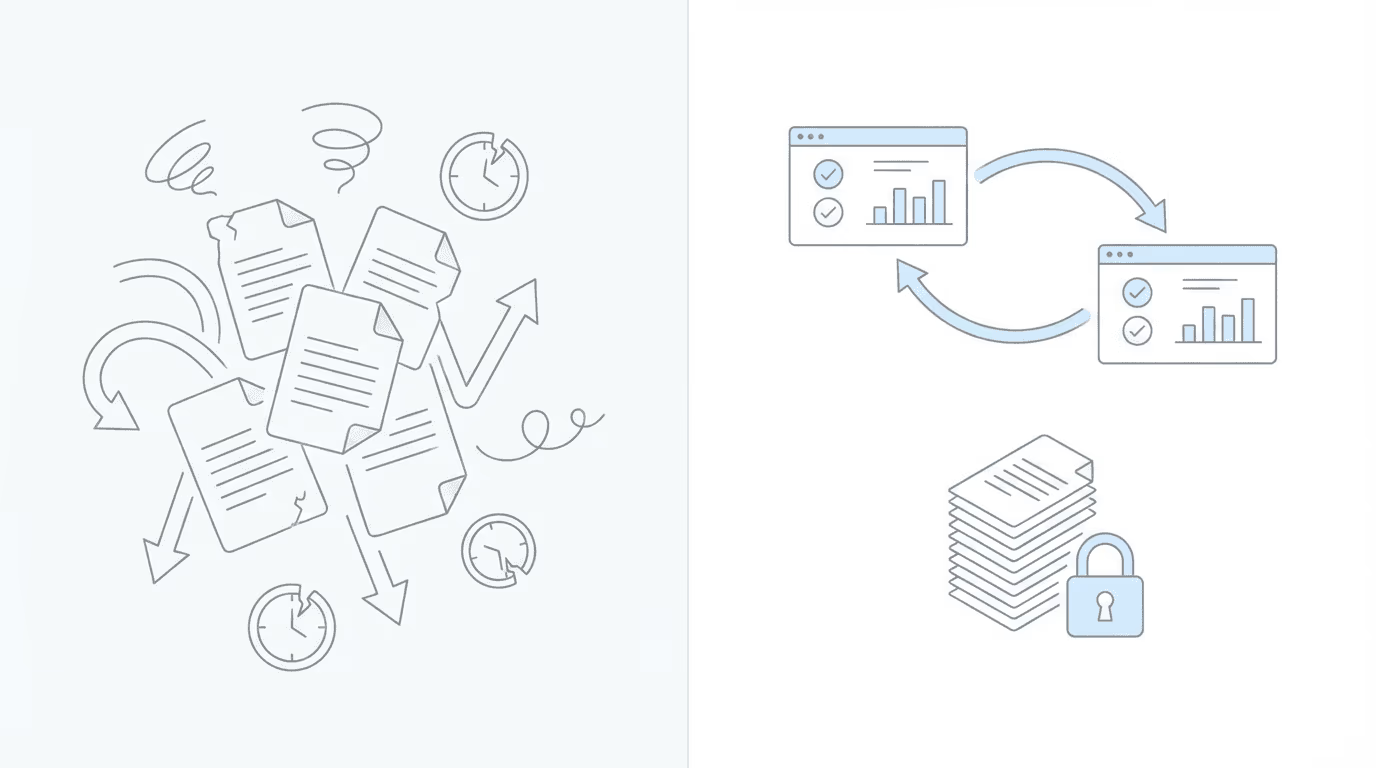
If you’ve ever downloaded medical records from Chronicle, organized them into folders, and then re-uploaded them to a chronology tool, only to repeat the entire process when new evidence arrives, this workshop was built for you.
On February 19, 2026, Chronicle founder Nikhil Pai and Superinsight co-founder Luke Connally walked through the new integration that eliminates that manual workflow entirely.
Here’s what we covered:
The Problem: Download, Organize, Re-Upload, Repeat
Most firms using separate tools for case management and medical chronologies face the same friction: every time you need a chronology, you’re downloading PDF packets from Chronicle, organizing files, uploading them to your chronology provider, and waiting for results.
When new evidence arrives in the ERE? You do it all over again.
“One of our main things we want to do with this integration is eliminate clicks and manual process,” Nikhil explained. “If you use any other medical chronology provider right now, you’re probably used to the process of having to download the documents, organize them, upload them back into another provider. This really adds up time.”
The Solution: One API Key, One Click
The Chronicle + Superinsight integration changes that workflow:
- Generate an API key in Chronicle Settings (Pro plan required)
- Paste it into Superinsight in their import settings
- Search for your client by name or last four of SSN
- Click sync: documents flow automatically
No downloads. No file organization. No uploads.
When Nikhil described the API key to attendees, he used an analogy that stuck: “It’s like giving someone a spare key to your house. I know that sounds a little bit scary, but that’s the point. It is something you have to be careful with, since it does give someone access to the data within your Chronicle instance.”
Live Demo: What Superinsight Does with Your Records
Luke walked through a full demo of the Superinsight platform, showing what happens after your Chronicle records sync over.
Two Reports in One
The ERE-specific report in Superinsight delivers two things:
- Five-Step Review: SGAs, severe impairments, Blue Book matching, past relevant work, and RFCs, all analyzed through the SSA framework
- Detailed Section F Chronology: SOAP-formatted, with citations and page numbers linked to source documents
“It’s like two reports in one,” Luke explained. “You get the five-step review, and you also get a robust, detailed chronology of all of Section F.”
AI Editing: “Have It Your Way”
One of the standout features was the AI editing capability. After Superinsight generates your chronology, you can prompt it to:
- Filter to specific conditions (“only include hip-related records”)
- Change the format (table, list, reversed chronological order)
- Ask questions (“did they do any work on the side?”)
- Generate a brief draft based on the report
“We try to be the Burger King of medical chronologies,” Luke said. “You have it your way. That’s how we roll.”
Source Verification Built In
Every citation in the report links back to the original document. Click any citation, and you can review the source alongside the chronology output—no wondering where the AI got its information.
Key Takeaways
1. No More Manual Re-Uploads
Chronicle syncs documents directly to Superinsight. When new evidence arrives in the ERE, you re-sync with one click.
2. Three Free Rebuilds Per Report
After the initial 2-credit charge, you can rebuild your report up to three additional times at no extra cost—useful when cases evolve and new records come in.
3. Blue Book Matching with a Safety Net
Luke was candid about Blue Book accuracy: listings update constantly, and Superinsight could be a day behind. His recommendation? Upload the specific listing you’re analyzing against and run a quick cross-reference. “That’s an insurance policy,” he said.
4. Privacy-First Processing
Superinsight is HIPAA compliant, ISO 42001 certified (AI trust), and completing SOC 2 Type 2. Records stay in a “military-encrypted walled garden”—no human reviewers, no AI training on client data.
“You don’t have to worry about anybody seeing your client files,” Luke confirmed. “There’s no AI being trained by your client’s files or records.”
5. Universal Credits
Superinsight credits work across practice areas. SSD, VA, workers’ comp—same credits, same platform.
How to Get Started
Chronicle Pro users:
- Go to Settings in Chronicle
- Navigate to the API section
- Click Create API Key and name it “Superinsight” or whatever you will remember easily
- Copy the key (it only displays once)
- Paste it into Superinsight’s Chronicle import settings
New to Superinsight?
Use code SAVE100FIRST to save $100 off your first month.
The Key Takeaway
As Will summarized at the close of the workshop:
“Chronicle handles the admin, Superinsight handles the analysis, and now you have one click to connect them.”
For the product-level overview of what the integration does, see our Chronicle + Superinsight announcement post. Superinsight joins Chronicle’s growing ecosystem of partner integrations, including our Litify integration for Salesforce-based firms and our Benny integration for automated SSA forms.
Watch the Full Replay
Missed the live event? The full 46-minute recording is available above, including timestamps for every section.
Upcoming Events
90% Faster SSDI / SSI Applications: Chronicle + Benny Integration in Action
Chronicle’s new integration syncs your client data to Benny automatically, where your clients complete their entire SSDI/SSI application on mobile in 30-45 minutes.
📅 March 4, 2026Register now →
This was the fourth session in Chronicle’s Advancing Technology in Disability Law series, where we bring together operators, marketers, and technologists to help disability firms modernize how they work. Keep an eye out for future installments covering new Chronicle features, automation best practices, and partner collaborations. For questions or to learn more about Chronicle’s ERE monitoring and case tracking platform, visit chroniclelegal.com.
Full Transcript
The following is a cleaned and lightly edited transcript of the full integration launch event.
Welcome and Series Introduction
Will Yang: Welcome to One Click Medical Chronologies, Chronicle and Superinsight in Action. This workshop is part of Chronicle’s Advancing Technology in Disability Law series, where we spotlight tools, workflows, and integrations helping disability firms modernize how they work.
Just to be clear, you will receive a full replay after today’s event, so in the case where you have to miss anything, or you just want to review how something works, you’ll be able to do so with that recording. We will be taking questions throughout in the Zoom chat. We’ll be monitoring it and feeding the questions to Nikhil and Luke during our live discussion, so if you have questions, please do just add two hashtags in front of it when you drop into the chat. It just makes it easier for us to follow along with that as the other chats come in.
As a quick introduction from me, my name is Will, and I am from the Chronicle team. I focus on building education, partnerships, and collaborations that help disability law firms adopt better tools and stronger operational standards.
Before we jump in, let’s go over what we’re going to learn in today’s session. We’re going to go over how Chronicle’s integration with Superinsight eliminates manual client setup and document uploads, what Superinsight’s Blue Book Matching and RFC extraction looks like in practice, how to use Superinsight’s AI editing tools to refine your chronologies, and most importantly, how to get started if you are interested.
We do have a special offer, as well as a summary document with key takeaways from today’s workshop that will share more details on how you get that at the end of today’s workshop.
Moving along into some quick introductions, we’re joined today by Nikhil, founder of Chronicle. It’s the platform that’s helping Social Security disability firms automate case tracking, manage ERE access, and streamline their case preparation. Nikhil has worked with attorneys and advocates across the country to simplify complex workflows in the disability space, monitoring over 175,000 cases and 7.5 million documents.
We’re also joined by Luke Connally, co-founder of Superinsight. Luke is a military veteran who survived a suicide bomb attack in Iraq, and later experienced firsthand how slow and disorganized medical record review can derail disability claims. Alongside his co-founder, Nelson, he built Superinsight to bring AI-driven speed, accuracy, and privacy to medical record analysis.
With that set of introductions out of the way, we’re going to dig into why we built this integration, and for that, I’m going to pass it over to Nikhil.
Why We Built This Integration
Nikhil Pai: Awesome. Well, excited to be talking with you all. I know some of you currently use Superinsight, so this will be a bonus to your use case, and for folks who don’t, the reason why we partnered with Superinsight is, for a lot of firms, medical chronologies are a big bottleneck. We know it’s super important for the SSD, SSDI process, and so we really wanted to partner with Superinsight, because they have one of the most sophisticated products on the market around medical chronologies.
Our mission at Chronicle has always been to give everyone the option to use their data however they want. Whether it’s our in-house medical chronology products or plugging into others, we thought it would be valuable to bring them on and make it as easy as possible to leverage their system with the documents already in Chronicle.
One of our main things we want to do with this integration is eliminate clicks and manual process. If you use any other medical chronology provider right now, you’re probably used to the process of having to download the documents, organize them, upload them back into another medical chronology provider. This really adds up time. Every time you want an update, you have to do it again.
So we wanted to eliminate that. Using our API and the integration we’ve built with Superinsight, all that document data from Chronicle can easily flow into their system, so we can generate chronologies, have them updated with a click of a button, and not have to do this download-upload process you’re probably used to.
I do want to clarify, compared to our current medical chronology product, this is something that lives on Superinsight’s side, so you won’t be using Superinsight within Chronicle, it’ll be used within their own web app. But that comes with a lot of power, and you’ll hopefully see in Luke’s demo that there’s a lot of sophisticated AI features that are enabled through their product that lets you really dive into things like RFC and Blue Book, and drafting briefs.
Last note I just want to say is you do have to be on the Chronicle Pro plan while using this integration, so just something to consider as you evaluate Superinsight. With that, I’ll hand this over to Luke to share a little bit more.
Superinsight’s Perspective
Luke Connally: Yeah, thanks for the intro and giving an idea of how the integration works. We try to keep things pretty simple on the Superinsight side of things. I will share my screen here and give you a look under the hood so you can see how we do things.
Sorry, I have so many tiny screens, I gotta figure out which one it is. Alright, hopefully we’re in the right place here. Okay, let me move you guys over.
Live Demo: Superinsight in Action
Luke Connally: Alright, what you’re looking at right now is the Superinsight dashboard when you log in. You’re able to see all the cases presented in front of you. There’s a left menu that gives you the views based on what you’re clicking on. From the standpoint of what I’m gonna show you today, I’m just gonna focus on the cases side of things.
We’re gonna look at how the integration works from Chronicle to Superinsight, and then how you go ahead and run your first report after you do that. We try to keep things pretty simple, so it’s hard to get lost, but the import is where we start with Chronicle.
That would be where we come in here. Chronicle is going to give you your API key in your Chronicle dashboard. Once you get that, you’ll add it in here. And that will allow you to connect to Chronicle. Now it’s just as simple as doing a search via name, or last four of social, for your client that you’re wanting to pull in.
Here’s our test case, Paul King. We’re gonna go ahead and say yes, and at this point you’ve already created an organization within Superinsight, so you’ll be able to say yes to that, and you’ll go ahead and pull it in. It will let you know you were successful in that. It’s syncing the file documents at this point, and we’re doing all of the processing of the information that’s coming through that.
Now, it’s also important to know that today, because we’re early on in this integration, we don’t have an auto-resync feature. As Chronicle is doing the auto-syncing with ERE, we’re not at this moment in time, but we’re working toward that very quickly. So what we do, if you get notice from Chronicle that a case file has been updated, just come back in here, and you can re-sync any of the files that are currently in there. It would just be a manual click resync at this point, but it would allow you to go ahead and do that in the future. That will be automated, and there will be further automated workflows.
Also, feedback-wise, we love to hear from users and potential users what features they want in that automated workflow process. I always call it, anytime you’re working with AI these days, the art of the possible. What things, if you could have them, would you really be reaching out there and grabbing off the shelf if you could have it right now? Love to hear any comments in the Zoom chat. If you have any thoughts on that as you go, we’d love to hear it, and you can always reach out later as well.
Once you do the syncing, you’ll see the documents and the folders that were pulled in from Chronicle, and then we just go ahead and move into the Reports tab. We’re still under the same case. Always important to make sure you verify that when you’re adding any documents or building any report. You don’t want to confuse one case for the other.
Once you go ahead and do that, we can kick off your first case. This would be where we can select the entire Exhibit 8 ERE, or we can go with individual files. We are set up to be able to handle the entire Exhibit 8 ERE, so you can just simply choose that, pull it in, and then we choose the report that we’re gonna go with.
This report is specifically designed for the Exhibit 8 ERE, and it’s like two reports in one. You get the five-step review, and you also get a robust, detailed chronology of all of Section F. It enables you to break that down, so you’re not worrying about breaking out Section F, and given what we already showed you, you don’t have to worry about doing any separating of files.
You take it to the next step, it gives you just a summary of what you’re about to do before you hit build. Our system is a credit-based system. I can explain that in more detail here in a minute, but you would go ahead and hit build on that. It would all of a sudden show up and say “in progress,” and then you just step away. You can run this the night before you want to review it the next day, or you can run it in the morning if you plan on having a need to look at it later in the day, but it’s gonna take anywhere, depending on the load in the system, from 30 minutes to a couple hours, typically on average.
I do have one already ready to go for you, so you don’t have to wait that long in this demo. In similar fashion to the main dashboard, the sections of the report are gonna view on the left. The information, the content of the report is going to be in the middle. And, as you can see, it’s gonna have the citations and page numbers, with the SOAP-formatted chronology.
On the right, you’re going to see what we call Report Insight. It’s our AI on top of the report, and it allows you to ask questions, extract information, do an analysis, do those follow-on tasks, and including get the AI to write you a brief as well. I’ll show you what that looks like.
Also important to know that anytime you’re going through this and you’re wondering where this information is coming from, you can click on any of these citations, and you can pull that information up and review it in parallel with the actual report. So you can verify the source of the information and the actual output.
When you do any of the following tasks, what we always tell people is, especially with a chronology, it could be very voluminous, even in the sense of what you get on the output. But the way we design this, because everybody has a different way of doing it, is we’re gonna give you everything, and then you can use the AI to eliminate what you don’t want. You can quickly pare down the things that are important to you.
For example, if I wanted to come in here and redo the medical chronology, I can point the AI at a section of the report, or an actual file. Say I uploaded a template or something that I want to use to help me write the brief based on how I write the brief. You can do that as well. That’s more of an advanced use, but it’s a great way to use it.
And I’m gonna say “only include the hip-related records.” I’ll keep it simple, but I’ll go ahead and hit go on that. And you can see, before I jumped in here, I even asked a general question, or a specific question about the entire record. I said, “Did they do any work on the side?” Because that would be good to know if they did. The output gave me an analysis of what’s going on with that, and it put it in a bit of the five-step language.
I can add that. Whatever the output is, I can add that to a new section of the report. I go ahead and add that, and now I have it in the middle. I have the section over here. And I can go ahead and download this with the report, or I can download this individual section. I can export it as a PDF or Word doc.
There’s a lot of ways you can use this. And here’s the… looks like we’re done with… we’re still processing. Our model, we have a more advanced model that we’re now using for an agent on the report insight, so for something like a big lift, like redoing the medical chronology, it will take 4 to 5 minutes to re-scramble everything. But you can do it dynamically on the fly, as you can see.
So when it’s done, I’ll show you what that looks like. It will be the chronology pared down into just those issues.
But let’s go ahead and take a look at what else is in the sections of the report. We have a section curated for this specific report, it’s curated for all the diagnostic studies, so you can have that just in one place for quick access.
When we look at red flags, red flags consist of essentially contradictions between ADLs, functional capacity reports, missing records. They can involve substance abuse, any gotcha-type stuff that might be in the file, that just allows you to quickly go through that. And you can even change the way it outputs into more of a list format. We have some people who say, “I don’t want to read paragraphs, I just want one page.” So you can do all of that.
When we look at the five-step report, as I mentioned earlier, it’s where we have the second version of the report. It’s two reports in one, so now you’re entering into more of the analysis and review of the information through that five-step lens.
We have the SGAs curated, and all this is based on synthetic data, by the way, so sometimes it reads a little funny, but it’s there to be a placeholder for you. So none of this is anybody’s actual records, just so we all have that on the record.
And then we have step two, which is focused on severe impairments, and allows you to get a good look at those outside of just the medical chronology.
Step three, everybody loves it. It’s one of the favorites, but it’s definitely there to help you quickly get a grasp of how the severe impairments line up against the listings. This is in the process of going through updates as well, because it’s constantly needing to go through that process. But it gives you a good analysis of where it fits. If it does meet a listing, it’ll let you know. If it doesn’t, it’ll let you know, but it’ll also provide a gap analysis.
Past relevant work, step four. We have that in there. This is also being updated to just include that past 5-year window outlook.
And then step five, which focuses more on the RFCs. It’ll pull in any of the RFC-related content: doctors mentioned, exams that they went to that focused on their limitations and functional capacity.
And then I did something like, “hey, did they play golf?” And did a search of that. It’s just practical things that… not just getting a templated report out of the box, but it allows you to change the templated report if you need to, adjust it to the way you like it, as well as ask follow-on questions, get follow-on analysis, and even include further CFRs and other guidelines that you can upload yourself and cross-analyze against the report as well.
It’s a lot to take in for one 15-minute little demo, but I’ll just leave you with the brief, which is one of those things as well. It gives you the ability to knock out a first draft. And I didn’t have a template to use for it, so it gave me all the objective information based on the information from the report. If you have a template that you like to use, then we can definitely teach you how to use your template as the style guide to create your briefs using this process as well.
Any questions over any of that? That was a loaded truck I just dumped in your lap.
Use Cases and Getting Started
Will Yang: Yeah, I think it’d be great to dig into a couple of the specific questions platform-wise, which I’m seeing in the chat right now. And Luke, before we do that, do you mind just zooming in maybe one or two more times?
Luke Connally: Oh, yes.
Will Yang: So, one question that Sherry had is if you could show us a one-page, please?
Luke Connally: Show a one page. Yes, please elaborate.
Will Yang: Okay, and then while we’re waiting for her response there, Stephanie had a question around seeing a section for medical source statements.
Luke Connally: Oh, yeah, yeah, yeah. We can definitely pull that in. That is coming in the other updates as well, having it templated into the report, but right now, the way people do it is they’ll just say something like “give me a list of medical source statements in the record” and go ahead and hit go. And if there are any medical source statements, it will pull them all up for you. I don’t think there are any in this one, because it’s a synthetic file. So it’ll probably do its nitty-gritty search and then come back and say negative on that.
But that’s essentially how you can… I always try to help people understand what we’ve created is really a way to extract just about anything from the records, and do it very well from an accuracy standpoint.
If you can think of what you want to look for in the same way that you would go through that process subconsciously when you’re going through a file, now it’s just getting used to going through those reps of asking AI to assist you in that same process, as if it was an assistant alongside you that understood what you were doing.
Will Yang: Got it. For Stephanie’s question, in terms of seeing a section for medical source statements, it was as simple as Luke going in and typing “give me a list of medical source statements in the record.” That’s the explicit example of what you would prompt in that situation from Superinsight.
Luke Connally: The more specific you want to be, you’re always going to get a more specific answer. So if you’re very broad, it knows what medical source statements are, and those are usually labeled even as medical source statements, so typically it’s not difficult to locate something that’s labeled that. But even the nuances it will help you pick up on based on context. So the more specific your context, the better your answers are always going to be.
Will Yang: Got it. And Sherry clarified, I think what she was asking about is you had mentioned something about being able to see these things on one page as opposed to potentially the paragraphs. I’m assuming that refers to the paragraphs on the sidebar in the chat? Is there a more streamlined view of these reports, if you were to export them?
Luke Connally: Oh, like if we exported them? Yeah, okay. I mean, I want to show you an export anyway, so that’s a good question to ask.
So here would be an example of how you could look at this. We have all of the sections in bookmark form, even the ones that you added to the report, so you can have all of that. We also attach the Exhibit 8 ERE, in this case the fake synthetic one. But you’ll get the whole exhibited file attached with it.
This always freaks people out at first when they’re like, “oh my gosh, why is this report 8,000 pages?” It’s not. The chronology in this case is only 19 pages. The reality is you’re not gonna be getting an 8,000-page report. You’ll get an extensive report, but it’s not going to be as big as the actual source file. And this allows you to go back and forth, too, so you can go between the records and the report.
Will Yang: Another question from Allison is, once we run a five-step, and then there’s new evidence that potentially comes in, how many times are folks able to rerun the report? And is there a certain time frame of how long the report can be maintained on Superinsight?
Luke Connally: That’s a great question. Superinsight will give you the ability, once you go in and do that re-sync with Chronicle and the new records are in there, you can come over here to Rebuild Report within the Reports tab of the case.
And it will allow you to add those additional records that have been added, or replace the existing ERE that was uploaded previously with the updated one. That would essentially swap out the two, and then I could hit done, and I can do that an additional 3 times after the initial run of the report, so you’re only paying for the initial run. 2 credits in this case, and then 3 additional times, it doesn’t cost me anything extra. So that helps keep cost under control for that.
Will Yang: Awesome. I see there’s a couple other questions later in terms of, for Nikhil, how this works in the context of Chronicle’s offerings of Medical Chronology Native. I’ll save that for when Nikhil goes over the API key setup and whatnot. And then I also see a question just in general about trialing and whatnot for Superinsight. We’ll go over that when we go over the slides in the context of the special offer for folks today.
But Luke, is there anything else you wanted to go over for folks in terms of this demo portion?
Luke Connally: I mean, obviously there’s a lot of people that have cross… we get this question a lot, too, from people who are not just doing Social Security, but they’re maybe doing workers’ comp as well, or VA as well, or any other type of practice.
The credits that you purchase within Superinsight, they’re good for any type of report you run. It’s universal credits, and they can move through if you’re working on a VA case, then you can use them as well for a VA case when you build that report.
Anything else we can definitely cover, and happy to do in a demo call or anything like that.
Will Yang: Absolutely. Alright, we’ll cover a couple more of the questions in just a little bit, but what I’m gonna do is I’m gonna take over on screen share, and then Nikhil will share a little bit more in terms of the ways that we get set up on the Chronicle side, in case you are looking and wondering how this all works within your Chronicle accounts.
Nikhil, do you want to go over, just at a high level, the Chronicle API key, as well as some of the details and setup here?
Nikhil Pai: Yeah, for sure. As I mentioned before, the key thing is you do need to be on the Pro plan in order to get access to the API keys. It’s super simple. Right now, we have an apps page that shows you all the possible integrations, and many of them will say you just need to get an API key.
Just so folks know, I know an API key probably sounds like a lot of jargon. It’s essentially just a set of keys you can give to anyone so they get access to the data in Chronicle. It’s like giving someone a spare key to your house. I know that sounds a little bit scary, but that’s the point. It is something you have to be careful with, since it does give someone access to the data within your Chronicle instance, and so that is something to think about when you think about security.
But super simple, you just go into the Chronicle Settings page, in that bottom right-hand corner, I’ll be showing you guys. You navigate to the API section, you just say “create a new key,” you’ll enter the name Superinsight, and it will show you that key. Just want to flag, you can only see the key once, so make sure you copy it then, and then you, as Luke showed you, plug it into Superinsight.
Will Yang: Yeah, and why don’t we do an actual run-through of that, Nikhil? I know it’s simple, but just so that folks see it a second time beyond just the screenshot view.
Nikhil Pai: Yeah, let me share my screen. You guys able to see it?
Will Yang: Yep.
Nikhil Pai: Cool. Alright, and just a quick plug for folks who haven’t seen Chronicle before, this is the Chronicle dashboard that is fed off of live ERE data. Whatever’s happening in the ERE is reflected in Chronicle, everything from your decisions to recent SAS changes, to any new documents. And to Luke’s point of things updating, whenever new medical records do show up in the ERE, they get reflected in Chronicle the day they get uploaded, and that way you’re able to update your medical chronologies in real time as new things come in.
But to focus on how the actual setup goes, it’s super easy. You go into Settings. You’ll be able to see here there’s an API section. Once again, you must be on the Pro plan to see it. On the API, you’ll be able to say “create API key,” as easy as entering Superinsight. Hit create. That will now show me this API key. Remember, it only shows once, so you must copy it and store it somewhere safe. And once again, think about it as a key to your house. You don’t want to just paste it anywhere, you want to make sure that it is kept secure. And with that API key, you would then paste it into the Superinsight section on their product, and that will let them now pull data out of Chronicle.
And you can always delete the key if you want to revoke access for any reason.
Will Yang: With that, I’m going to turn it back to some slides. We’re going to recap what Superinsight does with your records, and then we’ll have a quick question for folks to engage with in the chat before we share some details from the Superinsight team in terms of some offers and info about who Superinsight is for, and that’ll be a good time to answer some of the other questions that came in earlier.
Just to recap, what does Superinsight do with your records? Blue Book Matching, which identifies the relevant SSA disability listings automatically. RFC extraction as well, in terms of pulling functional limitations from medical records, as we saw Luke in that prompt earlier. Complete AI editing tools, which allows you to refine and adjust the output to match your needs. And they also take things with an approach of privacy-first processing, so AI-only processing, there are no human reviewers.
With that, it’d be great to hear from you in the chat which of these features would potentially save you the most time: A) Blue Book Matching, B) RFC Extraction, C) AI editing tools, or D) automatic sync with Chronicle.
While folks are typing that in, we will start to go over who Superinsight is for and the free resource and giveaway. It looks like the early responses are leading with RFC extraction.
Nikhil Pai: Cool. I’ll kick it off. As I mentioned, if you’re a Pro Plan user of Chronicle, this would definitely be a good fit for you. And as I mentioned in the beginning, medical chronologies, everyone has their own opinion and desire of what they want out of their medical chronologies or briefs.
So as Chronicle, we see any provider as a good fit to work with Chronicle, whether it is our inbuilt, powered by Note2Detect, or external with Superinsight. It really depends what you want from your medical chronology provider, and so if you’re looking to explore something on the more robust side, something that has more AI enablement around asking questions, as you saw in the demo, Superinsight could be a really good fit for you.
Just note, it does not exist within the Chronicle interface, it exists in its own website, so if you are someone who wants everything in one place, maybe not as good of a fit. But obviously there are trade-offs there, and that’s why we offer our integration with Superinsight.
Luke Connally: Yeah, I’ll just follow it up with saying that we wouldn’t be on this call if we weren’t excited about partnering with Chronicle. And I think in terms of solving the issue of dealing with ERE, you guys do that exceptionally well, so hats off to you, as always.
And we’re really a setup that is used for any practitioner who needs to understand and get insight on the medical records, specifically for disability claims space. But we do a lot in the medical-legal space in terms of extraction of medical information out of files.
We’re HIPAA compliant, we carry ISO 42001 compliance as well, which is an AI trust, responsible AI management rating. And we’re also in the process of completing SOC 2 Type 2.
With Superinsight, if you need help breaking down medical records, getting analysis, and understanding what’s going on with your claim for whatever the practice that you’re in, then we’d love to help you do that. And we’re willing to demo it for you personally, as well as give you a free case review when you try it for yourself.
Will Yang: So, with that, it’s a monthly credit subscription, 2 credits typically for a standard report, three to four for advanced reports, and no per case or file size fees. Chronicle Pro users can use this today. If you’re interested in Superinsight, we’ll share some details in the Zoom chat in just a little bit, in terms of how you can get in touch with the Superinsight team.
With that, we have some free resources and a special offer for attendees for today. There is an integration guide, which is live on our blog, teaching you everything that we went over today, with screenshots, as well as the workflows of how it looks on the Superinsight side, as well as from the Chronicle API key setup. If you need to review that, it will be included as well once you submit feedback from today’s workshop.
And then there’s a webinar exclusive offer from the Superinsight team. You can save $100 off your first month if you use this code: SAVE100FIRST. As a reminder, you will receive the replay, this offer, and all links in your inbox after this event. So don’t stress about having to keep track of all of this.
Q&A
Will Yang: Now we’re going to shift gears into Q&A. I’ve got a couple questions that came in earlier that weren’t tackled, so let’s tackle those.
The first question that came up is: “Can I confirm? I request from Chronicle, but I view and edit in Superinsight.” Nikhil, go over that workflow again in terms of how this Superinsight integration works in terms of the data flow.
Nikhil Pai: Yeah, for sure. The key thing to remember about the data flow from Chronicle is you will never see Superinsight within Chronicle. You see Superinsight within their own website. All you need to do is create this API key and hand it over to them, and they’ll go in and grab what they need to do all of the review and report generation on their side.
Will Yang: And what exactly gets sent to Superinsight?
Nikhil Pai: Yeah, so the main thing we send is the exhibit packets, what Luke was showing. Just like you guys are currently downloading out of Chronicle those PDF packets that are merged, that is what Superinsight is accessing over our API. I don’t know, Luke, if there’s anything else that you guys look at.
Luke Connally: No, it’s really just that exhibit package. That’s the complete, what we need, A through F.
Will Yang: Alright, and this was mentioned earlier in the chat, but just in case some folks joined late, how long does a medical chronology take once they hit send?
Luke Connally: Once you submit a medical chronology, it can take as little as 30 minutes, can take a couple hours, depending on the size of the file, typically, on average.
Will Yang: And in general, how do people know when it’s ready? What do they get from Superinsight?
Luke Connally: They’ll get notified via email when the report is completed, and we’re adding a notification to the dashboard too, in case they happen to be on Superinsight and they want to know while they’re on there. Obviously, they don’t want to just wait on an email.
Will Yang: Awesome. I know that privacy is a big concern. You’ve mentioned briefly some of the certifications that Superinsight’s been through. Who sees the medical records?
Luke Connally: It’s locked into your walled garden. Each user has their own, essentially, secure, military-encrypted walled garden for your records and anything that you do within that.
We only have one person on our team that could potentially access anything, and they’re there to support you in case something goes awry and you need to know something, or you need to show them something. And that’s by permission only. Per HIPAA compliance, that’s totally acceptable.
But yeah, you don’t have to worry about anybody seeing your client files. There’s no AI being trained by your client’s files or records, and we’re not sending it off via API to another distant land where AI is processing it and then seeing all the records and then returning it back to us. Everything is done securely within that infrastructure.
Will Yang: Ryan asked, “What determines the pricing on the standard report? It says 2 credits, but then $50 to $160. What determines the actual dollar amount there?”
Luke Connally: Yeah, so the dollar amount is based on credits, and essentially, they can be as high as $80 per credit for one-off credits, and they get much lower as you enter into a subscription month-to-month, or an annual. And there’s lots of options for the number of cases that are needed to be processed each month, or annually. They get cheaper as you have higher numbers and higher needs to process.
But the overall answer, the short answer, is compute. AI is not cheap, and the processing of all that information and churning through it, and rerunning those reports, and rebuilding them, that’s transparently where the majority of the cost is for what we do. So we run a credit-based economy on our end.
Will Yang: There was some mention in terms of AI editing tools. Is it possible to edit the chronology after it’s generated? And if so, what does that editing look or feel like on the Superinsight side?
Luke Connally: If you mean like HTML or Word doc-type editing, there’s a couple different ways to do that. Yes, there is an edit function, so before you export it, you are able to edit text in the actual chronology, if you wanted to change something.
There’s also the AI editing function, so you can literally tell the AI, “I don’t just want to pare down this chronology to only include ortho-related issues, or mental health-related issues, or cardiac-related issues, but I also want it in a different format.” Maybe I want it in a table with 4 columns, and this column to have this, and this column to have that, and this column to have that. Or maybe I want it to keep it in Markdown format. AI loves Markdown format, it’s super easy for AI, so it’s always faster in Markdown.
But maybe you want it in that format, but you want it rearranged, so you don’t want it provider or date reversed… there’s some people who want it in reversed chronological order. We try to be the Burger King of medical chronologies: you have it your way. That’s how we roll.
Will Yang: And how accurate is the Blue Book matching?
Luke Connally: That is always the point of contention, because of needing to update constantly. What I always tell people, and how I workshop it with people, is it’s always better… because we could be one day behind the update, and that could mean that it’s not gonna be accurate.
So because of that, I always tell people, when you really want to rely on that, and this is what people do because it’s the way to be the pointiest tip of the spear when you’re processing it, it’s always upload your most recent listing that you’re interested in cross-analyzing against. You can do a quick cross-reference. It only takes a few minutes using the AI. You can essentially point to a file, then point to the report, and you could say, “Hey, is everything in this listing accurate compared to the CFR here?”
That provides a quick answer, lets you know that you’re as pointy as possible when you’re using that. And you don’t have to worry about accuracy when you know that it’s been updated yesterday and you’re using it. That’s what I always say. That’s an insurance policy.
Closing Remarks
Will Yang: Excellent. With that, thank you so much for joining, everybody. This was part of our Advancing Technology and Disability Law series. Today, we focused on this new integration with Superinsight: automatic client and document sync to then get Superinsight’s sophisticated chronologies without manual setup.
The key takeaway from today: Chronicle handles the admin, Superinsight handles the analysis, and now you have one click to connect them.
As a reminder, you’ll get a full replay of this after today’s event, and a full summary as well if you submit the feedback form so that you can review this on your own time. For Chronicle Pro users, you can try this right now. Go to Chronicle Settings, create your API key, and then from there, enter it in Superinsight, and you’re all done.
And then for those of you that are new to Superinsight, Luke’s team is happy to connect with you on capabilities. Feel free to check out the links in the chat.
With that, we are at the top of our time. Big thanks to Nikhil and Luke for leading this, and for all of your questions. As a heads up, we’ll be live in two more weeks again, with the Benny folks, so if you are interested in streamlining your function report process, we’re excited to bring the Benny team over there, and you can check that out on our calendar.
Other than that, thanks so much, everybody, and I hope you all have a great rest of your Thursdays. Bye now.
Nikhil Pai: Excellent.
Luke Connally: Thank you.