
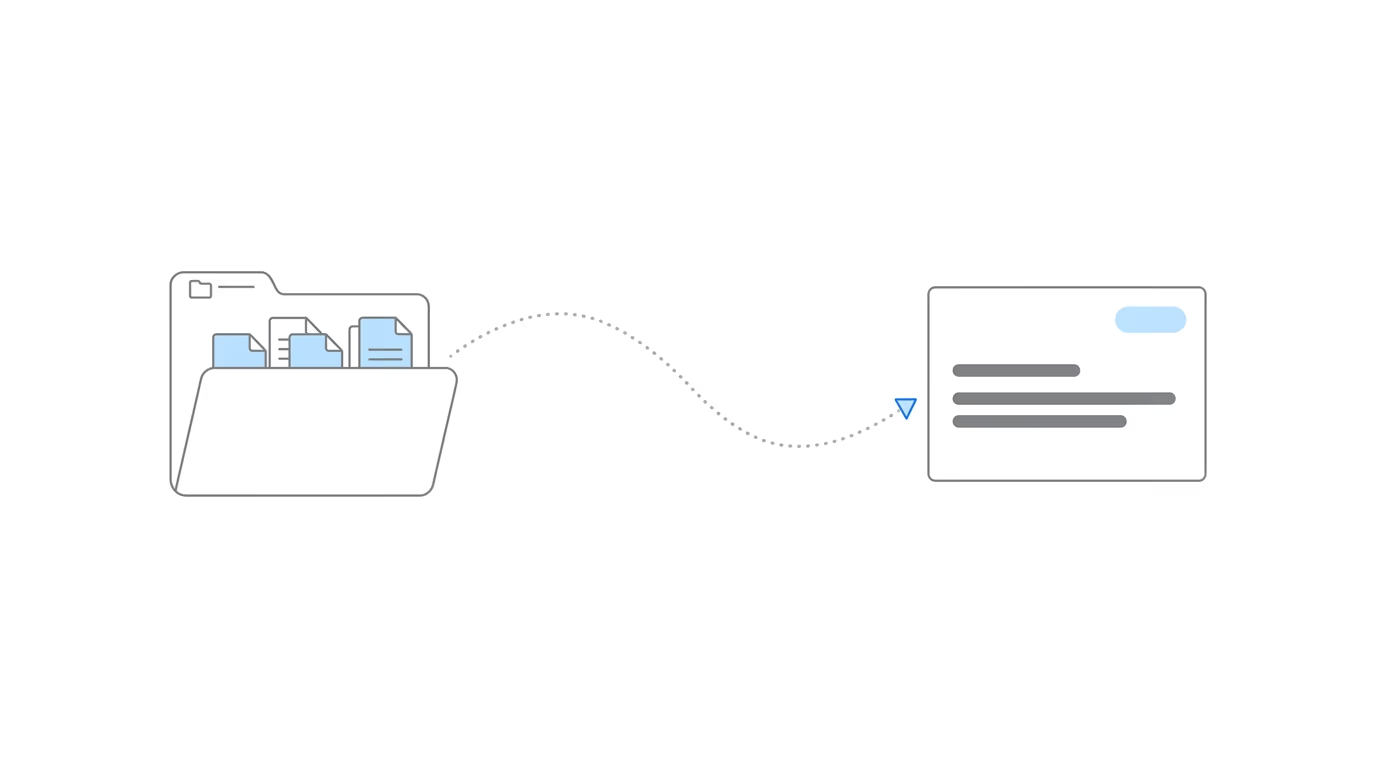
Chronicle launched its native Clio integration on April 15, 2026, during a live demo event, the latest session in the Advancing Technology in Disability Law series. The integration automatically syncs Electronic Records Express (ERE) data from Chronicle into Clio matters, replacing the manual data entry that disability firms have historically relied on to keep their case management system aligned with what the Social Security Administration is actually doing. For the product-level overview of what the integration does and what it unlocks downstream, see our announcement post on the Clio integration.
Speakers:
- Will Yang, moderator, focused on partnerships helping disability practices adopt better tools and stronger operational standards.
- Nikhil Pai, Founder of Chronicle, the platform helping Social Security disability firms automate case tracking, manage ERE access, and streamline document workflows. Chronicle now monitors over 235,000 cases and 11.7 million SSA documents across 2,800+ disability professionals.
The Core Problem: Manual ERE Data Entry Into Clio
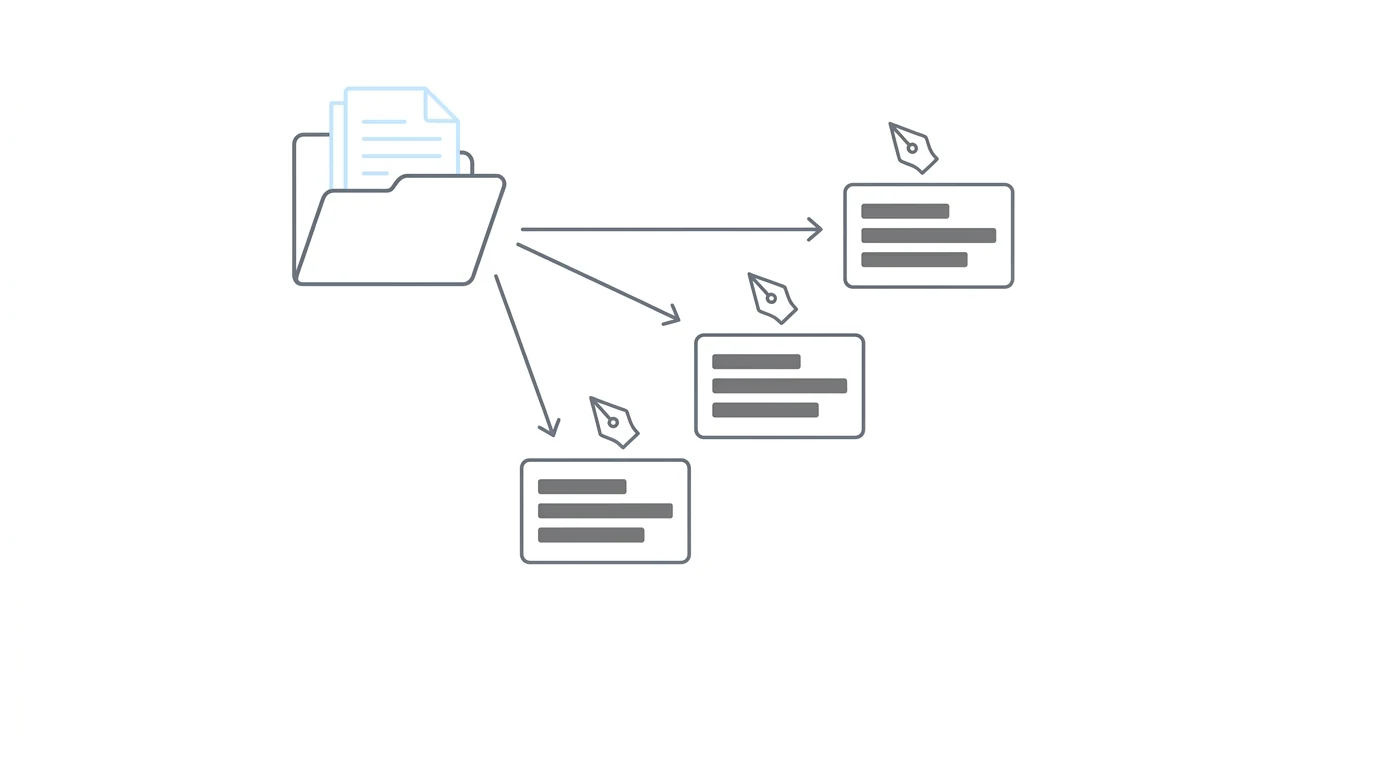
For firms using Clio as their system of record, case managers spend hours every week typing ERE data into Clio: status updates, hearing dates, decisions, documents. That workflow tax scales directly with caseload. More cases, more manual entry.
As Nikhil Pai explained: “The core problem we try to solve at Chronicle is understanding where your cases are at at the SSA.” The challenge is that Chronicle’s ERE monitoring lives in a separate silo from Clio, where staff actually do the work.
“The goal of this integration is to connect those two systems,” Nikhil said. That way, the flow of data from the ERE that Chronicle is monitoring automatically lands in Clio, without anyone typing it in.
Specific consequences of manual entry:
- Data entry falls behind: Your CMS stops reflecting what’s actually happening at the SSA.
- Staff toggle constantly: Case managers jump between the ERE and Clio to reconcile state.
- Automations don’t fire: Clio workflows and tasks can’t trigger on events the system doesn’t know about.
What the Integration Syncs
The native integration pushes three core data types from Chronicle into Clio every 15 minutes:
- Case status: ERE level, status, and decisions map into Clio matter stages.
- Calendar events: Hearings land as Clio calendar entries on the associated matter.
- Documents: Evidence and notices from the ERE sync to a Chronicle ERE folder inside the Clio matter.
This is a direct API connection, not a Zapier workflow or third-party middleware.
How the Setup Works
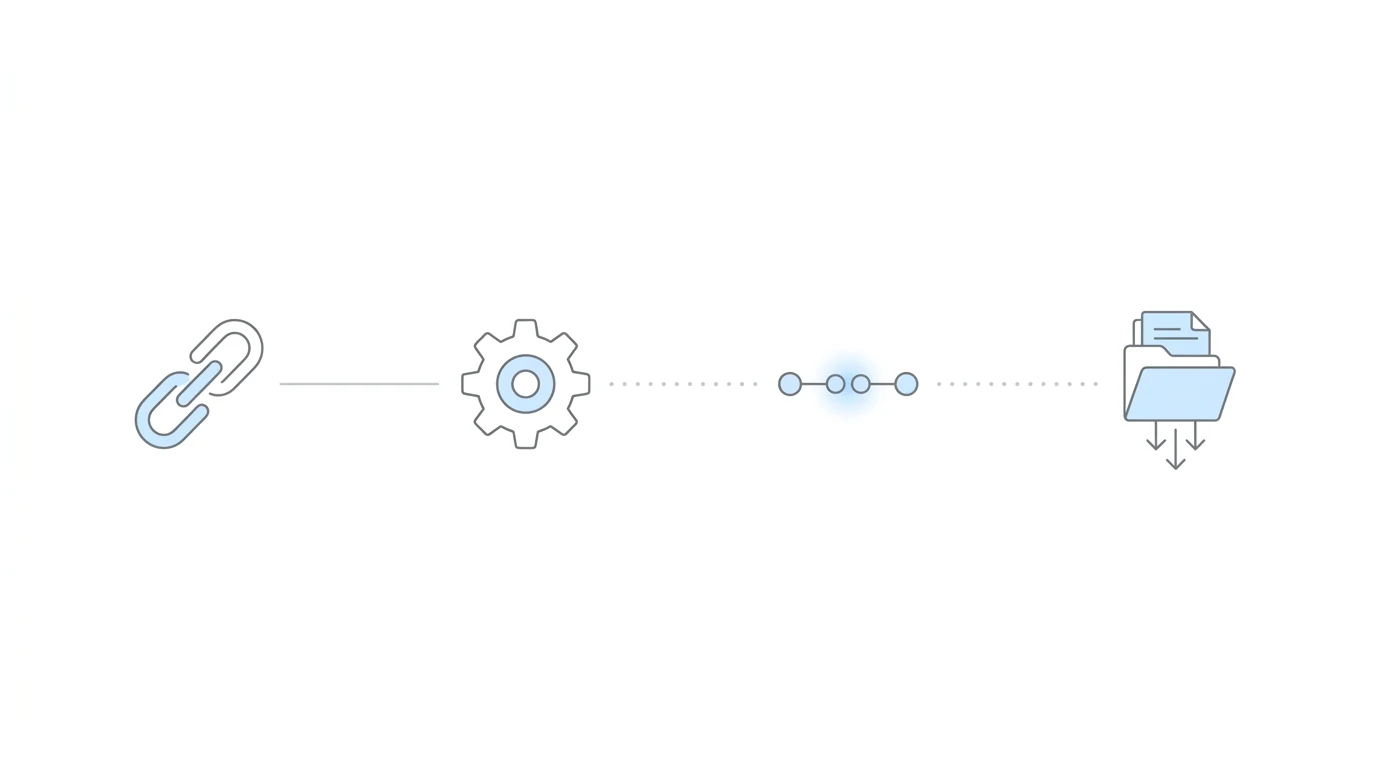
The full setup takes four configuration steps inside Chronicle. Authentication itself takes about 30 seconds; the mapping decisions are where most firms spend their time.
Step 1: Connect and Authenticate
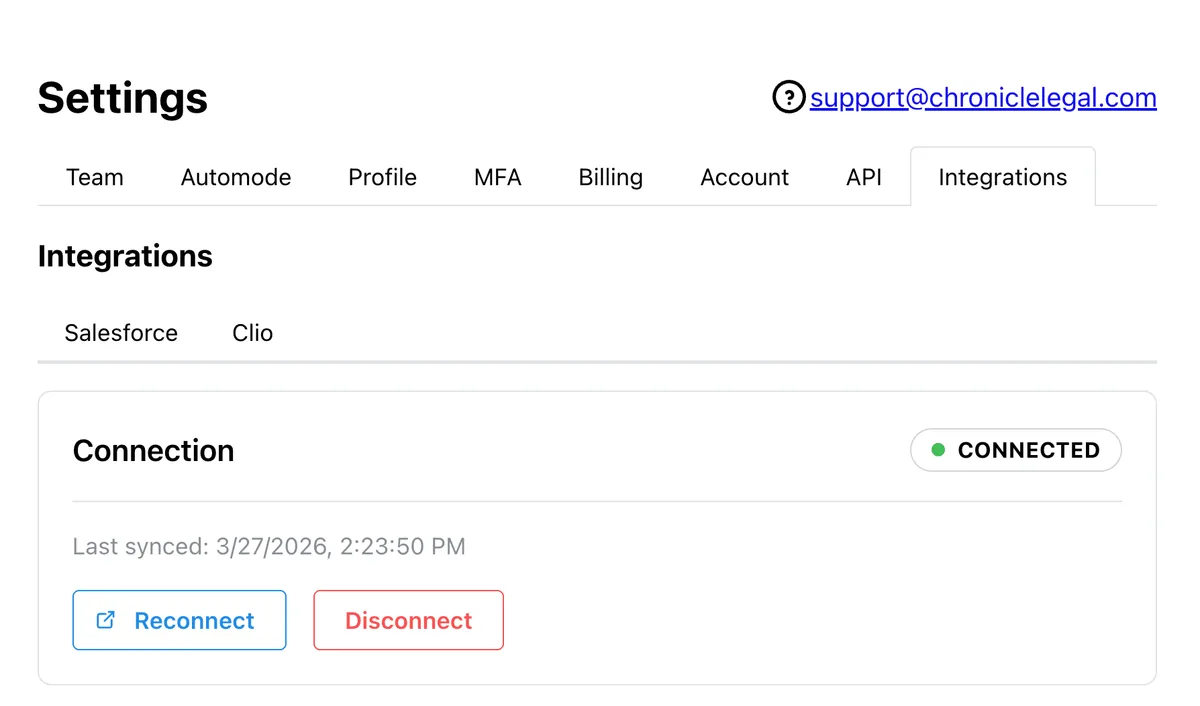
A Clio admin logs into Chronicle, goes to Settings → Integrations → Clio, and clicks Connect to Clio. After authorizing access, the connection shows a green light. Every change Chronicle later makes to Clio appears under the name of whoever authenticated, a small quirk worth knowing before handing the setup to a specific person.
Step 2: Configure the Sync
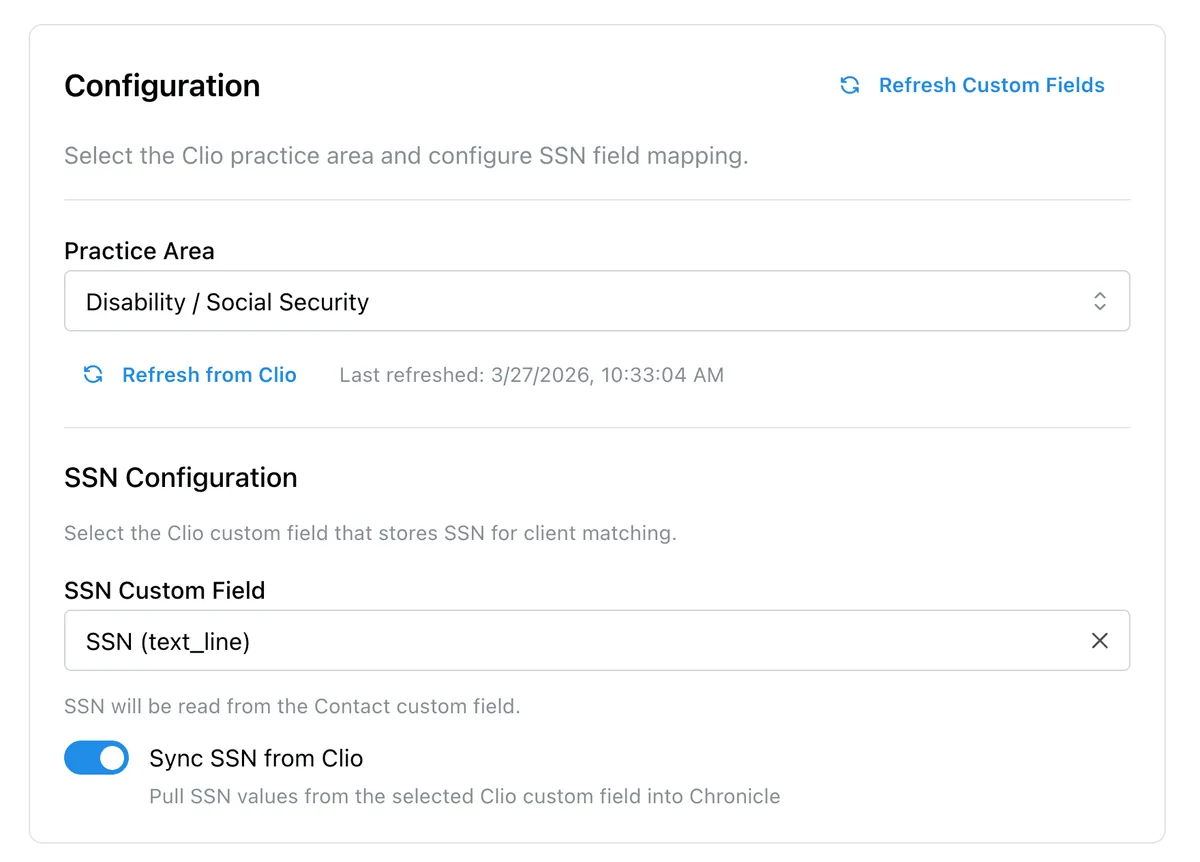
Select your practice area (Disability / Social Security) and tell Chronicle which Clio field holds the client’s SSN. SSN is not a standard Clio field, so firms typically have a custom field already. Chronicle can read the SSN from either the contact or the matter.
There’s also an optional toggle to sync full SSNs from Clio back into Chronicle, which saves manual entry on the Chronicle side but incurs the standard Chronicle per-case fee for monitoring.
Step 3: Client Matching
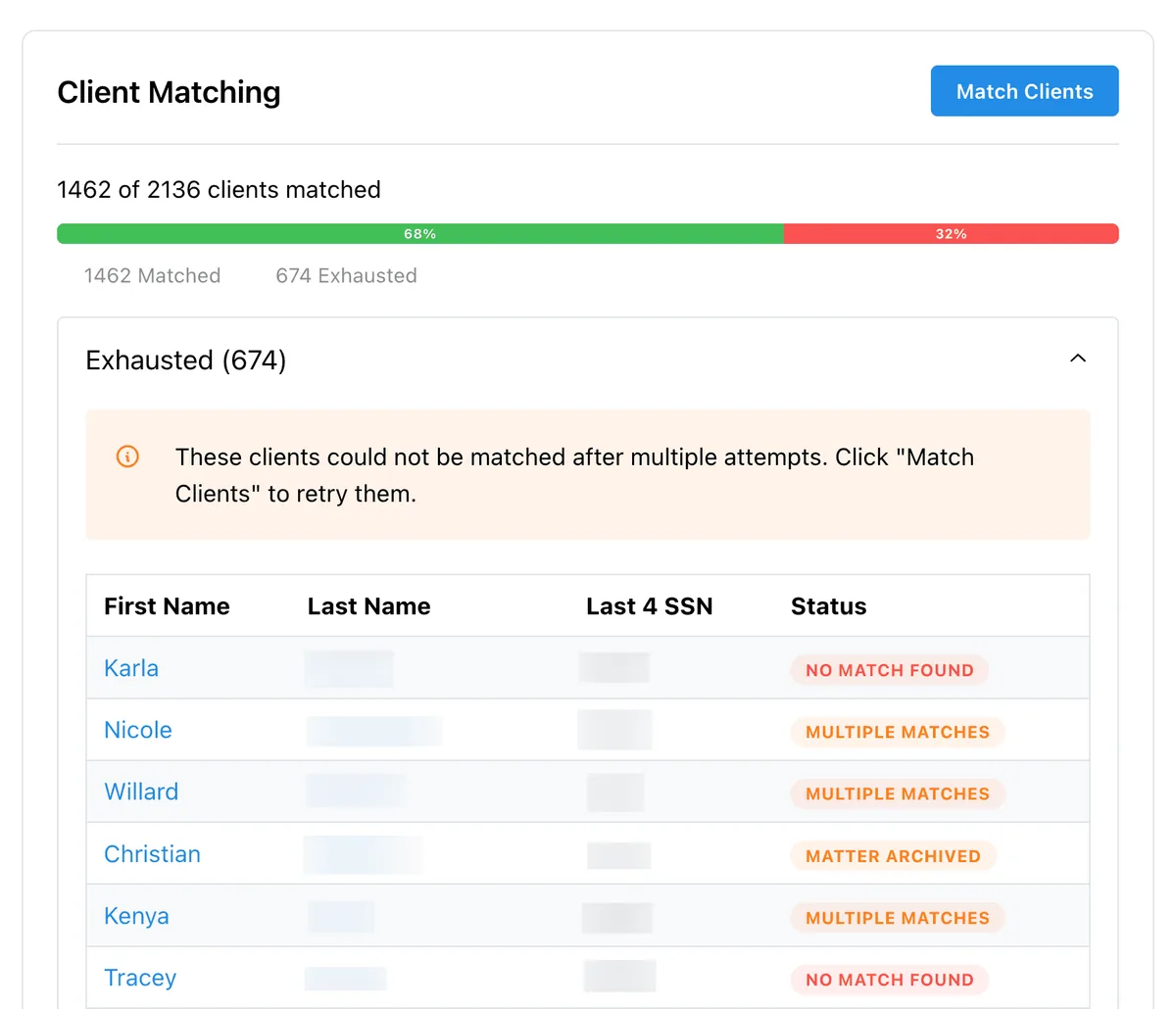
Chronicle matches ERE clients to Clio contacts using last name and last four of SSN. During the demo, Nikhil showed a 1,400-client account where every match resolved automatically except one. Liam Smith had multiple Clio matters with the same last name plus last four, so it surfaced as “Multiple Matches” for manual resolution.
The two failure modes are Multiple Matches (too many matters matching the same criteria) and No Match Found (last name spelling differs from the ERE). Unmatched clients export to a list you can work through manually.
Step 4: Matter Stage Mapping
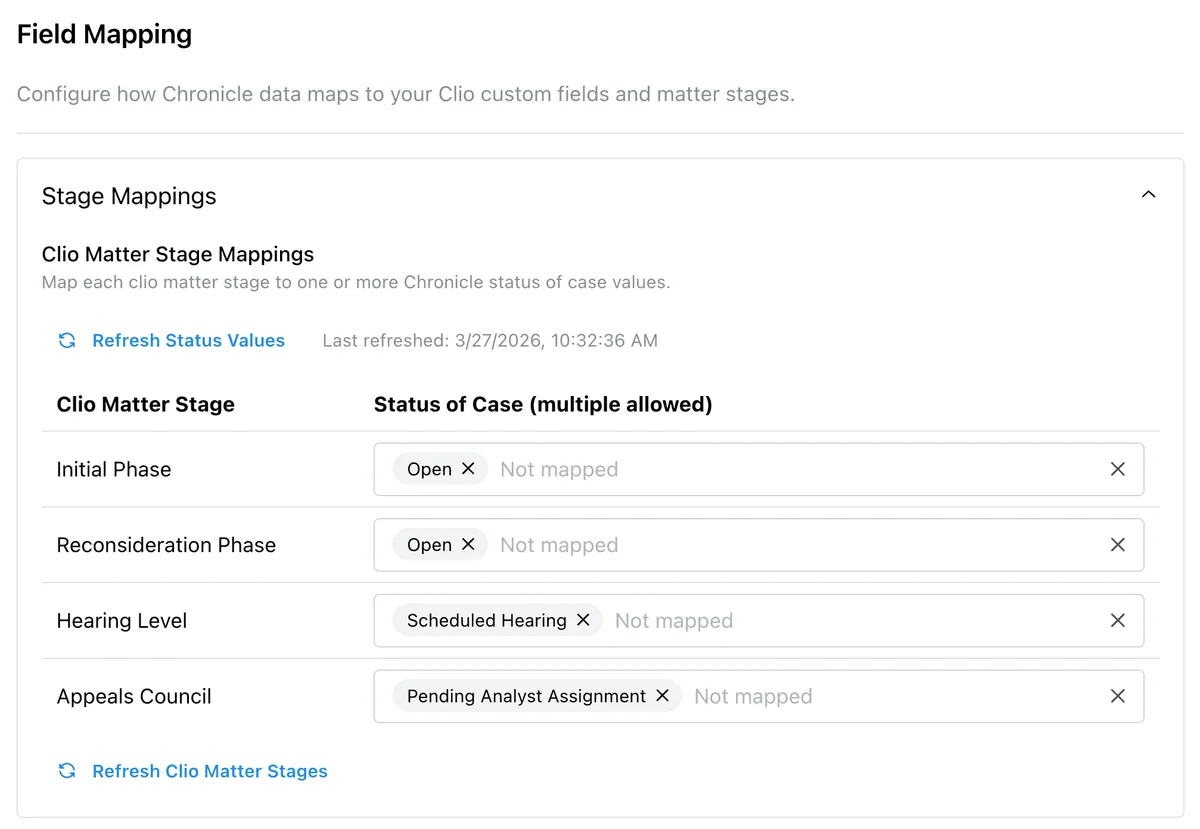
Each Clio matter stage maps to one or more Chronicle case statuses. For example: Initial stage → ERE “Initial Open”; Recon stage → ERE “Initial Close Unfavorable”; Hearing stage → ERE “Master Docket” or “Scheduled Hearing.”
Importantly, Chronicle will never overwrite manual changes: “We will never overwrite a stage change that you have done manually,” Nikhil emphasized. Once a case moves automatically, it won’t be moved back automatically, so manual overrides always stick.
Step 5: Field Mapping
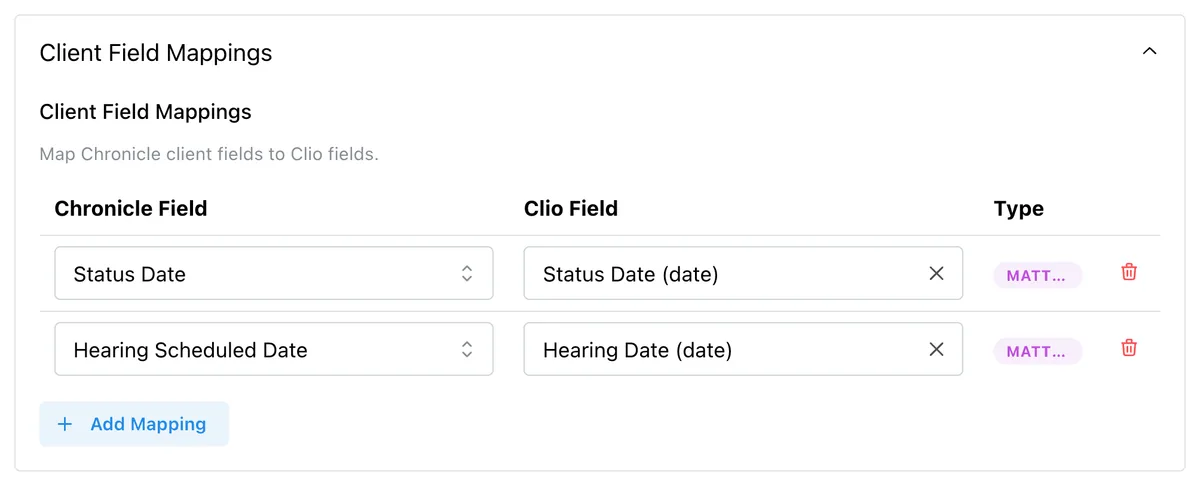
Map specific ERE data points to Clio custom fields: status of case, DLI, hearing date, office, and so on. Chronicle supports text and date fields. Related contact fields (like hearing office as a linked Clio contact) are not yet supported.
“We only fill when there are updates,” Nikhil noted. For existing matters, there’s a resync button that backfills all matters or a date-bounded subset.
Step 6: Document Sync
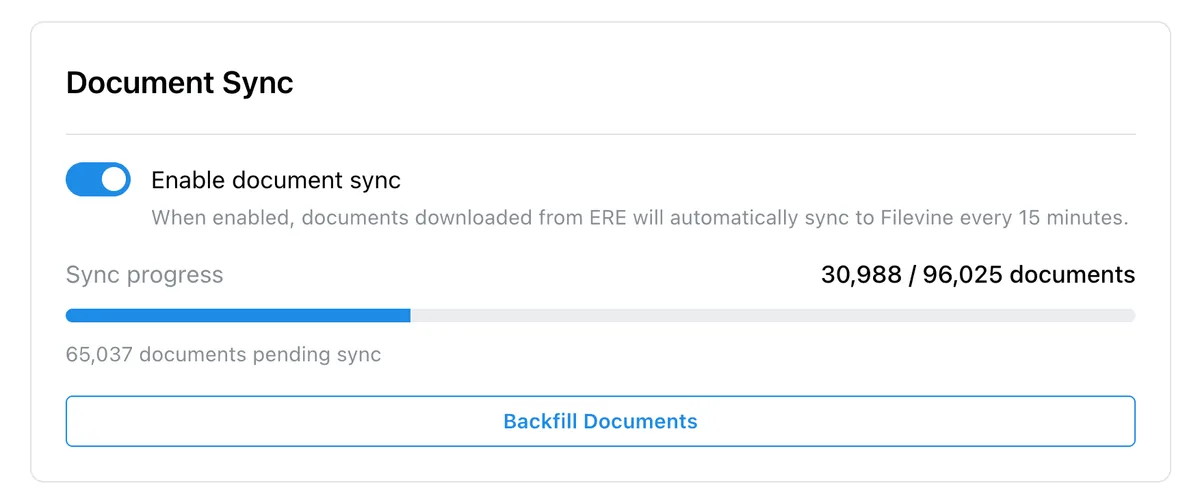
Toggle document sync on, and Chronicle automatically moves ERE files into a Chronicle ERE folder inside each Clio matter. A Backfill button pulls historical documents for existing cases. Documents sync every 15 minutes alongside the other data types.
This is also what unlocks Clio’s own AI features. As Nikhil put it: “In order for those features to work best, you have to have all of your evidence in Clio.” Without documents in Clio, the AI tools have nothing to work with.
Why Native Matters: A Direct API, Not Zapier
Most firms attempting this workflow before today used Zapier as a bridge. Chronicle’s native integration replaces that setup with a direct API connection.
As Will Yang put it during the recap: “You authenticate once, and from there, it’s configured, and it’s just feeding through.”
The practical differences:
- Cost: Included with Chronicle Pro. Nikhil on switching: “First and foremost, cheaper. You’re probably paying a hundred-some dollars a month for the Zapier integration.”
- Reliability: No third-party connector to debug when it breaks. Chronicle maintains the integration directly.
- Document sync: Zapier-based integrations to case management systems typically can’t move documents. The native integration does.
- Ongoing updates: As Clio evolves (especially Clio Manage AI), the native integration evolves with it.
Customer Proof: Travis McCracken
Travis McCracken at Golson, McCracken Inc. has been running the integration in production. He shared:
Chronicle has become an integral piece of my business operations, to the point that I simply could not run my company without it. Beyond the core functionality, the integrations and the consistent willingness to communicate, adapt, and improve the platform have driven meaningful, foundational improvements across our workflows.
The new Clio integration, automatically syncing documents from ERE, gives me confidence that everything is captured and organized without extra work. It’s rare to find a product and leadership team so aligned with the needs of its users, and I look forward to continuing to grow alongside Chronicle in the future.
Travis’s firm also helped shape how Chronicle handles the gap between “initial close unfavorable” and a filed reconsideration. They run an intermediate Clio matter stage for filed-but-pending appeals, which Chronicle populates automatically.
What’s Not Yet Synced
A few ERE data types are not part of the initial launch:
- Consultative exams (CEs): Roadmap item.
- SSA information requests: Roadmap item.
- Medical requests: Roadmap item.
The launch covers the core data firms need in their CMS every day: status, hearings, and documents.
Availability & Pricing
Current status: Available today for all Chronicle Pro customers with a Clio subscription.
Cost: Included with Chronicle Pro at no additional fee. Chronicle Essentials customers need to upgrade to Pro to access the integration. A separate Clio subscription with admin access is required.
Setup time: Authentication runs about 30 seconds. Full configuration takes about 15 minutes of clicking. Stage and field mapping decisions typically take a few hours to a couple of days depending on how much a firm wants to customize. Chronicle recommends starting with field mappings before tuning stage logic.
Launch offer: Chronicle is offering a free white-glove integration setup session for Pro customers. Book a white-glove setup session to have the team walk through the configuration live.
Frequently Asked Questions
Does the integration add a Chronicle shortcut inside Clio?
Not yet. There is a shortcut in the other direction: from any Chronicle client page, an “Open in Clio” button deep-links to the matter in Clio.
We don’t change matter stage in Clio until the reconsideration is actually filed. Can the integration handle that?
Yes. Add an intermediate Clio stage (for example, “File Initial Appeal”) between Initial and Recon. Configure Chronicle to move matters into that intermediate stage on “Initial Close Unfavorable,” then out to Recon only when the ERE confirms Recon is open.
Are related contact fields supported for things like hearing office?
Not yet. The integration supports Clio text fields and date fields. Related contacts are not yet supported.
How does the integration distinguish “ready to schedule” from “scheduled hearing”?
The ERE exposes both as distinct statuses. You can map “Ready to Schedule” and “Scheduled Hearing” to different Clio matter stages, and Chronicle will route each accordingly.
Is there a native MyCase integration?
Not yet. Clio is live today; Filevine is next. MyCase firms can currently bridge with Zapier for stage and field mappings, but Zapier cannot handle the document sync.
Do I need a dedicated Clio field for the last four of SSN?
No. Chronicle can read from any existing SSN field in Clio, full SSN or last four, on either the contact or the matter.
If I’m already using Zapier, why switch?
Cost and reliability. Zapier typically runs around $100+/month; the native integration is included with Chronicle Pro. Zapier connectors also fail intermittently and require your team to debug. Chronicle maintains the native integration directly.
Does data flow both ways?
No. The integration is one-way from Chronicle into Clio, with one narrow exception: if you enable the optional SSN sync, Chronicle pulls the full SSN from Clio into Chronicle.
Upcoming Events
ERE Data in Filevine, Automatically: Chronicle’s Native Integration
The same workflow, built for Filevine. Walkthrough of the full setup, matter mapping, and document sync.
April 16, 2026 | Register
About This Series
This session is part of Chronicle’s Advancing Technology in Disability Law series, spotlighting tools, workflows, and integrations helping disability firms modernize how they work. Upcoming sessions cover additional CMS integrations, automation patterns, and partner launches.
Clio joins Chronicle’s growing ecosystem of partner integrations, including our native Filevine and Litify integrations, the Superinsight medical chronology integration, and the Benny integration for automated SSA forms.
Key Takeaways
-
Manual ERE-to-Clio data entry is eliminated. Case status, hearings, and documents sync into Clio matters every 15 minutes without anyone typing them in.
-
Native integration beats Zapier on cost, reliability, and scope. Zapier cannot sync documents, costs extra, and breaks without warning. The native integration is included with Chronicle Pro.
-
Setup is fast; mapping decisions are where firms spend time. Authentication takes 30 seconds; configuration takes 15 minutes. Customizing stage logic to match your firm’s workflow is the part worth thinking through carefully.
-
Chronicle never overwrites manual stage changes. Automatic moves happen once; manual overrides always stick, so your team’s exceptions are preserved.
-
Document sync unlocks Clio’s AI features. Clio Manage AI needs evidence in Clio to work. The integration puts it there automatically.
For questions or to learn more: Contact support@chroniclelegal.com or book a Chronicle demo.