
Enable passcode forwarding to a team number before changing the ERE phone number, or request a temporary code through ERE support.
Add your virtual number to ERE
Update the phone number in your ERE account to your Chronicle virtual number so ERE one-time passcodes are sent to Chronicle instead of a personal cell phone.
This is part of setting up Add ERE credentials. Complete this step before entering your ERE credentials in Chronicle.
Before you start
Make sure your Chronicle role allows ERE credential management. Only Manager / Rep, Admin, and Billing owner roles can access ERE credentials. If you do not have one of these roles, ask an admin to update your role in Settings > Team.
Change the secure text-enabled cell phone number
Log into the ERE.
Click View/Edit Account.
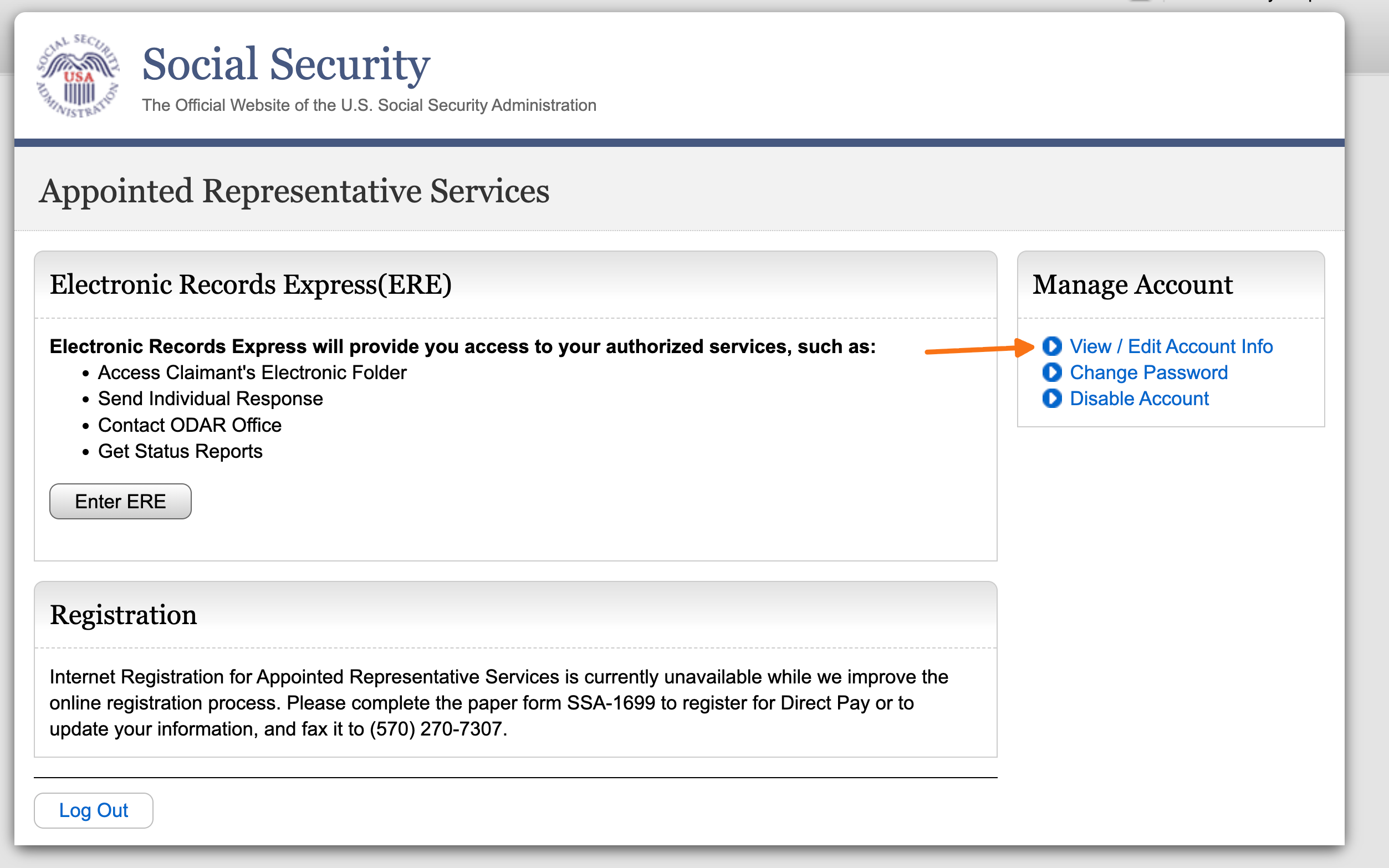
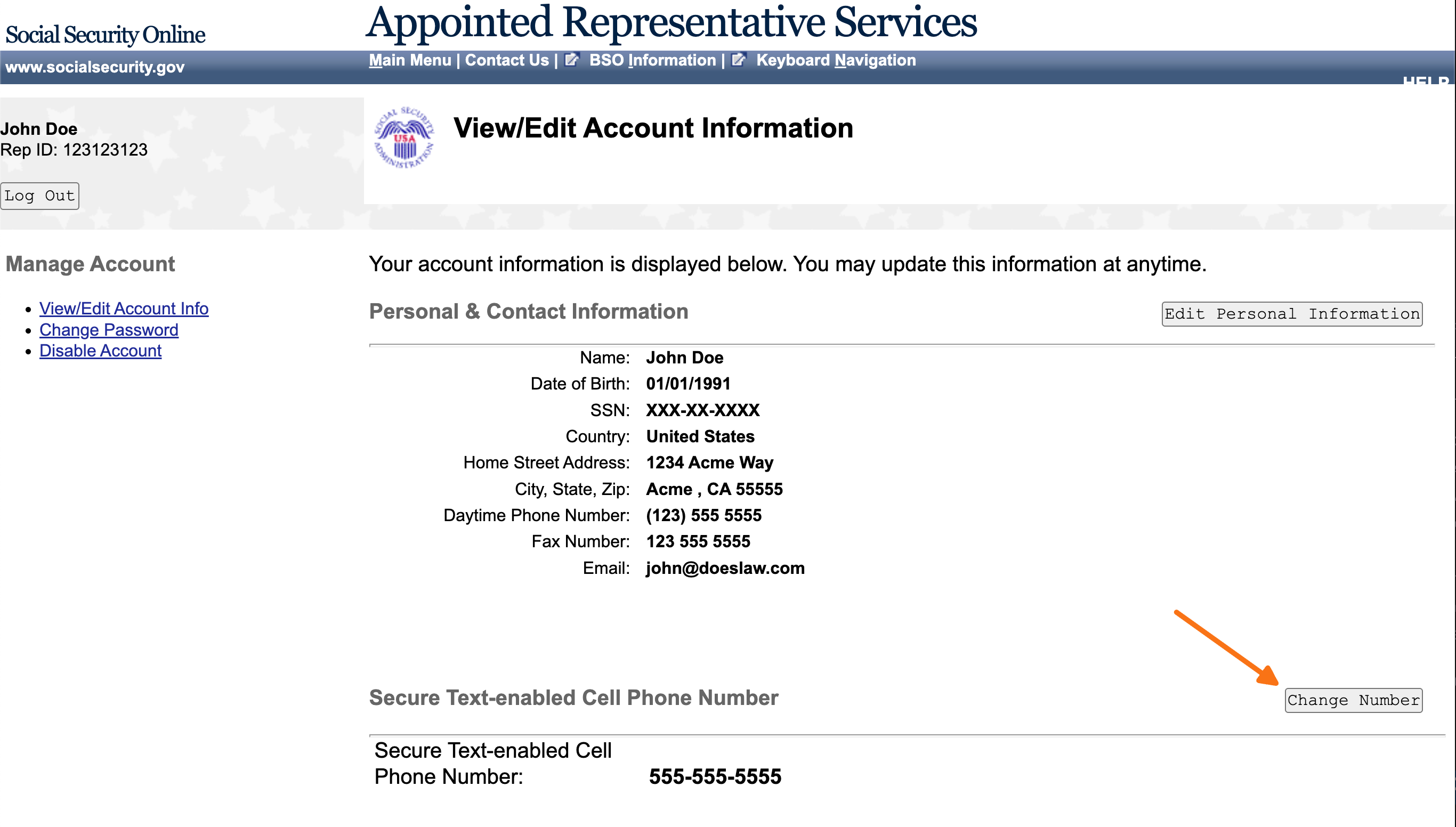
Find the Secure Text-enabled Cell Phone Number field and click Change Number.
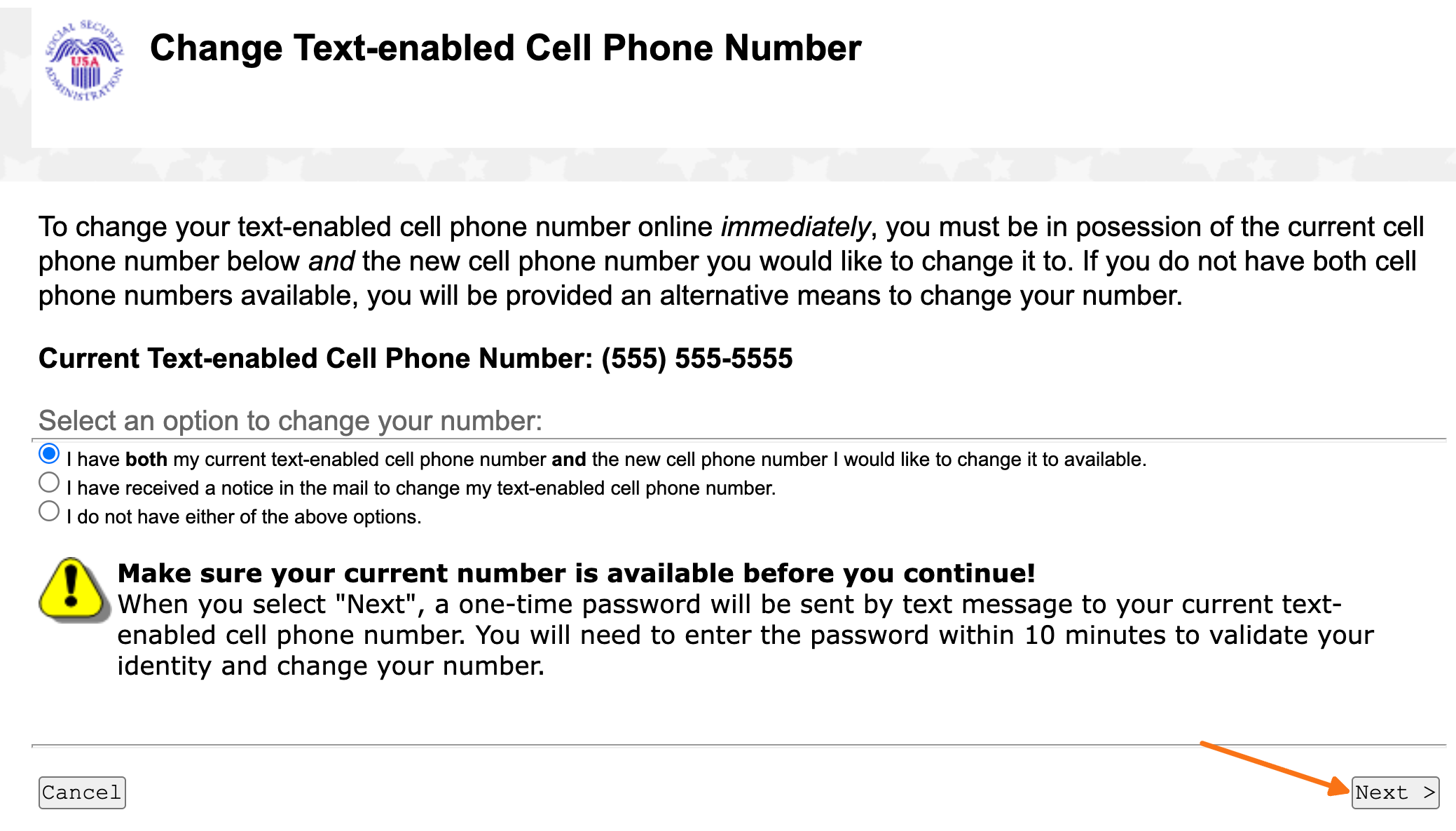
Enter the passcode you received on your current phone number.
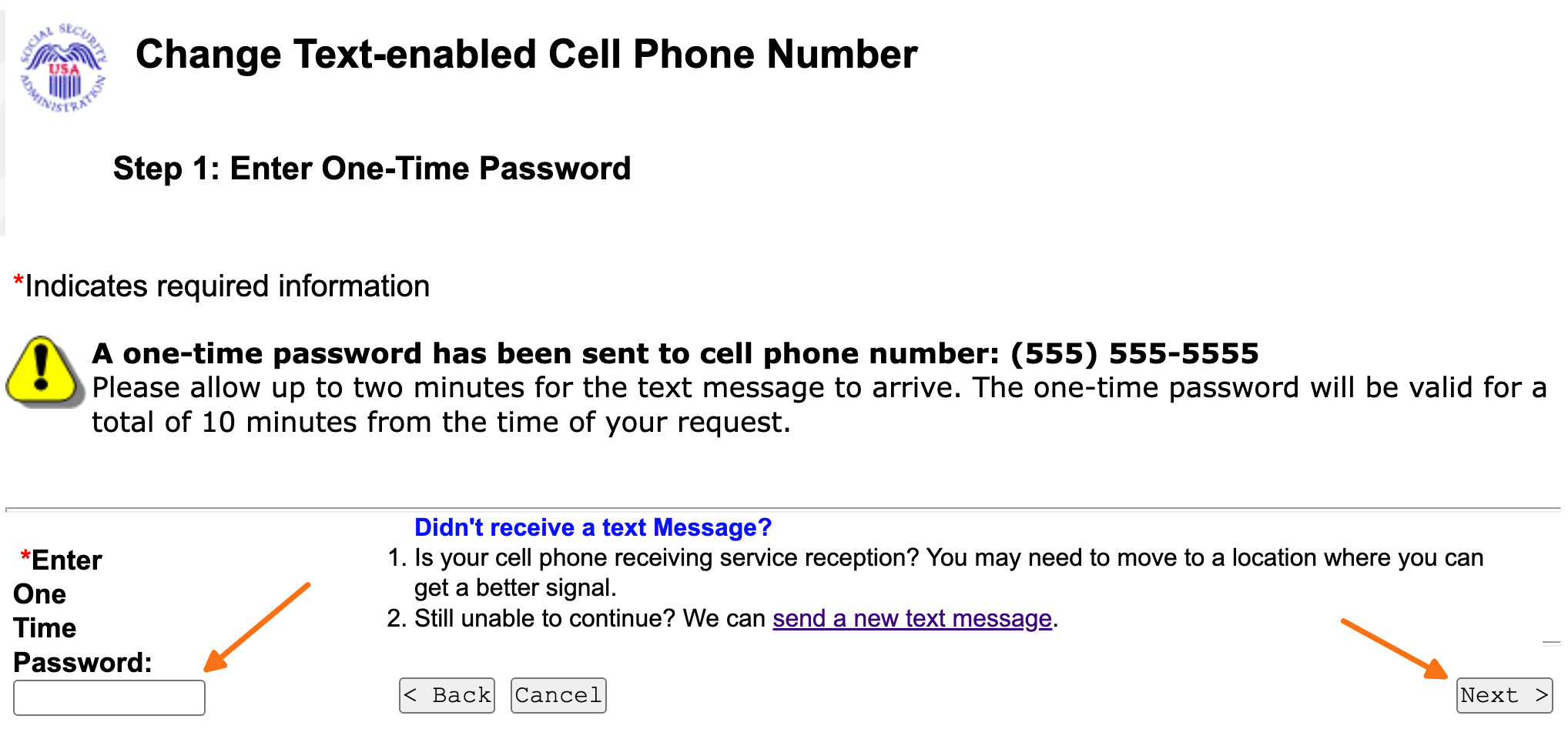
Enter the Chronicle virtual number as the new phone number.
For passcodes to forward to a team number, turn on the Forward passcodes to the rest of the team? toggle under your Chronicle Virtual Number in Settings > Profile > ERE.
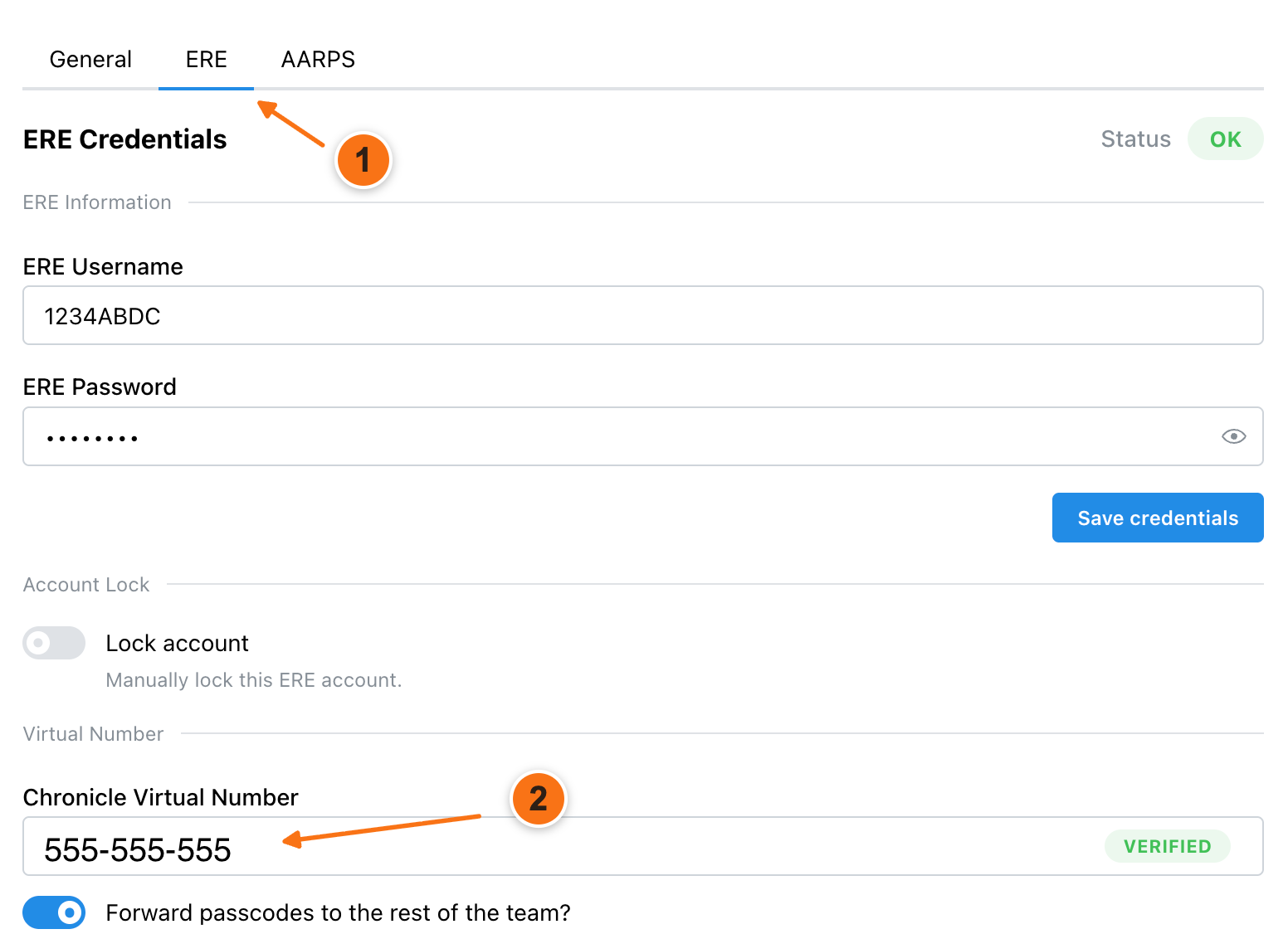
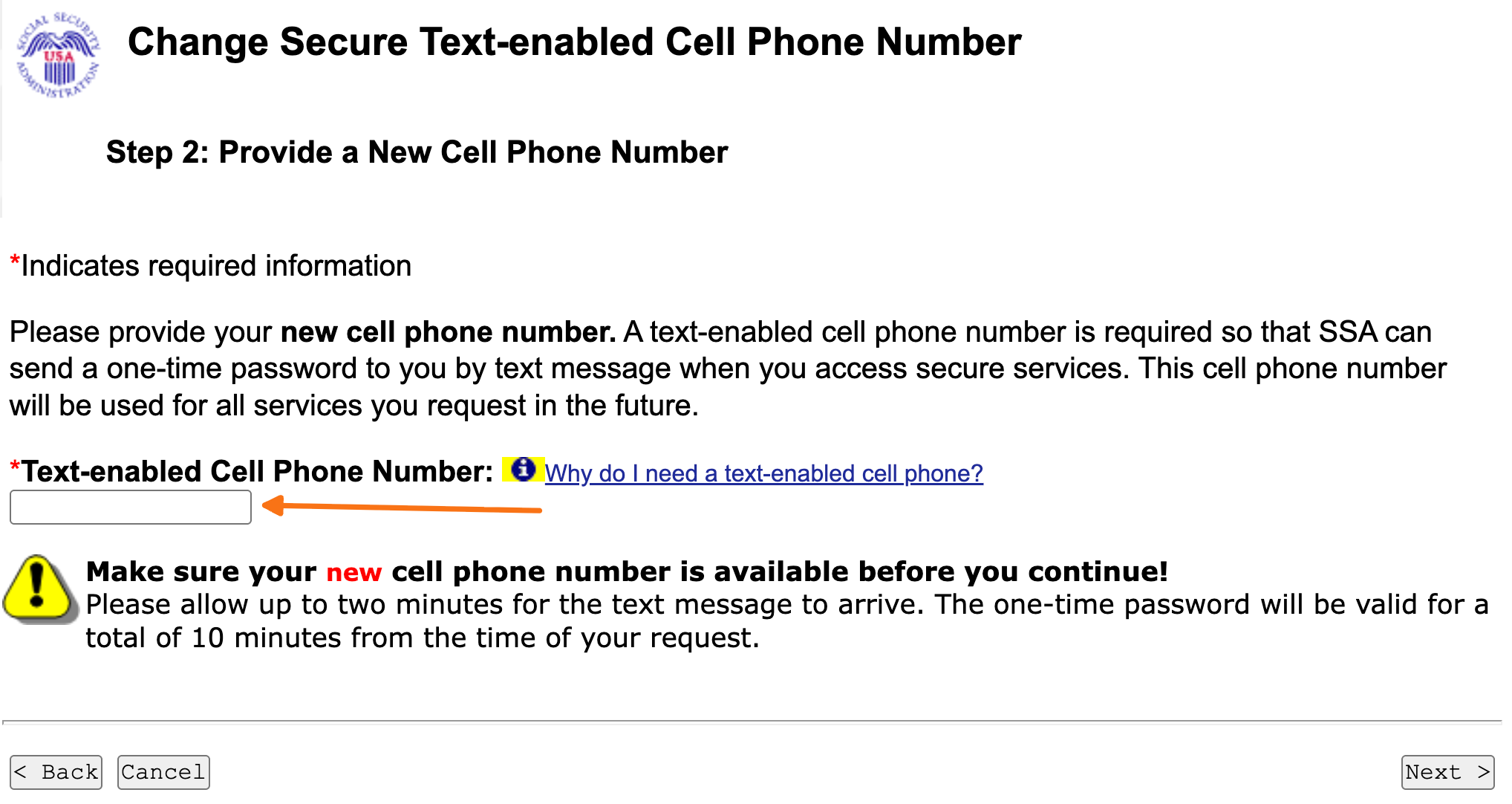
Enter the new passcode. You can get this passcode from the ERE credentials page in Chronicle, or turn on passcode forwarding in Chronicle Settings to receive it.
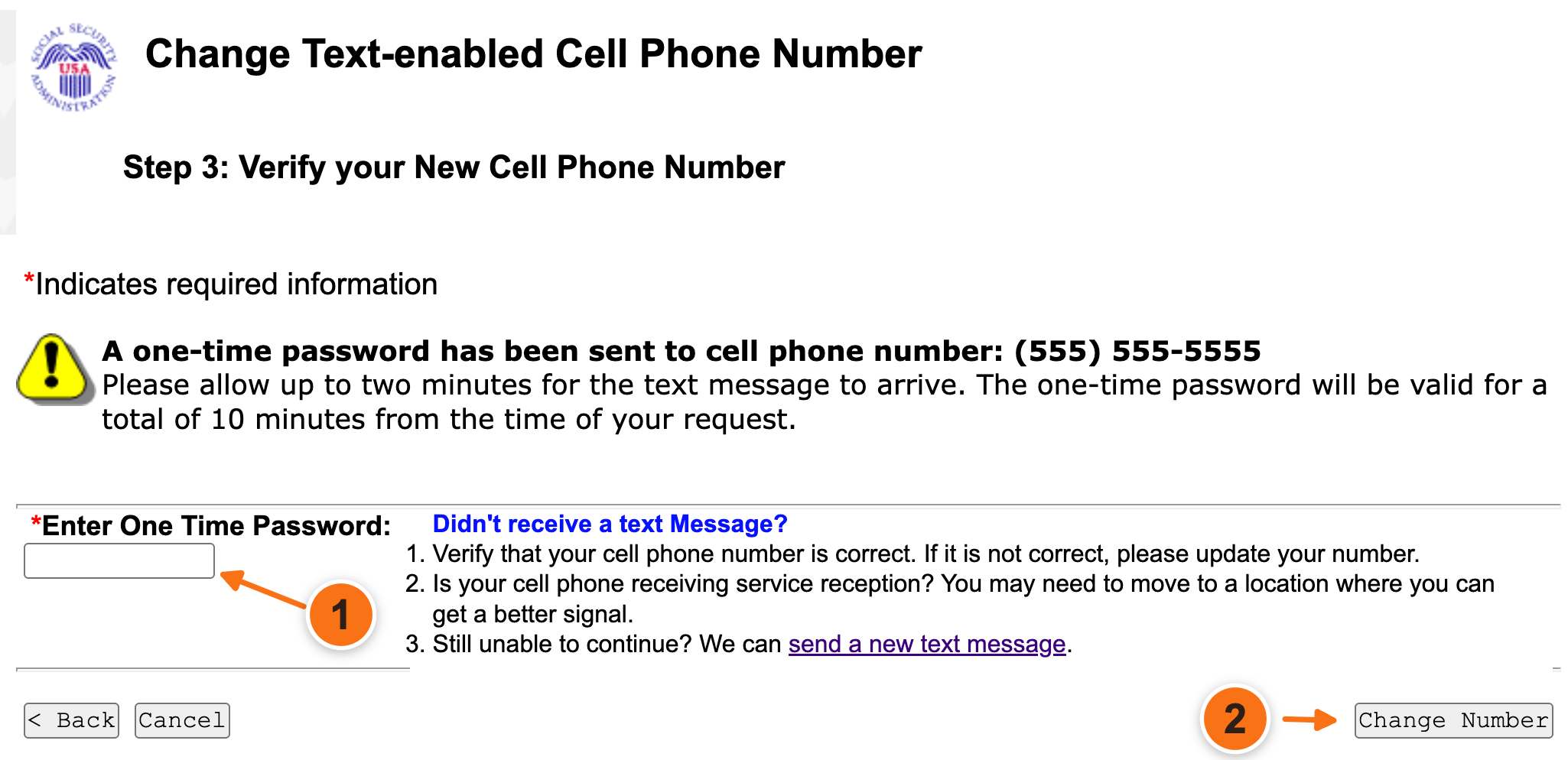
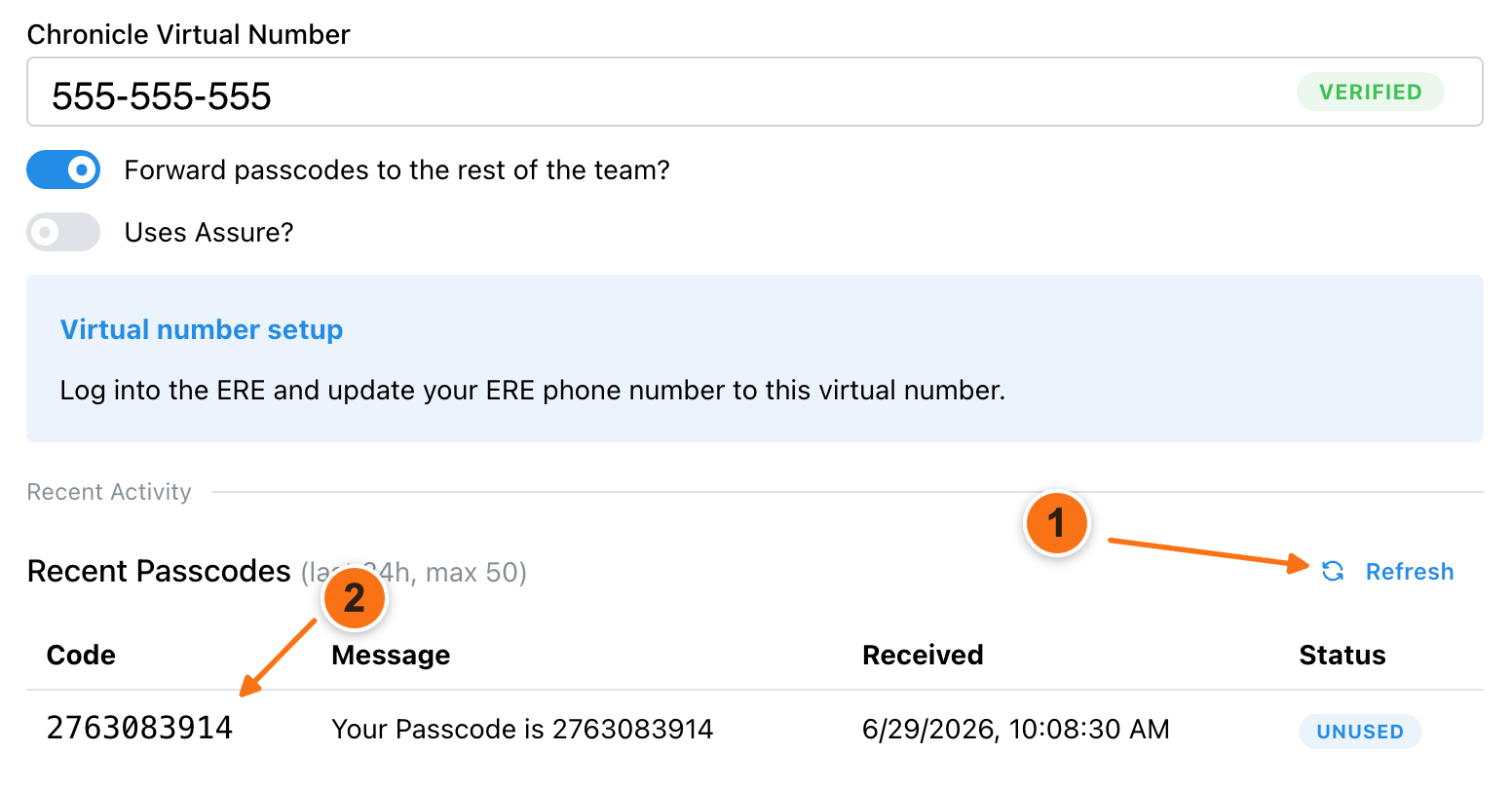
Save the change.
Forward passcodes to a team number
If your firm uses a shared number such as Google Voice or RingCentral, forward passcodes to a team number so your staff still receives codes.
What’s next
Return to Add ERE credentials to enter your ERE username and password in Chronicle.
Common issues
I did not receive the OTP on my old phone
View/Edit Account is not visible
Confirm you are logged into the ERE with the correct ERE account.
Was this helpful?
Was this helpful?