
Confirm the virtual number matches the number configured in the ERE or Assure, then re-enter the username and password.
Add ERE credentials
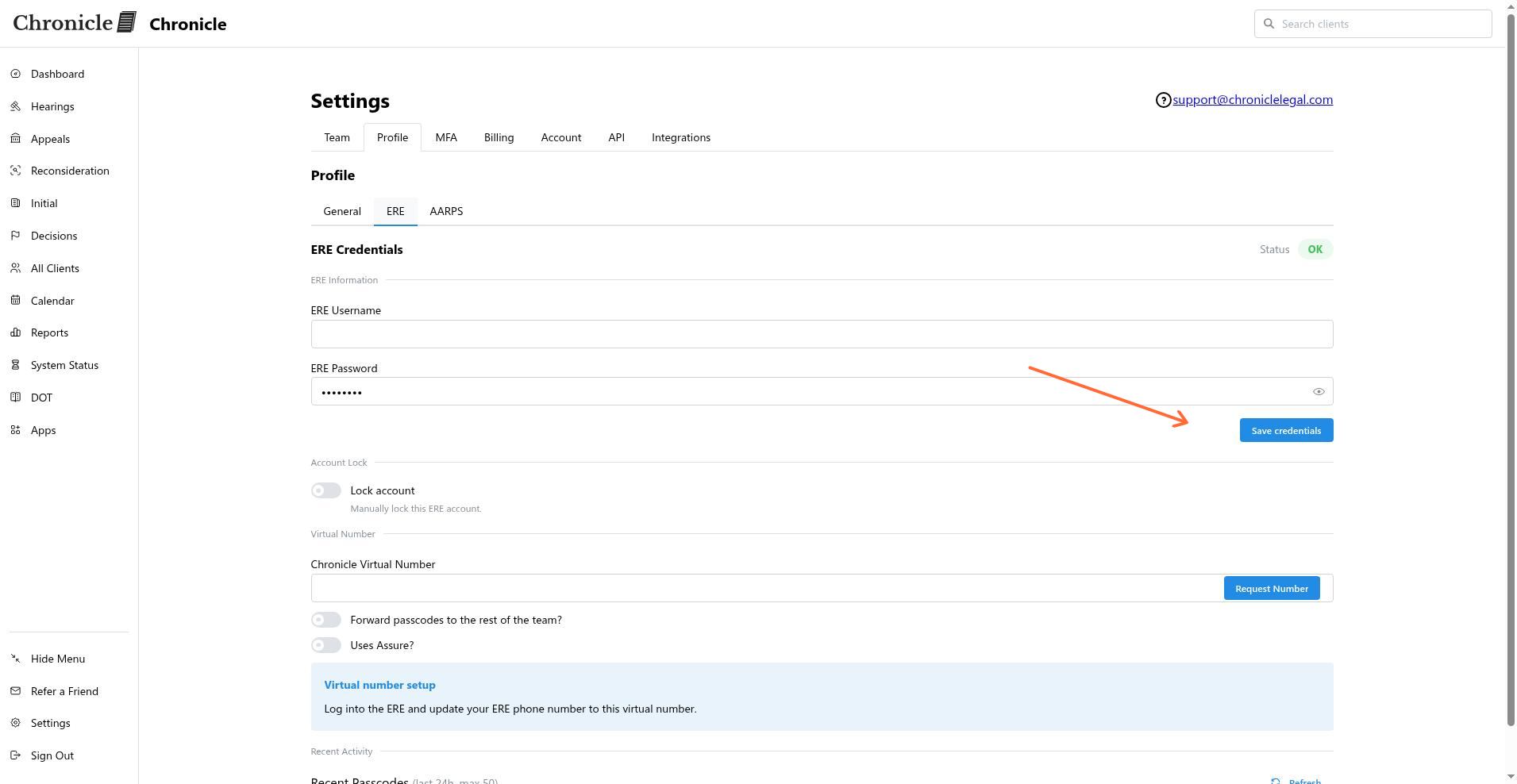
Add your SSA ERE credentials in Chronicle under Settings > Profile > ERE credentials so Chronicle can monitor case status and documents. The same tab stores the virtual number that receives one-time passcodes on your behalf.
Before you start
Make sure your Chronicle role allows ERE credential management. Only the following roles have access:
Manager / Rep
Admin
Billing owner
If you do not have one of these roles, ask an admin to update your role in Settings > Team.
The virtual number is required for Chronicle to receive OTPs and keep your ERE session active. Without it, monitoring will stop as soon as ERE requests a new passcode.
Update the virtual number before adding credentials
Chronicle stores the virtual number in the same place you will add your ERE credentials. Depending on how your firm accesses ERE, make sure the virtual number is set up first.
If you log into ERE directly: Update the phone number in the ERE portal to match the Chronicle virtual number. This directs ERE OTPs to Chronicle.
If you use Assure and want to keep it active: Log into Assure, open the Credential Manager, and add the Chronicle virtual number as a forwarding number.
Add ERE credentials
In Chronicle, go to Settings > Profile.
Open the ERE credentials tab.
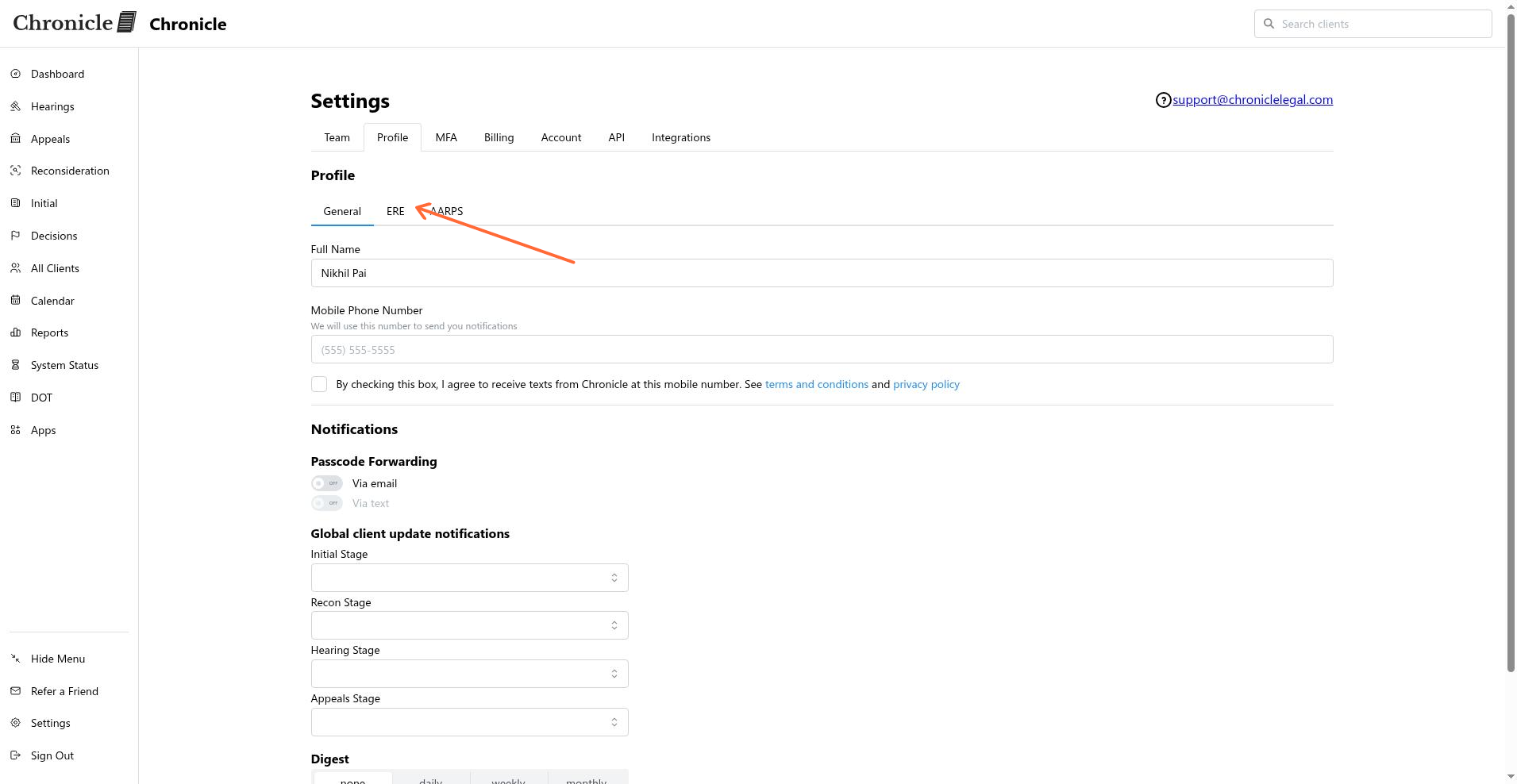
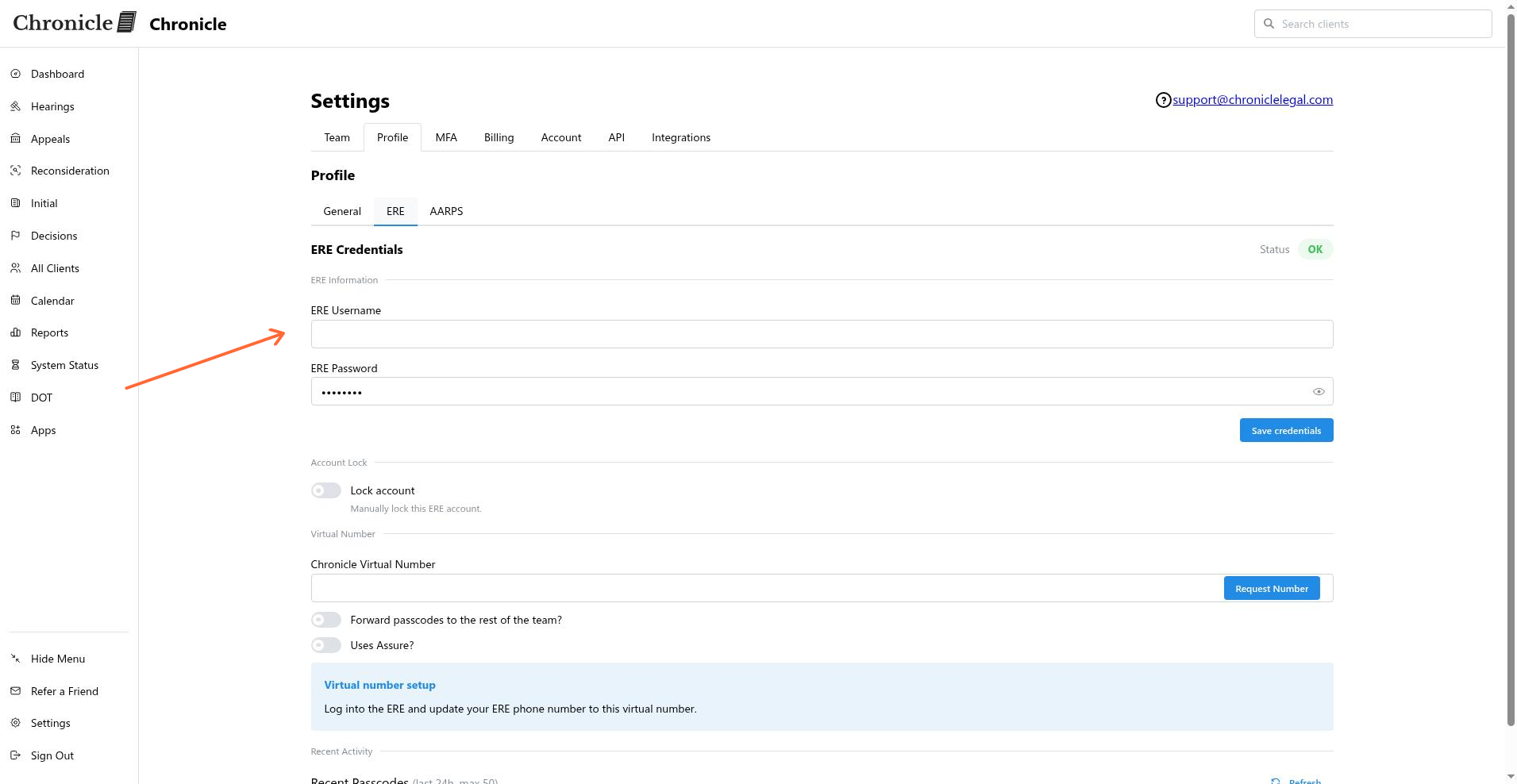
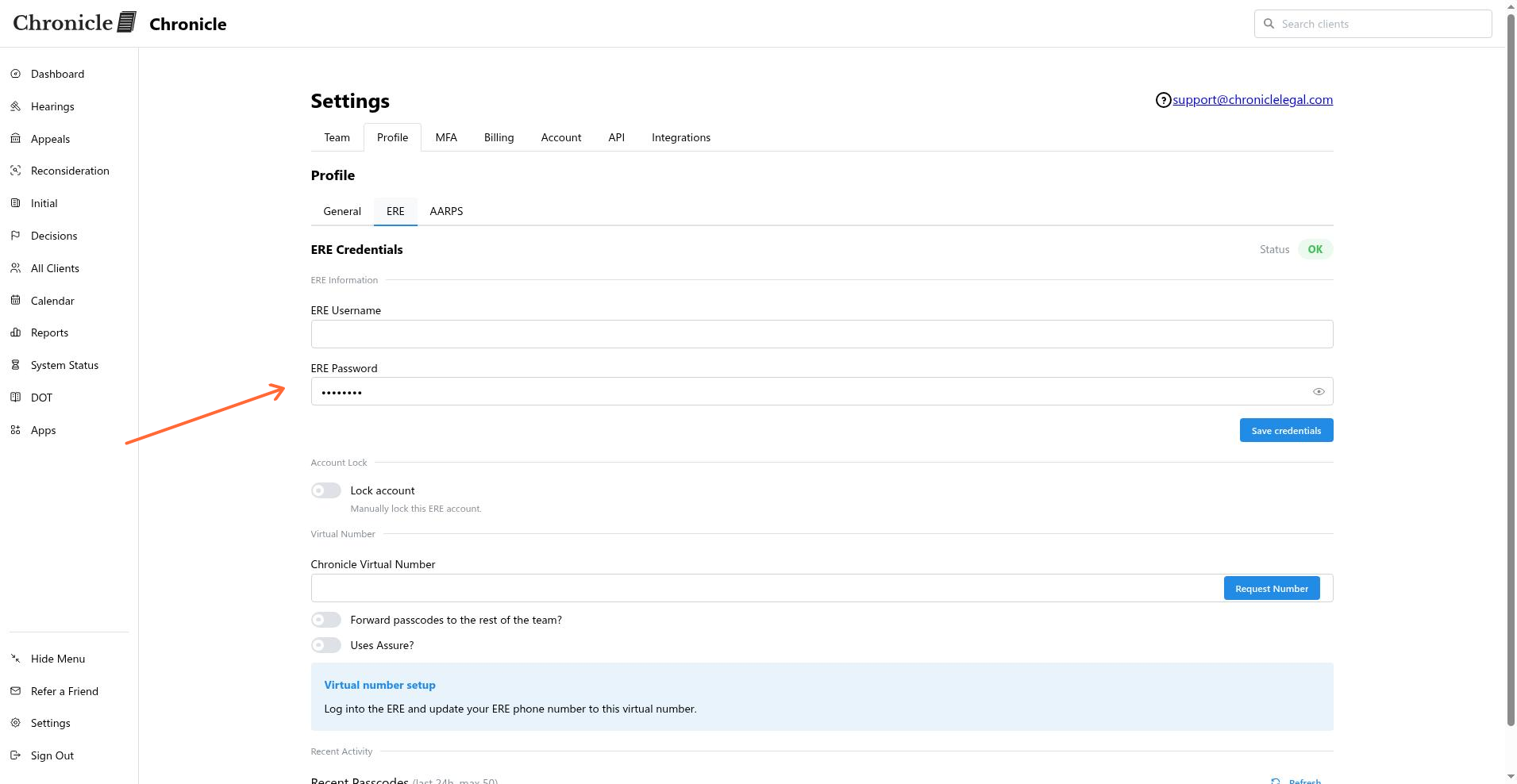
Enter your ERE username and password.
Confirm the virtual number shown on the tab is correctly configured in ERE or Assure.
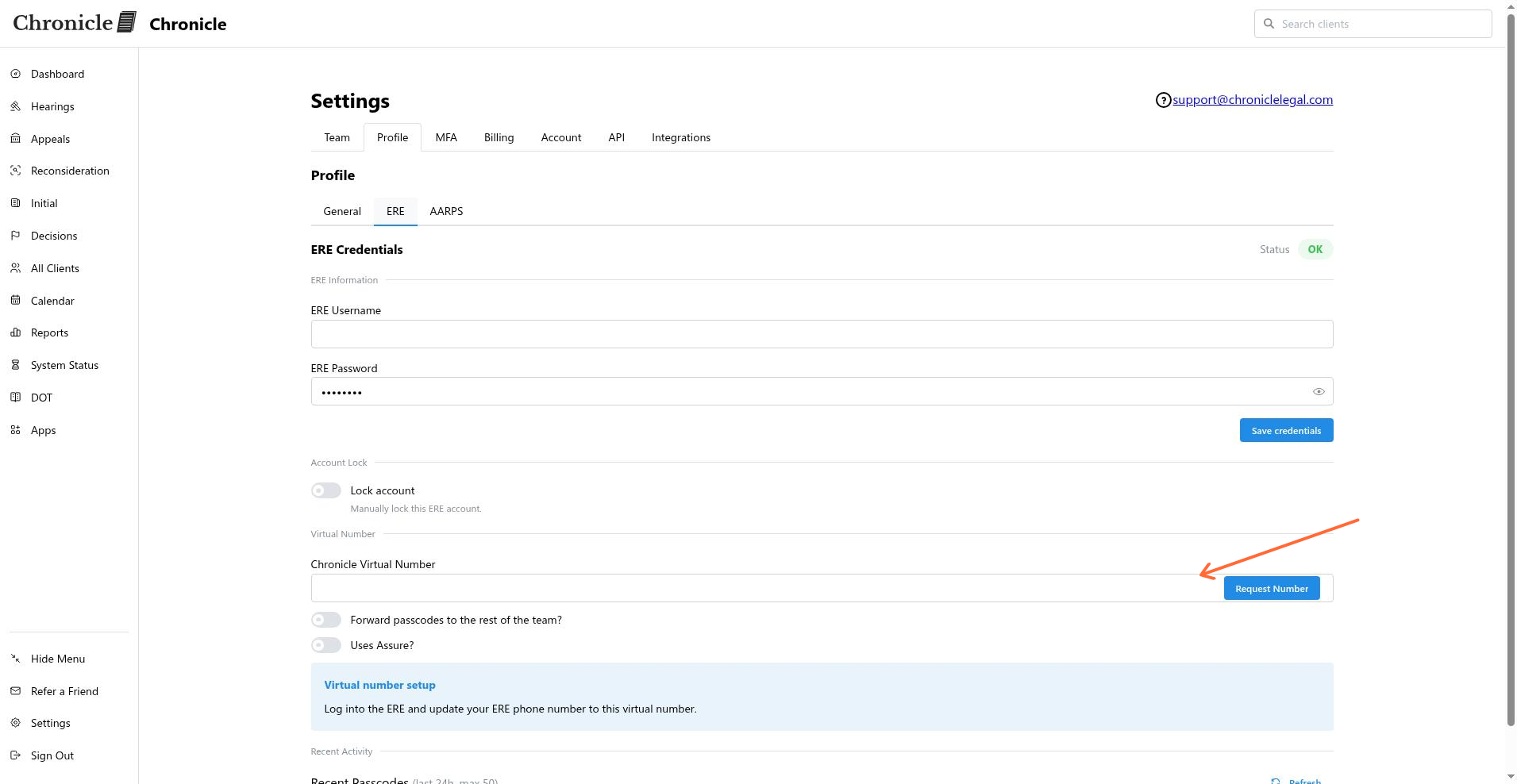
Save the credentials.
Forward passcodes to a team number
If your firm uses Google Voice, RingCentral, or another shared number to receive OTPs, keep that number in the loop so your team still gets codes. See forward passcodes to a team number for the full steps.
Verify the connection
After saving, Chronicle runs an ERE connection check. A successful check means both the credentials and virtual number are working.
If the check fails, confirm the virtual number matches the number configured in ERE or Assure.
Re-enter the username and password to rule out a typo.
Contact Chronicle support if ERE requires an extra security step such as CAPTCHA or device verification.
Related articles
Common issues
The ERE connection check fails
I do not see the ERE credentials tab
Only Manager / Rep, Admin, and Billing owner roles can manage ERE credentials. Ask an admin to update your role in Settings > Team.
Was this helpful?
Was this helpful?