
Only an Assure admin can edit forwarding numbers. Contact your Assure administrator.
Add your virtual number to Assure
Add your Chronicle virtual number to Assure so one-time passcodes are forwarded to Chronicle and ERE monitoring stays active.
This is part of setting up Add ERE credentials. Complete this step before adding your ERE credentials in Chronicle.
Before you start
Assure administrator access is required. Only an Assure admin can open the Credential Manager and edit forwarding numbers.
Add the forwarding number in Assure
Log into Assure as an admin user.
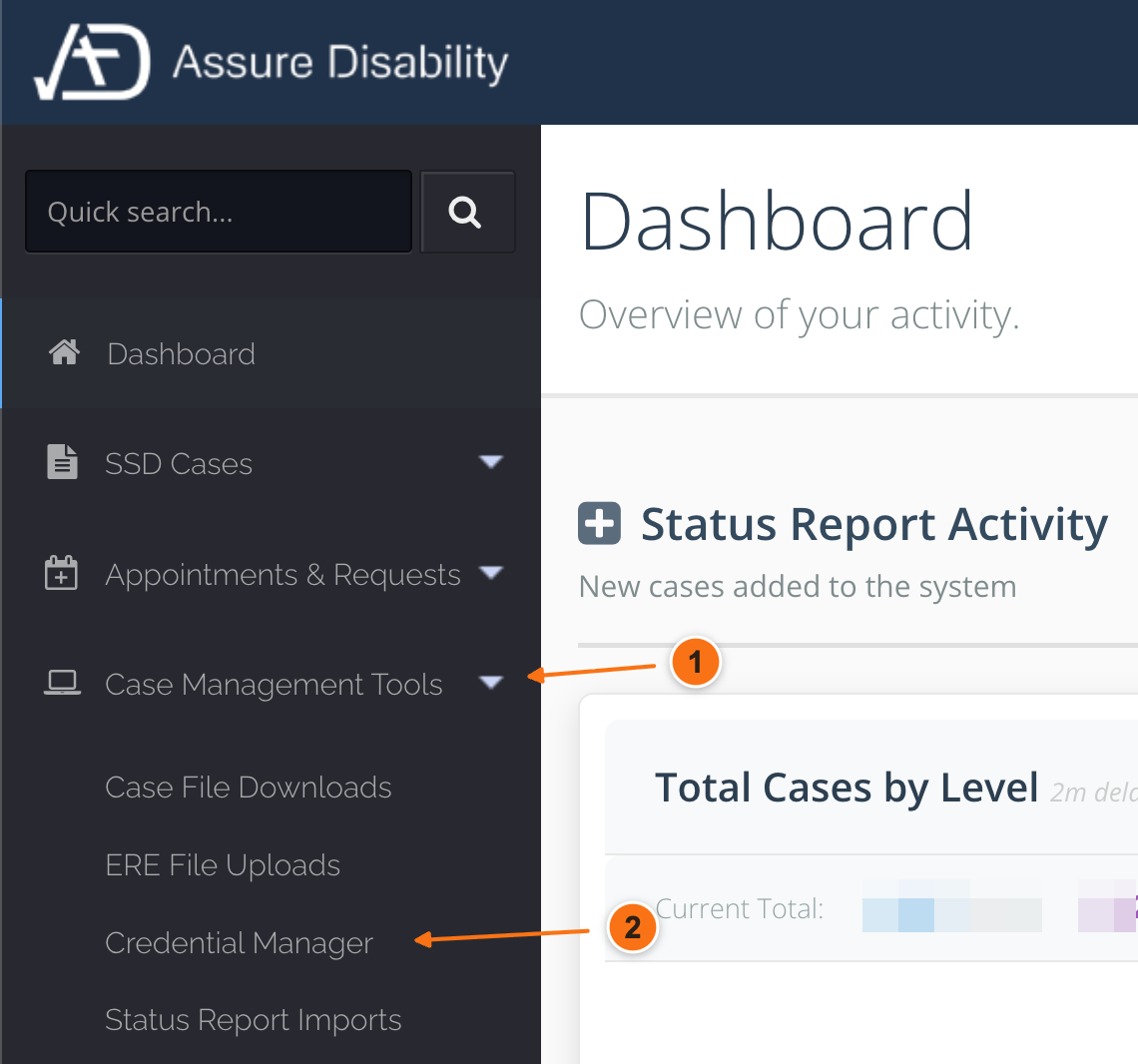
In the left sidebar, go to Case Management Tools and open Credential Manager.
Next to the user whose forwarding number you want to update, click Edit.
Go to the Forwarding Numbers section.
Click Add Another.
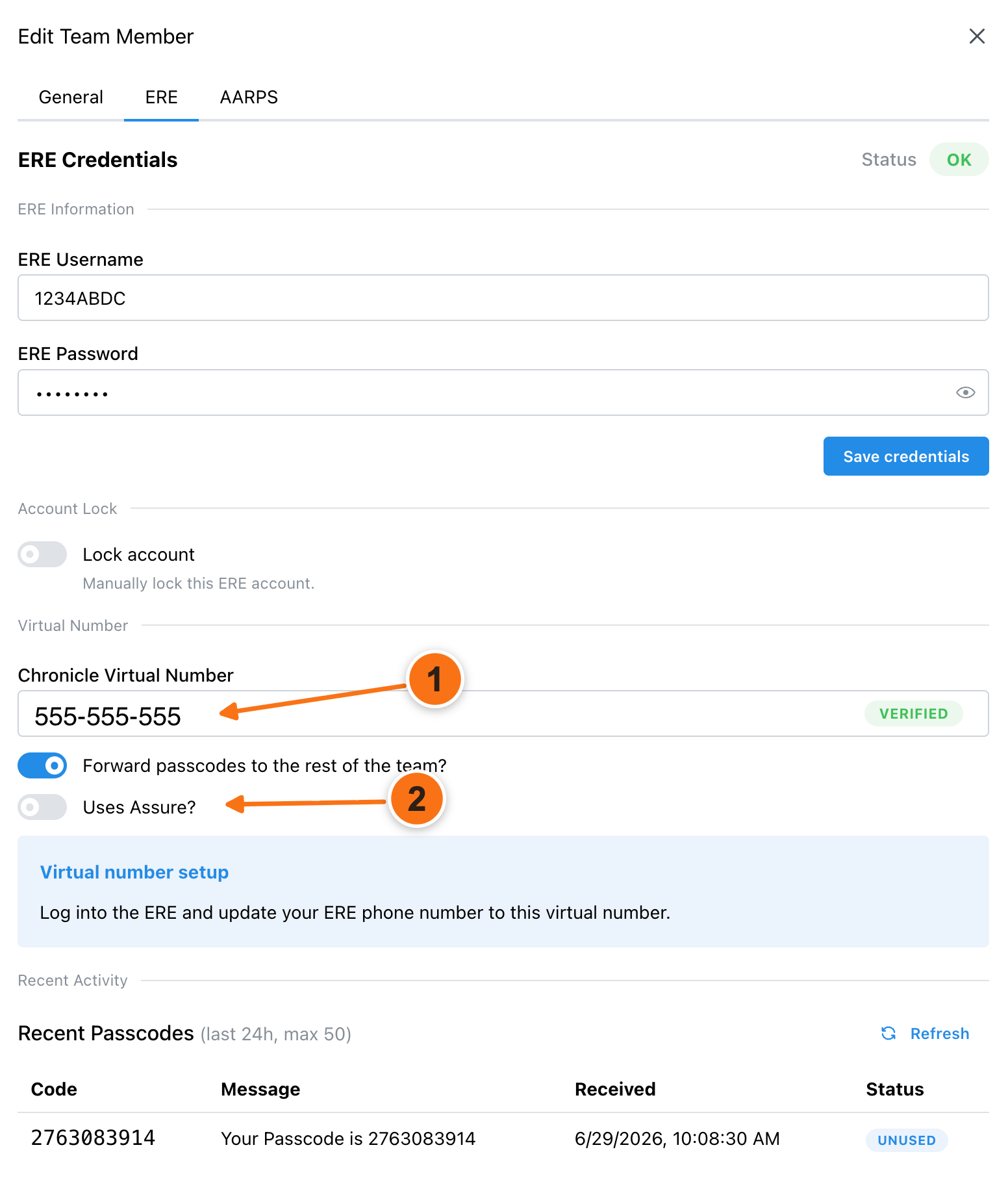
Enter the Chronicle virtual number from Settings> Profile> ERE
Save the change.
Forward passcodes to a team number
If your firm uses a shared number such as Google Voice or RingCentral, forward passcodes to a team number so your staff still receives codes. This also works while the virtual number is being updated in ERE.
What’s next
Return to Add ERE credentials to finish entering your ERE username and password in Chronicle.
Common issues
I cannot open Credential Manager in Assure
The Chronicle virtual number is not accepted
Contact Chronicle support if Assure rejects the virtual number format.
Was this helpful?
Was this helpful?