
Wait a few minutes after the billing cycle closes and refresh the page. Invoices are hosted by Stripe and may take a moment to generate.
View invoices and receipts
Go to Settings > Billing to see your complete billing overview, including your plan, billing cycle, payment method, invoice history, per-client usage breakdown, and exportable usage reports.
Open the Billing & Usage page
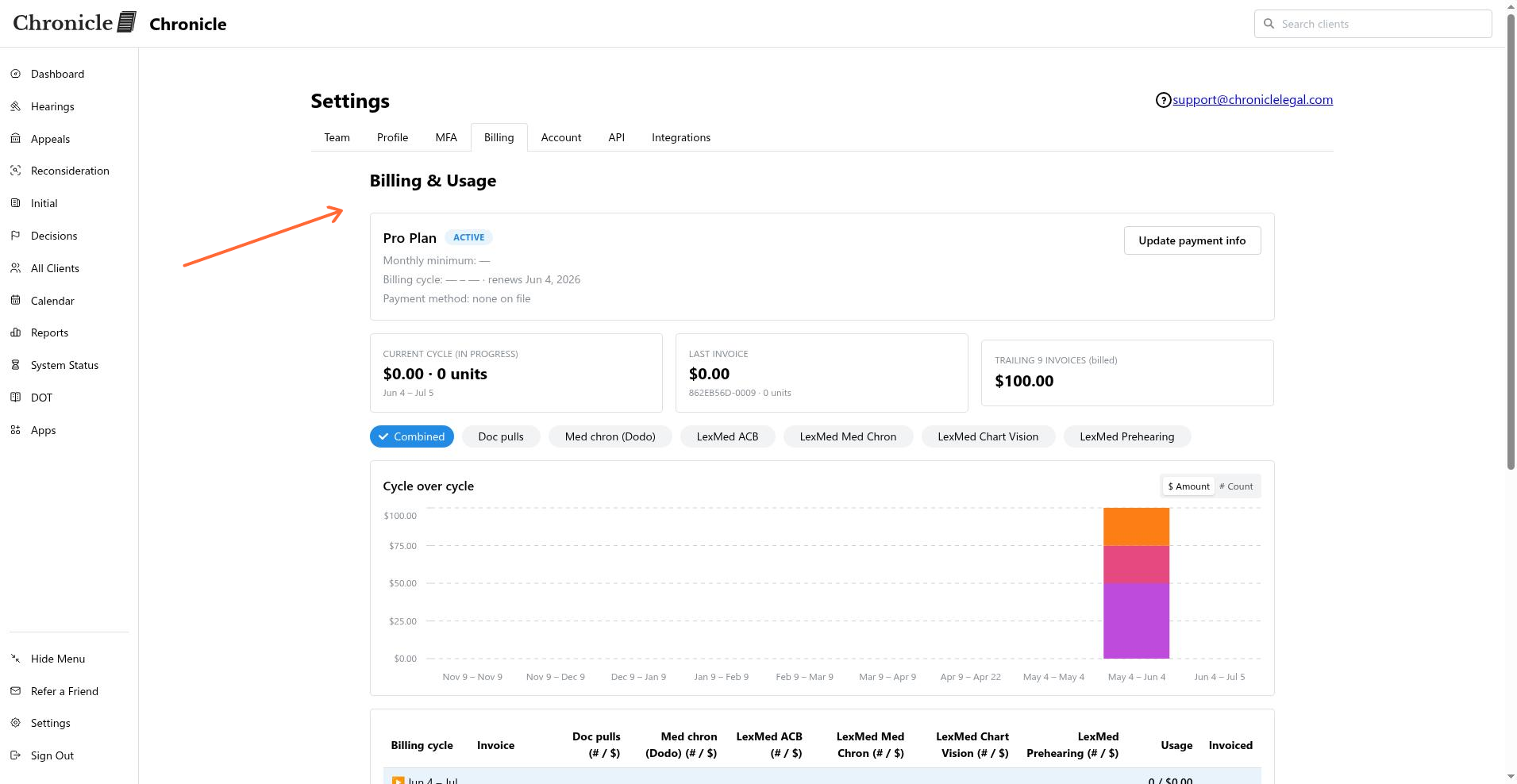
Click the Billing tab in Settings, or choose Setup Billing from a dashboard alert. The page is named Billing & Usage and lives at /dashboard/settings/billing.
Only users with an Admin role or above can access the Billing page. Non-admins are redirected to their profile settings.
Plan and cycle details
The top of the page shows your active subscription details:
Plan name and subscription status badge
Monthly minimum
Billing cycle with the current period start and end dates, plus a renews date when an upcoming period exists
Payment method (card brand and last four digits), or none on file if missing
Available credits, if any are applied to your account
If your account has an active coupon or discount, a notice explains that the numbers on the page are list prices and the actual charged amount appears on your Stripe invoice.
Invoice history and usage
The usage area lists billing cycles in a table with the following columns: Billing cycle, Invoice, per-SKU usage columns, Usage, and Invoiced. It includes:
Current cycle (in progress) — marked as an estimate
Last invoice
Trailing invoices (billed) — closed cycles marked as billed
Each row also connects to a Cycle over cycle chart. Closed cycles are labeled billed; the current cycle is labeled est.
View a detailed breakdown
Click any billing cycle row to open a detail panel titled Clients in {cycle}. If a specific SKU is selected, the panel title includes that SKU label. The panel shows a per-client table with:
Client
Usage
Performed by
Date
Est. $
Closed cycles use actual invoice line items. The current cycle is a current-rate estimate. The Invoiced total is what Stripe charged after discounts and credits. The per-client dollar amounts are estimates scaled to the invoice total.
Download an invoice or export usage
Each invoice entry in the table links to its hosted invoice URL (via Stripe) when available. Click the invoice link to view or print your invoice record.
To export per-client usage for a cycle, open the cycle detail panel and click Export cycle (CSV).
Update your billing information
To change your card or billing address, see Update your billing information.
Common issues
Invoice link returns an error
Export cycle CSV button is missing
The export option is available on closed cycles only. The current in-progress cycle cannot be exported yet.
Was this helpful?
Was this helpful?