
Make sure the Login.gov OTP Auth Code field contains only the base32 secret (letters A–Z and digits 2–7) with no spaces. If Login.gov was recently reconfigured, generate a new secret and save it again.
Add AARPS credentials
Add your AARPS Login.gov credentials in Chronicle under Settings > Profile > AARPS so Chronicle can pull fee payment data and send fee payment notifications.
Before you start
Make sure your Chronicle role allows AARPS access. Only the following roles have access:
Manager / Rep
Admin
Billing owner
If you do not have one of these roles, ask an admin to update your role in Settings > Team.
You must have an existing Login.gov account connected to your AARPS account before you can connect it to Chronicle.
Add AARPS credentials
In Chronicle, go to Settings > Profile.
Open the AARPS tab.
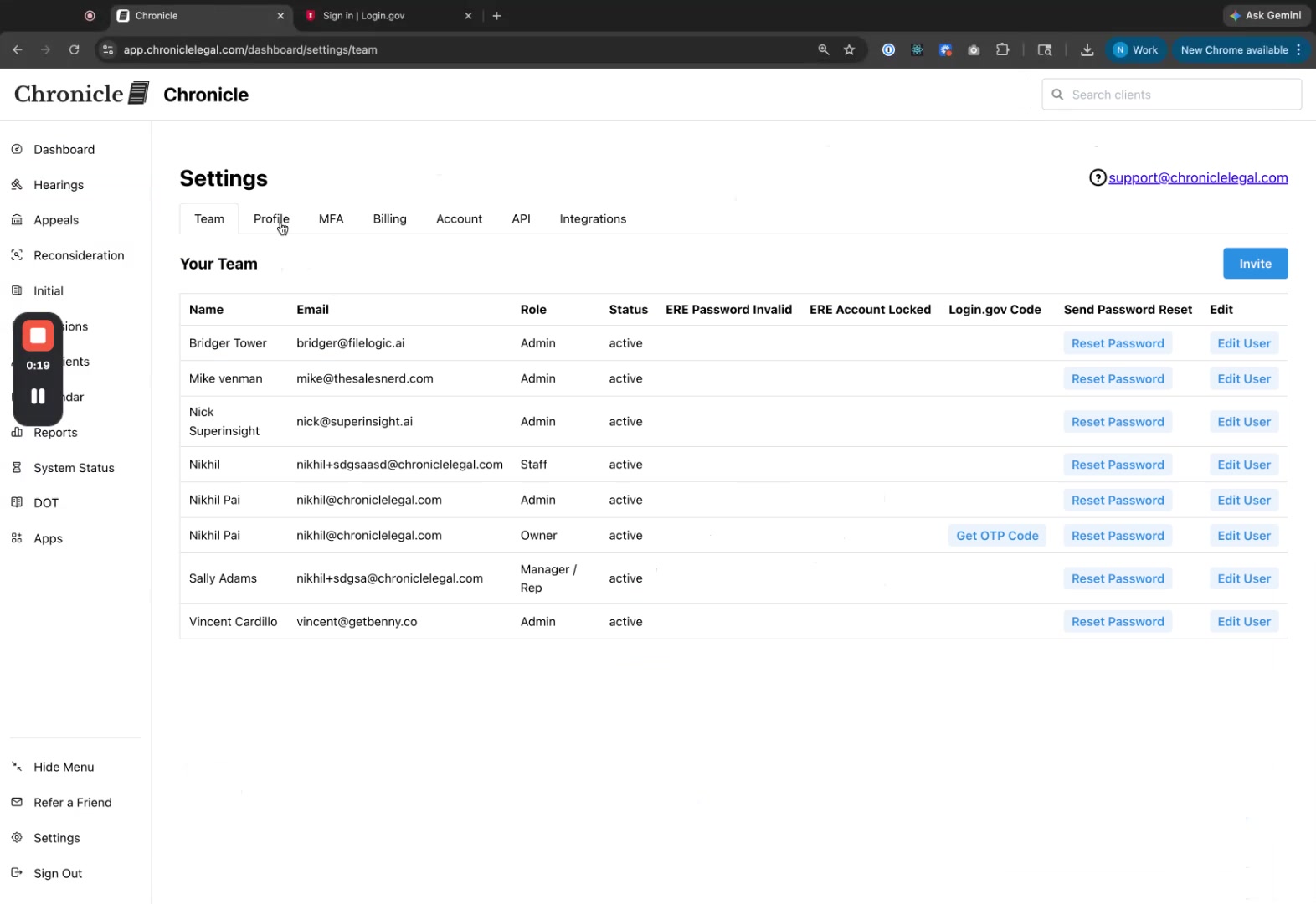
Enter your Login.gov Username (email) and Login.gov Password.
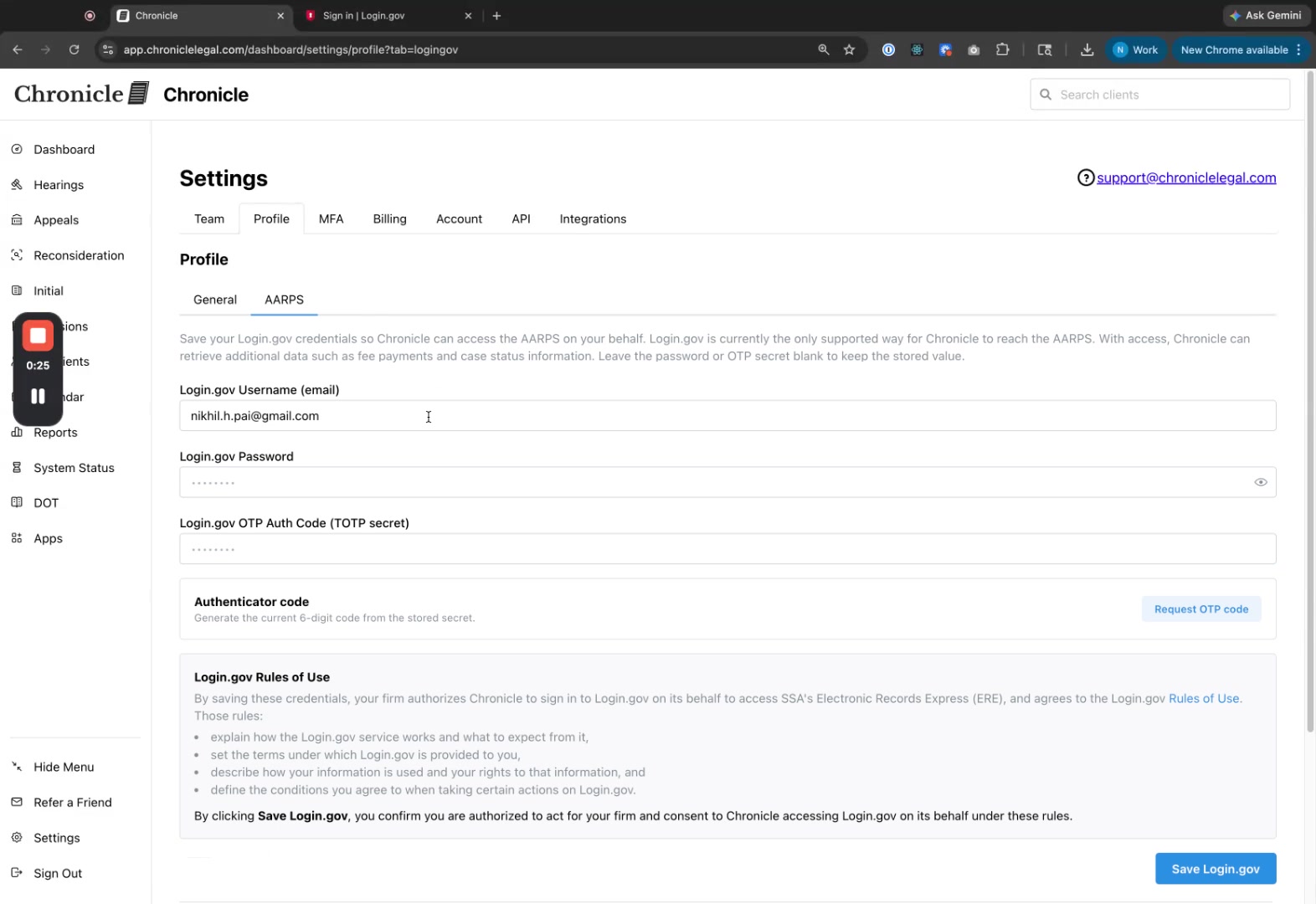
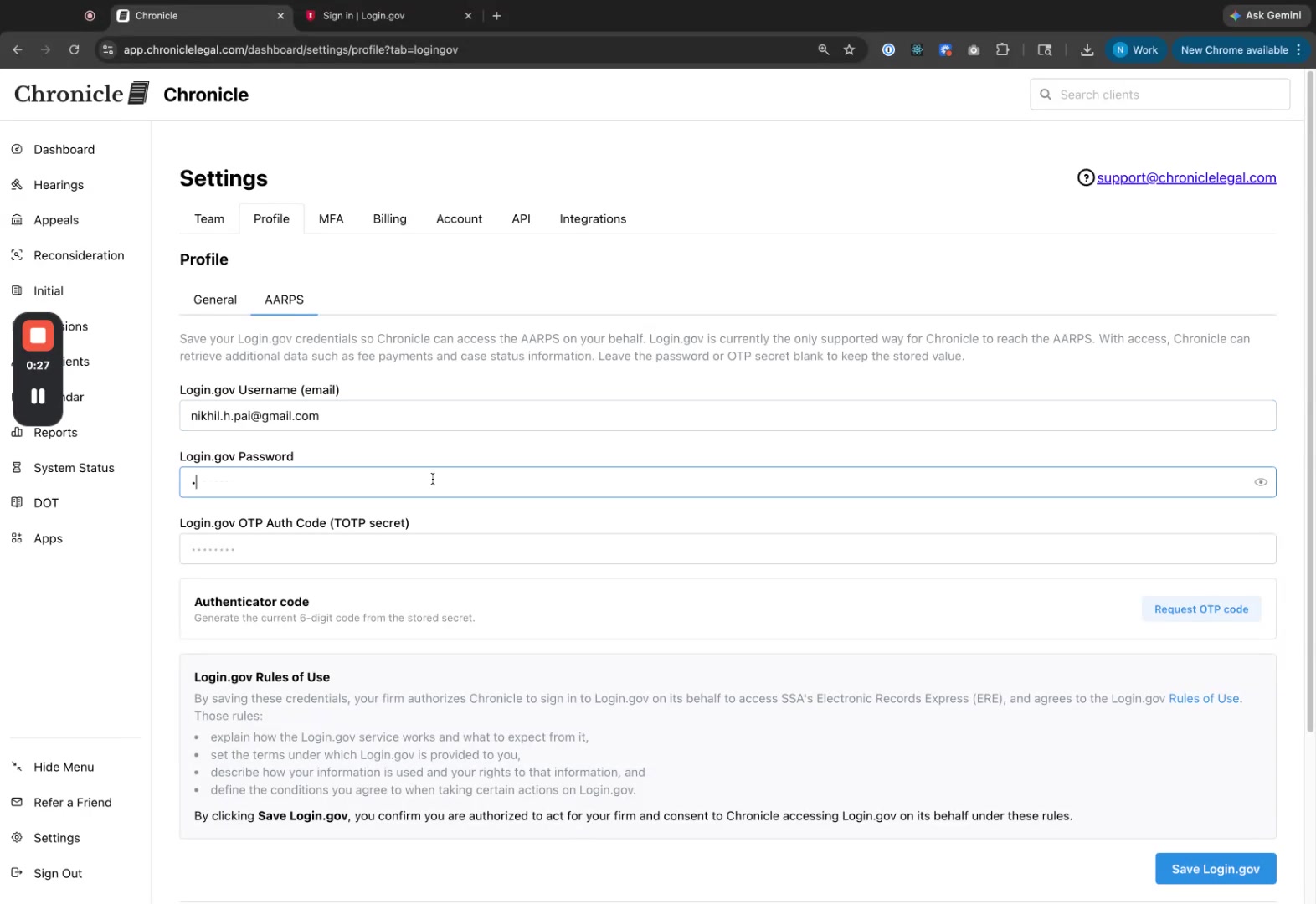
Leave the Login.gov OTP Auth Code (TOTP secret) field empty for now and open secure.login.gov in a new tab.
On Login.gov, sign in with the same email and password.
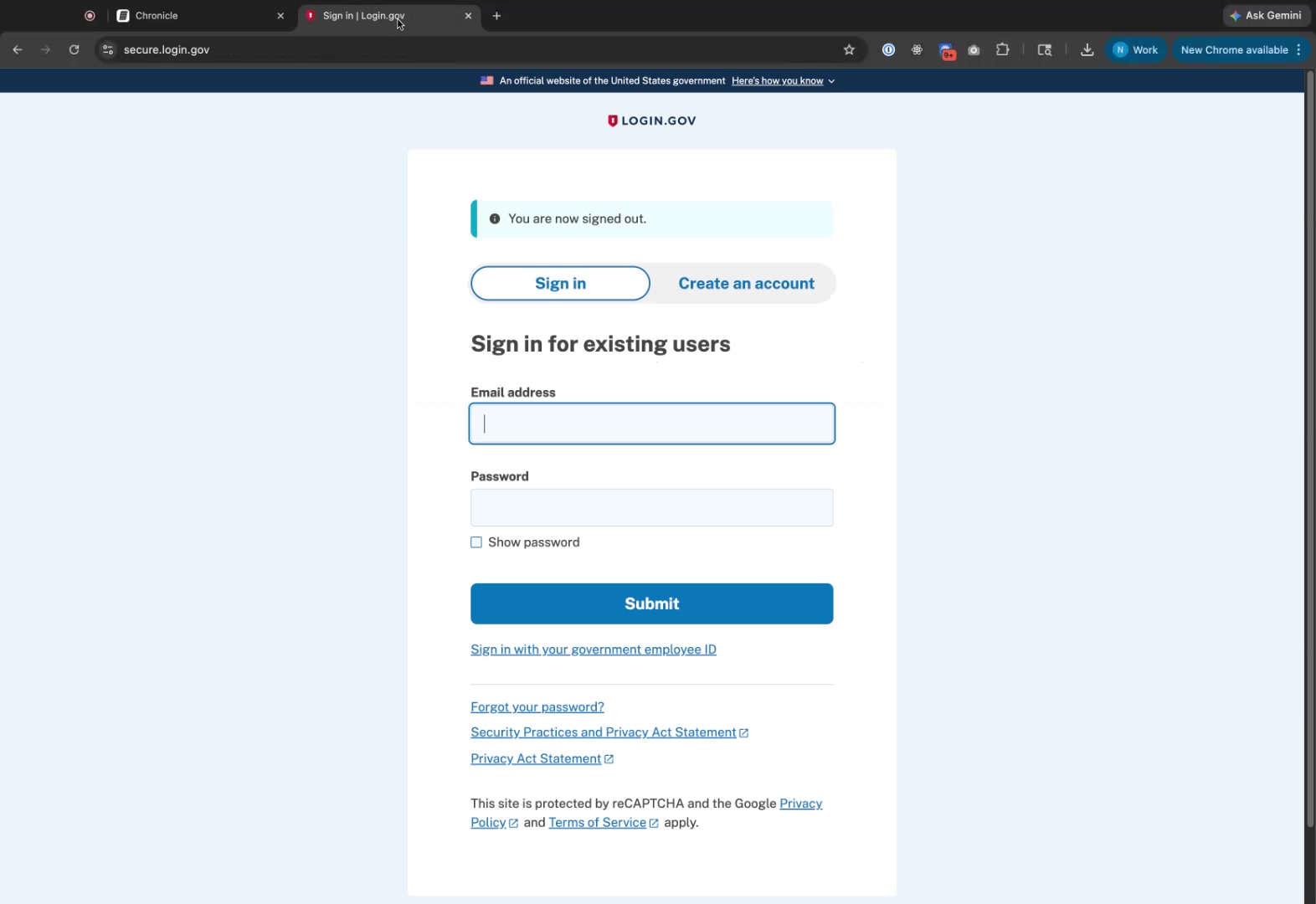
Enter the one-time code if prompted, then navigate to Your authentication methods and select Add authentication apps.
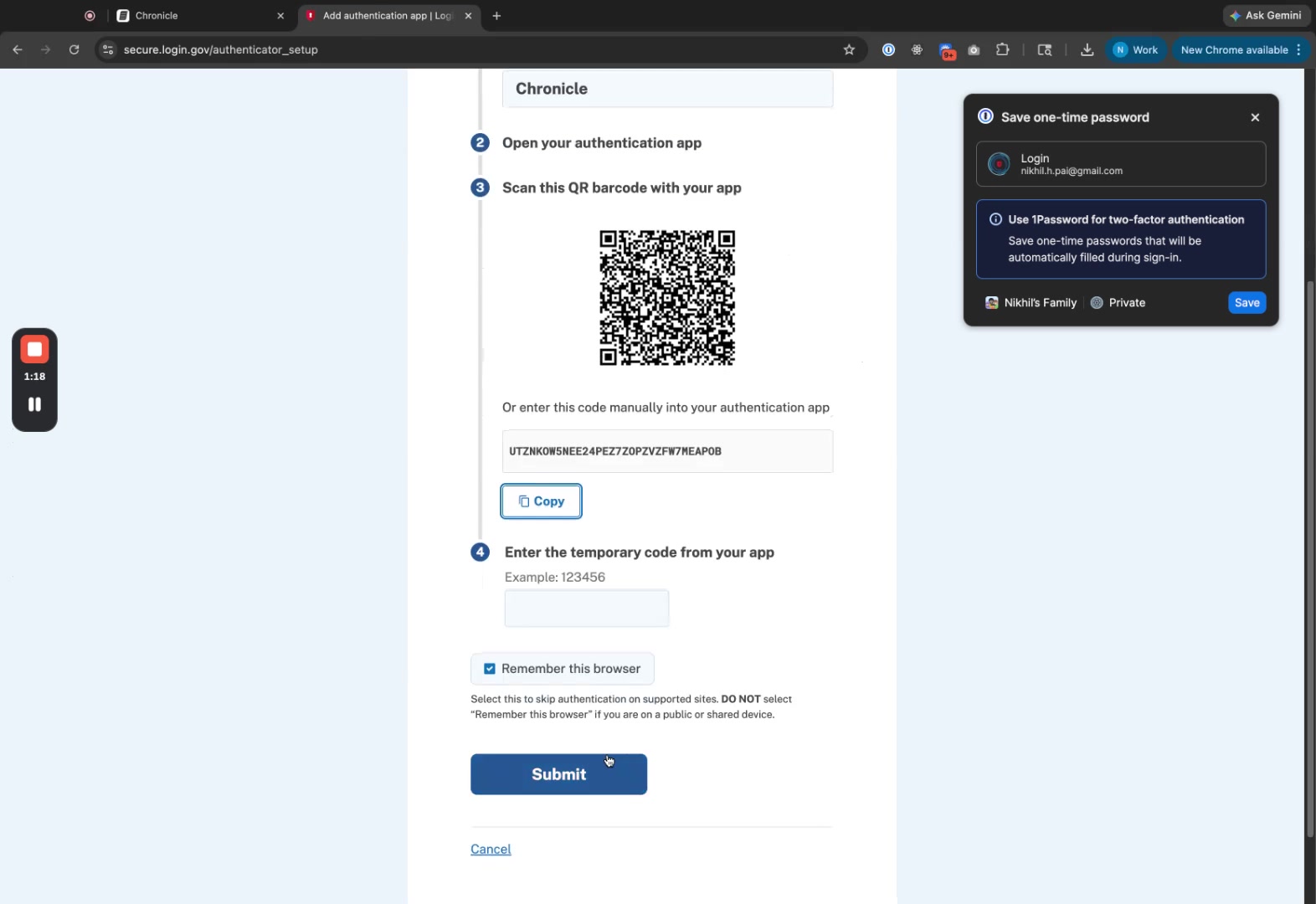
Enter Chronicle as the nickname.
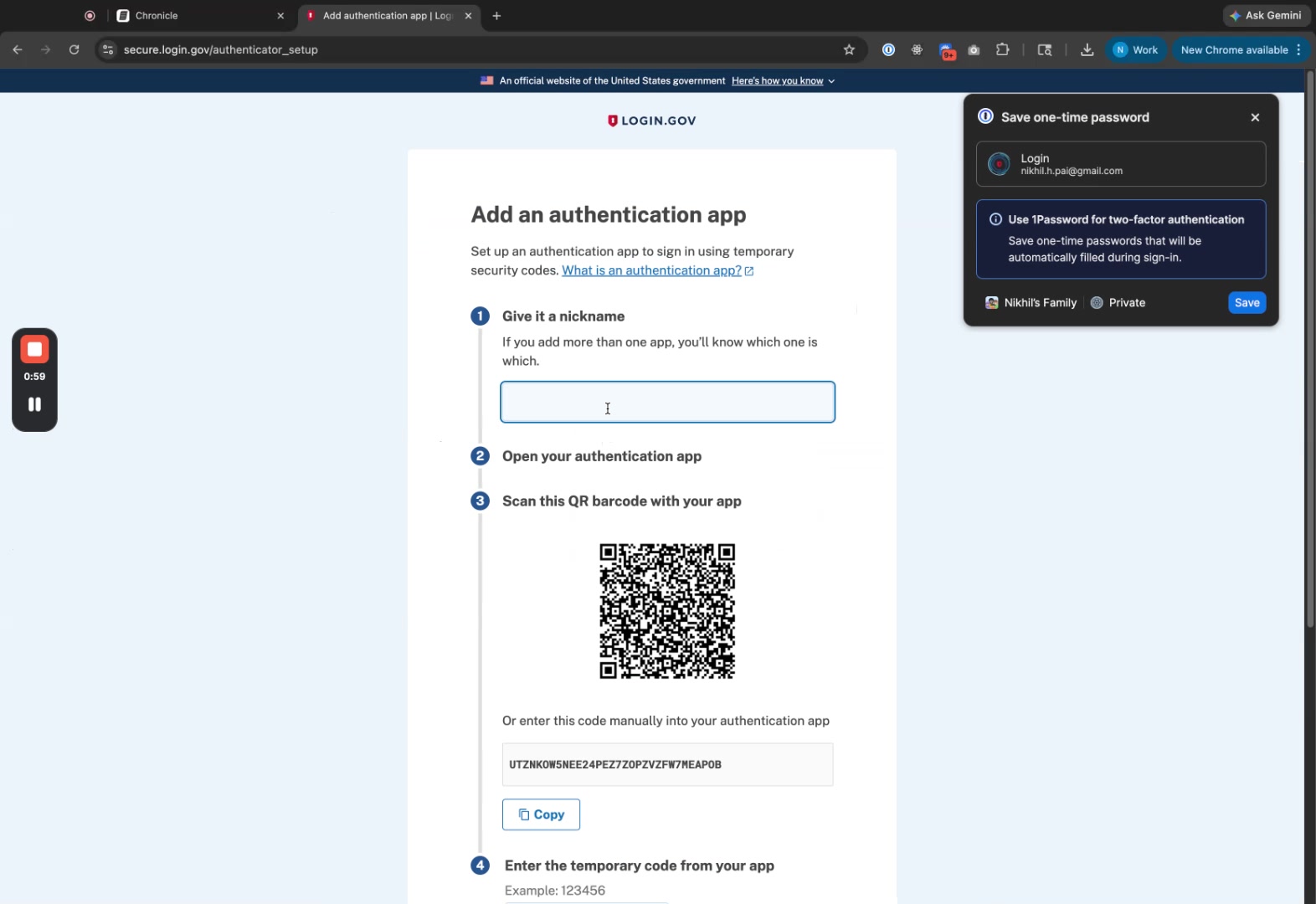
Click Copy next to the manual entry code (secret key).
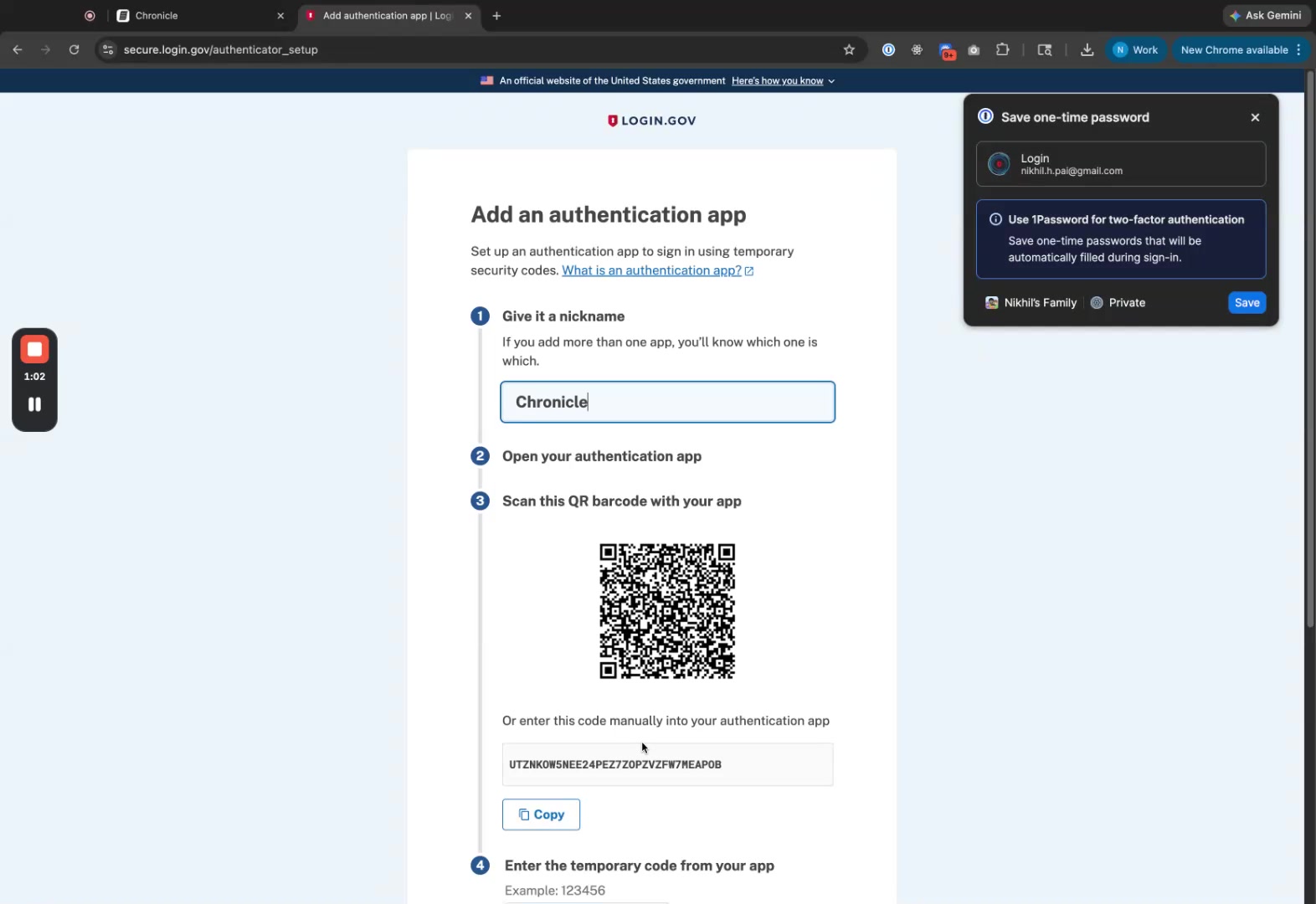
Return to Chronicle and paste the secret key into the Login.gov OTP Auth Code (TOTP secret) field.
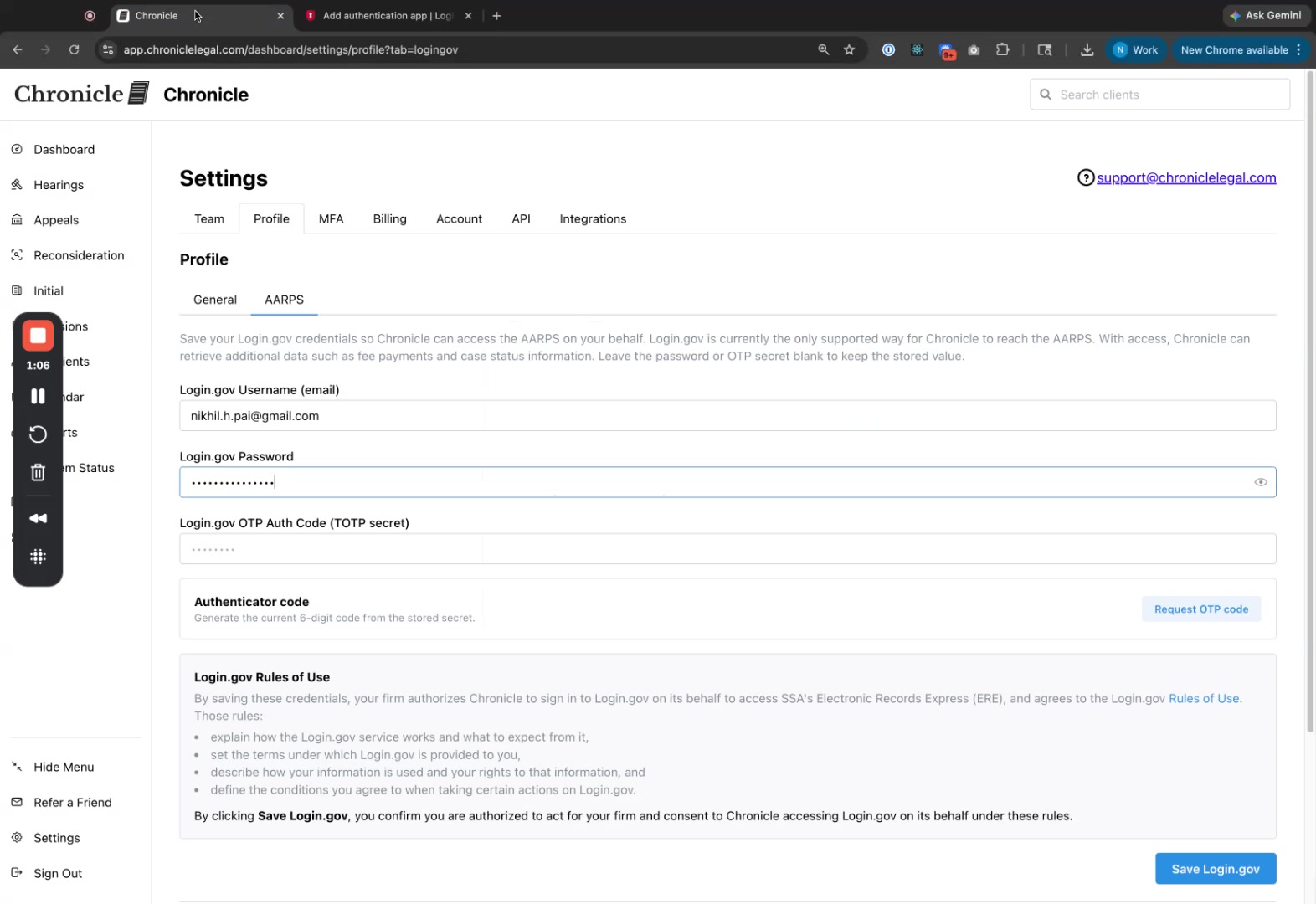
Click Save Login.gov.
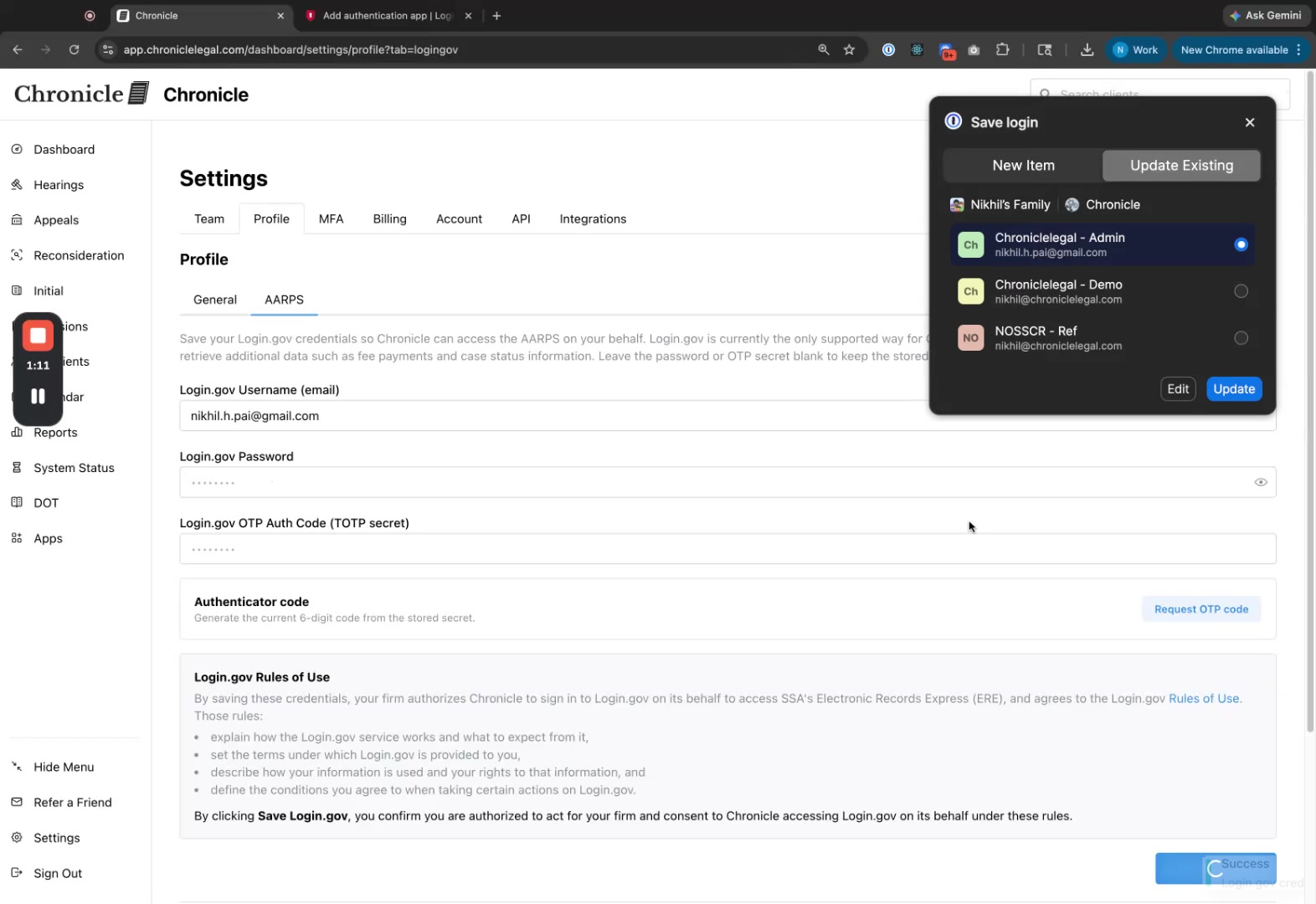
Click Request OTP code. Chronicle will generate an authenticator code.
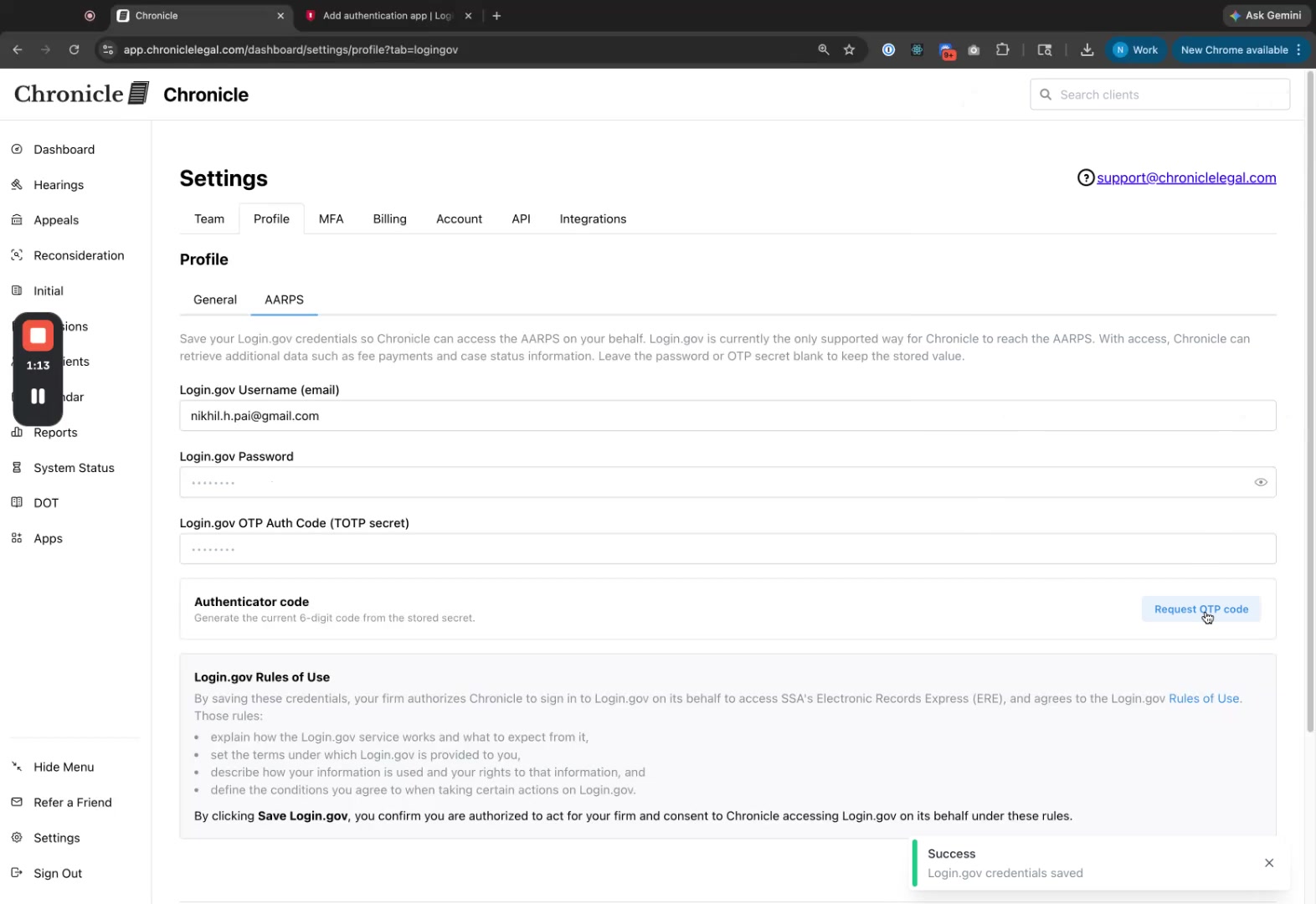
Click Copy next to the generated code.
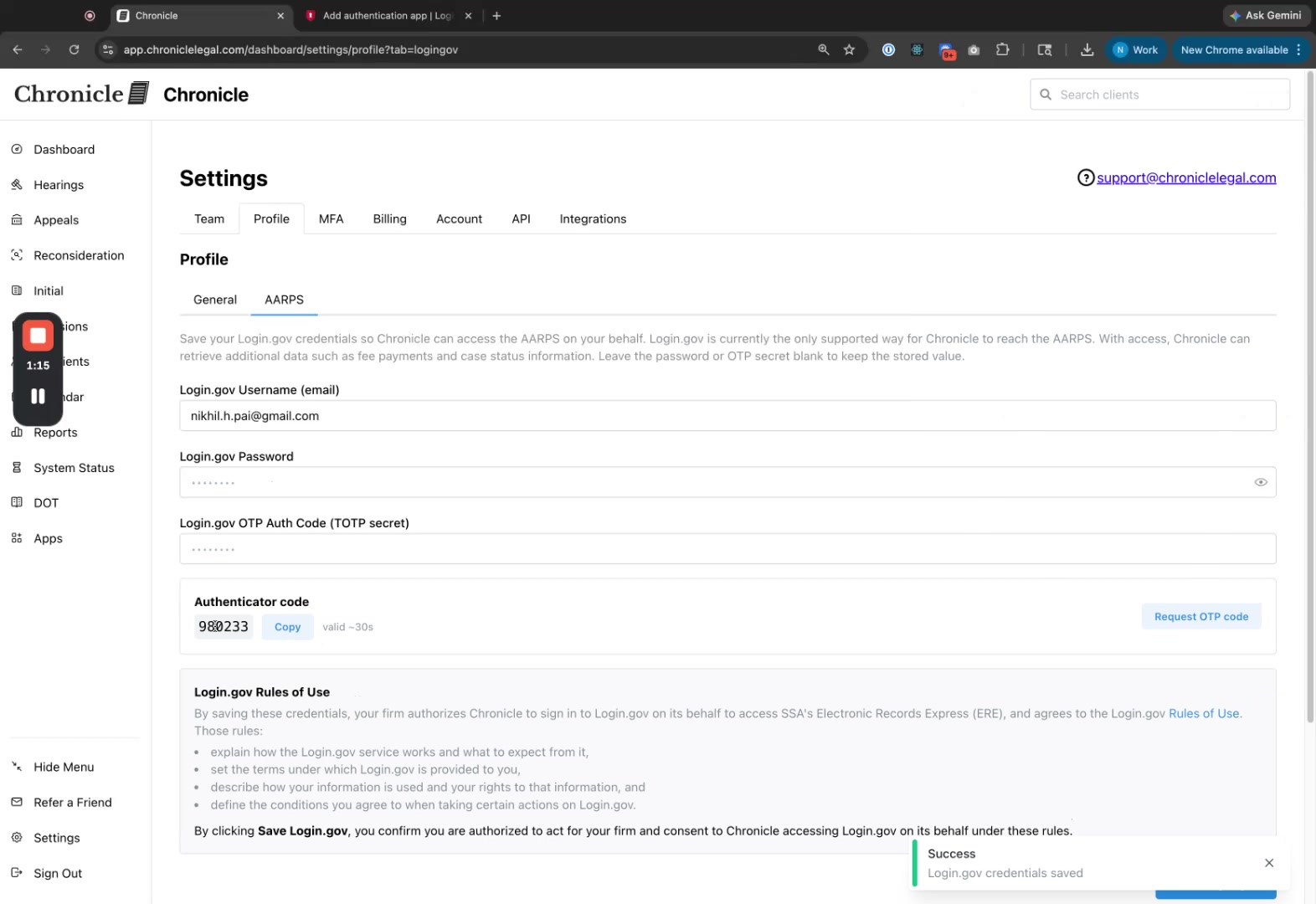
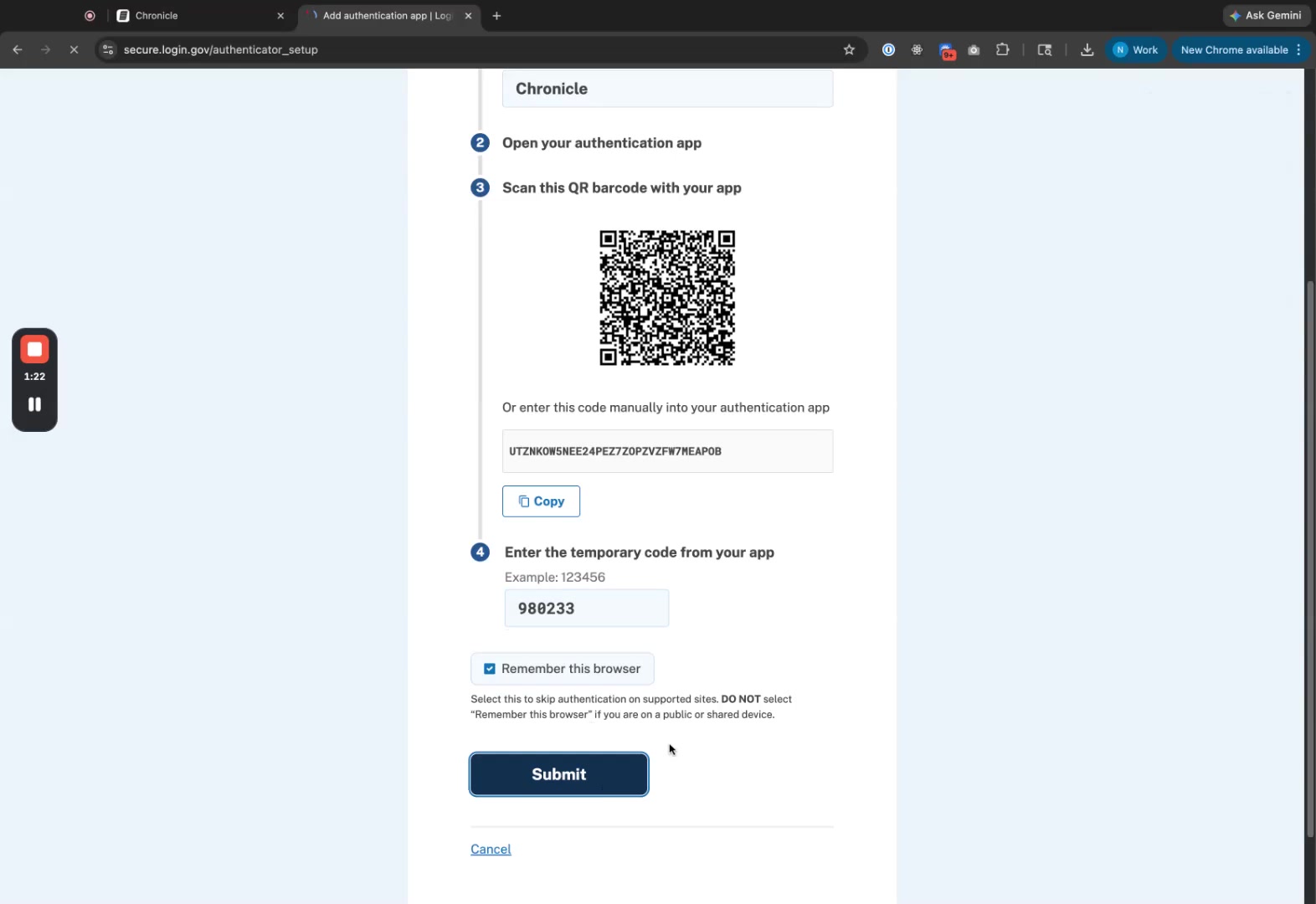
Return to Login.gov and paste the code into the temporary code field.
Click Submit. Login.gov will confirm the authentication app was added.
Turn on fee payment notifications
After connecting AARPS, you can receive daily notifications when new fee payments arrive.
In Chronicle, stay on Settings > Profile > AARPS.
Scroll to the Notifications section.
Turn on the New fee payments toggle.
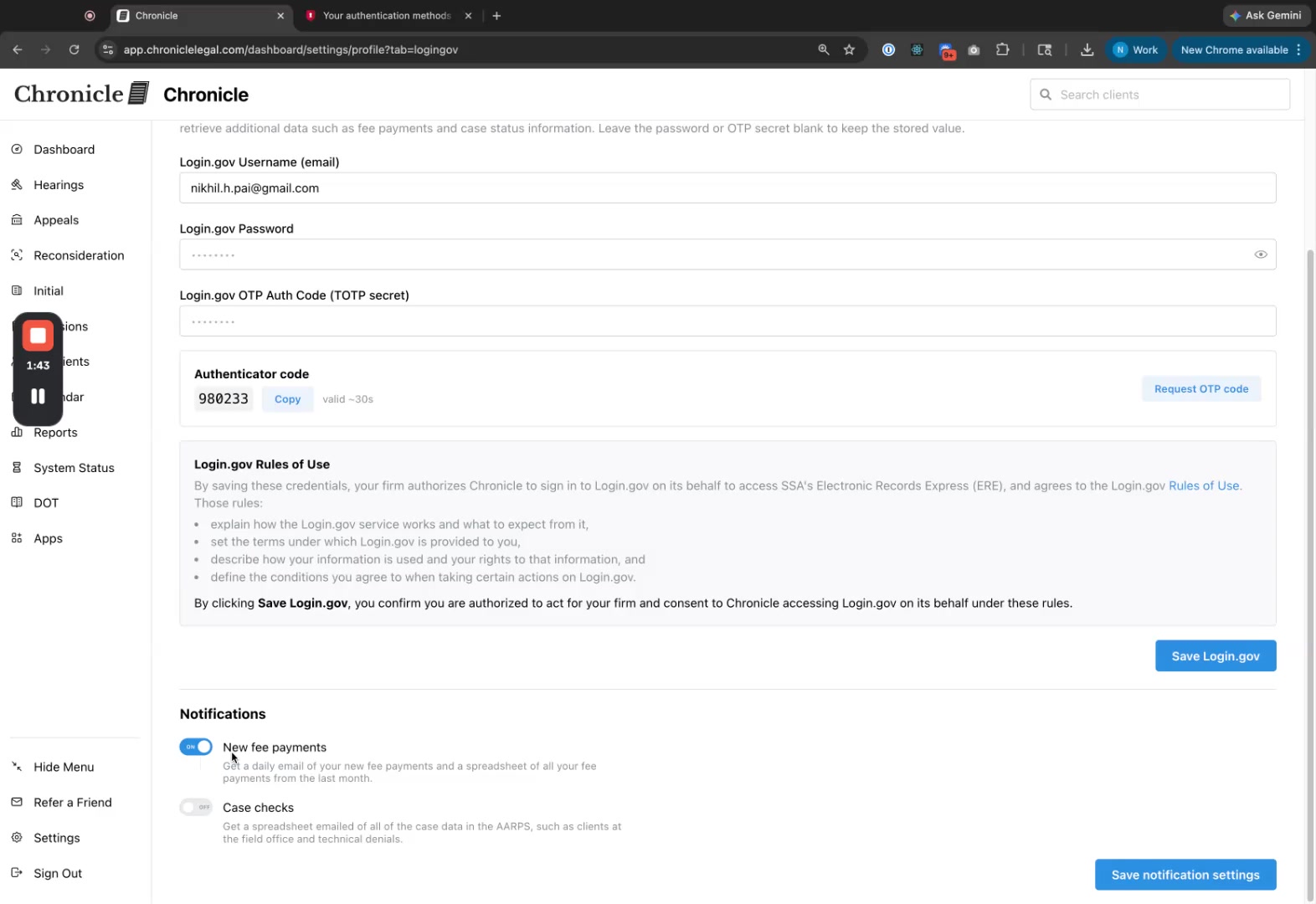
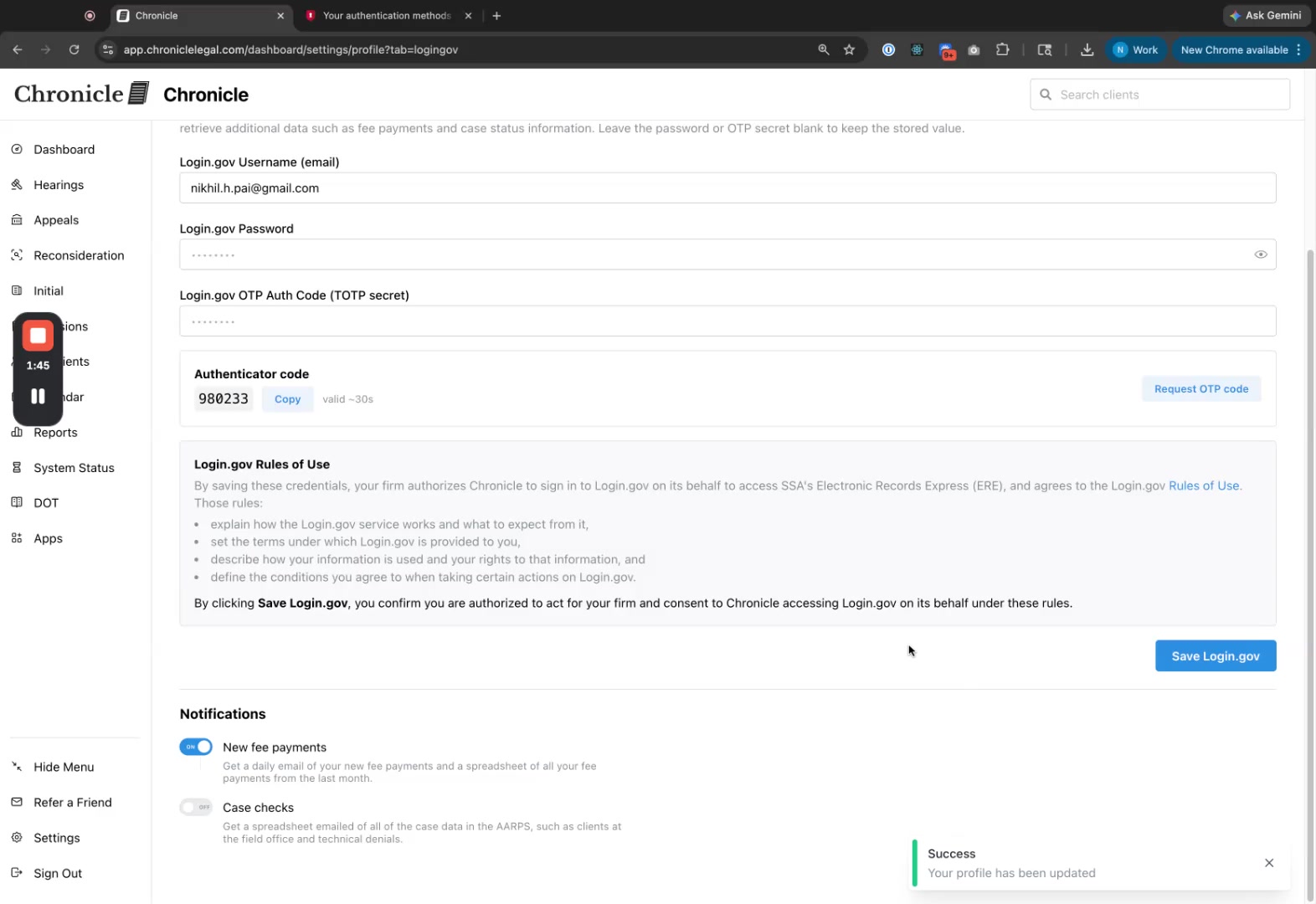
Click Save Notifications.
Related articles
Common issues
The OTP code does not work
Save Login.gov fails after pasting the secret
The secret may include hidden characters. Paste it into a plain-text editor first, then copy it into Chronicle.
Was this helpful?
Was this helpful?