

"Now you're letting us do things with the e-file that we could never do directly from Social Security": How Nash Disability Law built its own case routing on Chronicle's API
Client Snapshot

Firm Name
Nash Disability Law
Location
Chicago, Illinois
Case Load
High volume
Firm Size
Attorneys, case managers who each lead their own claims, and a hearing department where every hearing attorney works with a specific case manager
Start Your
Free Trial Now
Get faster hearings, cleaner files, and less stress. Chronicle keeps your SSD casework moving, without the ERE headaches.
Book a Demo“It's been very nice being notified almost immediately for anything happening with the file.”
Bob Godnik, Attorney
The Challenge
Nash Disability Law has represented Social Security disability claimants in Chicago for a long time. Bob Godnik has been there about nine and a half years, and the firm was already large when he joined. "I believe we're the biggest firm in Chicago and we handle a pretty large volume of cases," he says.
Bob handles hearings and, being "somewhat technically adept," ends up on the firm's technical projects. At Nash, that has come to mean writing the firm's own tools on Chronicle's API.
The firm runs on ownership. A lead case manager handles each claim at the state level and keeps the client informed. Once a hearing is scheduled, the case goes to a hearing attorney, and each hearing attorney works with a specific case manager. The people who need to hear about a case change partway through its life.
That model only works if every update reaches the person who owns the case. For years, that meant paper. Letters from the government were scanned, uploaded into the firm's case management system, and only then did the right people get notified. The mail was slow, and at Nash's volume some of it never arrived at all. To make sure nothing slipped, case managers went looking.
"With the status spreadsheets that we usually download every day, each case manager would be able to see when there was something mailed out or a change in status, but they would have to go and proactively search for each one."
ERE access was its own bottleneck. Only some of the firm's attorneys are listed as the representative, and sharing a login across many people meant lockouts. So a small group could open the e-file, and everyone else asked them to download what they needed and waited.
The cost of all that lag landed on clients. Most people filing for disability are already under strain, with health problems and less income than before. When the mail beat the firm to them, the phone rang.
“If we were getting mail, sometimes our clients would get it before us. And then if they called us, they want to know why we weren't calling them.”
“We would have just a set small number of people who were accessing the e-file and we would request that they download it for us when we needed something.”
The Tipping Point
Restricted ERE access wasn't new. "That's been a pain point for, I think, as long as ERE has existed," Bob says. What changed was that the firm sat down to fix it. The firm owner and a group of attorney and non-attorney managers met to work through their pain points, and access for the whole team kept coming up. Lawrence Mabes, Nash's managing partner, had already heard good things about Chronicle from other disability attorneys, and in April 2026 he met Nikhil, Chronicle's co-founder, at the ACRD conference in Orlando. That's how Chronicle got on the table.
The goal was bigger than saving time.
“It was a matter of thinking not only how we can save time but to be better, and I think that if you have quick access to the file you could make quicker decisions, better decisions.”
The trial started with a small, technical group, and Bob's own first impression settled a lot.
"As soon as I tried it, I thought it was great on how quickly I could get in, how quickly I could see something, download it, add myself as a follower, see the case status right there, rather than having to go then to the status report, just having everything in one place."
It wasn't long before the rest of the firm was on board too, and it became an easy decision. Nobody at that table was thinking about an API. That came later.
“It ended up being something that everyone at the firm who was involved in the process was very enthusiastic to try out and it did work out even probably better than we expected.”
Why Chronicle: From Pain to Progress
Rolling Chronicle out to a large firm started with a spreadsheet. Nash exported its open cases from its case management system, including who was assigned to each one, and sent Chronicle the CSV. Within a short time the claims were online, and Chronicle bulk-added the right people as followers on each case.
"Since we had a large number of cases when we started Chronicle, having Chronicle then do the work for us to bulk upload everything made it very seamless for us."
The people who owned each claim now followed it. Whenever the status changed or DDS or OHO sent something, they got an email. Staff who had never had direct access could open the file themselves, and Bob says they took to it right away. "It's user-friendly, I think more user-friendly than the Social Security's ERE site."
Several smaller frictions went with it. Nash has several attorneys listed as representatives, and in ERE, finding a case started with working out whose name it was under. "Chronicle combines all the different attorneys," Bob says, so staff can "just log in and look for it rather than first determine whose case is it."
Downloads stopped being a waiting game, too. A full e-file request through Social Security sometimes showed up quickly, often didn't, and sometimes never came. In Chronicle the exhibits come down immediately, organized into one PDF with a table of contents and OCR.
The daily status report changed most for staff. One person at the firm still pulls it every day, but now anyone can filter it, jump to the cases where a hearing was just scheduled, or look only at their own.
"When you're looking at a status spreadsheet from Social Security, of course, they don't know which people at the firm are handling the case, and being able to filter out by your own cases, that is very convenient, much more efficient for us."
Followers also set up the problem Bob would later solve himself. At a firm where cases change hands at the hearing stage, someone has to keep them current.
“But it's instantaneous when you want to just click on the exhibits and have those all download immediately, and then we get a nice table of contents. The PDF is all laid out, organized, and OCR.”
Transformation & Results
Access was the reason Nash looked at Chronicle. The part Bob didn't expect came later. "One of the added benefits that really had nothing to do with why we would use Chronicle in the first place was the APIs that you added," he says.
Bob works in Chronicle at two levels. Like everyone else, he filters to his own cases. "But I do sometimes look at the whole firm since I am involved in using Chronicle's APIs to get some things done."
The first thing he built fixed the follower problem at its busiest moment, when cases move to a hearing.
"Once a case gets scheduled for hearing, we assign it to a hearing attorney, and each of our hearing attorneys works with a specific case manager. So I created an app that once we get that spreadsheet done and have all the hearings assigned, I'll upload that spreadsheet and then it'll call the API, it'll remove all the current followers on the case, and then add that specific hearing attorney and their case manager."
Done by hand, that reassignment would cost time on every case and invite mistakes. "So being able to do that in bulk with one export, that saves us a lot of time rather than doing that manually. Also cuts down on errors."
The second tool handles decisions. Several times a day, Bob's app looks for new decisions. When one lands, it pulls the key details out of the decision, attaches the PDF in the firm's case management system, and writes the results into a note on the case.
"The person who was tasked with attaching those decisions before, now all they need to do is double check to make sure it's correct, and then they go on and do the tasks they need to do from there."
Bob sees that as a quality gain as much as a time one. "It's just adding a second set of eyes instead of one person doing it one time."
Building the tools was the easy part, he says. "The APIs Chronicle had, I think, are very well documented and well implemented. So we really were able to get that up and running pretty quickly." When something needed adjusting, he emailed Nikhil and it was fixed within minutes. When he asked for new features, "I think within a day you had those additional features in there."
Bob doesn't manage the staff whose time these tools save, and he won't guess at a number. The change he does describe is in how the work feels. After a hearing, if a judge proffers new evidence, the firm has ten days to respond. "Sometimes the mail is very slow and we would get things on the last day or two."
“I would say having the notifications in Chronicle, it's like having a security blanket, because of the volume of things that you get from them and the fact that there are deadlines.”
It also changed the conversation with clients. Instead of answering for a letter the client saw first, the firm can reach out as soon as something happens. "This really helps us be more proactive with them."
“So having that security blanket knowing that you're gonna get it right away, that definitely takes some of that worry off there of trying to make sure that we're getting all the mail and that we're not going to miss any kind of deadlines because the mail was slow.”
The Takeaway
Nash's approach to clients hasn't changed. Bob describes a process that "can feel like a maze to the clients," and a firm that believes the answer is attention.
"They can't be a number. Whether you do a few cases or a lot of cases, there has to be a lot of communication, empathy, a lot of teaching."
At Nash's size, keeping that promise depends on the right person knowing first, and that is now the job of Chronicle's notifications and Bob's own tools together. He finds the change hard to pin on any single feature.
"I think it just removes a lot of friction, and then when you add up all the little pieces, the efficiency with the API, the easy use, the quick downloads, I think it's really everything that adds up, the thousand paper cuts that we had before."
He compares it to the cell phone he once lived without and now never leaves the house without. For a firm with someone technical on staff, his verdict on building with Chronicle is plain: "Doing the APIs were about as simple as it can get." And for a firm worried about bringing a large staff onto new software, his answer is just as short.
“I think using Chronicle as opposed to what we did before Chronicle, there really is no downside. I didn't hear any negative feedback from anyone.”
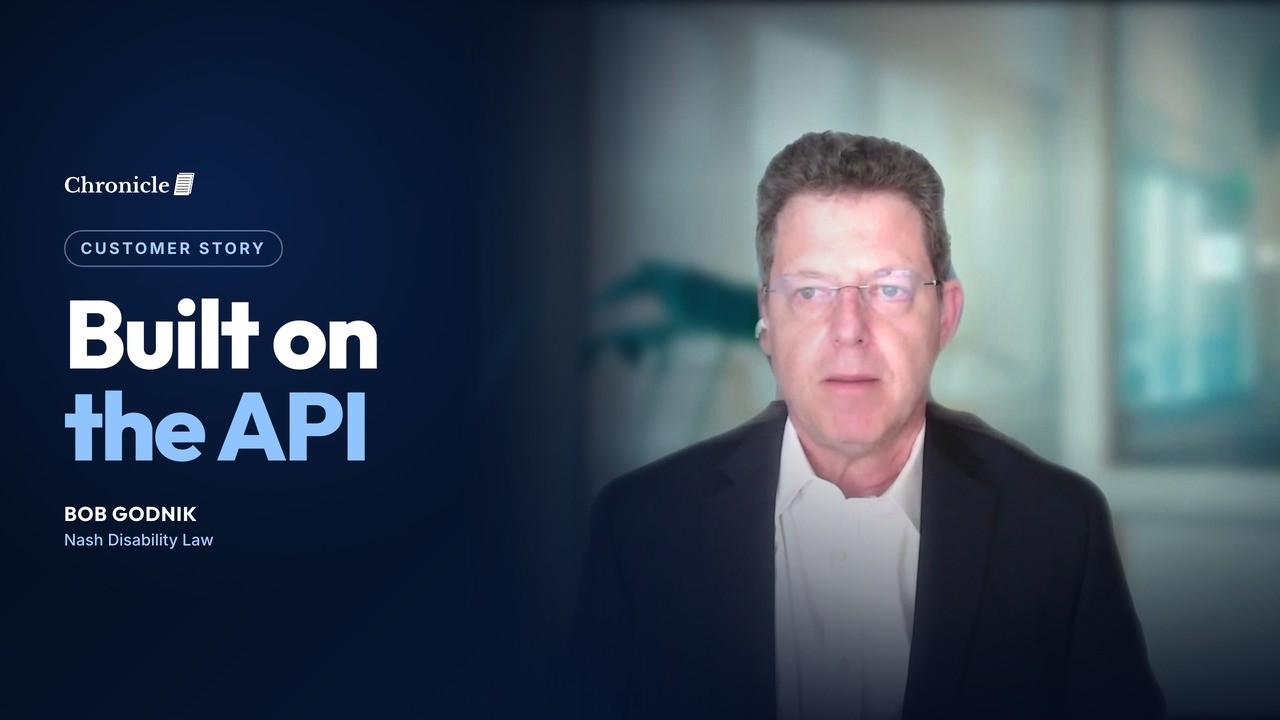
“If there was ever an issue I had, I would email Nikhil and then, it seems like within a matter of minutes, anything that needed adjusting was adjusted.”
Start Your
Free Trial Now
Get faster hearings, cleaner files, and less stress. Chronicle keeps your SSD casework moving, without the ERE headaches.
Book a DemoYour virtual SSA mailroom
Join the Firms Saving Hours Every Week
See how Chronicle can help your firm reclaim time and peace of mind.
More Customer Stories

"It really is just like an extra employee": How Disability Associates freed its attorney from the ERE bottleneck
1 attorney + 4 support staff: paralegal/office admin, 2 case managers, part-time phones & appeals
Read more
"Without that awareness, that client absolutely would have been denied": How Desert Disability catches critical case details before they become denials
Managing attorney, case managers (field office + hearing levels), 1 non-attorney rep, 1 paralegal
Read more
"It just unlocked so many doors": How Garza Law scaled from 400 to 1,000 active cases in one year
2 Social Security Disability attorneys, approximately 12 support staff
Read more