
Why ERE Tracking Matters
The Electronic Records Express (ERE) is the SSA’s primary channel for sending case status, notices, and case-critical evidence. For disability firms, it’s not optional infrastructure; it’s the most frequently logged in site that keeps casework moving.
When the ERE isn’t monitored consistently, two things happen:
- Evidence arrives silently and sits untouched
- Staff waste hours opening and scanning mail hoping nothing was lost.
Both scenarios cost firms time and money. It leads to incomplete files,. late submissions and ALJ hearings without the latest medical evidence. It also leads to irked staff members who spend their days refreshing portals instead of moving cases forward.
Most firms wait until something slips through the cracks in the form of a missed notice or a blown deadline before they admit their process isn’t built for the volume they now manage.
In this post, we’ll dig into the differences of manual vs. automated ERE tracking, and how firms can automate their ERE tracking with software solutions.
Manual vs. Automated ERE Tracking
Manual tracking is brittle by design
The problem with manual tracking is someone must log into the ERE (dealing with MFA codes that expire constantly), check document lists across dozens or hundreds of cases, download items one by one, rename files to keep them consistent, move them into the correct CMS folders, and notify the attorney or case manager that something new arrived.
And then do that repeatedly for all the other cases the firm is managing.
Nothing about this scales.
As caseloads climb, the monitoring cadence breaks down. What used to be a daily task becomes a “when I can get to it” chore.
Automated tracking behaves differently
When you automate your ERE tracking, your ERE monitoring software maintains secure authentication and lets you know when new evidence appears in a central dashboard. Every document is downloaded as they come in and staff get updates based on rules and workflows.
When firms implement automation, they typically see:
- 50% reduction in time spent on evidence intake: typically as much as half of a paralegal’s bandwidth is saved by automating ERE monitoring and follow up tasks.
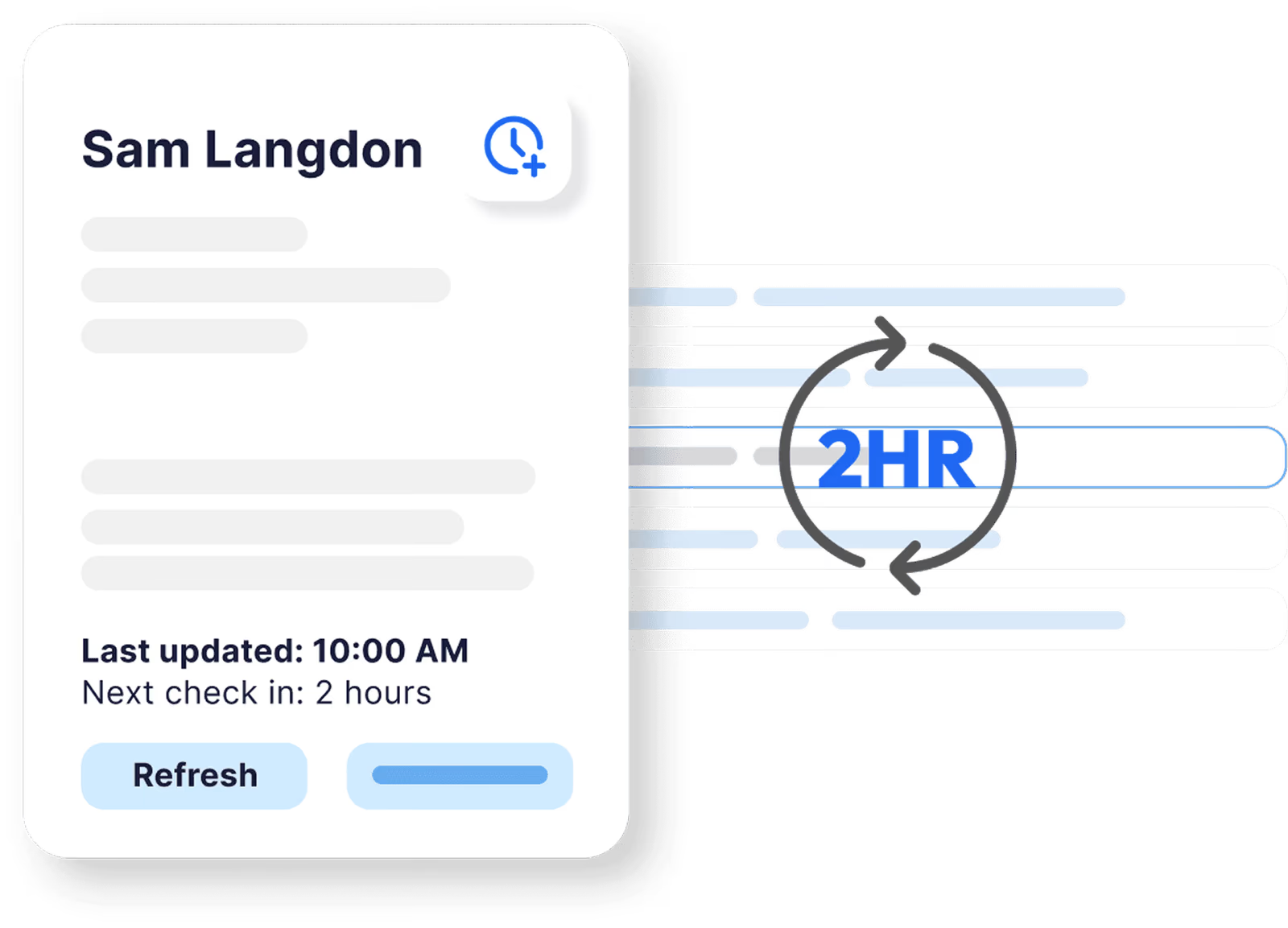
- No missed notices: instead, you get updates every two hours of any new changes to cases.
- Improved firm transparency: dashboards from ERE monitoring software lets the entire firm see where cases are at and what needs to be done so no one misses a beat.
The core shift by automating ERE tracking is you stop relying on humans to monitor what’s changing about cases and instead have those same team members work on what matters: reviews and client advocacy.
How ERE Automation Works
To automate ERE tracking for your disability firm, you’ll want to start by choosing an ERE monitoring software solution.
Chronicle is a leader in the ERE monitoring software space because it checks the ERE on a regular basis every two hours, and does so through a secure connection. Every ERE monitoring software starts here.

1. Securely connect to the SSA ERE
Once a secure, encrypted link to the ERE is established, each authorized representative retains their credentials in isolated storage, and a system like Chronicle handles authentication; including multi-factor (MFA) flows; without sharing passwords or requiring manual logins.
**Why this matters: **Staff no longer rotate through shared logins or chase expiring MFA codes. The authentication burden disappears. Leanne Hernandez shared some of the pains of dealing with MFA logins with her team in her interview here.
2. Continuous monitoring of notices and evidence
From here, the ERE is scanned at regular intervals (Chronicle checks every 2 hours while some other competing services may only check once a day) for updated or new documents: medical evidence, forms, SSA notices, consultative examination reports, ALJ instructions, and decisions. Each item is captured as soon as it appears; often days before physical mail arrives.
**Why this matters: **Firms discover evidence immediately instead of waiting for the SSA mail backlog. Client communication becomes proactive, not reactive.
3. Automatic download, renaming, and categorization
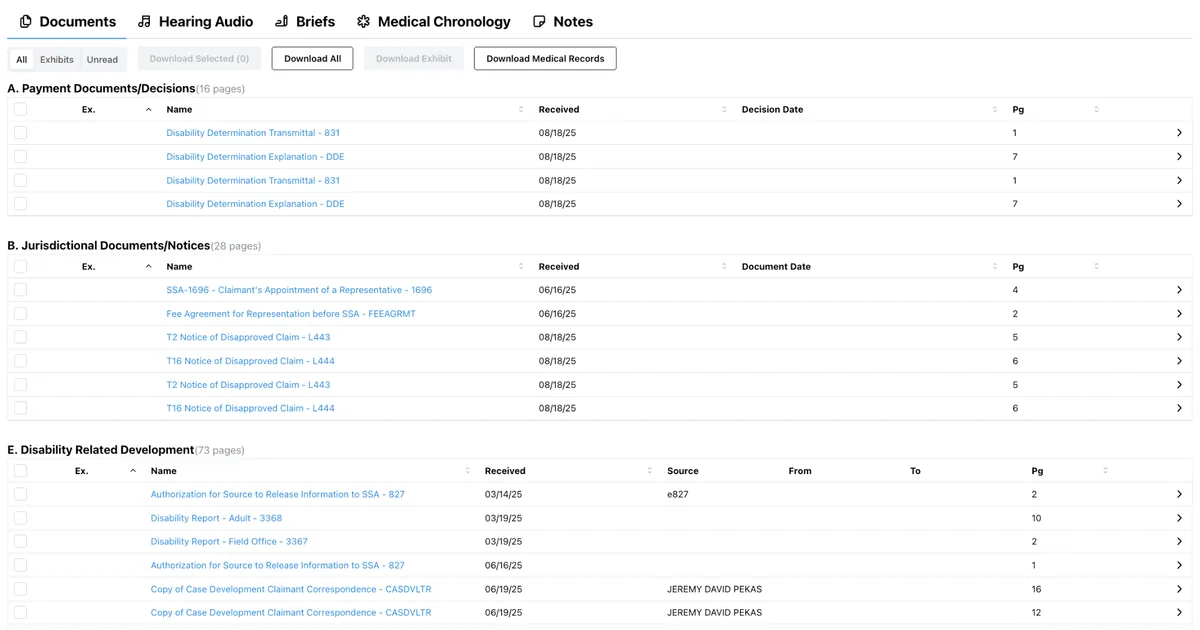
This is where real efficiency gains come from. Because you have an automated ERE monitoring solution, files are downloaded instantly, tagged by type, and placed in the correct case record.
**Why this matters: **Evidence moves from ERE into your workflow in minutes, not hours or days. Staff see organized, ready-to-review documents; not raw downloads.
4. Integration with case management systems
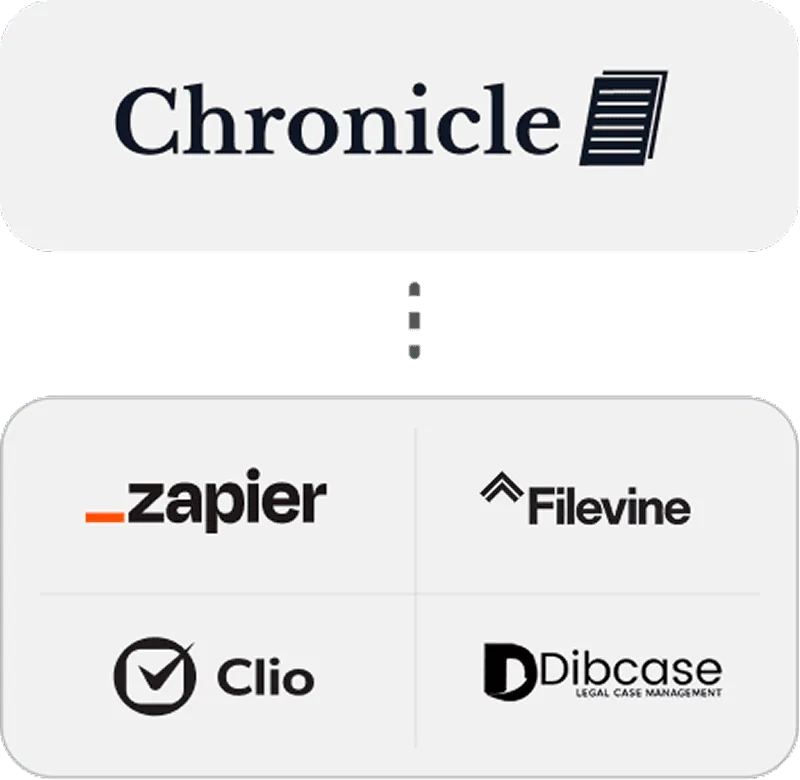
More advanced ERE monitoring softwares like Chronicle integrate nicely with a number of popular CMS solutions. This means that you can create workflows to CMS’ such as Clio, MyCase, Filevine, and DiBase without changing systems.
With integrations, you can set up neat automations; for example, when documents trigger case status updates, medical chronologies refresh automatically when new records arrive, and hearing prep tools instantly incorporate the latest evidence.
**Why this matters: **No duplicate data entry. No context-switching between systems. Evidence appears where your team already works. Chronicle becomes the lifeline of your disability practice.
5. Easily surface what needs attention
Good automation doesn’t drown staff in notifications. It highlights new medical evidence, missing exhibits, documents requiring client follow-up, and notices tied to deadlines.
Advanced systems go further by creating structured case summaries from hundreds of pages, extracting key dates and events into searchable timelines, and flagging cases approaching hearing dates that need prep attention.
**Why this matters: **Disability attorneys get real leverage as they review information as opposed to chasing it.
Must-Have Features for ERE Automation
If you’re evaluating ERE monitoring software solutions, the bar should be high. We recommend you look for:
Virtual SSA Mailroom
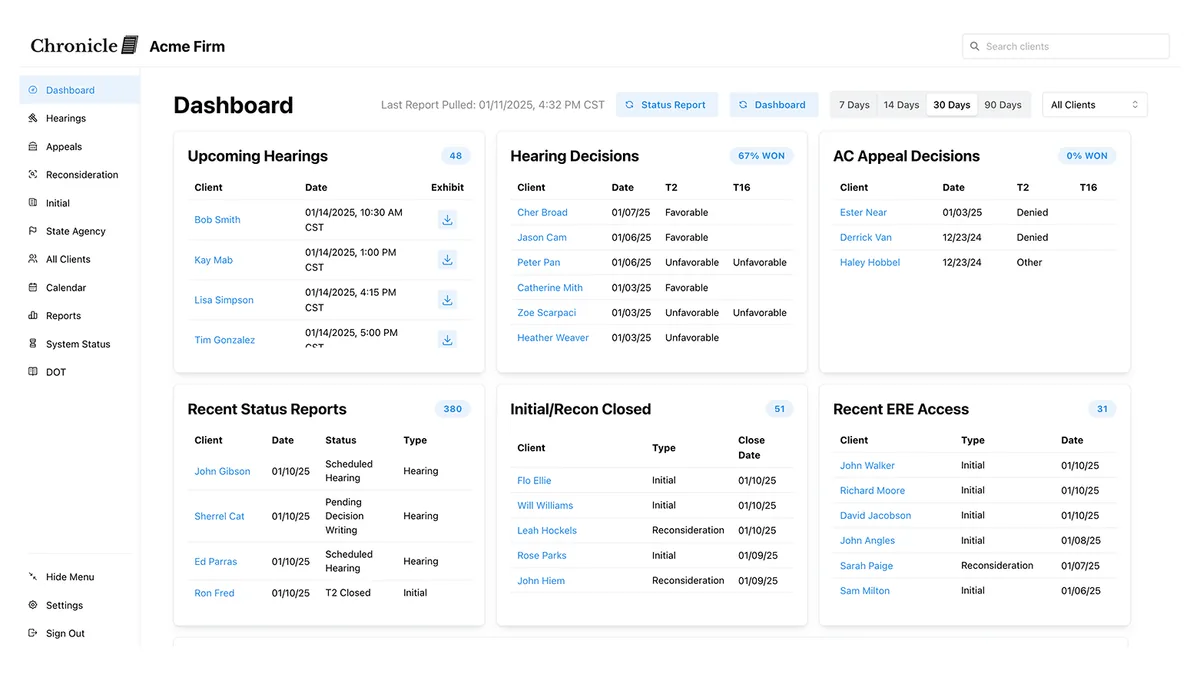
A unified inbox for all ERE activity with real-time updates across all reps and all cases. You should see everything in one place without repeated logins, with visibility into what arrived, when, and for which cases.
Dashboard Visibility
Easy to use intuitive dashboards outlining all the key things about your cases, including recent activity reports from any member from your team’s actions. The best systems provide real-time visibility across hearings, CEs, deadlines, and decisions, creating a shared source of truth for your entire disability firm.
Automated Document Management
You want to find a software solution that autodownloads and categorizes new documents to the appropriate case. This reduces error rates dramatically and eliminates the manual labor of organizing exhibits.
Some platforms extend this further with automatic Bates stamping, OCR for searchability, and indexed exhibit packet creation (hint: Chronicle does this too); cutting down multi-day hearing prep into hours.
Medical Record Intelligence
Thousands of pages of medical records are worthless if staff can’t find what matters. Look for ERE automation software that converts unstructured records into searchable medical chronologies with citation links, extracted diagnoses, treatments, impairments, test results, and provider histories.
The best solutions refresh these chronologies automatically when new evidence arrives, so attorneys always work from current information without manual re-review.
Client Communication Automation
Automated email updates for case status changes with attorney review buffers before messages go out. This helps your firm notify clients proactively and even beat the SSA mail for when to be able to alert your clients.
Compliance & Security Controls
Least-privilege access, full audit trails, SOC 2 compliance, and encryption in transit and at rest. Automation isn’t helpful if it creates risk. A mature system makes workflows safer and not just faster.
Real-World Impact from Automating ERE Tracking
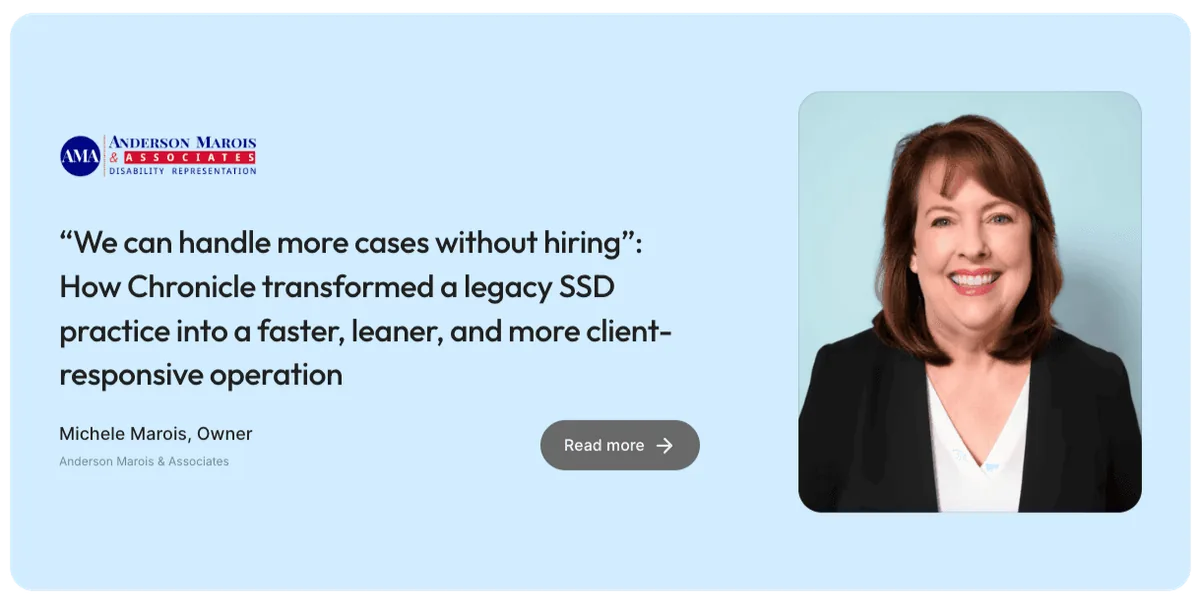
Firms implementing ERE automation report clear, measurable results:
Hours reclaimed weekly: One firm saved 40% of their workweek after implementing Chronicle, which allowed instead for more time researching and preparing for their clients. Across a year, that’s over 800 hours of capacity!
Near-zero missed notices: Automated checking replaces sporadic manual checks. Cases move forward without surprise delays.
Stronger hearing preparation: Attorneys enter hearings with complete medical files because evidence was captured automatically, not discovered last-minute. Tools like searchable hearing transcripts with speaker detection further accelerate prep.
Reduced burnout: Staff move from repetitive clerical tasks to substantive work; client communication, file development, and follow-up. Owner of Viner Disability, Will Viner, noted that Chronicle took the work of 50-75% of a paralegal, moving staff away from repetitive clerical tasks.
Scalable growth: The Disability Champions grew from 900 to 3,000+ active cases without proportionally increasing administrative staff. Ficek Law achieved 67% year-over-year revenue growth after standardizing workflows with automation.
These gains aren’t theoretical. They’re consistent across solos, small teams, and high-volume regional firms. If you’ve never explored an ERE automation software, you can schedule a call to do so here.
Implementation & Best Practices for ERE Automation
Most firms can adopt ERE automation in days, not months.
Here’s How You Can Get Started:
- Book a call with the Chronicle team or find another ERE monitoring solution
- Learn how to set up a free trial
- Run a 5-10 case pilot to see how everything works
- Involve your staff in assessing if the ERE automation software will meet your team’s needs
- Purchase and fully implement the solution for the rest of your caseload
Frequently Asked Questions Around Automating ERE Tracking
Do we lose control if ERE is automated?
No. You get more control because you stop relying on memory and manual checks. You see everything sooner, with a complete audit trail of when documents arrived and who handled them.
What if SSA changes the ERE interface?
Good automation systems maintain the integration and update behind the scenes. You shouldn’t need to do anything.
Do we still need to log in manually into the ERE?
Occasionally, yes; for submissions or account questions. But evidence intake becomes hands-off.
Is this compliant with SSA requirements?
Yes, as long as authentication flows are preserved, least-privilege access is maintained, and credentials remain isolated per representative.
Will this replace staff?
No. It removes repetitive clerical tasks so staff can focus on case development, hearing prep, and client care. That said, most firms handle more cases with the same headcount or improve quality with existing capacity.
How long does implementation take?
Most firms complete initial trial setup in as little as a 15 minute call and a trial takes 1-2 weeks. Staff training of Chronicle is easy and straightforward and takes just 30-minutes.
What’s the ROI of automating ERE tracking?
Time savings alone typically justify the investment within the first month. Firms with 100+ cases often reclaim 10-15 hours per week. Less tangible benefits include fewer missed deadlines, better hearing outcomes, lower turnover; compound over time.
Building a Sustainable ERE System
Manual ERE tracking doesn’t scale. It doesn’t protect against missing documents and it wastes the time of skilled staff who could be doing higher-value work.
Automation isn’t about replacing humans. It’s about freeing up folks to work on what matters most: reviewing evidence, building cases, and advocating for clients.
The firms that adopt ERE automation early gain a structural advantage. They operate with less effort, fewer errors, and better preparation. The disability firms that wait often do so until a crisis forces their hand often face missed deadlines and burned out staff.
The question isn’t whether to automate ERE tracking. It’s when, and how well.
If you’re ready to eliminate missed notices, make your staff happier in their day-to-day work and grow your caseloads, start a free trial of Chronicle.
Try us out for 10-20 cases and see just how much time you can save; then bring in all your cases like 100+ other firms already have.
Ready to see ERE automation in action?
Learn how Chronicle’s Virtual SSA Mailroom, medical chronologies, and hearing prep tools eliminate manual ERE tracking for Social Security Disability firms. Schedule a demo today.