
Use the API
The Chronicle REST API lets you programmatically access clients, documents, events, ERE uploads, and webhooks using a simple API-key model. Full endpoint documentation is available at Chronicle Developer API Docs.
Get your API key
API keys are created in your Chronicle dashboard. Once created, the key is shown only once and cannot be retrieved later.
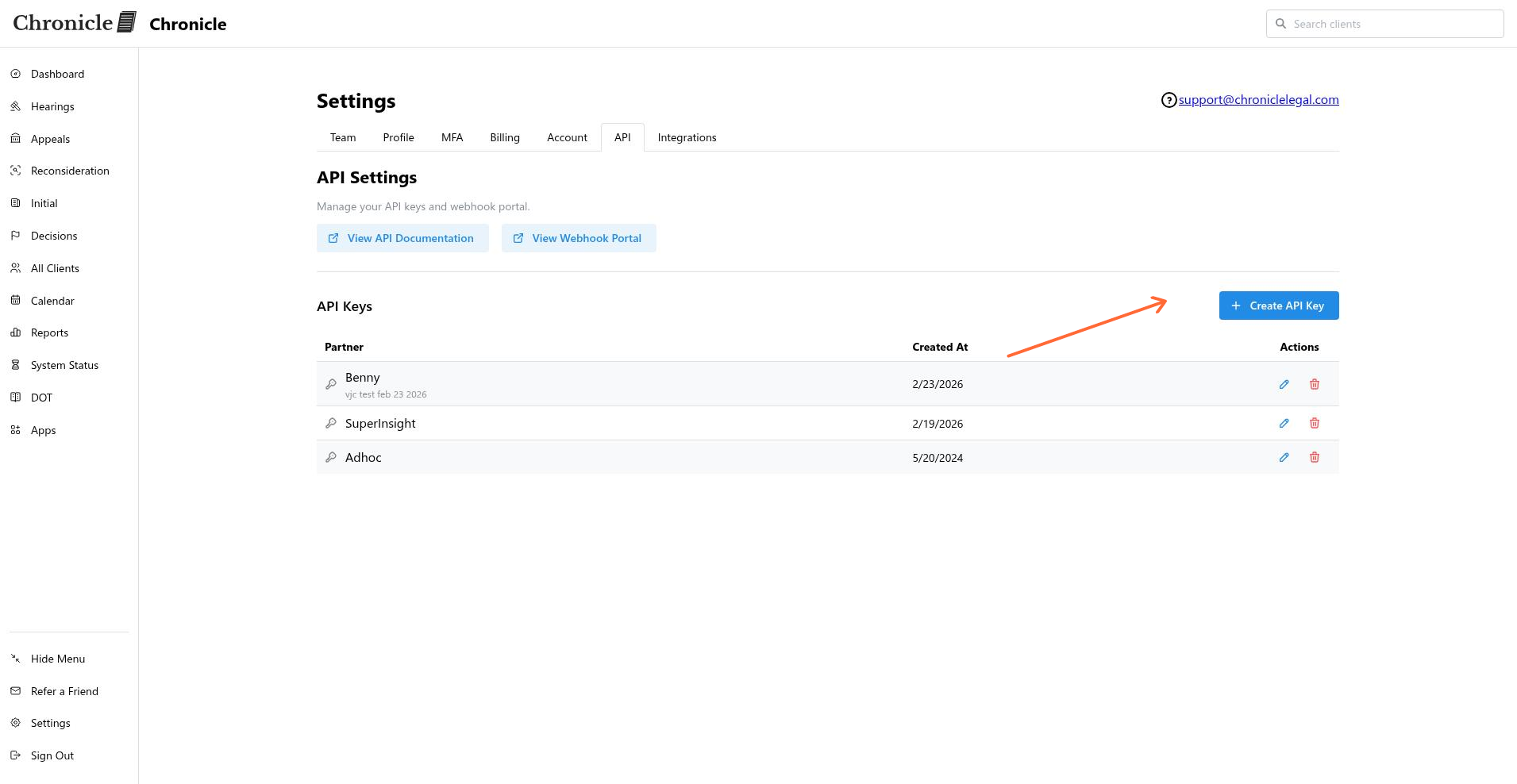
In the left sidebar, click Settings.
Click the API tab.
Click the green Create API Key button.
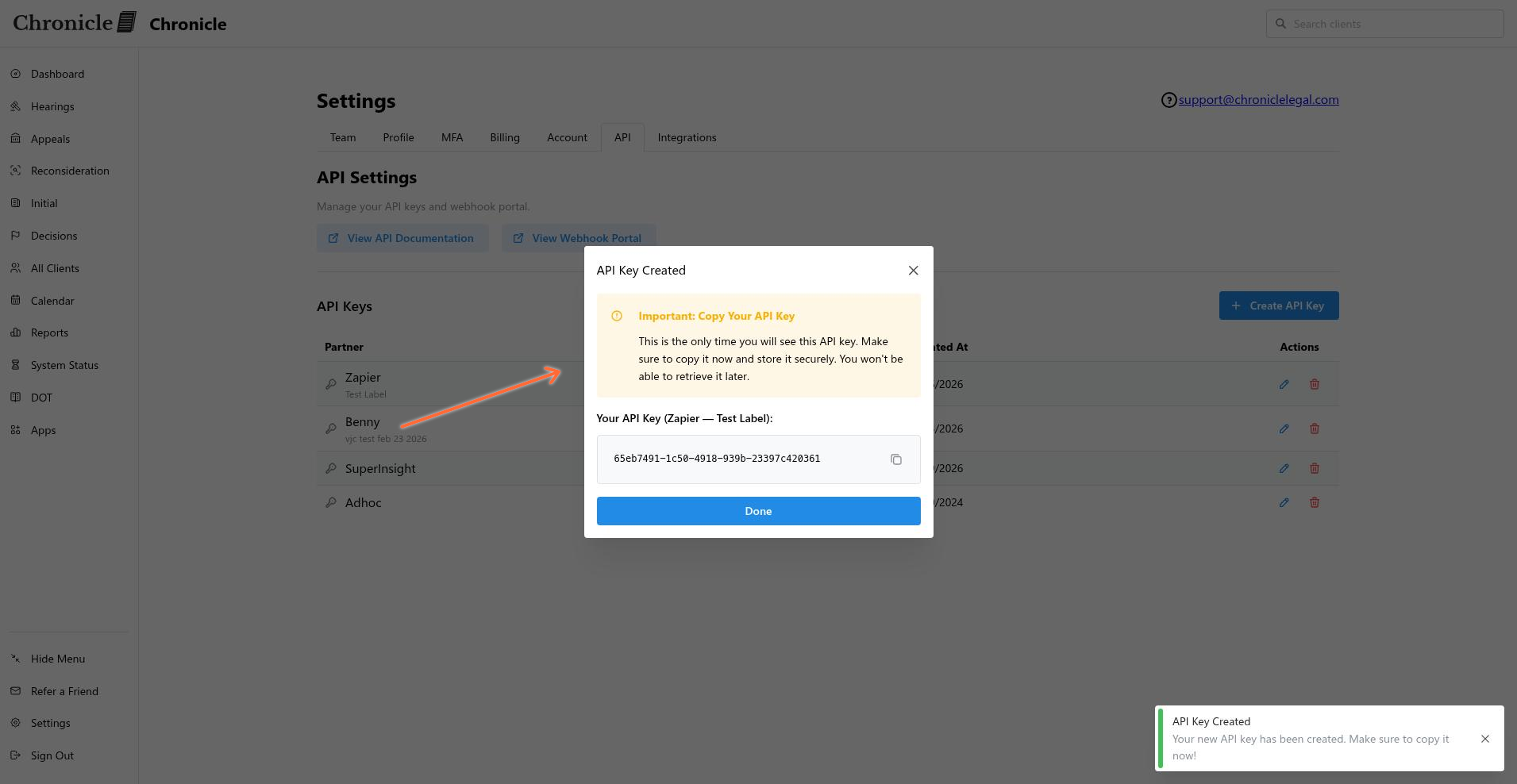
Select the partner and enter a label, then create the key.
Copy the key immediately and store it in a secure location. You will not be able to see it again.
Security warning: An API key grants full admin access to all of your firm’s data and documents in Chronicle. Treat it like a password and use it with caution. Never expose it in client-side code, public repositories, or unsecured logs.
API keys are shown only once. If you lose a key, revoke it and generate a new one.
Authenticate
Include your key in the X-API-KEY header on every request.
curl -H "X-API-KEY: your_api_key" https://api.chroniclelegal.com/api/account_idWhat you can do
The API covers the main resources in your Chronicle account:
Clients: list, search, get, update, subscribers, notes, tasks, info requests, medical provider requests, merge packets, and documents.
ERE uploads: list, create, and check status.
Users: list and get user details.
Webhooks: create, list, and delete webhook endpoints. Supported event types include
client.created,document.created,event.created,ere_upload.completed,task.updated, and others.
Next steps
Review the complete OpenAPI spec and request/response schemas at the Developer Docs.
Read the API Terms of Service for security obligations, rate-limit policy, and breach-notification requirements.