
The ERE is down. You have a hearing in three days, a questionnaire due tomorrow, and now the SSA’s portal is throwing errors. Staff are retrying logins. 2FA codes expire before anyone can type them in. Nobody knows whether this is a five-minute hiccup or a day-long outage.
This is not hypothetical. ERE outages happen. Sometimes SSA provides notice; often they do not. When access fails, disability firms face a choice: wait and hope, or have a plan ready.
This guide is that plan.
Quick Reference: First Steps When ERE Fails
If you are in the middle of an outage right now, start here:
- Confirm it is SSA, not you. Try a different browser in incognito mode or check if colleagues are experiencing the same issue.
- Try incognito/private browsing. This solves login loops more often than anything else.
- Clear cookies for SSA domains specifically. The portal has known issues with cached session data.
None of that working? You are probably dealing with a system-wide issue. Keep reading for specific error messages, escalation paths, and deadline protection strategies.
Is ERE Actually Down? How to Confirm
Not every ERE problem is an outage. Sometimes it is a browser issue, a cookie conflict, or something specific to your account. Before assuming the worst, rule out local causes.
Check with colleagues or listservs. The fastest way to confirm a widespread outage is to ask other practitioners. If multiple firms are reporting the same issue simultaneously on NOSSCR listservs or in practice groups, the problem is SSA-wide, not your machine.
Look for SSA announcements. SSA occasionally posts maintenance notices or outage acknowledgments through official channels. Check any recent communications from SSA or ODAR for scheduled downtime.
Test with a different browser or device. If the ERE loads on your phone but not your desktop, or works in Firefox but not Chrome, the issue is local. If it fails everywhere, you are looking at a genuine outage.
This distinction matters because it changes what you should do next. Local issues have fixes. Outages require patience and workarounds.
Common ERE Errors and What They Mean
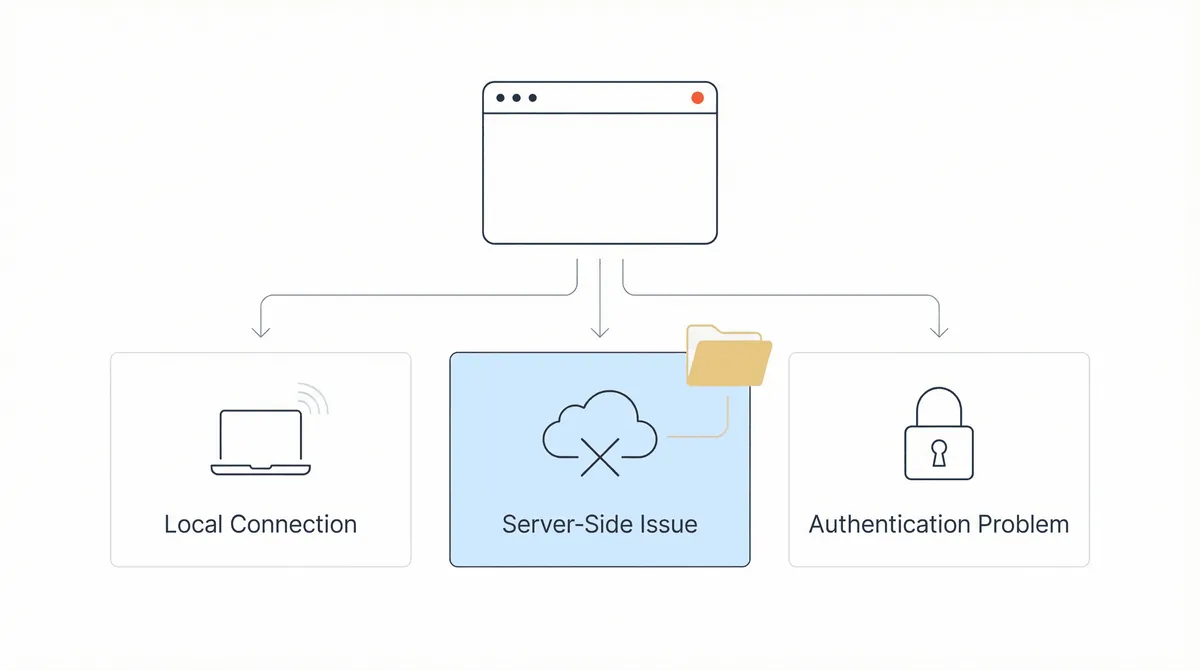
Different error messages indicate different problems. Understanding what you are seeing helps you decide whether to troubleshoot or wait.
| Error | What It Usually Means | What to Try First |
|---|---|---|
| 500 Error (“Program Error”) | Server-side failure; SSA’s systems crashed or timed out | Wait 5-10 minutes, then retry. If persistent, it is system-wide |
| Login Loop (redirects back to login after credentials) | Cookie or session conflict | Clear cookies, try incognito mode, or switch browsers |
| ”Unable to process your request” | Session expired or portal under heavy load | Refresh and try again. Check if you were idle too long |
| eFolder Access Denied | Either wrong SSN entered, or your 1696 has not been processed | Verify the claimant’s SSN; contact local office if 1696 was recent |
| 2FA Code Not Accepted | Code expired (they are time-sensitive) or entered into wrong field | Request a new code immediately; enter it within 60 seconds |
| Account Locked | Three failed login attempts | Contact SSA at 1-800-772-1213 for account reset |
The 500 error is the most common sign of a broader outage. It means something failed on SSA’s end, not yours.
The login loop is different. That one is almost always fixable with browser changes.
One pattern shows up repeatedly: the first login attempt fails, but a second attempt about 90 seconds later succeeds. SSA’s systems sometimes flag rapid login attempts as suspicious behavior. If your first try fails, wait briefly before retrying.
Immediate Workarounds to Try
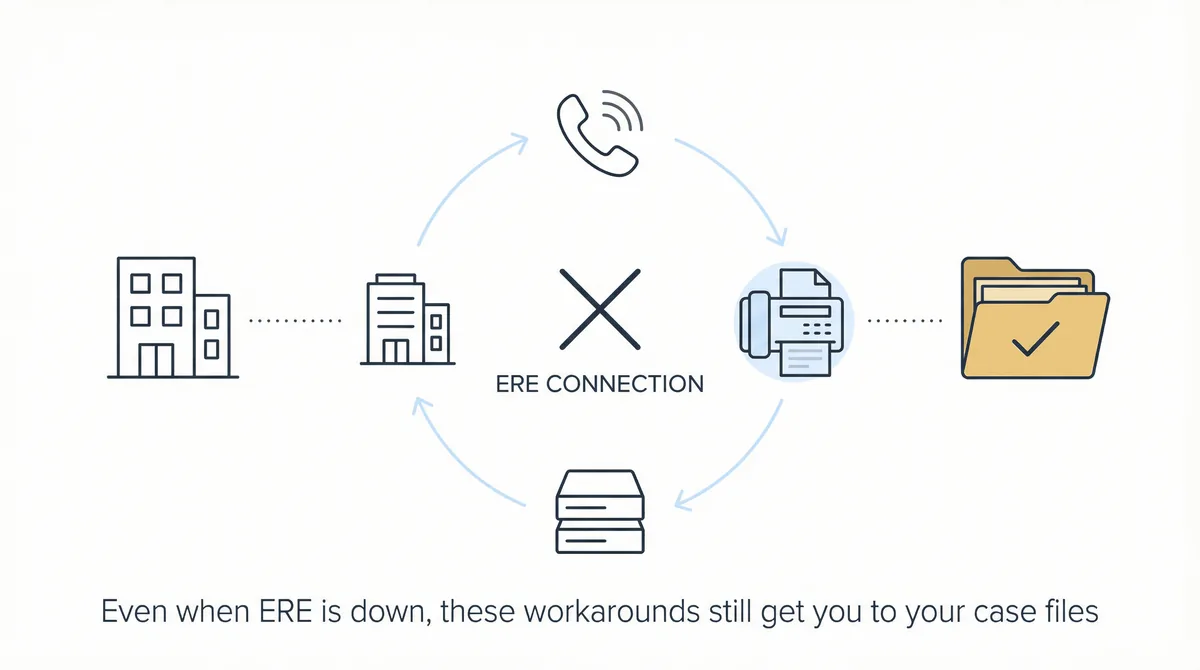
When ERE access fails, work through these fixes in order. Each addresses a common cause of portal problems.
1. Switch to Incognito or Private Browsing Mode
This is the single most effective fix for login loops. Incognito mode ignores cached cookies and session data, giving you a clean connection to SSA’s servers. In Chrome, press Ctrl+Shift+N (or Cmd+Shift+N on Mac). In Firefox, use Ctrl+Shift+P.
Users report that incognito mode works immediately when standard browsing fails, even after hours of other troubleshooting attempts. Worth trying first.
2. Clear Cookies and Cache for SSA Domains
If incognito works but you want to fix your normal browser, clear cookies specifically for SSA. In Firefox, navigate to Settings > Privacy & Security > Cookies and Site Data > Manage Exceptions, then create a block for secure.ssa.gov. This prevents problematic cached data from interfering.
Do not just clear “recent history.” Target the SSA cookies specifically.
3. Try a Different Browser Entirely
Firefox tends to handle SSA portals more reliably than Chrome in some users’ experience. If you have been using Chrome, switch to Firefox or Edge. If you have been using Firefox, try Chrome. The goal is ruling out browser-specific conflicts.
4. Disable VPN Services
VPNs can trigger security blocks on government portals. If you use a VPN for privacy or remote work, disable it temporarily and try accessing ERE directly.
5. Clear Mobile Browser Data (If Using Phone)
If you are attempting access on a mobile device, clear the browser app’s data completely. This is more aggressive than clearing cache but often necessary.
6. Wait Five to Ten Minutes
SSA’s systems may interpret repeated rapid login attempts as bot behavior. If you have tried multiple times in quick succession, stop. Wait five to ten minutes, then try once more.
That cooling-off period works more often than you would expect.
7. Delete Old Bookmarks
Since September 2018, SSA has had issues with previously saved bookmarks to ERE. If you are using a saved link to access the portal, delete it and navigate fresh from ssa.gov/ere/ or ssa.gov/ar/. Old URLs can be corrupt.
When to Contact SSA (And How)
If none of the browser fixes work and you have confirmed the issue is not widespread, contact SSA directly.
| Issue | Who to Contact | Contact Information | Hours |
|---|---|---|---|
| General ERE access problems | ERE Help Desk | 1-866-691-3061 | 7am-5:30pm EST, M-F |
| New ERE account registration (after hours) | ERE Email | electronic-records-express@ssa.gov | — |
| Account lockout (3 failed attempts) | Account Support | EEAccountInfo@ssa.gov | — |
| eFolder access issues | Local Hearing Office | Varies by location | Business hours |
| General SSA issues | Main SSA Line | 1-800-772-1213 | 8am-5pm, M-F |
When you call, have these ready: the claimant’s SSN, your representative credentials, and a screenshot of any error message. SSA recommends saving screenshots in a Word document; this helps their support staff diagnose the issue faster.
If the Help Desk cannot resolve the issue and you have an urgent deadline, ask about alternative submission options or escalation paths. SSA has documented that they provide flexibility during system outages, though you may need to advocate for yourself.
What If You Have a Deadline During an Outage?
ERE outages become critical when deadlines are involved. A 10-day questionnaire response window does not pause because SSA’s portal is down. (For a complete reference on SSA deadlines disability attorneys must track, see our practical guide.)
Document everything: screenshot every error message. Note the time, browser used, and what you attempted. If you later need to request a deadline extension, this documentation is your evidence.
Check for official acknowledgment: when SSA experiences significant outages, they sometimes post notices on their status page or through GovDelivery bulletins. Reference any official acknowledgment in your deadline extension request.
Consider paper submission: if you absolutely cannot submit electronically and the deadline is imminent, your local field office can accept paper documents. Not ideal, but better than missing a deadline entirely. Call ahead to confirm the office is open and accepting submissions.
Request an extension. SSA has granted deadline flexibility during documented system issues. If you can show that the outage prevented timely submission, a reasonable extension request is often approved. The key is documentation: you need evidence that you tried and were blocked.
Use ERE’s upload alternative: if ARS (the eFolder access system) is down but ERE’s document submission function is working, you can still upload documents to the file. You will not be able to view documents, but you can submit them. This distinction matters during partial outages.
Understanding SSA’s Portal Hierarchy
Confusion about what is actually down makes troubleshooting harder. The SSA’s representative portal system has multiple layers, and different outages affect different functions.
BSO (Business Services Online) is the authentication layer. If BSO is down, you cannot log in to anything. This affects both ERE and ARS.
ERE (Electronic Records Express) technically refers to the document submission system. Most disability practitioners use “ERE” as shorthand for the entire representative portal because the login screen displays that name. When someone says “ERE is down,” they usually mean they cannot access the portal at all.
ARS (Appointed Representative Services) is the eFolder and case status system. This is where you view documents, check status updates, and access the electronic record. ARS sits within the broader portal but can have separate availability issues.
AARPS (Appeals and Appointed Representative Processing Services) is SSA’s newer system, launched in late 2024. It is gradually replacing ARS for some functions. Access requires a Login.gov or ID.me account.
When troubleshooting, knowing which layer is affected helps. If you can log in but cannot access eFolders, the issue might be ARS-specific. If you cannot log in at all, the issue is likely BSO or the broader portal.
How to Protect Your Firm From Future Outages
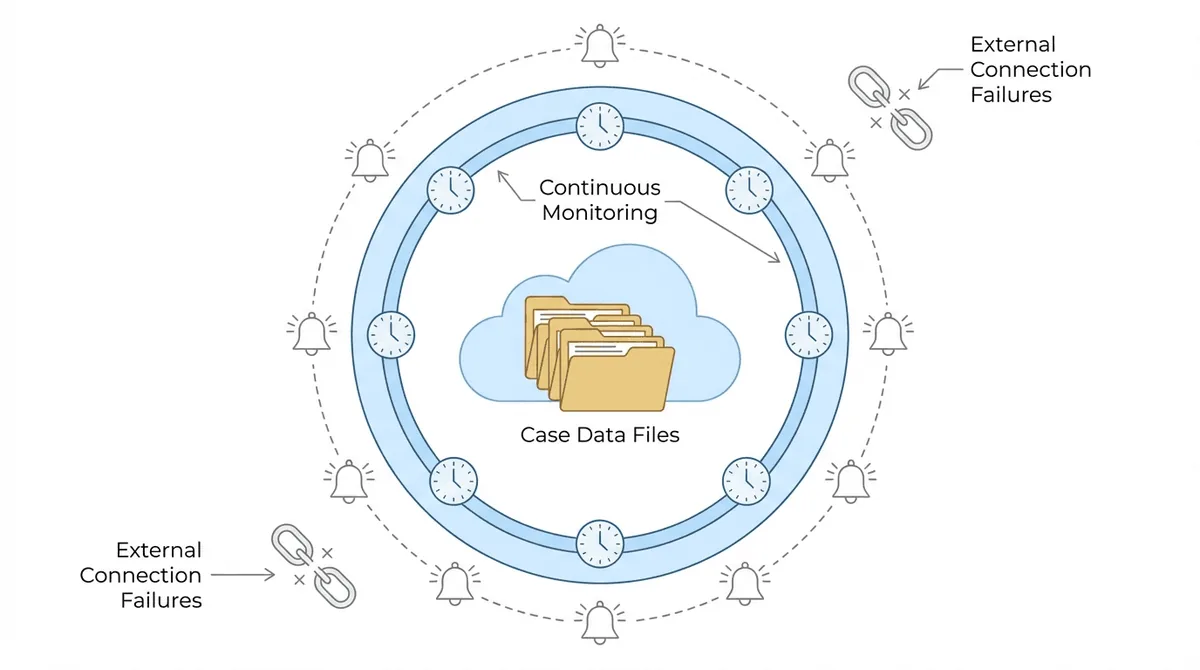
ERE outages will happen again. SSA’s systems experience maintenance windows, unexpected failures, and capacity issues. The question is whether your firm’s operations grind to a halt each time, or whether you have built some resilience into your workflow.
The underlying problem is real-time dependency. When staff need to log into the ERE manually to check for updates, download documents, or verify case status, any outage blocks all of that work. The firm has no visibility into SSA activity until the portal comes back online. (For context on how much time manual ERE checking consumes, see why paralegals spend 15+ hours weekly checking ERE.)
Automated ERE monitoring changes this.
Chronicle checks the ERE and e-file daily for each monitored case. That data is already synced before an outage occurs. When ERE goes down, firms using Chronicle still have access to yesterday’s status, yesterday’s documents, and yesterday’s alerts. They are not starting from zero.
“Before Chronicle, we were constantly passing two-factor codes back and forth, getting kicked out of ERE, and struggling to keep track of updates,” one representative at SAM G Enterprises described. Manual dependency means every ERE hiccup becomes a firm-wide disruption.
“Before we got smart and started using Chronicle, a typical day would involve logging into ERE multiple times and obtaining passcodes,” noted staff at Disability Advocates. Each login is a potential failure point.
The operational shift is significant. Instead of relying on real-time portal access, firms with automated monitoring work from a continuously updated record. Outages become inconvenient rather than paralyzing.
Chronicle also displays system issues on its dashboard. “You send an email or make a phone call and you get an answer. And if there’s a system issue, it’s right at the top of the dashboard. I don’t have to guess what’s going on,” observed a user at Anderson Marois.
That visibility matters. During an outage, knowing whether the problem is SSA-wide or local to your account changes how you respond.
Frequently Asked Questions
How long do ERE outages usually last?
Duration varies widely. Some outages resolve within an hour; others last most of a business day. Scheduled maintenance windows are typically announced in advance and occur during off-hours. Unscheduled outages have no predictable duration.
Will SSA extend deadlines if ERE was down?
Yes, in documented cases. You need evidence that the outage prevented submission. Screenshots of error messages with timestamps, plus any official SSA acknowledgment, strengthen your extension request.
What is the difference between ERE and ARS?
ERE technically refers to the document submission system. ARS is the eFolder and case status access system. Most practitioners use “ERE” to mean both because the login screen says ERE. Functionally, if you cannot log in, both are affected.
Can I still upload documents if I cannot view the eFolder?
Sometimes. If ARS is down but ERE’s submission function is working, you can upload documents without viewing the file. Navigate to the upload function directly rather than through eFolder access.
Should I call SSA during an outage?
Only if your issue is account-specific (lockout, access denied on a specific case) or you have an urgent deadline. For widespread outages, the Help Desk typically cannot resolve the underlying issue and will just confirm what you already know.
The ERE Outage Checklist
Keep this list accessible for the next time ERE fails:
Immediate diagnosis:
- Check with colleagues or listservs for widespread reports
- Try incognito/private browsing mode
- Test a different browser
- Confirm the issue is not account-specific
Workarounds to try:
- Clear SSA cookies specifically
- Disable VPN
- Delete old bookmarks; navigate fresh
- Wait 5-10 minutes between attempts
Escalation path:
- ERE Help Desk: 1-866-691-3061 (7am-5:30pm EST)
- Email: electronic-records-express@ssa.gov
- Main SSA line: 1-800-772-1213
Deadline protection:
- Document every error with screenshots
- Check for official SSA acknowledgment
- Consider paper submission at local office
- Request deadline extension with evidence
ERE outages are stressful, but they do not have to be catastrophic. With the right preparation, you can minimize disruption and protect your clients’ cases even when SSA’s systems fail.
For firms that want to reduce their exposure to portal downtime altogether, ERE monitoring software provides a buffer. Chronicle was built specifically for that operational resilience. When ERE goes down, your visibility does not have to go with it.