
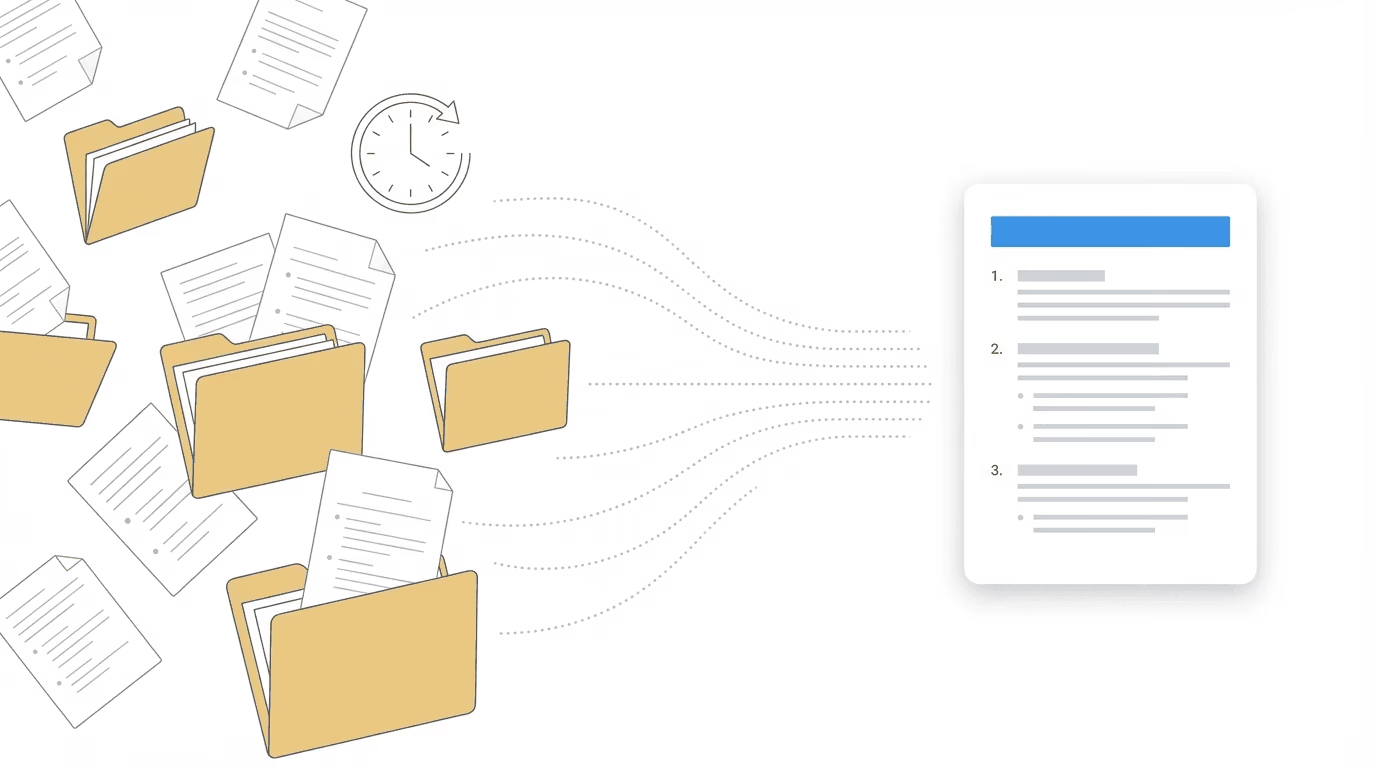
Pre-hearing brief software helps disability attorneys generate structured memoranda for ALJ hearings by organizing case data, medical evidence, and legal arguments into a consistent format. These systems range from simple templates that guide users through the five-step sequential evaluation to integrated platforms that pull directly from existing medical chronologies and ERE documents.
Writing a pre-hearing brief typically takes 2-3 hours when done manually. You’re pulling medical records from one system, ERE documents from another, and trying to synthesize a 1,500-page file into a coherent argument that an ALJ can absorb in minutes. The deadline is usually 5-20 days before the hearing. Miss that window and your brief arrives too late to matter.
Most disability attorneys know briefs improve outcomes. The question is whether the time investment pays off when you’re handling 15-20 hearings monthly. That calculus changes depending on what kind of software you’re evaluating, because not all pre-hearing brief software works the same way.
What Pre-Hearing Brief Software Actually Does
Pre-hearing brief software automates the assembly and formatting of hearing memoranda. At minimum, it provides templates that structure the five-step sequential evaluation and prompt users to enter relevant information. More sophisticated systems scan exhibited files using OCR, pull data from connected case management systems, or generate arguments based on jurisdiction-specific precedent.
The approaches fall into two categories. Template-based systems give you a framework: fill in the blanks, and the software generates a formatted document. These work well when you’re starting from scratch on each case, but they require manual data entry even if you’ve already organized the same information elsewhere.
AI-assisted systems go further. They analyze medical records, identify relevant diagnoses and limitations, and suggest arguments based on patterns in the evidence. Some connect directly to medical chronology systems, which means the brief draws from evidence you’ve already reviewed rather than requiring re-entry.
The distinction matters because brief quality depends heavily on the underlying data. A template can only structure what you feed it. If the medical evidence is disorganized or incomplete, the brief will reflect that regardless of how polished the template looks.
Why Pre-Hearing Briefs Win More Hearings
ALJs don’t always expect a pre-hearing brief, but most appreciate one. The brief functions as a roadmap; it tells the judge where to find the evidence that supports your theory of the case. When you’re dealing with 800 pages of medical records and testimony from vocational experts, a concise summary that highlights the key findings saves time for everyone.
The practical benefits show up in several ways. Attorneys who submit briefs report more bench decisions (approvals issued at the hearing itself) and more on-the-record decisions. The judge has already absorbed your argument before testimony begins. Questions become more focused. The hearing runs more efficiently.
Briefs also force preparation discipline. Writing one requires you to confront weaknesses in the record before the hearing, not during it. If there’s a gap in treatment history or an unfavorable consultative exam, you address it in the brief rather than scrambling when the ALJ raises it. That preparation carries into testimony.
For firms handling volume, consistency matters as much as quality. When multiple staff members prepare briefs, a software-driven process ensures every brief covers the same elements in the same order. The ALJ sees a professional, predictable format. The attorney reviewing before submission knows exactly what to check.
What Goes Into an Effective Pre-Hearing Brief
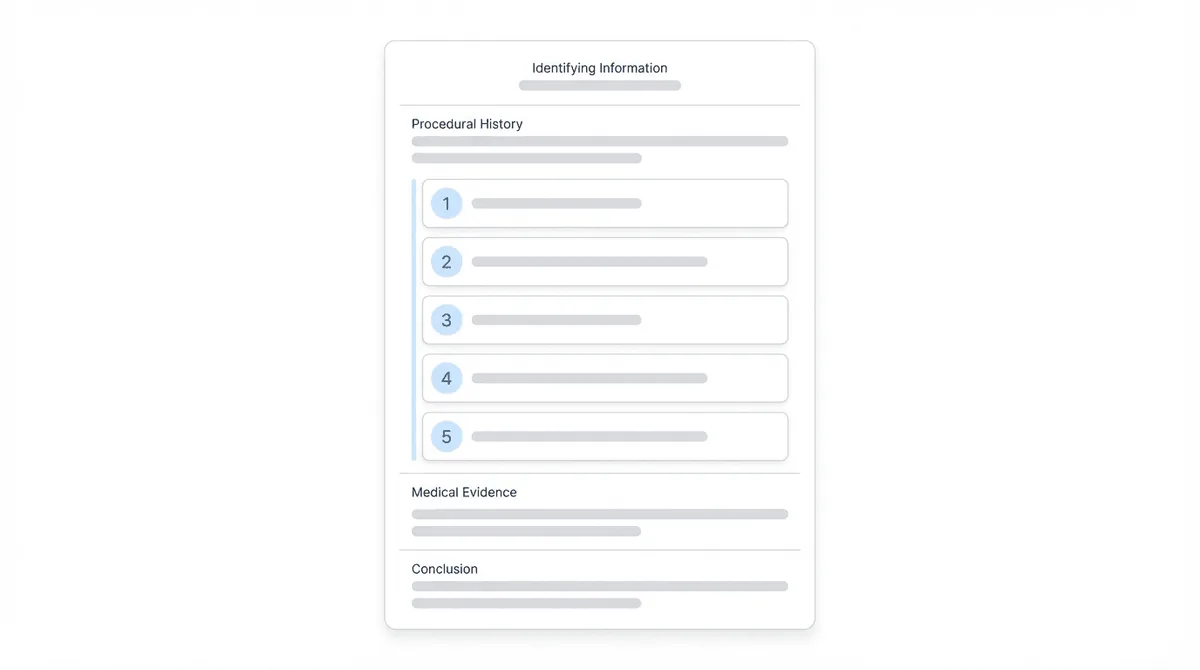
A pre-hearing brief typically runs 2-4 pages and follows a predictable structure aligned with SSA’s sequential evaluation process.
Identifying information comes first: claimant name, Social Security number, date of birth, hearing date, alleged onset date, and date last insured for SSDI claims. This section takes 30 seconds to write but ensures the brief routes correctly and the ALJ has the basics at a glance.
Procedural history summarizes the case timeline: when the application was filed, prior denial dates, and any relevant Appeals Council history. For cases with complex procedural backgrounds, this section prevents confusion about what’s actually at issue.
The sequential evaluation forms the core argument. Step one addresses whether the claimant is engaged in substantial gainful activity. Step two identifies severe impairments. Step three considers whether impairments meet or equal a listing. Steps four and five analyze residual functional capacity and whether the claimant can perform past work or other work in the national economy.
Medical evidence synthesis is where briefs succeed or fail. The goal is not to summarize every record but to highlight the evidence that supports your theory. Treating physician opinions, objective test results, hospitalization records, and functional assessments deserve attention. Hundreds of pages of routine visit notes usually don’t.
Conclusion ties the argument together: the claimant meets the criteria for disability based on the evidence presented. Keep it brief. The ALJ doesn’t need a closing argument; they need clarity about your position.
Standalone Brief Tools vs. Integrated Hearing Prep Systems
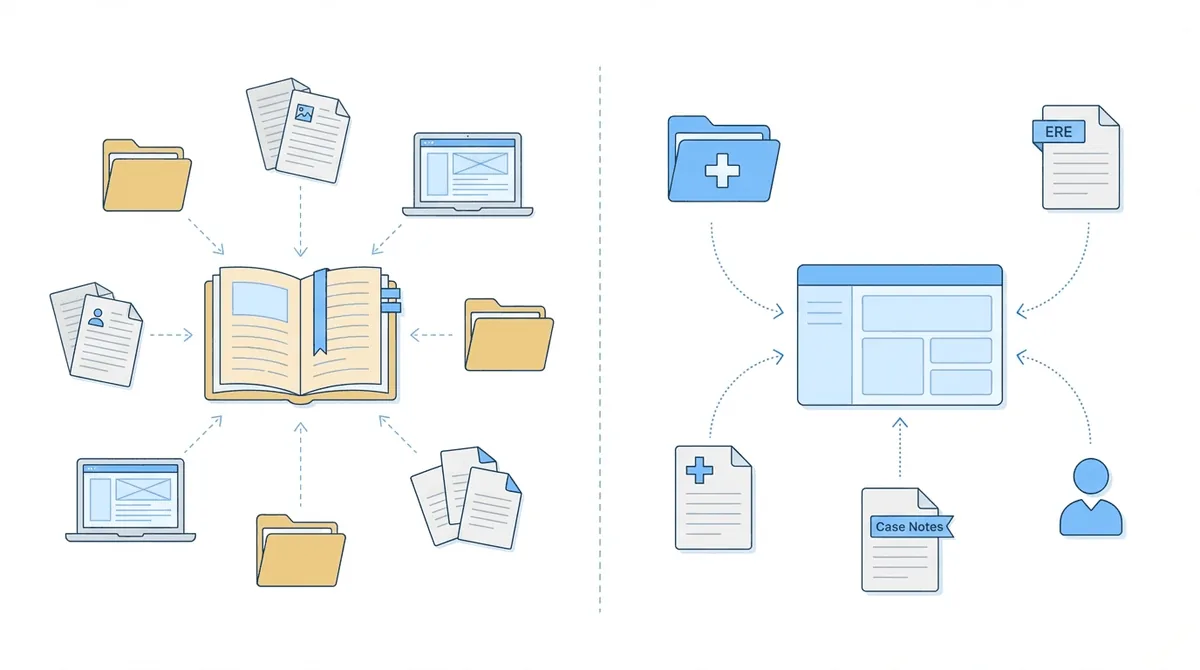
The market splits between two approaches: standalone brief tools that focus exclusively on document generation, and integrated hearing prep systems where briefs are one component of a larger workflow.
| Factor | Standalone Brief Tools | Integrated Hearing Prep Systems |
|---|---|---|
| Data entry | Manual; enter case information for each brief | Pulls from existing case data |
| Medical chronology | Separate system or manual review | Built-in; brief references same chronology |
| ERE documents | Not connected | Already organized in same system |
| Learning curve | Lower; focused on one task | Higher; more capabilities to learn |
| Cost model | Often per-brief pricing | Usually subscription-based |
| Best for | Firms with established separate workflows | Firms wanting consolidated hearing prep |
Standalone systems excel at one thing: generating briefs. Assure’s Brief Tool Pro, for example, uses OCR to scan exhibited files and suggests jurisdiction-specific arguments. The template guides users through the sequential evaluation with prompts tailored to disability law. For firms that have separate systems for medical records, case management, and ERE access, a standalone option fits into existing workflows without disruption.
Integrated systems take a different approach. The brief becomes the output of a workflow that started much earlier, potentially at intake. Medical records were already organized into a chronology. ERE documents were already pulled and indexed. The hearing notice that triggered brief preparation came through the same system. When you write the brief, you’re drawing from data that’s already structured rather than re-entering it.
The tradeoff is complexity. Integrated systems require more setup and more staff training. You’re not just learning a brief template; you’re learning a complete hearing prep workflow. For solo practitioners or small firms with established processes, that disruption may not be worth it.
For firms handling significant hearing volume, the math often favors integration. If you’re writing 15 briefs per month and each one requires re-entering information that already exists somewhere else, the cumulative time cost adds up. A brief that pulls from existing chronology and ERE data might take 45 minutes instead of 2 hours. Multiply that across a year and the efficiency gain is substantial.
Evaluating Pre-Hearing Brief Software
When assessing options, these questions help distinguish between solutions that look similar on feature lists.
1. “How does the system connect to your existing data?”
If you already maintain medical chronologies or use a specific case management system, integration matters. A brief solution that can’t access your existing data means duplicate entry. Ask whether the software connects to your CMS, your medical record system, or your ERE workflow.
2. “What does the argument library include?”
Jurisdiction-specific arguments save time. ALJs in different regions have different tendencies; a brief that addresses common objections in your hearing office is more useful than generic language. Check whether the argument library is customizable and how often it’s updated.
3. “What’s the actual time-to-brief?”
Vendors will quote turnaround times, but those assume clean data and straightforward cases. Ask for specifics: how long does brief generation take for a case with 1,200 pages of medical records? What happens when the OCR misreads a document? Understanding realistic timelines prevents surprises.
4. “How does pricing work?”
Per-brief pricing seems straightforward but can add up quickly at volume. Subscription models may offer better value for high-volume practices, but only if you actually use the system enough to justify the fixed cost. Calculate based on your actual hearing volume.
5. “Can staff customize templates?”
Every firm has preferences. Some ALJs in your region may expect certain information in certain places. Check whether templates are editable and whether customizations persist across updates.
6. “What happens after the hearing?”
Post-hearing briefs require similar structure but different content. If the software only handles pre-hearing memoranda, you’ll need a separate solution for post-hearing submissions and Appeals Council work.
How Chronicle Approaches Pre-Hearing Briefs
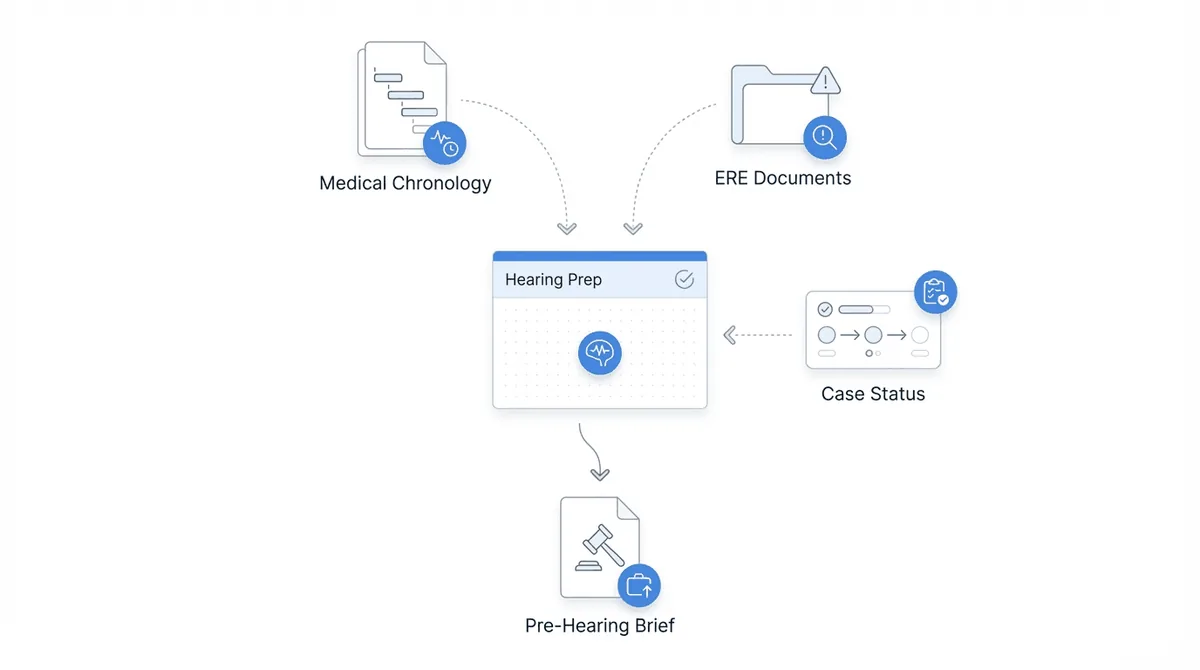
Chronicle is built for Social Security disability practices, focusing on SSA-facing operational workflows: ERE monitoring, case status tracking, medical chronology, and hearing prep. Pre-hearing briefs fit into that system as part of the hearing preparation workflow, not as a standalone feature.
Chronicle provides hearing preparation dashboards to support case readiness. The medical chronology that staff built when records arrived becomes the foundation for the brief. ERE documents that came through automated monitoring are already organized and accessible. When it’s time to write the brief, the underlying data is structured rather than scattered.
At Ficek Law, medical chronology serves as the hearing prep backbone. The firm starts with a high-level summary generated from records, then dives into specifics as needed. That same chronology feeds into brief preparation, eliminating the re-review that standalone options require.
Anderson Marois uses automated transcripts that arrive within minutes for brief preparation. Post-hearing briefs reference specific testimony with timestamps attached; the copy-paste workflow brings citations directly into the document without manual notation.
The Law Office of Nancy L. Cavey required live hearing transcripts for briefs when evaluating solutions. The firm handles 15-20 monthly hearings with a small team; transcript turnaround directly affects how quickly post-hearing briefs can be completed.
Chronicle supports the full SSD lifecycle: initial, reconsideration, hearing, and post-hearing updates. That matters for brief preparation because the context accumulated throughout the case, from intake through evidence development, is available when hearing prep begins. A brief written in Chronicle references the same evidence staff has been tracking since the file opened.
Chronicle is CMS-agnostic; it works with any CMS with an API, or no CMS at all. The hearing prep capabilities don’t require changing case management systems. They add a layer of SSD-specific functionality for firms that want integrated workflows without platform replacement.
Frequently Asked Questions
How long should a pre-hearing brief be?
Most effective briefs run 2-4 pages. Longer isn’t better; ALJs have limited time and appreciate concise summaries that highlight key evidence. Focus on the strongest arguments rather than addressing every piece of the record.
When should the brief be submitted?
Submit at least 5 business days before the hearing so the ALJ has time to review. Many practitioners aim for 10-20 days in advance. Check your hearing office’s preferences; some ALJs request briefs earlier.
Can brief software replace attorney judgment?
No. Software structures information and suggests arguments, but attorneys must review output for accuracy and strategic fit. AI-assisted systems can miss nuances in complex cases or suggest arguments that don’t apply. The brief is a starting point, not a final product.
Is brief software worth it for solo practitioners?
It depends on hearing volume. At fewer than 5 hearings monthly, the time investment in learning new software may exceed time saved. At 10+ hearings monthly, efficiency gains become meaningful. Evaluate based on your actual caseload.
What’s the difference between pre-hearing and post-hearing briefs?
Pre-hearing briefs preview your argument before testimony. Post-hearing briefs respond to what happened at the hearing, typically citing specific testimony and addressing issues the ALJ raised. Both follow similar structure but serve different purposes.
Conclusion
Pre-hearing brief software ranges from simple templates to integrated hearing prep systems. The right choice depends on how your firm already works and how much hearing volume justifies workflow change.
Standalone options fit firms with established processes who want focused functionality. Integrated systems fit firms handling enough hearings that consolidated data access saves meaningful time. The evaluation criteria matter more than feature lists: how does the software connect to your existing data, and does it actually reduce the work rather than shifting it?
For firms where hearing prep touches ERE documents, medical chronologies, and case management, integration determines whether brief software adds value or creates another silo. The brief itself is just the output. What matters is whether the system feeding it makes preparation faster and more consistent.
Test any solution with a real case. Generate a brief from an actual file with representative complexity. Measure whether the result improves on your current process. The right answer depends on how you work.