
This post was originally published on March 13, 2024 and was then updated on March 24th, 2026.
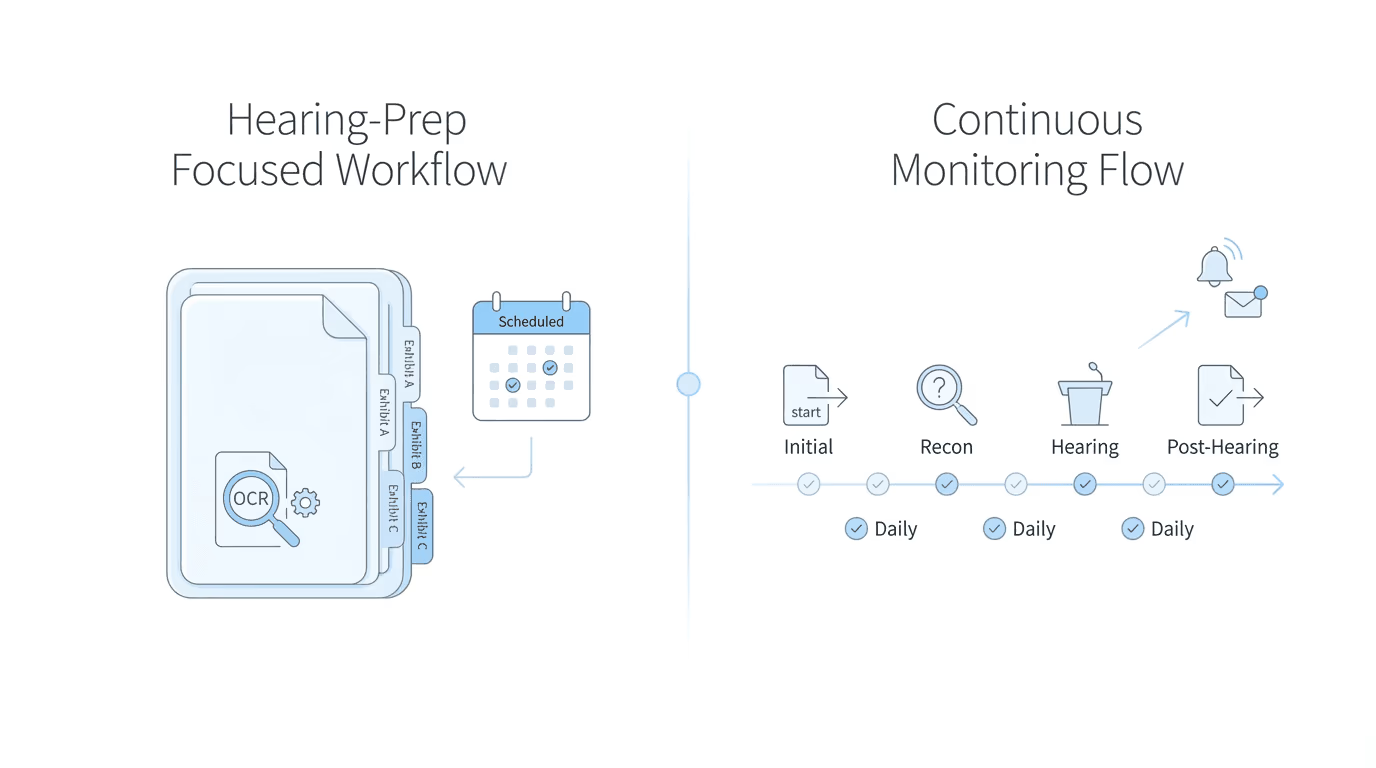
Atlasware and Chronicle both connect SSD firms to the SSA’s electronic records system, but they serve different operational models. Atlasware focuses on document processing and exhibit packet generation for hearing prep, with scheduled downloads. Chronicle provides daily ERE monitoring across all case stages, with CMS-agnostic integrations. The right choice depends on whether your firm prioritizes hearing-prep workflows or full-lifecycle visibility.
Choosing between ERE access tools is harder than it should be. Both let you download case files and upload documents. But they were built for different operational priorities, and picking the wrong one means either overpaying for features you won’t use or discovering gaps when you need coverage most.
The confusion stems from how these tools are marketed. Feature lists look similar on the surface. What they don’t show is how each tool fits into daily operations, which workflow problems they prioritize, and what happens between scheduled downloads.
What ERE Access Tools Actually Do
The SSA’s Evidence and Case Status portal (commonly called the ERE) is where disability case data lives. While “ERE” technically refers to Electronic Records Express, most practitioners use the term to describe the entire Appointed Representative Services (ARS) system because that’s what appears at login. The portal holds case status updates, hearing schedules, notices, questionnaires, and the full electronic folder for each case.
ERE access tools eliminate manual portal logins. Instead of staff logging in repeatedly, passing two-factor codes, and downloading files one by one, these tools automate the connection.
There’s a meaningful distinction between two categories, though. Document retrieval tools focus on pulling files from the ERE, typically around hearing prep. They answer one question: how do I get the e-file efficiently? Operational monitoring tools focus on continuous visibility across all cases at every stage. They answer a different question: what changed in the ERE today that requires action?
Atlasware fits the first category. Chronicle fits the second. Neither approach is wrong, but they serve different operational priorities.
Atlasware Overview: Document Processing for Hearing Prep
Atlasware, now part of Assure Disability, built its reputation on document processing for hearing preparation. The platform turns raw SSA files into organized, usable exhibit packets, and that’s where it excels.
The core workflow starts with document download and organization. Atlasware pulls case files from the ERE and converts TIFF images into searchable, OCR-processed PDFs. It adds automatic pagination, exhibit numbering, bookmarks, and hyperlinked tables of contents. Firms can set up scheduled automated downloads so files are ready each morning. In practice, this means cases get updated roughly three to five times during the hearing prep window (the exact frequency depends on configuration). Brief Tool Pro offers a guided wizard for structured brief creation. And the platform works from laptops, tablets, and phones through Atlasware Cloud.
Exhibit packet generation is where Atlasware shines. Firms that need polished, OCR’d documents ready for hearing review will find a mature workflow here; the document processing tools have been refined over years of use. The Assure ecosystem also offers adjacent services like brief writing, hearing coverage, and medical summaries that some firms find valuable as a bundle.
The constraints are worth understanding. Monitoring frequency operates on a schedule rather than continuously. Between scheduled pulls, changes in the ERE aren’t captured. If the SSA posts a questionnaire on Tuesday and the next scheduled download is Thursday, staff won’t see it until then unless they log in manually. Integration depth centers on Prevail, so firms using Filevine, Clio, MyCase, or other CMS platforms have limited options for automated data flow. And lifecycle coverage focuses primarily on hearing prep; initial and reconsideration stages don’t receive the same operational attention.
Chronicle Overview: Full-Lifecycle ERE Monitoring
Chronicle approaches ERE access differently. Rather than treating it as a document retrieval task, Chronicle treats it as an operational monitoring problem. The platform checks the ERE and e-file daily for every monitored case, then surfaces what changed so teams can act.
Daily ERE monitoring means Chronicle automatically checks each monitored case every day, detecting new documents, status changes, questionnaires, notices, and hearing events. Staff don’t need to log in to see what’s new. When the SSA posts updates, Chronicle notifies the firm within 24 hours, covering decisions, scheduling changes, correspondence, and e-file activity.
Chronicle also handles document download and upload (documents are OCR’d and organized), offers AI-assisted medical chronology generation for hearing prep, provides searchable hearing transcripts useful for briefs and Appeals Council submissions, and supports virtual mailroom integration so SSA mail processing can be consolidated alongside portal monitoring.
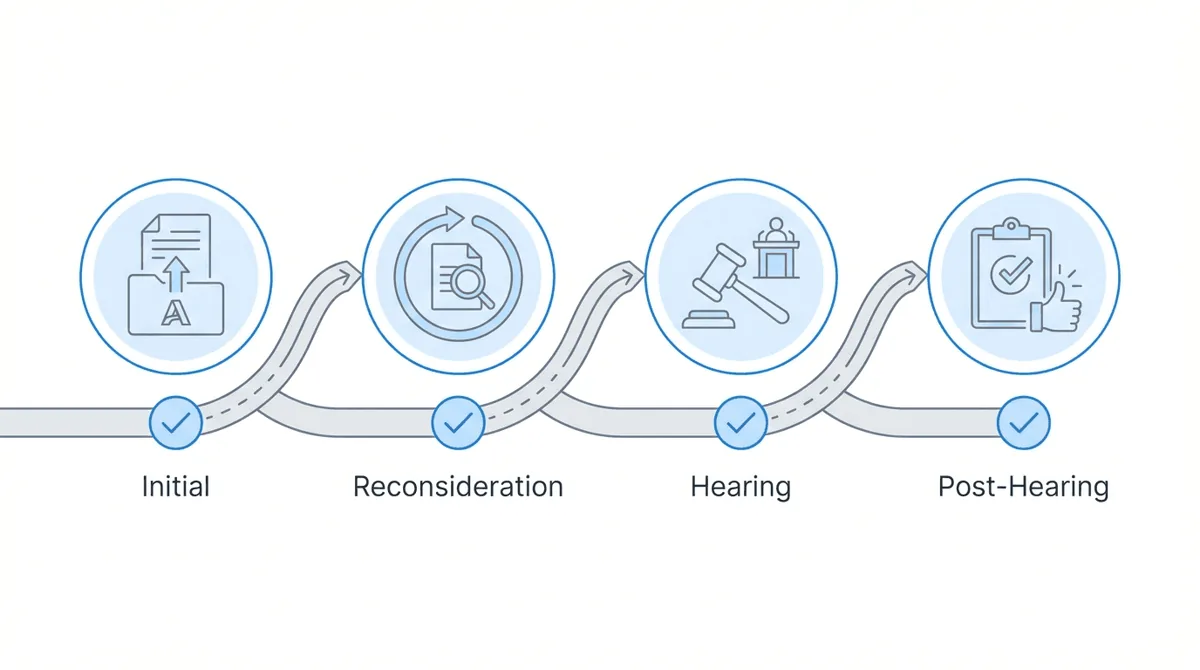
Chronicle supports the full SSD lifecycle: initial applications, reconsiderations, hearings, and post-hearing updates. This means consistent monitoring at every stage, not just the period immediately before a hearing. Chronicle is CMS-agnostic; it works with Filevine, Clio, MyCase, Litify, and any system with an API through Zapier.
The operational difference is continuous visibility rather than periodic document pulls. This matters most for firms managing cases across all stages, where early-stage notices can slip through cracks if monitoring isn’t consistent.
Feature Comparison Table
| Category | Atlasware | Chronicle |
|---|---|---|
| ERE document download | Yes | Yes |
| Document upload to SSA | Yes | Yes |
| OCR and PDF conversion | Yes | Yes |
| Exhibit packet generation | Yes (strength) | Yes |
| Monitoring frequency | Scheduled (3-5x during hearing prep) | Daily |
| Case status alerts | Limited | Yes (within 24 hours) |
| Initial/recon monitoring | Limited | Yes |
| Hearing-stage support | Yes (primary focus) | Yes |
| Post-hearing monitoring | Limited | Yes |
| Medical chronology | Via Atlasware Intelligence | Yes (AI-assisted) |
| Hearing transcripts | No | Yes |
| Brief writing tools | Brief Tool Pro | LexMed integration for AC briefs |
| Prevail integration | Yes (native) | No |
| Filevine/Clio/MyCase | No | Yes |
| Zapier automation | No | Yes |
| Dashboard visibility | Case-focused | Firm-wide |
The table shows feature presence, but the operational difference runs deeper than checkboxes. Two firms with identical feature needs might still choose differently based on monitoring frequency requirements and CMS constraints.
Monitoring Frequency: Why It Matters
The single biggest operational difference between these tools is how often they check the ERE.
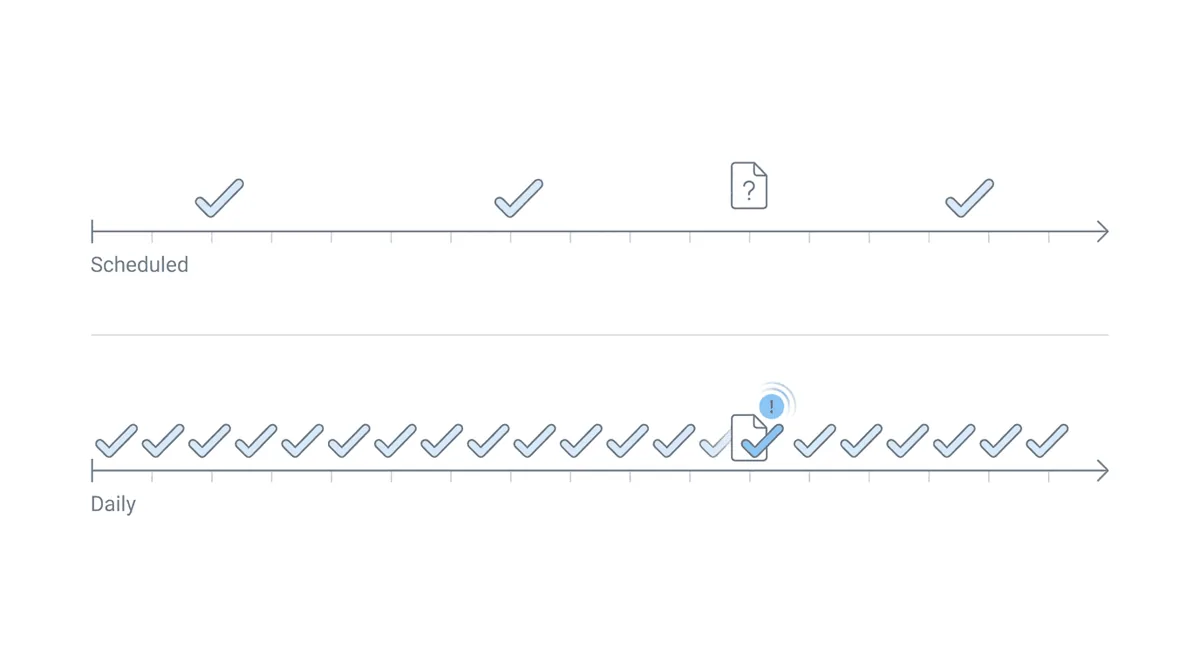
Atlasware operates on a scheduled model. Downloads happen at configured intervals, typically tied to hearing prep workflows. Between those scheduled pulls, any SSA activity sits undetected unless staff log in manually. Chronicle checks every monitored case daily. When the SSA posts a document, changes a status, or adds a questionnaire, the firm sees it within 24 hours.
Why does this matter? The SSA doesn’t notify firms when it posts documents to the ERE. Physical mail eventually arrives, but delivery times vary. A 10-day deadline notice that arrives on day 8 creates scramble mode. A questionnaire that goes unanswered because it sat in the portal undetected leads to avoidable denials.
At Martin, Jones & Piemonte, a multi-state firm handling roughly 70 federal court cases and 45-50 monthly hearings, staff estimated spending five or six hours per week per paralegal just checking the ERE manually. That time disappeared with daily automated monitoring.
William Viner of Viner Disability Law described the pre-automation reality bluntly: “The first thing I would do when I wake up in the morning is download [the ERE sheet]. Before I go to sleep, I download. It was horrible.”
Manual ERE monitoring fails quietly. The problem isn’t the login; it’s the lack of an audit trail for what was checked and when. When a case falls through the cracks, there’s often no way to trace what happened.
Earlier awareness from daily monitoring enables earlier action. Firms can call clients before SSA letters arrive, file appeals the day a denial posts, and catch questionnaires before deadlines compress. Scheduled monitoring works for firms whose operational model focuses primarily on hearing prep, where the rhythm of scheduled downloads aligns with how work flows.
Integration and Workflow Fit
Beyond monitoring frequency, CMS integration determines how well these tools fit existing operations.
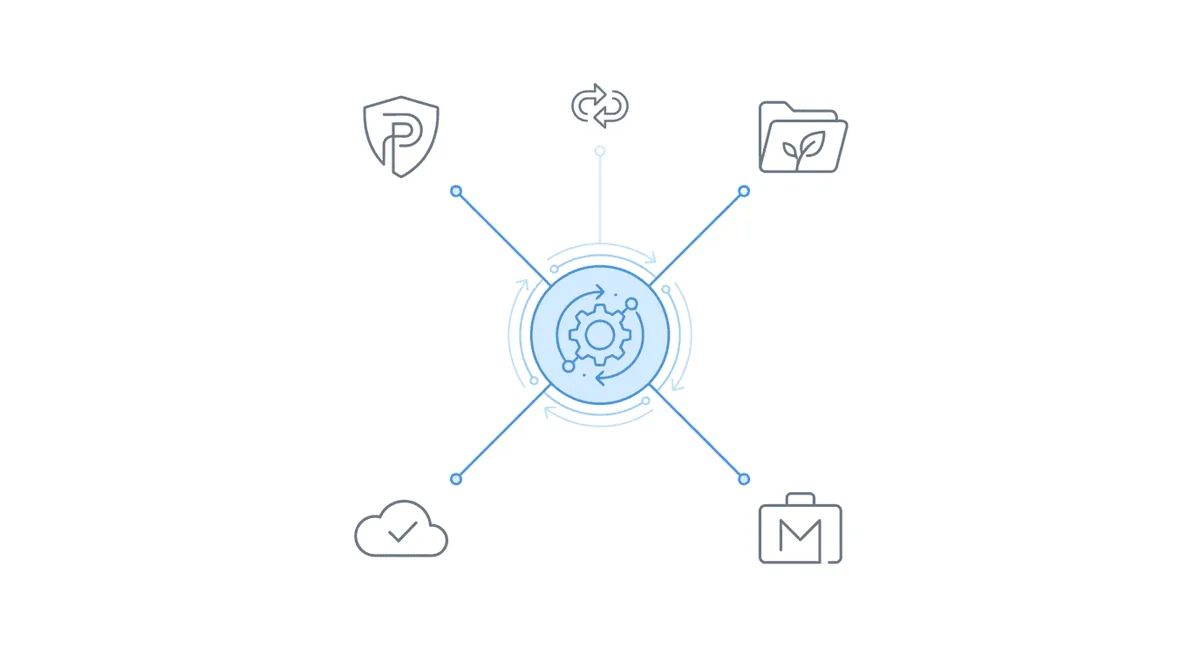
Atlasware connects natively to Prevail, the widely-used SSD case management system now owned by Assure. Firms running Prevail can expect data to flow between systems without extensive custom work. A connection also exists for Litify through Assure’s partnership. Beyond Prevail and Litify, Atlasware does not integrate with other CMS platforms. Firms using Filevine, Clio, MyCase, or other systems have no automated data flow options with Atlasware.
Chronicle was built to be CMS-agnostic. Native integrations exist for Filevine, Clio, MyCase, and Litify. For systems without native connections, Zapier enables automated workflows using Chronicle’s email notifications as triggers. At Viner Disability Law, William Viner built automations connecting Chronicle to Clio via Zapier; Chronicle emails trigger case updates, reducing manual entry and ensuring the CMS reflects current SSA status. Note that Chronicle does not integrate with Prevail; firms using Prevail can still use Chronicle for ERE monitoring, but there’s no automated data flow between the two systems.
If your firm runs Prevail and wants integrated ERE access, Atlasware’s native integration removes friction within the Assure ecosystem. If your firm uses a CMS other than Prevail, or if you might switch CMS platforms in the future, Chronicle’s broader integration options avoid vendor lock-in.
Which Tool Fits Your Firm?
The right choice depends on how your firm operates, not which tool has more features.
Atlasware fits firms that: focus operational energy on hearing prep (if most of your workflow centers on the period leading up to hearings, and earlier case stages run on lighter touch, the scheduled download model aligns with that rhythm); run Prevail as their CMS (the native integration reduces friction, and the Assure ecosystem offers bundled services that some firms value); want mature document processing (Atlasware’s exhibit packet generation has years of refinement); or are comfortable with the Assure ecosystem and prefer dealing with a single vendor for ERE access, briefs, hearing coverage, and leads.
Chronicle fits firms that: need full-lifecycle visibility (if your firm manages cases actively from initial application through post-hearing, and you want consistent monitoring at every stage, the daily-check model provides that); use a CMS other than Prevail (the CMS-agnostic approach means Filevine, Clio, MyCase, and other platforms connect without workaround workflows); prioritize earlier awareness (if catching questionnaires and notices quickly directly improves case outcomes, daily monitoring delivers that advantage); or want to avoid vendor lock-in (Chronicle’s design lets firms change CMS platforms or add tools without rebuilding their ERE visibility infrastructure).
Many firms have used Atlasware for years. At Anderson Marois & Associates in St. Petersburg, the firm ran Atlasware through the Assure era before switching. On evaluating Chronicle, the response was direct: “I was sold immediately. I had been a person who had been from Atlasware to Assure for as long as it existed. It was not a hard decision to make. The product was just superior.”
That doesn’t mean Chronicle is universally better. It means the firm’s operational needs aligned more closely with Chronicle’s monitoring model. A firm focused purely on hearing prep might reach the opposite conclusion.
Frequently Asked Questions
Can I use both Atlasware and Chronicle?
Yes, some firms run both during a transition period or for different purposes. There’s no technical conflict. The question is whether the overlap justifies the cost, since both charge per case or per seat.
What happens to my data if I switch from Atlasware to Chronicle?
Case data stays in the SSA’s system; these tools access it rather than storing it exclusively. Switching tools means reconfiguring which cases are monitored, but historical documents downloaded through Atlasware remain in your files. Chronicle can begin monitoring cases immediately.
How do setup and onboarding compare?
Both require initial configuration to connect with the SSA portal and set up your case list. Atlasware’s setup integrates tightly with Prevail. Chronicle’s onboarding typically takes a 15-minute setup call, with a one-to-two-week trial period. Staff training runs about 30 minutes for either platform.
What’s the pricing difference?
Both operate on per-case or per-seat models. Exact pricing varies by firm size and negotiated terms. Atlasware’s pricing sits within the broader Assure ecosystem, where bundled services can affect total cost. Chronicle’s pricing is standalone, with add-ons priced separately. Request quotes from both vendors with your specific case volume.
Does Chronicle integrate with Prevail?
No. Chronicle does not have a Prevail integration. Prevail is part of the Assure ecosystem and integrates with Atlasware, not Chronicle. Firms using Prevail can still use Chronicle for ERE monitoring, but the two systems don’t connect automatically. Chronicle does integrate with Filevine, Clio, MyCase, Litify, and any system with an API via Zapier.
Making the Decision
ERE access tools exist to solve a specific problem: the SSA portal is manual, and manual processes break down as caseloads grow. Both Atlasware and Chronicle automate that connection. The difference lies in operational philosophy.
Atlasware built around document processing for hearing prep. The workflow assumes most ERE interaction happens in concentrated bursts before hearings. If that matches how your firm operates, the tool fits.
Chronicle built around continuous monitoring across all case stages. The workflow assumes firms benefit from knowing what changed every day, not just when hearings approach. If your operations span the full SSD lifecycle and you want earlier awareness of SSA activity, that model aligns better.
The integration question compounds the decision. Firms embedded in the Prevail ecosystem will find Atlasware’s native connection convenient. Firms using other CMS platforms will find Chronicle’s approach less constraining.
Neither tool is universally correct. The right choice depends on where your firm puts operational emphasis, which CMS you run, and how you value monitoring frequency versus document processing maturity. Ask for demos from both vendors, run trials if offered, and test against your actual workflow before committing.
For firms seeking full-lifecycle visibility with CMS flexibility, Chronicle’s ERE monitoring provides the daily oversight that keeps cases from slipping through cracks. For firms focused primarily on hearing prep within the Assure ecosystem, Atlasware’s document processing remains a capable choice.
The goal isn’t to pick the “best” tool. It’s to pick the one that fits how you work.