

High-volume SSD firms don’t use a single software tool. They use stacks: a case management system paired with specialized tools for ERE monitoring, mailroom operations, and hearing preparation. This multi-tool reality never appears in vendor marketing, but it’s how firms handling 600+ disability cases actually operate.
This piece reveals what software high-volume SSD firms run, why they chose it, and what operational metrics improved. The goal: practical insight into how firms solve the scale problem, not feature comparisons.
The Scale Problem in SSD Practice
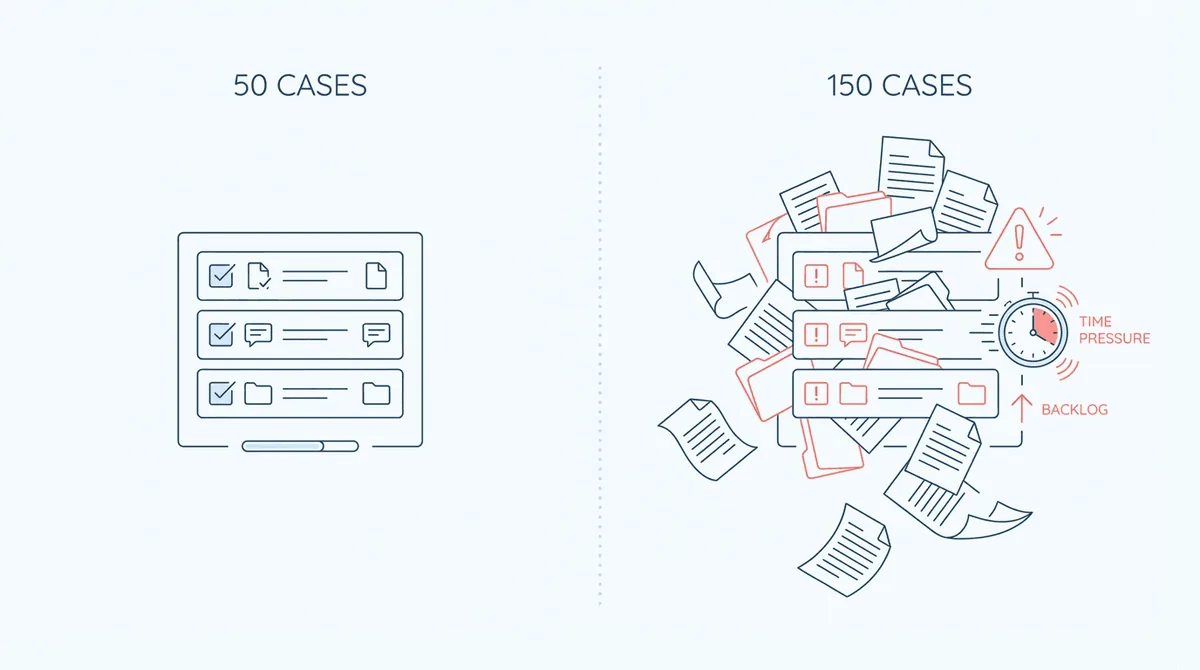
Software that works at 50 cases fails at 150. The workflows that feel manageable with a small caseload (manual ERE checks, paper mail handling, spreadsheet deadline tracking) break quietly as volume increases.
The ERE monitoring bottleneck: at The Law Office of Nancy L. Cavey, paralegals spent 15 to 20 hours per week in ERE before automating. At Martin, Jones & Piemonte, the estimate was five or six hours per week per paralegal just checking for updates. That’s operational drag that doesn’t scale. Double the caseload, and ERE monitoring alone could consume a full-time position.
Mail handling at volume: SSD firms receive constant SSA correspondence: hearing notices, decision letters, request forms. At small scale, someone scans the mail and routes it. At large scale, mail handling becomes a full workflow requiring digitization, categorization, deadline extraction, and task assignment. The Disability Champions described being a paper-mail driven firm trying to manage a huge volume of incoming mail before implementing virtual mailroom systems.
The hiring-vs-systems decision point: every growing firm faces this choice: add staff to handle increased volume, or invest in systems that create leverage. At Disability Advocates, the team noted that things became more and more cumbersome once they hit 100–125 cases. That threshold is where most firms hit the wall. The ones that scale successfully invest in operational infrastructure rather than just hiring.
What High-Volume Firms Actually Run
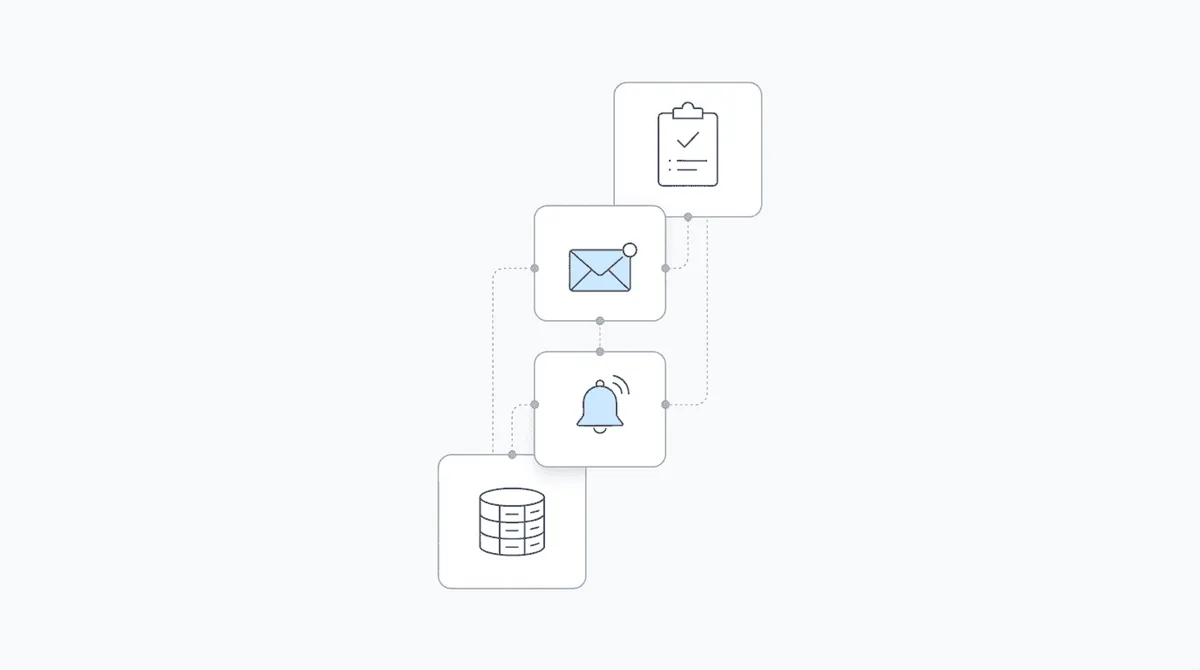
The multi-tool stack is the norm, not the exception. Here’s what that looks like in practice:
Case Management System (CMS) + SSD-specific tools: most high-volume firms run a general CMS (Prevail, Clio, SmartAdvocate) alongside specialized tools for SSD workflows. The CMS handles case records, contacts, and general legal workflows. The SSD-specific layer handles ERE monitoring, mailroom, and hearing prep.
Common stack patterns:
- Clio + Chronicle: Clio for general case management, Chronicle for full-lifecycle SSD operations
- Filevine + Chronicle: Filevine for case management, Chronicle for ERE monitoring and mailroom
- MyCase + Chronicle: MyCase for case management, Chronicle for SSD-specific operations
- Prevail + Chronicle: Prevail as the case database, Chronicle for continuous ERE monitoring
- SmartAdvocate standalone: Some firms use SmartAdvocate’s built-in deadline automation for everything
Chronicle integrates directly with Clio, Filevine, MyCase, and Litify. Operations data flows into whatever system your firm already uses.
Why firms don’t use one tool for everything: General case management systems weren’t built for SSA workflows. They handle cases and deadlines, but they don’t monitor ERE continuously, process SSA mail, or understand sequential evaluation. SSD-specific tools fill those gaps. Hearing prep platforms like Assure exist, but they access ERE for hearing preparation (not full-lifecycle operations) and have limited integration options beyond Litify and Prevail. Firms using Clio, Filevine, MyCase, or other platforms often prefer full-lifecycle operations tools that connect directly to what they already have.
Role of each tool in the workflow:
- CMS: case records, contacts, billing, general legal workflows
- ERE monitoring: automated document checks, status alerts, decision notifications
- Virtual mailroom: SSA correspondence digitization, routing, deadline extraction
- Hearing prep tools: medical chronology, evidence organization, transcription
The pieces fit together, but no single vendor does everything well.
Core Platform Categories
Understanding these categories helps evaluate which tools to prioritize:
Case Management Systems (CMS): these are the foundation: Prevail, Clio, SmartAdvocate, Litify. They store case records, track contacts, manage documents, and handle billing. Most have some deadline tracking. Few have deep SSD-specific functionality.
- Prevail: Long history in disability law; server and cloud options; SSA form support
- Clio: Modern cloud platform; strong integrations; not SSD-specific but adaptable
- SmartAdvocate: Comprehensive feature set; built-in deadline automation
- Litify: Salesforce-based; enterprise-focused
Full-Lifecycle Operations Platforms: Chronicle provides continuous ERE monitoring every two hours from initial application through post-hearing, plus virtual mailroom, medical chronology, and workflow automation. Chronicle integrates directly with Clio, Filevine, MyCase, and Litify, plus Zapier for other platforms.
Hearing Prep Platforms: Assure’s Atlasware accesses ERE specifically for exhibit review and hearing preparation—typically pulling files 3-5 times as cases approach hearing, not continuously. Assure offers a simple Litify integration and connects to Prevail (which Assure acquired). Firms using other CMS platforms may find limited data flow options.
Medical Chronology: hearing preparation requires organizing medical records into chronological summaries. Chronicle supports AI-powered medical chronology management as part of hearing preparation workflows. Other vendors specialize in AI-driven medical chronology.
Document Assembly: SSA forms and briefs require consistent formatting. Dibcase offers pre-populated SSA forms and document assembly. Many CMS platforms include native document generation.
The overlap between categories matters. A firm might use Clio for case management, Chronicle for ERE monitoring and medical chronology, and native Clio features for document storage. The tools specialize; the firm orchestrates.
What Changes at 600+ Cases
Operational patterns shift at high volume. What’s optional at 100 cases becomes mandatory at 600.
Automated monitoring becomes non-negotiable: manual ERE checking is impossible at scale. The Disability Champions grew from 900 to 3,000 active cases. They eliminated three positions, with Chronicle contributing roughly two-thirds to the staff savings. At that scale, manual processes aren’t just inefficient. They’re impossible.
Staff ratios that work: at scale, the metric is cases per paralegal. The Law Office of Nancy L. Cavey handles 500-600 active cases with 2 paralegals, a ratio that required automated ERE monitoring to achieve. Without it, they would have hired a third paralegal. William Viner of Viner Disability Law estimates Chronicle equals 50–75% of a paralegal in workload capacity.
Proactive vs. reactive client communication: at small scale, firms respond when clients call. At large scale, that’s unsustainable. High-volume firms use monitoring to contact clients before SSA letters arrive. At Viner Disability Law, automated monitoring enables emailing clients about decisions before mail arrives. Anderson Marois & Associates reported calling clients before SSA letters arrive, with workflow driven by monitoring rather than incoming calls.
Real examples from firms at this scale:
- The Disability Champions: 3,000 active cases with 2 attorneys and 20 staff; reported 75%+ drop in admin work
- The Law Office of Nancy L. Cavey: 500-600 cases with 2 attorneys and 2 paralegals; avoided hiring third paralegal
- Martin, Jones & Piemonte: ~70 federal court cases and 45-50 monthly hearings with 5 attorneys and 7-8 paralegals
Metrics That Matter When Evaluating Tools
When assessing software for a high-volume SSD practice, measure what matters:
Paralegal hours on ERE monitoring (before/after): this is the clearest efficiency metric. At The Law Office of Nancy L. Cavey: 15-20 hours per week per paralegal before automation. At Martin, Jones & Piemonte: 5-6 hours per week per paralegal. These are benchmarks for what you’re currently spending and what you could recover.
Deadline compliance rate: how often does your firm miss or nearly miss deadlines? Software should improve this metric. Ficek Law reported zero missed deadlines after implementing monitoring and alert systems.
Time to client notification on status changes: how quickly do you contact clients after a decision posts to ERE? Same day? Same week? When they call you? High-volume firms aim for same-day notification on decisions.
Cases per staff member: this ratio reveals operational leverage. If you need one paralegal per 50 cases, scaling to 500 cases requires 10 paralegals. If software creates leverage to handle more cases per paralegal, the math changes significantly.
Hearing prep time: how many hours does it take to prepare for a hearing? Medical chronology tools and organized evidence dashboards reduce this. Firms report starting hearing prep with summaries rather than reading thousands of pages from scratch.
Building Your Stack
For firms planning growth, here’s a practical framework:
Start with a CMS you can grow into: if you’re on spreadsheets, move to a proper case management system. Choose one with SSD experience. Don’t overbuy for your current scale, but ensure the platform handles your target volume.
Add SSD-specific layer for ERE and mailroom: this is where Chronicle fits. ERE monitoring that automates document checks and alerts when status changes occur. Virtual mailroom that digitizes SSA correspondence and triggers workflows. These capabilities don’t exist in general CMS platforms and create the operational leverage that enables scaling.
Consider hearing prep tools as volume increases: at 10 hearings per month, attorneys can review medical records manually. At 45-50 monthly hearings (like Martin, Jones & Piemonte), that’s unsustainable. Medical chronology tools, evidence organization dashboards, and transcription services become necessary.
Integration requirements between tools: ensure your tools talk to each other. Chronicle integrates with existing case management systems like Clio and Filevine. Bi-directional sync matters: case data should flow between systems without manual re-entry.
The Multi-Tool Reality
Vendor marketing suggests one platform handles everything. That’s rarely true for SSD practices at scale.
The firms that successfully grow past 600 cases run different tools for different problems: a CMS for case management, full-lifecycle operations for SSA visibility, and potentially hearing prep services when needed.
Chronicle is that full-lifecycle operations layer. It’s not a CMS replacement. It’s the operational backbone that handles continuous ERE monitoring, virtual mailroom, and medical chronology while integrating with your existing case management system via Clio, Filevine, MyCase, or Litify.
High-volume firms treat software as infrastructure investment, not expense. The Disability Champions estimated wasting 80 to 90 staff hours per week on manual tasks before automating. That’s the operational shift: from staff-intensive manual processes to system-enabled leverage.
The stack you build determines the scale you can reach.